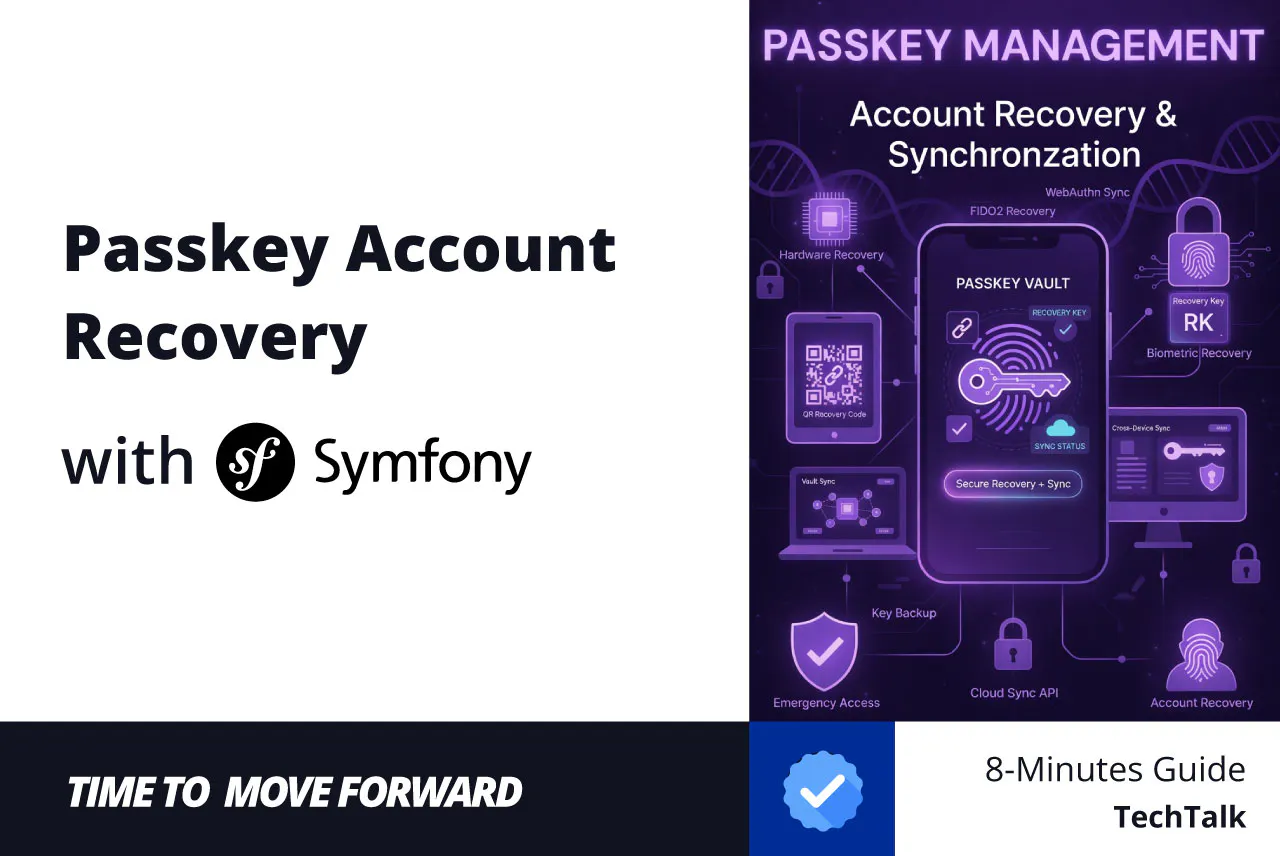
In Part 1 and Part 2, we built a fortress. We implemented WebAuthn, gracefully handled hybrid password fallbacks, and created a frictionless login experience using Conditional UI (autofill)
But now we must face the nightmare scenario: The Lost Device.
When you eliminate passwords, a user’s smartphone or YubiKey becomes their only key to the castle. If that device is lost, stolen, or destroyed, how do they get back in? If we just email them a magic link, we instantly downgrade our security model back to the vulnerabilities of email interception.
Today, we are building a bulletproof account recovery and passkey management system. We will create a user dashboard to manage active credentials, implement a “Last Used” tracker, and generate cryptographically secure, one-time recovery codes using the web-authn/web-authn-symfony-bundle.
Grab a coffee. We are diving deep into Symfony events, Doctrine lifecycle callbacks, WebAuthn v5 quirks, and clean architecture.
The Architecture of Recovery
Before we write code, let’s define the architecture of a production-ready WebAuthn recovery system:
- Transparency (The Dashboard): Users must be able to see all their registered passkeys, including when they were created and last used.
- Revocation: Users must be able to delete a passkey. If a device is stolen, revoking the credential instantly neutralizes the threat.
- The Fallback (Recovery Codes): Instead of passwords or email links, we will generate a set of one-time use, offline recovery codes during registration. These act as the ultimate fallback.
Building the Passkey Management Dashboard
To allow users to manage their passkeys, we need to query the database for their registered credentials. If you followed the standard bundle setup, you already have a PublicKeyCredentialSource Doctrine entity and repository.
Let’s create a controller to list and delete these credentials.
namespace AppController;

use AppRepositoryPublicKeyCredentialSourceRepository;
use DoctrineORMEntityManagerInterface;
use SymfonyBundleFrameworkBundleControllerAbstractController;
use SymfonyComponentHttpFoundationResponse;
use SymfonyComponentRoutingAttributeRoute;
use SymfonyComponentSecurityHttpAttributeIsGranted;

use AppServiceRecoveryCodeGenerator;

#[IsGranted('ROLE_USER')]
#[Route('/settings/passkeys', name: 'app_settings_passkeys_')]
class PasskeyManagementController extends AbstractController
{
    public function __construct(
        private readonly PublicKeyCredentialSourceRepository $credentialRepository,
        private readonly EntityManagerInterface $entityManager
    ) {}

    #[Route('/', name: 'index', methods: ['GET'])]
    public function index(RecoveryCodeGenerator $generator): Response
    {
        /** @var AppEntityUser $user */
        $user = $this->getUser();

        $newCodes = [];
        if ($user->getRecoveryCodes()->isEmpty()) {
            $newCodes = $generator->generateForUser($user, 10);
        }

        // We map our Symfony User to the WebAuthn User Entity
        $userEntity = $user->toWebAuthnUser();

        // Fetch all passkeys bound to this user
        $credentials = $this->credentialRepository->findAllForUserEntity($userEntity);

        return $this->render('settings/passkeys/index.html.twig', [
            'credentials' => $credentials,
            'newCodes' => $newCodes,
        ]);
    }

    #[Route('/{id}/revoke', name: 'revoke', methods: ['POST'])]
    public function revoke(string $id): Response
    {
        $credential = $this->credentialRepository->findOneBy(['id' => $id]);

        // Security Check: Ensure the credential belongs to the currently logged-in user
        if (!$credential || $credential->userHandle !== (string) $this->getUser()->getUserHandle()) {
            throw $this->createAccessDeniedException('You cannot revoke this passkey.');
        }

        $this->entityManager->remove($credential);
        $this->entityManager->flush();

        $this->addFlash('success', 'Passkey successfully revoked.');

        return $this->redirectToRoute('app_settings_passkeys_index');
    }
}
The Twig View
Create a simple view (templates/settings/passkeys/index.html.twig) to display the data:
{% extends 'base.html.twig' %}
{% block body %}
<h1>Manage Your Passkeys</h1>
<div style="margin-bottom: 20px;">
<a href="{{ path('app_dashboard') }}" class="btn btn-secondary" style="display: inline-block; padding: 10px 20px; background: #6c757d; color: white; text-decoration: none; border-radius: 5px; font-weight: bold;">
← Back to Dashboard
</a>
</div>
{% for message in app.flashes('success') %}
<div class="alert alert-success">
{{ message }}
</div>
{% endfor %}
{% if newCodes %}
<div class="alert alert-warning">
<h4 class="alert-heading">Save these Recovery Codes!</h4>
<p>You can use these codes to log in if you lose your device. They will only be shown <b>once</b>.</p>
<hr>
<div class="row">
{% for code in newCodes %}
<div class="col-6 col-md-4 mb-2"><code>{{ code }}</code></div>
{% endfor %}
</div>
</div>
{% endif %}
<table class="table">
<thead>
<tr>
<th>AAGUID (Device Type)</th>
<th>Added On</th>
<th>Last Used</th>
<th>Actions</th>
</tr>
</thead>
<tbody>
{% for credential in credentials %}
<tr>
<td>
<span title="{{ credential.aaguid }}">
{{ credential.aaguid == '00000000-0000-0000-0000-000000000000' ? 'Unknown Passkey' : 'Hardware Key' }}
</span>
</td>
<td>{{ credential.createdAt ? credential.createdAt|date('Y-m-d H:i') : 'Unknown' }}</td>
<td>{{ credential.lastUsedAt ? credential.lastUsedAt|date('Y-m-d H:i') : 'Never' }}</td>
<td>
<form action="{{ path('app_settings_passkeys_revoke', { 'id': credential.id }) }}" method="POST">
<button type="submit" class="btn btn-danger">Revoke</button>
</form>
</td>
</tr>
{% else %}
<tr><td colspan="4">No passkeys registered.</td></tr>
{% endfor %}
</tbody>
</table>
{% endblock %}
Guaranteed Creation Dates via Doctrine PrePersist
To provide visibility, users need to know when a passkey was added. Initially, we attempted to pull this data from WebAuthn’s TrustPath object (credential.trustPath.createdAt).
If we rely on external WebAuthn metadata for our business logic, we violate the concept of bounded contexts. Our application needs to know when the record was created in our system, not when the key claims it was minted.
We adhere to moving this logic directly into the entity using Doctrine’s HasLifecycleCallbacks.
We updated our PublicKeyCredentialSource entity:
#[ORMEntity(repositoryClass: PublicKeyCredentialSourceRepository::class)]
#[ORMTable(name: 'webauthn_credentials')]
#[ORMHasLifecycleCallbacks] // <-- Step 1: Enable callbacks
class PublicKeyCredentialSource extends WebauthnSource
{
    #[ORMColumn(type: 'datetime_immutable', nullable: true)]
    private ?DateTimeImmutable $createdAt = null;

    #[ORMPrePersist] // <-- Step 2: Hook into the pre-persist event
    public function setCreatedAtValue(): void
    {
        if ($this->createdAt === null) {
            $this->createdAt = new DateTimeImmutable();
        }
    }

    // ...
}
By leveraging #[ORMPrePersist], we guarantee that no matter where in our massive enterprise application a developer instantiates and persists a credential, the createdAt timestamp is irrevocably applied. The controller doesn’t need to know about it. The repository doesn’t need to know about it. It is perfectly encapsulated.
Tracking “Last Used” with Symfony Events
A critical feature of any security dashboard is showing the user when a credential was last used. If they see a login from today, but they haven’t logged in for a week, they know their account is compromised.
We can listen for the successful validation event and update the lastUsedAt property.
First, ensure your PublicKeyCredentialSource Doctrine entity has a lastUsedAt property. If you generated it using the bundle’s abstract class, you might need to extend it and add the column.
Next, create an Event Subscriber:
namespace AppEventSubscriber;

use DoctrineORMEntityManagerInterface;
use SymfonyComponentEventDispatcherEventSubscriberInterface;
use WebauthnEventAuthenticatorAssertionResponseValidationSucceededEvent;
use AppEntityPublicKeyCredentialSource;

readonly class PasskeyUsageSubscriber implements EventSubscriberInterface
{
    public function __construct(
        private EntityManagerInterface $entityManager
    ) {}

    public static function getSubscribedEvents(): array
    {
        return [
            AuthenticatorAssertionResponseValidationSucceededEvent::class => 'onPasskeyUsed',
        ];
    }

    public function onPasskeyUsed(AuthenticatorAssertionResponseValidationSucceededEvent $event): void
    {
        $credentialSource = $event->publicKeyCredentialSource;

        if ($credentialSource instanceof PublicKeyCredentialSource) {
            $credentialSource->setLastUsedAt(new DateTimeImmutable());

            // Persist the updated usage timestamp to the database
            $this->entityManager->persist($credentialSource);
            $this->entityManager->flush();
        }
    }
}
Now, every time a user logs in with a passkey, the timestamp is automatically recorded, entirely decoupled from your controllers!
The Ultimate Fallback: Offline Recovery Codes
If a user loses their phone, they can’t log in to revoke the old passkey and add a new one. To solve this, we will generate 10 offline recovery codes. These act as single-use passwords.
The Recovery Code Entity
namespace AppEntity;

use DoctrineORMMapping as ORM;

#[ORMEntity]
class RecoveryCode
{
    #[ORMId]
    #[ORMGeneratedValue]
    #[ORMColumn]
    private ?int $id = null;

    #[ORMColumn(length: 255)]
    private ?string $hashedCode = null;

    #[ORMManyToOne(inversedBy: 'recoveryCodes')]
    #[ORMJoinColumn(nullable: false)]
    private ?User $user = null;

    public function getId(): ?int
    {
        return $this->id;
    }

    public function getHashedCode(): ?string
    {
        return $this->hashedCode;
    }

    public function setHashedCode(string $hashedCode): static
    {
        $this->hashedCode = $hashedCode;

        return $this;
    }

    public function getUser(): ?User
    {
        return $this->user;
    }

    public function setUser(?User $user): static
    {
        $this->user = $user;

        return $this;
    }
}
Generating the Codes securely
When a user enables WebAuthn, we should generate these codes, hash them (just like passwords), and display the raw codes to the user exactly once.
namespace AppService;

use AppEntityRecoveryCode;
use AppEntityUser;
use DoctrineORMEntityManagerInterface;
use SymfonyComponentPasswordHasherHasherUserPasswordHasherInterface;

readonly class RecoveryCodeGenerator
{
    public function __construct(
        private EntityManagerInterface $entityManager,
        private UserPasswordHasherInterface $passwordHasher
    ) {}

    /**
     * @return string[] The plain-text codes to show the user
     */
    public function generateForUser(User $user, int $amount = 10): array
    {
        $plainCodes = [];

        for ($i = 0; $i < $amount; $i++) {
            // Generate a secure 8-character random string
            $code = bin2hex(random_bytes(4));
            $plainCodes[] = $code;

            $recoveryCode = new RecoveryCode();
            $user->addRecoveryCode($recoveryCode);

            // Hash the code before storing it in the database
            $hashed = $this->passwordHasher->hashPassword($user, $code);
            $recoveryCode->setHashedCode($hashed);

            $this->entityManager->persist($recoveryCode);
        }

        $this->entityManager->flush();

        return $plainCodes;
    }
}
In the PasskeyManagementController, we check if the user has any codes. If $user->getRecoveryCodes()->isEmpty(), we inject the RecoveryCodeGenerator, generate the codes, and pass the $plainCodes array to the Twig template.
Once the user navigates away, those plain text strings are gone from server memory forever.
The Recovery Login Flow
Create a standard Symfony form login route (e.g., /recovery-login). When the user submits their email and a recovery code, you verify it using Symfony’s UserPasswordHasherInterface.
If the hash matches, delete the code from the database (making it single-use) and manually authenticate the user using the Security helper:
namespace AppController;

use AppEntityUser;
use AppRepositoryUserRepository;
use DoctrineORMEntityManagerInterface;
use SymfonyBundleFrameworkBundleControllerAbstractController;
use SymfonyBundleSecurityBundleSecurity;
use SymfonyComponentHttpFoundationRequest;
use SymfonyComponentHttpFoundationResponse;
use SymfonyComponentPasswordHasherHasherPasswordHasherFactoryInterface;
use SymfonyComponentRoutingAttributeRoute;

class RecoveryLoginController extends AbstractController
{
    #[Route('/recovery-login', name: 'app_recovery_login')]
    public function login(
        Request $request,
        UserRepository $userRepository,
        PasswordHasherFactoryInterface $hasherFactory,
        Security $security,
        EntityManagerInterface $entityManager
    ): Response {
        if ($this->getUser()) {
            return $this->redirectToRoute('app_settings_passkeys_index');
        }

        $error = null;

        if ($request->isMethod('POST')) {
            $email = $request->request->get('email');
            $submittedCode = $request->request->get('code');

            if ($email && $submittedCode) {
                $user = $userRepository->findOneBy(['email' => $email]);

                if ($user) {
                    $hasher = $hasherFactory->getPasswordHasher(User::class);
                    $matchedRecoveryCodeEntity = null;

                    foreach ($user->getRecoveryCodes() as $recoveryCode) {
                        if ($hasher->verify($recoveryCode->getHashedCode(), $submittedCode)) {
                            $matchedRecoveryCodeEntity = $recoveryCode;
                            break;
                        }
                    }

                    if ($matchedRecoveryCodeEntity) {
                        // 1. Authenticate the user
                        $security->login($user, AppSecurityHybridAuthenticator::class);

                        // 2. Burn the code
                        $entityManager->remove($matchedRecoveryCodeEntity);
                        $entityManager->flush();

                        return $this->redirectToRoute('app_settings_passkeys_index');
                    } else {
                        $error="Invalid email or recovery code.";
                    }
                } else {
                    $error="Invalid email or recovery code.";
                }
            } else {
                $error="Please provide both email and recovery code.";
            }
        }

        return $this->render('app/recovery_login.html.twig', [
            'error' => $error,
        ]);
    }
}
Once logged in via the recovery code, the user is immediately redirected to the Passkey Dashboard, where they can revoke their lost device and register a new passkey!
Verification Steps
To ensure your recovery architecture is rock solid, run through this testing matrix:
- Dashboard Test: Register two different passkeys (e.g., Chrome profile and a YubiKey). Navigate to /settings/passkeys. Both should appear.
- Usage Tracking Test: Log out, then log back in using Passkey A. Check your database or dashboard — only Passkey A’s lastUsedAt timestamp should have updated.
- Revocation Test: Click “Revoke” on Passkey B. Attempt to log in using Passkey B. The assertion should fail entirely, and Symfony should deny entry.
- The “Lost Device” Simulation: Generate recovery codes for your account and save them to a text file.
- Revoke all your active passkeys (simulating losing your only device).
- Log out.
- Navigate to your Recovery Login page. Enter your email and one of the codes.
- You should be successfully authenticated.
- Attempt to use the exact same code again. It must fail (single-use validation).
Conclusion
Over the course of these three articles, we’ve taken Symfony 7.4 from a standard, password-heavy application to a modern, frictionless, and highly secure passwordless fortress.
We implemented the WebAuthn standard, smoothed the UX with Conditional UI, and finally, built the enterprise-grade management and recovery tools required for a production environment.
The passwordless future isn’t just about deleting the field. It is about rethinking identity, managing cryptographic trust securely, and keeping our users safe even on their worst days.
Source Code: You can find the full implementation and follow the project’s progress on GitHub: [https://github.com/mattleads/PasskeysAuth]
Let’s Connect!
If you found this helpful or have questions about the implementation, I’d love to hear from you. Let’s stay in touch and keep the conversation going across these platforms:
- LinkedIn: [https://www.linkedin.com/in/matthew-mochalkin/]
- X (Twitter): [https://x.com/MattLeads]
- Telegram: [https://t.me/MattLeads]
- GitHub: [https://github.com/mattleads]
Thank you for building the future with me. Happy coding!