

By using this site, you agree to the Privacy Policy and Terms of Use.
Accept
World of SoftwareWorld of SoftwareWorld of Software
  • News
  • Software
  • Mobile
  • Computing
  • Gaming
  • Videos
  • More
    • Gadget
    • Web Stories
    • Trending
    • Press Release
Search
  • Privacy
  • Terms
  • Advertise
  • Contact
Copyright © All Rights Reserved. World of Software.
Reading: The 2 Alternatives To USB Wi-Fi Adapters Actually Worth Using – BGR
Share
Sign In
Notification Show More
Font ResizerAa
World of SoftwareWorld of Software
Font ResizerAa
  • Software
  • Mobile
  • Computing
  • Gadget
  • Gaming
  • Videos
Search
  • News
  • Software
  • Mobile
  • Computing
  • Gaming
  • Videos
  • More
    • Gadget
    • Web Stories
    • Trending
    • Press Release
Have an existing account? Sign In
Follow US
  • Privacy
  • Terms
  • Advertise
  • Contact
Copyright © All Rights Reserved. World of Software.
World of Software > News > The 2 Alternatives To USB Wi-Fi Adapters Actually Worth Using – BGR
News

The 2 Alternatives To USB Wi-Fi Adapters Actually Worth Using – BGR

News Room
Last updated: 2026/03/22 at 7:29 PM
News Room Published 22 March 2026
Share
The 2 Alternatives To USB Wi-Fi Adapters Actually Worth Using – BGR
SHARE


S. Vatolina/Shutterstock

We may receive a commission on purchases made from links.

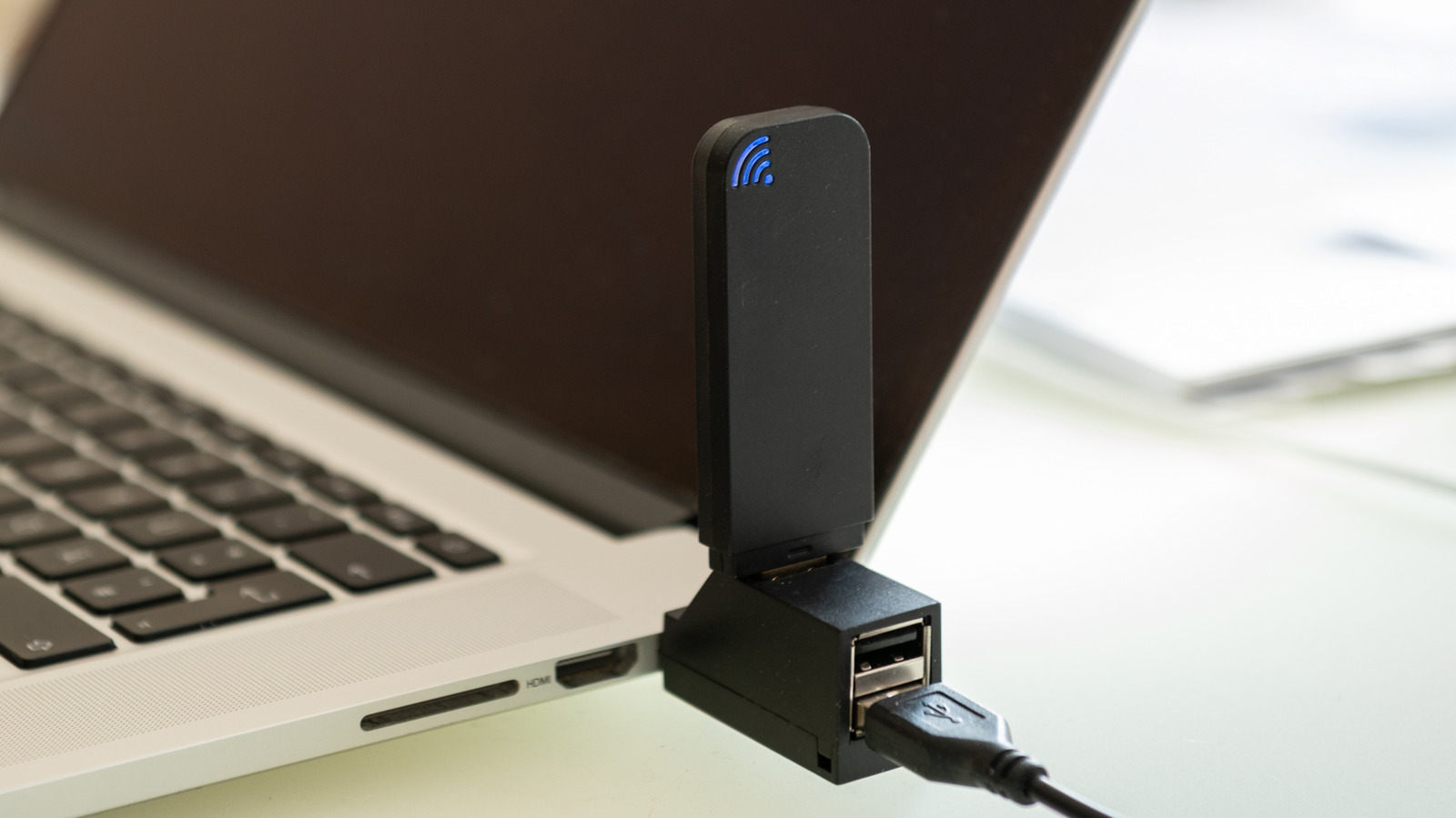
While a lot of people swear by Ethernet cables for a stable internet connection, the sad truth is that running a long cable from your router to your computer isn’t always an option. This is where Wi-Fi can help. But not all Wi-Fi networks are the same, and while Wi-Fi dongles might seem like a cheap and easy way to get an internet connection to your computer, Wi-Fi adapters are actually a terrible solution.

They might work initially; however, USB dongles are especially prone to a few key problems, such as overheating, which can lead to dropped connections, as well as slower speeds. The main reason for this is that these small Wi-Fi adapters just don’t have the physical space for the components they need, like a cooling fan or even strong antennas to latch onto a wireless signal. While they may only cost around $10 to $15, depending on which brand you buy, you’re better off spending a bit more and taking a different route.

If an antenna is all you need, then you could just buy one of those slightly more expensive USB dongles with the antenna connected to it, right? Not quite, as this still doesn’t negate the limitations of USB technology as a whole. Many computers can still utilize older USB ports, like USB 2.0, which is only rated for a max bandwidth of 480Mbps. Thankfully, you can check what type of USB ports your PC has to figure out if this will be an issue. So, what is the best solution? Well, there are two. You can either purchase a Wi-Fi adapter that goes directly into your motherboard, or you can even use your phone.

PCIe Wi-Fi adapters change the game entirely
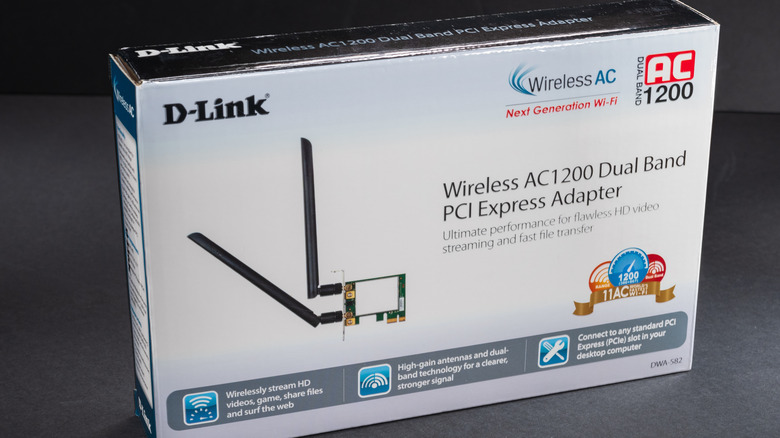

The box for a D-Link wireless PCIe adapter
Trygve Finkelsen/Shutterstock

Now, if you’re trying to get Wi-Fi on an older laptop, a dongle might be the only option, as working on a laptop’s internals takes a lot more technical know-how than working on a desktop. You’re also limited on what you can fit into the shell of a laptop. On a desktop, however, where you have a bit more room to work, installing a PCIe Wi-Fi adapter can be the best solution, and you can often do it without breaking the bank. Not only will a PCIe adapter almost always be rated for better speeds than a dongle, but the fact that it connects directly to your motherboard means it won’t have to go through any annoying USB limitations.

This means it also won’t have to fight for connection bandwidth with other USB devices, and the makeup of the PCIe card can help with better heat dissipation, which will keep your internet connection running smoothly even under intense sessions of gaming, editing, or just daily browsing. The best thing about going with PCIe is that you can often find PCIe cards from known brands like TP-Link — like the TP-Link Archer TX55E – which supports Wi-Fi 6, and supports speeds of up to 2.4 Gbps for less than $30.

Just use your phone
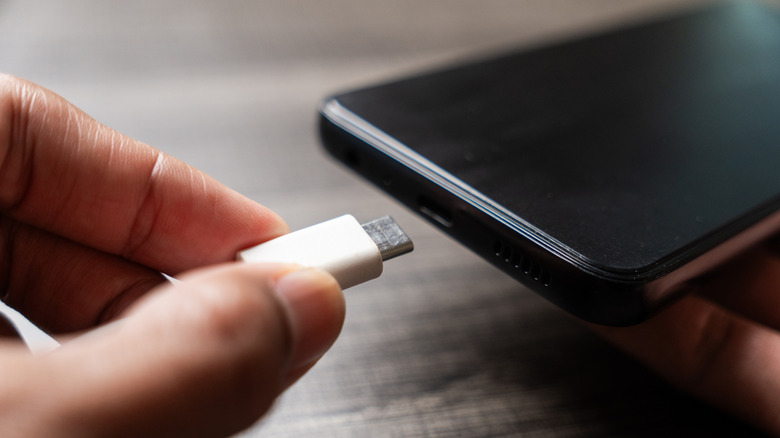

A person inserting a USB-C cable into a smartphone
Panadesign/Shutterstock

Now, there is another option, although the viability of this one might change depending on what type of phone you have. That’s because some phones may not support USB tethering. However, you can connect your smartphone to your Wi-Fi and then plug it into your computer. The downside here, of course, is that you’re still susceptible to the same limitations of USB ports that you would have to deal with if you were running a standard USB dongle. However, by using something you already have access to, you won’t have to spend any extra money.

We wouldn’t recommend using this method for intense gaming or streaming, as it can lead to higher heat levels in your device. But, if you need Wi-Fi in a jiffy and don’t want to spend any money on extra peripherals, this is a nice alternative that uses something you most likely already own. Just make sure you use the right USB ports. Additionally, if you already have Wi-Fi set up on your computer, but need it to be stronger, then you can also use your phone as a Wi-Fi repeater to improve your connection.


Sign Up For Daily Newsletter

Be keep up! Get the latest breaking news delivered straight to your inbox.
By signing up, you agree to our Terms of Use and acknowledge the data practices in our Privacy Policy. You may unsubscribe at any time.
Share This Article
Facebook Twitter Email Print
Share
What do you think?
Love0
Sad0
Happy0
Sleepy0
Angry0
Dead0
Wink0
Previous Article Samsung's Galaxy S26 Phones Will Work With Apple's AirDrop, Much Like the Pixel 10 Samsung's Galaxy S26 Phones Will Work With Apple's AirDrop, Much Like the Pixel 10
Next Article The latest AI-integrated Windows OS is only  for a bit longer The latest AI-integrated Windows OS is only $13 for a bit longer
Leave a comment

Leave a Reply Cancel reply

Your email address will not be published. Required fields are marked *

Stay Connected

248.1k Like
69.1k Follow
134k Pin
54.3k Follow

Latest News

Apple raises external storage prices as AI consumes everything
News
Are The AirPods Max 2 Waterproof? What The IP Rating Means – BGR
News
AI influencer awards season is upon us
News
The Next Frontier: GPT-5.2 and Sora’s Cinematic Impact on the AI Landscape (March 2026) – Chat GPT AI Hub
Computing

You Might also Like

Apple raises external storage prices as AI consumes everything
News

Apple raises external storage prices as AI consumes everything

1 Min Read
Are The AirPods Max 2 Waterproof? What The IP Rating Means – BGR
News

Are The AirPods Max 2 Waterproof? What The IP Rating Means – BGR

5 Min Read
AI influencer awards season is upon us
News

AI influencer awards season is upon us

6 Min Read
Do you want to build a robot snowman? |  News
News

Do you want to build a robot snowman? | News

8 Min Read
//

World of Software is your one-stop website for the latest tech news and updates, follow us now to get the news that matters to you.

Quick Link

  • Privacy Policy
  • Terms of use
  • Advertise
  • Contact

Topics

  • Computing
  • Software
  • Press Release
  • Trending

Sign Up for Our Newsletter

Subscribe to our newsletter to get our newest articles instantly!

World of SoftwareWorld of Software
Follow US
Copyright © All Rights Reserved. World of Software.
Welcome Back!

Sign in to your account

Lost your password?