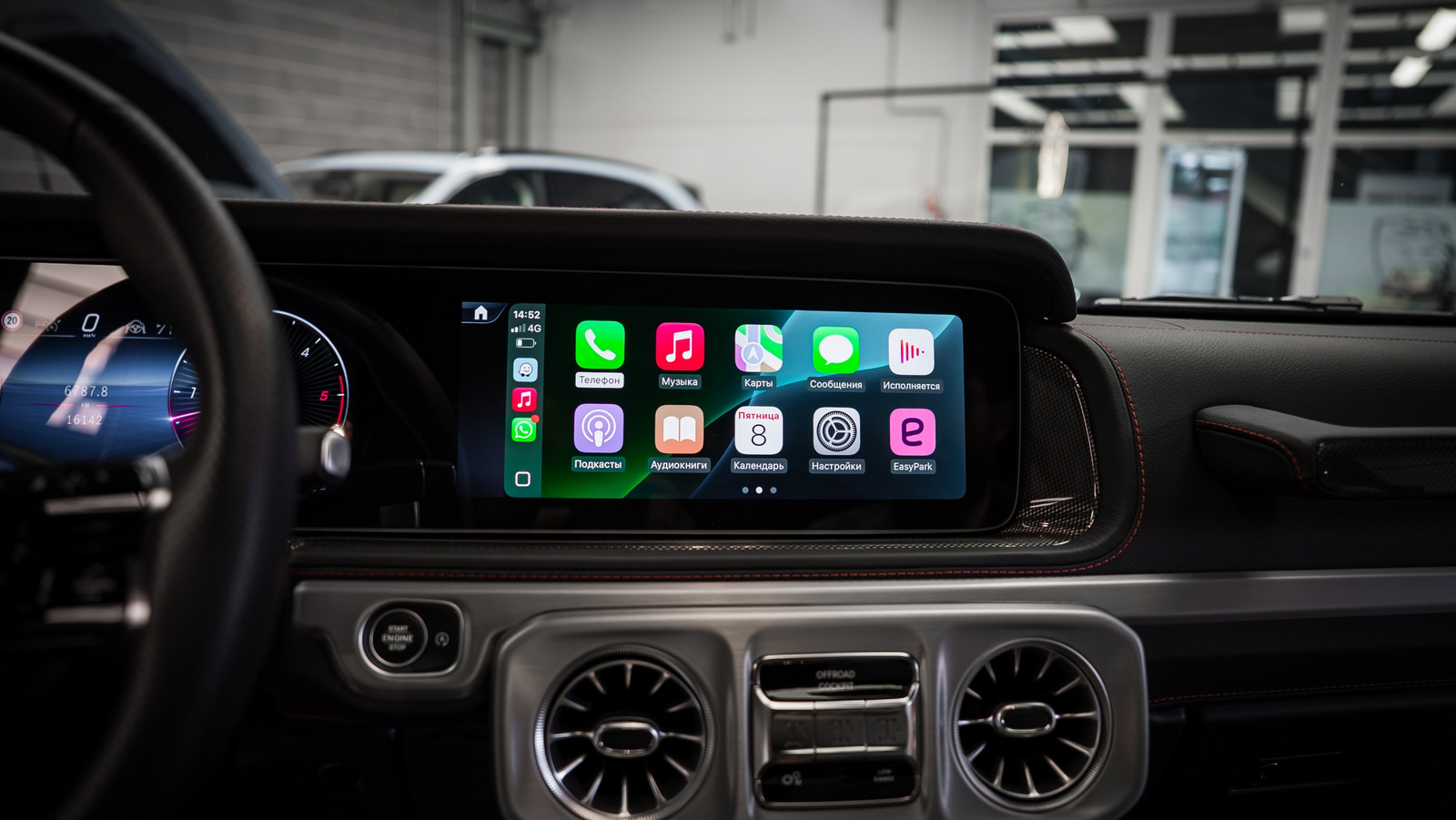
When you learn about how Apple CarPlay actually works, you might be overwhelmed by just how many ways it can change your commute. While this hands-free interface offers a ton of features, like easy navigation and Siri integrations, controlling your favorite music and audio apps while on the go is one of the best ways to use it. With so many apps to choose from on Apple’s App Store, finding the best ones for CarPlay can be challenging.
There are a few ways to make a decision. You’ll likely need a go-to music player for streaming albums and playlists, and we’ll offer a couple of selections depending on your active subscriptions. Then, you’ll need a radio app, and we’ve got one of the best options for that as well. We’ll even recommend an app that lets you set up your own streaming audio server and access it via CarPlay. So buckle up, and let’s head out.
Spotify
When choosing the best music app for CarPlay, you will probably give extra points to the service you’re already using. After all, CarPlay is mostly an extension of your phone, as it uses profiles and the processing power of your iPhone. And even though we don’t think Spotify is a flawless music service, there’s no denying that it owns the most market share of any music streaming service. So, there’s a pretty good chance that you already have an account.
In fact, Spotify commands almost one-third of the streaming music market. That’s because Spotify made its name in 2008 with an on-demand streaming offering that was legal and free to play, with ads and subscription models supporting it. Today, it offers over 100 million tracks with one of the best libraries available in this type of product.
It comes to life beautifully on CarPlay with a dedicated “Now Playing” screen that makes it easy to skip tracks and play or pause with a simple tap. For browsing, it opts to offer a “Recently Played” list in the center, but you can go into a Siri-powered search menu to find other options. There are a few drawbacks, as it can be a little clunky to scroll longer lists of recent songs — particularly a problem if you have varied listening tastes. You also need a Premium subscription to get the best listening resolutions, though some users point out you can adjust phone settings for a better experience. At the end of the day, Spotify is the market leader and a great all-around choice for your main streaming app.
Apple Music
If Spotify is the all-around choice for most people, the Apple stalwarts will want to turn their attention to the CarPlay functionality of Apple Music for seamless integration with the Apple ecosystem. Apple Music via CarPlay can offer a similar experience to Spotify, pulling in your favorites, playlists, and recent songs to easily play and navigate using the car screen. Apple’s also got a real eye toward building its own offering, as we covered in our interview with Apple Music’s Oliver Schusser.
It’s when you start to open up more Apple functionality that this option really shows its value. Many users prefer the user interface of Apple Music in CarPlay, which makes sense because it lines up well with other stock Apple apps. Apple Music generally streams at a higher resolution than the base Spotify subscription. What’s really cool is you can even use SharePlay integration on Apple Music via CarPlay, which opens up functionality for more social listening. Of course, this all assumes that you have an Apple Music subscription, and podcasts are not integrated into this app as they are on Spotify.
TuneIn
The two apps discussed so far are focused on on-demand listening, but what if you want the more traditional radio experience in your car? One of the best apps for listening to both traditional and internet radio stations is TuneIn. Launched in 2002 as a means of bringing radio broadcasting online, TuneIn now offers a wide network of stations from around the country. That means you can listen to a slew of dedicated online radio stations or turn to your favorite station from your hometown — all through your iPhone and CarPlay.
It’s more than just music, as TuneIn also offers sports broadcasts through partnerships with top leagues as well as talk radio and specialty partner stations. The interface is solid on CarPlay, but its Premium offering is a little underwhelming. TuneIn also offers dedicated programs right on certain car infotainment centers (such as Tesla and Lucid vehicles), and that interface is better, faster, and smoother than the CarPlay offering. But if you’re looking for far-reaching radio options on CarPlay, TuneIn is one of the best.
Tidal
If your focus for music is on audio fidelity, then you’ve probably considered Tidal. When this music service was launched by some of music’s biggest stars in 2014, its fanfare was pinned on offering a service that both provided musicians with a bigger slice of royalties and listeners with better quality audio. Tidal’s key claim is that it offers resolutions of up to 24-bit, 192-kilohertz FLAC songs, which is more than Spotify’s max of 320 kilobit-per-second AAC. This means that, theoretically, your music could sound better using Tidal.
Then there’s the editorial and playlist component of Tidal. While Spotify’s Discover playlists and algorithmic recommendations are well-covered, Tidal has a few of its own curation options, including its similarly named My Daily Discovery playlist, which doesn’t have quite as much reach as Spotify. Tidal’s controls still work well via CarPlay, and the integration with Apple “Now Playing” is the same as you might expect with other services. So, the key here is to consider whether the promise of higher resolution is your top priority.
Plexamp
While there are subtle differences between the various music services above, we wanted to include something a little more off-center for those who don’t want to put all their eggs into one music service subscription. Plexamp is an offshoot of video server provider Plex. It provides a way for you to categorize, explore, and listen to any music stored on your Plex server via other devices. If you’ve never used Plex, it’s an app with a user-friendly media interface that allows you to access a self-hosted server storing your audio and video.
In this case, Plexamp unlocks multi-device support to access any of your local files for streaming anywhere, including your car. While you can store a music library on your phone and play that in the car, Plexamp allows those files to be accessed on many devices. You can then fire it up via CarPlay and make your own private streaming music library. While Plexamp is free, it requires a subscription to stream your songs at their original quality. But this may be a worthy price if you want to keep your music library local to you (and your data and subscription fee out of the Spotify universe).
How we chose these music apps
There’s truly no shortage of music apps for iPhone, and many of them offer full-featured CarPlay integrations. So, when we set out to choose the best apps to pair with this service, our focus factored in a few variables. First, the apps had to be well-reviewed, both on the App Store and in anecdotal forum threads. Additionally, the apps had to be popular, with wide compatibility and a track record of reliability.
The other main factor was how these apps come to life on CarPlay. Sure, it could be solid on a phone or directly on another Apple device, but what are its key features for CarPlay? Making sure the user interface is seamless while driving and that the app developer actively supports reliability for the CarPlay extensions was paramount. Every app on this list clears a threshold in these areas, and we’re confident they’ll all soundtrack your drives easily.