By using this site, you agree to the Privacy Policy and Terms of Use.
Accept
World of SoftwareWorld of SoftwareWorld of Software
  • News
  • Software
  • Mobile
  • Computing
  • Gaming
  • Videos
  • More
    • Gadget
    • Web Stories
    • Trending
    • Press Release
Search
  • Privacy
  • Terms
  • Advertise
  • Contact
Copyright © All Rights Reserved. World of Software.
Reading: The Best Way To Keep Your Laptop’s Keyboard Clean – BGR
Share
Sign In
Notification Show More
Font ResizerAa
World of SoftwareWorld of Software
Font ResizerAa
  • Software
  • Mobile
  • Computing
  • Gadget
  • Gaming
  • Videos
Search
  • News
  • Software
  • Mobile
  • Computing
  • Gaming
  • Videos
  • More
    • Gadget
    • Web Stories
    • Trending
    • Press Release
Have an existing account? Sign In
Follow US
  • Privacy
  • Terms
  • Advertise
  • Contact
Copyright © All Rights Reserved. World of Software.
World of Software > News > The Best Way To Keep Your Laptop’s Keyboard Clean – BGR
News

The Best Way To Keep Your Laptop’s Keyboard Clean – BGR

News Room
Last updated: 2025/12/14 at 3:08 PM
News Room Published 14 December 2025
Share
The Best Way To Keep Your Laptop’s Keyboard Clean – BGR
SHARE


Diy13/Getty Images

We tend to focus on cleaning the germ-filled screens of our tech devices, from our phones to our tablets, and yes, even our laptops. When it comes to laptops, the keyboard can be a dust magnet. What’s more, if you eat lunch at your desk, you’ll likely find crumbs between the keys. Have pets? Your cat’s hair has probably made its way to the keyboard, too. This is not only unsightly and messy, but a dirty keyboard can also affect the typing experience, and can even cause damage to the laptop.

It’s important to keep your computer’s screen clean, but it’s just as important to clean your laptop’s keyboard. However, you usually can’t use the same cleaning solution, and the process is a bit more intricate with a keyboard, as you need to get into the crevices between the keys. The method can vary depending on whether you’re using a laptop’s built-in keyboard or an external keyboard.

You’ll need a few key items, including isopropyl alcohol, cotton swabs, a toothpick, a microfiber or other soft cloth, disinfectant wipes, cleaning slime or low-adhesive tape, and a can of compressed air. In a few steps, your keyboard will be like new again.

Cleaning a laptop keyboard


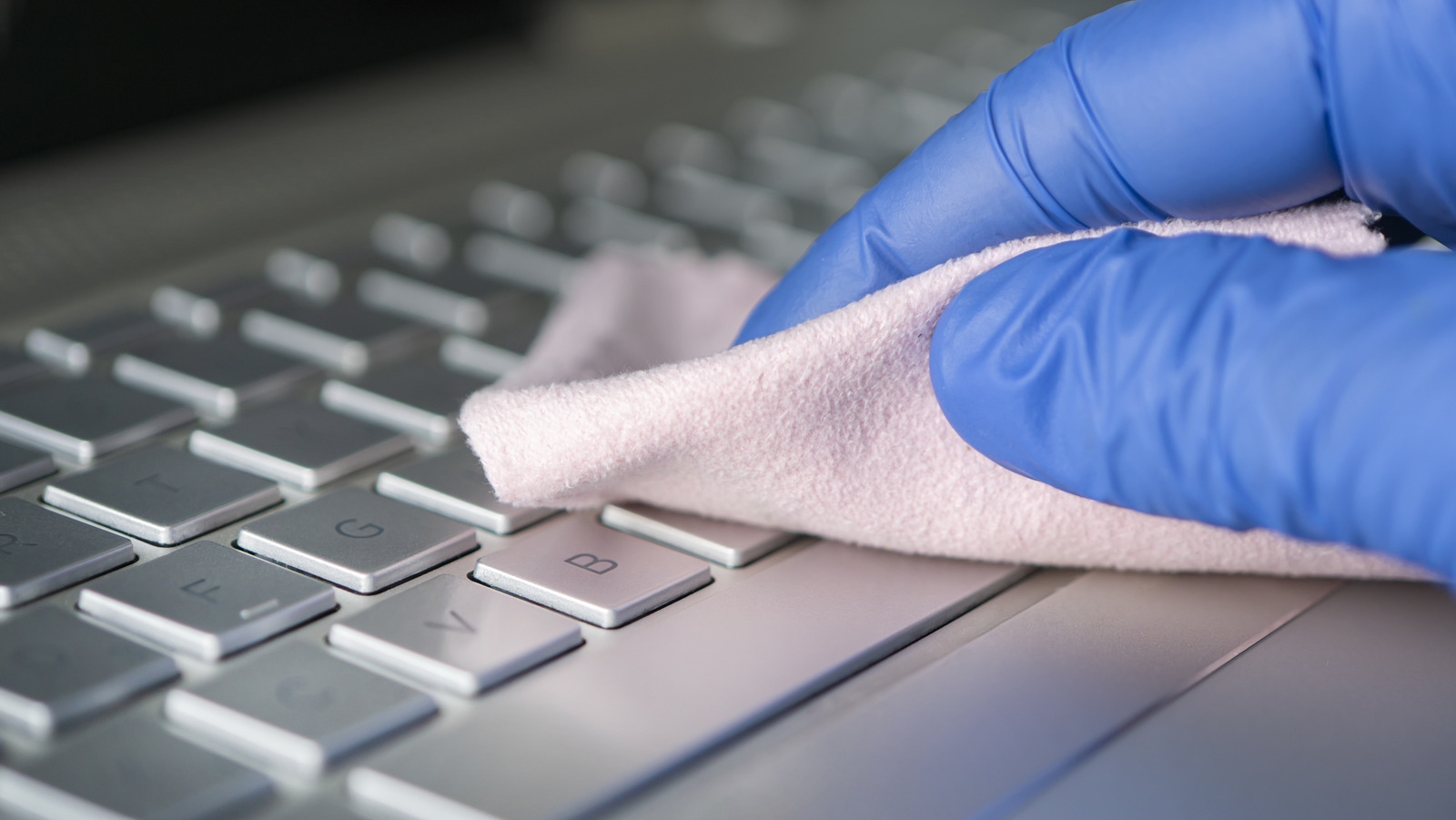
A man's hand cleaning a laptop keyboard with a cloth.
PeopleImages/Shutterstock

For a laptop’s built-in keyboard, unplug the computer and turn it off. Lift and turn it over to shake out any large or loose debris. Shake the can of compressed air and give it a few sprays away from the laptop to get the air flowing, then hold it upright and blow between the keys. It can even be used to remove debris from side ports.

Use either cleaning slime — one of the best computer and keyboard cleaning tools – or low-adhesive tape, pressing it into the crevices between keys to remove any remaining dust and debris. Make sure you only apply light pressure while doing this. If there is still dirt or debris wedged in between the keys, use a cotton swab with a bit of alcohol on the tip to dislodge and remove it. A cotton swab is also great for sliding along the gap between the keyboard and the screen.

Run a disinfectant wipe over the top of the keys with light pressure. You might want to squeeze it out first to ensure there’s no excess moisture. Finish it off by polishing the surface with a soft, dry cloth, then let the computer dry completely before you turn it on.

Cleaning an external keyboard


A white wireless keyboard and mouse on a light blue background.
Fcafotodigital/Getty Images

Whether you have one of the best wireless keyboards or a wired one, the cleaning process is much the same. Disconnect it, turn it off, flip it upside down, and shake it to remove any loose debris. Then use the compressed air to remove any remaining debris. Put alcohol on a cotton swab (never apply it directly to the keyboard), and then gently rub between the keys. Depending on how dirty the keyboard is, you may need to repeat the process to fully clean it.

If any of the dirt is hard to remove, use a toothpick to dislodge it, but do so gently. Some external keyboards have removable keys. For an even deeper clean, remove the keys one by one, and use a cotton swab or a toothpick under each key. Tip: If you prefer to remove all the keys at once, take a photo of the keyboard first to use as a guide so you don’t forget where each one goes.

Add a little alcohol to a microfiber cloth, then wipe down the tops of the keys. You can even use this for the surrounding area or your mouse. Finish it off with a dry, lint-free cloth to remove any remaining dust. In doing this quick clean at least once a month, your laptop keyboard will remain in tip-top shape.



Sign Up For Daily Newsletter

Be keep up! Get the latest breaking news delivered straight to your inbox.
By signing up, you agree to our Terms of Use and acknowledge the data practices in our Privacy Policy. You may unsubscribe at any time.
Share This Article
Facebook Twitter Email Print
Share
What do you think?
Love0
Sad0
Happy0
Sleepy0
Angry0
Dead0
Wink0
Previous Article Absynth is back and weirder than ever after 16 years Absynth is back and weirder than ever after 16 years
Next Article 5 Essential Tech Accessories Under  Every Office Worker Needs – BGR 5 Essential Tech Accessories Under $20 Every Office Worker Needs – BGR
Leave a comment

Leave a Reply Cancel reply

Your email address will not be published. Required fields are marked *

Stay Connected

248.1k Like
69.1k Follow
134k Pin
54.3k Follow

Latest News

AI ROI race is now defined by agents, Dell claims –  News
AI ROI race is now defined by agents, Dell claims – News
News
Every Roku Streaming Device, Ranked From Worst To Best – BGR
News
The 10 Most Reliable Electric SUVs In 2025 According To Consumer Reports – BGR
News
Is Wireless HDMI As Good As Wired? – BGR
News

You Might also Like

AI ROI race is now defined by agents, Dell claims –  News
News

AI ROI race is now defined by agents, Dell claims – News

7 Min Read
Every Roku Streaming Device, Ranked From Worst To Best – BGR
News

Every Roku Streaming Device, Ranked From Worst To Best – BGR

8 Min Read
The 10 Most Reliable Electric SUVs In 2025 According To Consumer Reports – BGR
News

The 10 Most Reliable Electric SUVs In 2025 According To Consumer Reports – BGR

22 Min Read
Is Wireless HDMI As Good As Wired? – BGR
News

Is Wireless HDMI As Good As Wired? – BGR

4 Min Read
//

World of Software is your one-stop website for the latest tech news and updates, follow us now to get the news that matters to you.

Quick Link

  • Privacy Policy
  • Terms of use
  • Advertise
  • Contact

Topics

  • Computing
  • Software
  • Press Release
  • Trending

Sign Up for Our Newsletter

Subscribe to our newsletter to get our newest articles instantly!

World of SoftwareWorld of Software
Follow US
Copyright © All Rights Reserved. World of Software.
Welcome Back!

Sign in to your account

Lost your password?