By using this site, you agree to the Privacy Policy and Terms of Use.
Accept
World of SoftwareWorld of SoftwareWorld of Software
  • News
  • Software
  • Mobile
  • Computing
  • Gaming
  • Videos
  • More
    • Gadget
    • Web Stories
    • Trending
    • Press Release
Search
  • Privacy
  • Terms
  • Advertise
  • Contact
Copyright © All Rights Reserved. World of Software.
Reading: The Best Way To Keep Your Phone’s USB-C Port Clean – BGR
Share
Sign In
Notification Show More
Font ResizerAa
World of SoftwareWorld of Software
Font ResizerAa
  • Software
  • Mobile
  • Computing
  • Gadget
  • Gaming
  • Videos
Search
  • News
  • Software
  • Mobile
  • Computing
  • Gaming
  • Videos
  • More
    • Gadget
    • Web Stories
    • Trending
    • Press Release
Have an existing account? Sign In
Follow US
  • Privacy
  • Terms
  • Advertise
  • Contact
Copyright © All Rights Reserved. World of Software.
World of Software > News > The Best Way To Keep Your Phone’s USB-C Port Clean – BGR
News

The Best Way To Keep Your Phone’s USB-C Port Clean – BGR

News Room
Last updated: 2025/12/07 at 5:33 AM
News Room Published 7 December 2025
Share
The Best Way To Keep Your Phone’s USB-C Port Clean – BGR
SHARE


Skrypnykov Dmytro/Shutterstock

We may receive a commission on purchases made from links.

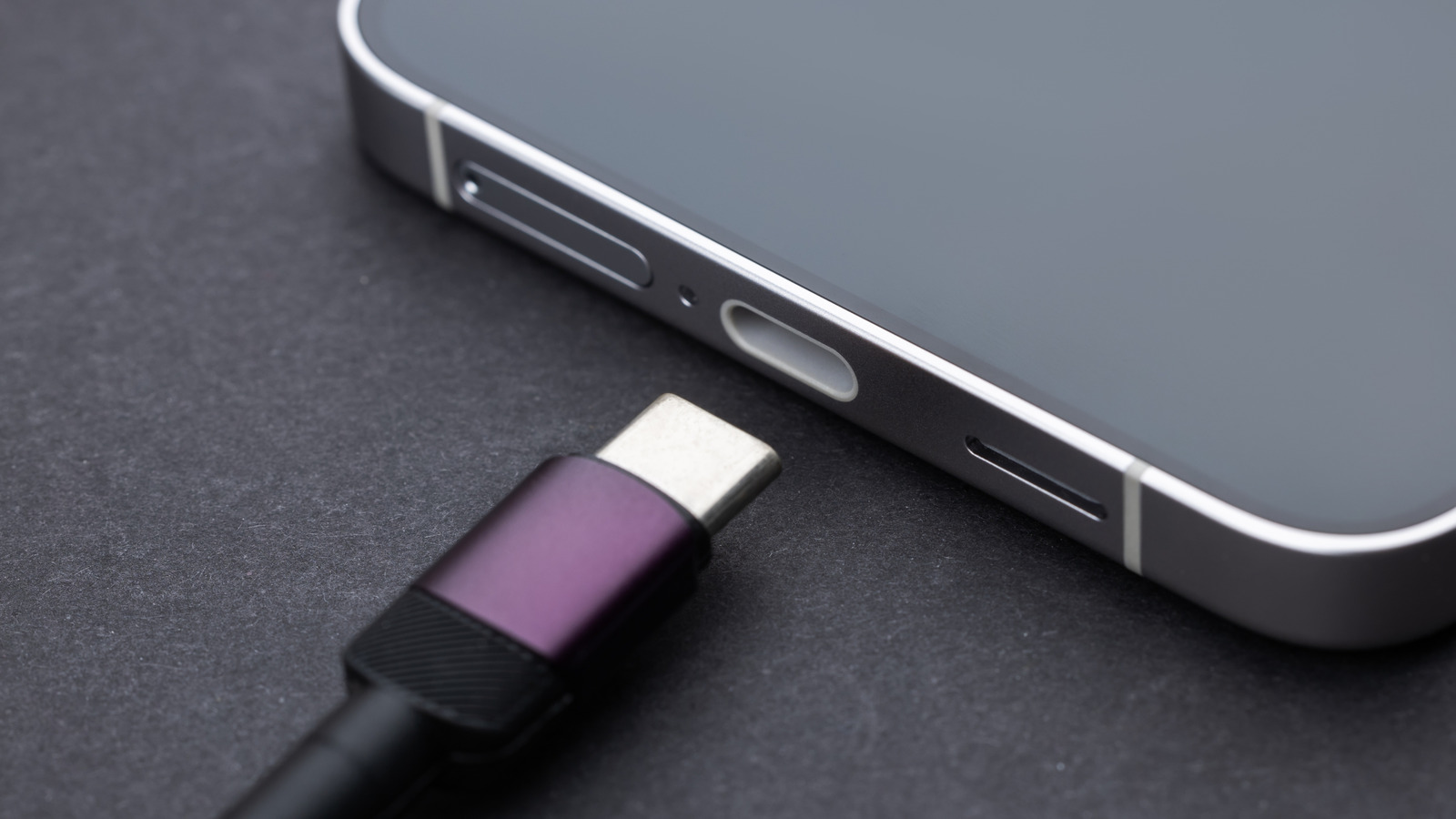
Your smartphone is the device that accompanies you most throughout your day, bouncing around in your pocket and occasionally being subjected to the elements. An inevitable side effect: Your smartphone’s vulnerable points, such as its USB-C charging port, may accumulate unpleasant contaminants like dust and debris. Thankfully, much like cleaning dust from most types of electronics, cleaning these contaminants out is fairly simple, frequently requiring no more than a few quick puffs of compressed air.

Your phone’s USB-C port is very delicate, and if you probe it violently with a pointed object, you’re more likely to permanently damage it, rather than clean it. This is why the best cleaning method is one that involves little-to-no physical contact, i.e. compressed air. Give your phone’s charging port a quick spray every now and then, and you won’t need to worry about damaged prongs or charging problems. If you’re not actively charging your phone, or otherwise using your USB-C port, you can also put a cover (or plug) over it to keep any new dust from getting in.

Compressed air will remove most accumulated dirt and debris
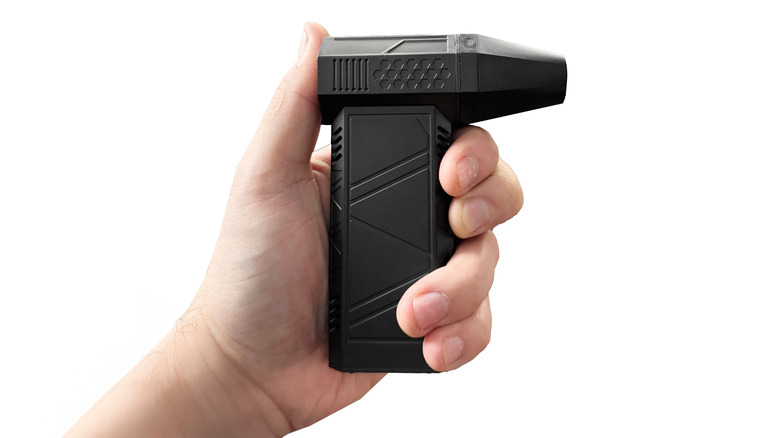

A hand holding an electronic compressed air duster.
Katarzyna Ledwon/Shutterstock

Compressed air is the ideal tool for safely cleaning out your phone’s USB-C port — as well as the USB ports on your laptop computer — and it’s readily available in several forms on Amazon. You can get a three-pack of disposable Dust-Off cans, or if you’d prefer something you don’t have to replace, you can get a rechargeable, reusable electronic compressed air duster.

Before you attempt to clean your phone’s USB-C port, you should unplug it from any outlets or other devices and power it down completely. While the likelihood of electrical hazards is lower when using compressed air, the risk is never truly zero. Turning off your device prevents these hazards from damaging your phone or potentially injuring you. Once your phone is powered down, place the straw of the compressed air can/device a couple of inches away from the port and fire off a couple of quick bursts. Try to angle your phone downward so the dust falls out — and if you’re using the canned variety of compressed air, don’t spray the air for more than two seconds at a time. Move the straw around a bit so you get every angle inside of the port.

Once the port has been cleared of dust, consider inserting a dust plug into it. This will help to reduce the likelihood of more dust getting in, so you won’t need to clean as frequently. You can get USB-C dust covers in packs on Amazon as well.



Sign Up For Daily Newsletter

Be keep up! Get the latest breaking news delivered straight to your inbox.
By signing up, you agree to our Terms of Use and acknowledge the data practices in our Privacy Policy. You may unsubscribe at any time.
Share This Article
Facebook Twitter Email Print
Share
What do you think?
Love0
Sad0
Happy0
Sleepy0
Angry0
Dead0
Wink0
Previous Article One in three: Here’s why Samsung is the king of Android One in three: Here’s why Samsung is the king of Android
Next Article Guidewire supports Cincinnati Insurance in transforming claims operations Guidewire supports Cincinnati Insurance in transforming claims operations
Leave a comment

Leave a Reply Cancel reply

Your email address will not be published. Required fields are marked *

Stay Connected

248.1k Like
69.1k Follow
134k Pin
54.3k Follow

Latest News

Meta delays ‘Phoenix’ mixed reality glasses release
News
The accelerator is on the floor for autonomous vehicles |  News
The accelerator is on the floor for autonomous vehicles | News
News
What Does Nuclear Radiation Actually Do To Your Body? – BGR
News
Go’s 16th Anniversary and the Major Highlights of 2025 | HackerNoon
Computing

You Might also Like

Meta delays ‘Phoenix’ mixed reality glasses release
News

Meta delays ‘Phoenix’ mixed reality glasses release

2 Min Read
The accelerator is on the floor for autonomous vehicles |  News
News

The accelerator is on the floor for autonomous vehicles | News

8 Min Read
What Does Nuclear Radiation Actually Do To Your Body? – BGR
News

What Does Nuclear Radiation Actually Do To Your Body? – BGR

6 Min Read
Android 16’s best new trick lets you theme all your icons with two taps; here’s how
News

Android 16’s best new trick lets you theme all your icons with two taps; here’s how

8 Min Read
//

World of Software is your one-stop website for the latest tech news and updates, follow us now to get the news that matters to you.

Quick Link

  • Privacy Policy
  • Terms of use
  • Advertise
  • Contact

Topics

  • Computing
  • Software
  • Press Release
  • Trending

Sign Up for Our Newsletter

Subscribe to our newsletter to get our newest articles instantly!

World of SoftwareWorld of Software
Follow US
Copyright © All Rights Reserved. World of Software.
Welcome Back!

Sign in to your account

Lost your password?