

By using this site, you agree to the Privacy Policy and Terms of Use.
Accept
World of SoftwareWorld of SoftwareWorld of Software
  • News
  • Software
  • Mobile
  • Computing
  • Gaming
  • Videos
  • More
    • Gadget
    • Web Stories
    • Trending
    • Press Release
Search
  • Privacy
  • Terms
  • Advertise
  • Contact
Copyright © All Rights Reserved. World of Software.
Reading: The Cheap And Easy Way You Can Instantly Upgrade Your Steam Deck – BGR
Share
Sign In
Notification Show More
Font ResizerAa
World of SoftwareWorld of Software
Font ResizerAa
  • Software
  • Mobile
  • Computing
  • Gadget
  • Gaming
  • Videos
Search
  • News
  • Software
  • Mobile
  • Computing
  • Gaming
  • Videos
  • More
    • Gadget
    • Web Stories
    • Trending
    • Press Release
Have an existing account? Sign In
Follow US
  • Privacy
  • Terms
  • Advertise
  • Contact
Copyright © All Rights Reserved. World of Software.
World of Software > News > The Cheap And Easy Way You Can Instantly Upgrade Your Steam Deck – BGR
News

The Cheap And Easy Way You Can Instantly Upgrade Your Steam Deck – BGR

News Room
Last updated: 2026/01/11 at 11:26 PM
News Room Published 11 January 2026
Share
The Cheap And Easy Way You Can Instantly Upgrade Your Steam Deck – BGR
SHARE


Stepan Skorobogadko/Shutterstock

Since its release in 2022, Steam Deck changed how many players on PC could play their games, considering that it can be played on a portable device. Despite there being some other handheld PCs out there at that time, their costs were much higher than today, so the Valve gadget became a good entry point for those who want a portable console, but aren’t attracted to the Nintendo Switch 2 hardware proposition. However, despite the Steam Deck offering good accessibility, it also comes with problems, since the console came with some limited specs to cut costs and be sold at a cheaper price.

You can’t swap out the Steam Deck’s GPU or processor, but storage is a different story, and a surprisingly easy fix. With modern AAA titles eating up massive amounts of drive space, the base 64GB model can often struggle to hold even a single title. That way, expanding your memory isn’t just a luxury; it’s essential if you want to keep a healthy library on hand without the constant headache of redownloading files.

Thankfully, Steam Deck users have some options to do cheap and easy upgrades to their consoles, since the handheld PC made by Valve is compatible with two different upgrades. This way, it’s possible to choose what better suits your needs and stop the need to do storage management on your console.

Replacing the SSD is a cheap and easy upgrade


Steam Deck handheld gaming console held in front of a beach.
Stepan Skorobogadko/Shutterstock

For those who bought a 64GB model before it was discontinued, the handheld doesn’t have an SSD as its main storage, so one of the best upgrades that can be done is installing one on the handheld. In addition to achieving a greater capacity to store games, it’s also possible to see some small performance upgrades in some titles, like faster loading speeds. If you’re also interested in playing some modern AAA releases, this upgrade is even more important, since some of them require an SSD.

Just be careful before opening your Steam Deck. Always remove your microSD card and disconnect the battery to avoid accidental damage while you’re installing an SSD. Once the swap is made, managing your library becomes easier. Since modern PC ports demand significantly more room than older games or indies, an SSD upgrade makes a difference. After the process is done, it will be much easier to install more games in the internal storage on the Steam Deck.

MicroSD cards offer the easiest storage expansion
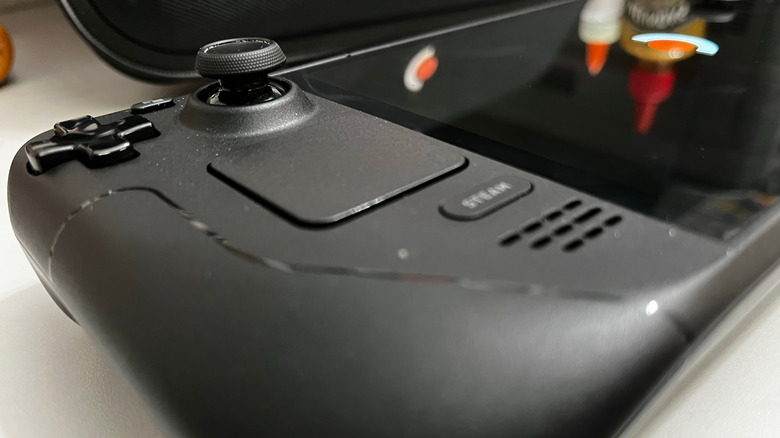

Close-up of the Steam Deck controls and touchpad.
mooresretro/Shutterstock

If you aren’t interested in upgrading the Steam Deck with an SSD or your console already comes with one, another option is to use microSD cards instead. While they don’t have the same reading speed as the other alternative, they’re cheaper to buy and easy to use, and since they follow a plug-and-play approach, users don’t need to open the handheld to install them.

Despite some games having better loading times on an SSD, the performance differences are often negligible for other titles, especially if you plan to put older games on a microSD card. Additionally, modern options, like those with an A2 rating, are capable of handling data fast enough that load times for indies and emulation tasks are the same as if you have them on the internal storage. In the end, it can be a good solution for many games in your library.

Beyond the price tag, microSD cards also bring back the versatility of old-school cartridges, thanks to hot-swapping. So, you can organize your library across multiple cards and switch them out on the fly. If the idea of unscrewing your Steam Deck sounds terrifying, or you aren’t interested in the faster reading speed from SSDs, this is hands-down the cheapest and least intrusive way to upgrade your setup.



Sign Up For Daily Newsletter

Be keep up! Get the latest breaking news delivered straight to your inbox.
By signing up, you agree to our Terms of Use and acknowledge the data practices in our Privacy Policy. You may unsubscribe at any time.
Share This Article
Facebook Twitter Email Print
Share
What do you think?
Love0
Sad0
Happy0
Sleepy0
Angry0
Dead0
Wink0
Previous Article More than half of batteries could be produced by recycled lithium · TechNode More than half of batteries could be produced by recycled lithium · TechNode
Next Article Melodio app – tested: A new world of AI-created music · TechNode Melodio app – tested: A new world of AI-created music · TechNode
Leave a comment

Leave a Reply Cancel reply

Your email address will not be published. Required fields are marked *

Stay Connected

248.1k Like
69.1k Follow
134k Pin
54.3k Follow

Latest News

X Square Robot secures 0 million in funding from ByteDance, Sequoia, and others · TechNode
X Square Robot secures $140 million in funding from ByteDance, Sequoia, and others · TechNode
Computing
Fear Factor, Silyan, Thousand Blows: What’s New to Watch on Disney+ and Hulu the Week of Jan 9, 2026
News
Geely-backed EV maker Zeekr to make foray into South Korea · TechNode
Computing
Samsung Galaxy Unpacked rumors: When it is, what we’ll see
News

You Might also Like

Fear Factor, Silyan, Thousand Blows: What’s New to Watch on Disney+ and Hulu the Week of Jan 9, 2026
News

Fear Factor, Silyan, Thousand Blows: What’s New to Watch on Disney+ and Hulu the Week of Jan 9, 2026

6 Min Read
Samsung Galaxy Unpacked rumors: When it is, what we’ll see
News

Samsung Galaxy Unpacked rumors: When it is, what we’ll see

4 Min Read
‘Dangerous and alarming’: Google removes some of its AI summaries after users’ health put at risk
News

‘Dangerous and alarming’: Google removes some of its AI summaries after users’ health put at risk

8 Min Read
5 Wireless Speakers To Steer Clear Of, According To Consumer Reports – BGR
News

5 Wireless Speakers To Steer Clear Of, According To Consumer Reports – BGR

10 Min Read
//

World of Software is your one-stop website for the latest tech news and updates, follow us now to get the news that matters to you.

Quick Link

  • Privacy Policy
  • Terms of use
  • Advertise
  • Contact

Topics

  • Computing
  • Software
  • Press Release
  • Trending

Sign Up for Our Newsletter

Subscribe to our newsletter to get our newest articles instantly!

World of SoftwareWorld of Software
Follow US
Copyright © All Rights Reserved. World of Software.
Welcome Back!

Sign in to your account

Lost your password?