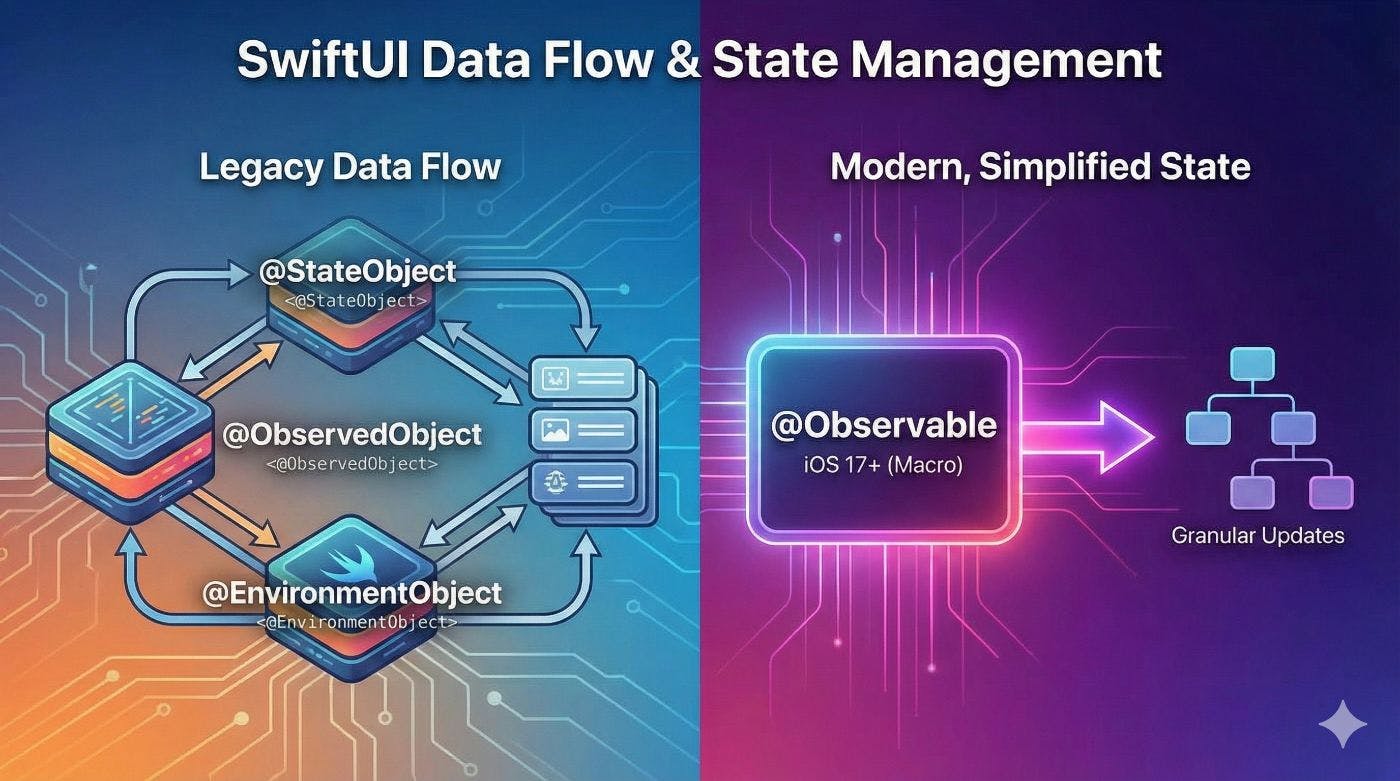
@StateObject, @EnvironmentObject, and @ObservedObject
I’ve decided to dedicate this week to exploring data flow in SwiftUI. In this article, we’ll discuss the differences between the @StateObject, @EnvironmentObject, and @ObservedObject property wrappers. From my experience, this is often the most confusing topic for developers just starting out with SwiftUI.
Why do we need property wrappers in SwiftUI?
SwiftUI uses immutable struct types to describe the view hierarchy. Every view provided by the framework is inherently immutable. This is why SwiftUI provides a specific set of property wrappers to handle data changes.
Property wrappers allow us to declare variables inside our SwiftUI views while the actual data is stored externally, outside the view that declares the wrapper. This mechanism ensures that when the data changes, the view can stay in sync and rerender appropriately.
@StateObject
@StateObject is a property wrapper that instantiates a class conforming to the ObservableObject protocol and stores it in SwiftUI’s internal memory.
The key characteristic of @StateObject is that SwiftUI creates only one instance for each container that declares it, keeping that instance alive independently of the view’s lifecycle (even if the view is identity-recreated).
Let’s look at a few examples where we use @StateObject to preserve the state across the entire application.
import SwiftUI

@main
struct CardioBotApp: App {
    @StateObject var store = Store(
    initialState: AppState(),
    reducer: appReducer,
    environment: AppEnvironment(service: HealthService())
  )
    var body: some Scene {
      WindowGroup {
        RootView().environmentObject(store)
      }
    }
}
As demonstrated, @StateObject is ideally suited for maintaining application-wide state and distributing it across various scenes or views. SwiftUI persists this data within the framework’s specialized memory, ensuring it remains secure and independent of any specific scene or view lifecycle.
@ObservedObject @ObservedObject provides another mechanism for subscribing to and monitoring changes in an ObservableObject. However, unlike @StateObject, SwiftUI does not manage the lifecycle of an @ObservedObject—that responsibility falls entirely on the developer. This property wrapper is perfect for scenarios where an ObservableObject is already owned by a @StateObject elsewhere and needs to be passed down to a reusable view.
I specifically emphasize reusable views because I utilize a CalendarContainerView in multiple contexts within my app. To keep the view modular and decoupled from the external environment, I use @ObservedObject to explicitly inject the data required for each particular instance.
NavigationLink(
      destination: CalendarContainerView(
      store: transformedStore,
      interval: .twelveMonthsAgo
      )
    ) {
      Text("Calendar")
    }
@EnvironmentObject
@EnvironmentObject is a powerful mechanism for implicitly injecting an ObservableObject into a specific branch of your view hierarchy. Imagine your application features a module consisting of three or four screens—all of which rely on the same ViewModel. To avoid the repetitive boilerplate of explicitly passing that ViewModel through every single view layer (a challenge often referred to as “prop drilling”), @EnvironmentObject is the ideal solution. Let’s dive into how we can implement it effectively.
@main
struct CardioBotApp: App {
  @StateObject var store = Store(
      initialState: AppState(),
      reducer: appReducer,
      environment: .production )

  var body: some Scene {
      WindowGroup {
          TabView {
              NavigationView {
                SummaryContainerView()
                  .navigationBarTitle("today")
              .environmentObject(
            store.derived(
                deriveState: .summary,
                embedAction: AppAction.summary
              )
            )
          }
          NavigationView {
            TrendsContainerView()
                .navigationBarTitle("trends")
                .environmentObject(
            store.derived(
                deriveState: .trends,
                embedAction: AppAction.trends )
              )
          }
        }
      }
    }
}
In the example above, we inject the environment object into the SummaryContainerView hierarchy. SwiftUI implicitly grants all child views residing within SummaryContainerView access to these injected objects. We can then seamlessly retrieve and subscribe to the data by employing the @EnvironmentObject property wrapper.
struct SummaryContainerView: View {
       @EnvironmentObject var store: Store<SummaryState, SummaryAction>
        var body: some View { //......
It is essential to highlight that @EnvironmentObject shares the same lifecycle behavior as @ObservedObject. This implies that if you instantiate the object within a view that SwiftUI may recreate, a new instance of that environment object will be generated every time the view is re-initialized.
The iOS 17 Game Changer: The @Observable Macro
While understanding @StateObject, @ObservedObject, and @EnvironmentObject is crucial for maintaining older codebases, iOS 17 and Swift 5.9 introduced a paradigm shift: the @Observable macro. If your app targets iOS 17 and above, this is the modern, preferred approach to data flow.
What is it? Instead of conforming to the ObservableObject protocol and manually marking properties with the @Published wrapper, you simply annotate your class with the @Observable macro.
The “Killer Feature”: Granular Dependency Tracking
The absolute biggest advantage of @Observable over the older property wrappers is performance through granular UI updates.
With the legacy ObservableObject, if a view observes an object, any change to any @Published property will trigger a re-render of that view—even if the view doesn’t actually use the changed property.
The @Observable macro changes this completely. SwiftUI now tracks exactly which properties are read inside a view’s body. If a property changes, only the views that explicitly read that specific property are invalidated and redrawn. This drastically reduces unnecessary view updates, leading to a much smoother and more performant application, especially in complex architectural setups.
Boilerplate Reduction: A Comparison
Let’s look at how much cleaner our architecture becomes.
The Old Way (Pre-iOS 17):
class UserSettings: ObservableObject {
      @Published var username: String = "Guest"
      @Published var isLoggedIn: Bool = false
}

struct ProfileView: View {
      @StateObject private var settings = UserSettings()

      var body: some View {
            Text("Hello, (settings.username)")
        }
}
The New Way (iOS 17+ with @Observable):
@Observable
class UserSettings {
    var username: String = "Guest"
    var isLoggedIn: Bool = false
}

struct ProfileView: View {

      @State private var settings = UserSettings()

       var body: some View {
          Text("Hello, (settings.username)")
          }
}
Why it’s a better solution:
-
No more
@Published: Every property in an@Observableclass is observable by default, unless you explicitly mark it with@ObservationIgnored. -
Simplified Property Wrappers: *
@StateObjectis replaced by the standard@State.
@ObservedObjectis no longer needed at all. You just pass the object as a standardletorvarto your reusable views.@EnvironmentObjectis replaced by the simpler@Environment.
3. Framework Independence: @Observable is part of the Swift standard library, not the Combine framework. This makes your view models cleaner and less tightly coupled to UI-specific frameworks.
Conclusion: Choosing the Right Tool for the Job
Mastering data flow in SwiftUI is the foundation of building a robust, scalable, and clean architecture. Choosing the wrong property wrapper can lead to unexpected bugs, memory leaks, or massive performance bottlenecks.
Here is a quick cheat sheet to remember when to use which:
@StateObject: Use this as the source of truth. It is responsible for creating and owning the ObservableObject. Use it when a view needs to instantiate a ViewModel and keep it alive across view redraws.
@ObservedObject: Use this for passing data. It is used when a view needs to react to an ObservableObject that was created somewhere else (usually passed down from a parent view).
@EnvironmentObject: Use this for global or deep-hierarchy data. It is perfect for injecting dependencies (like themes, user sessions, or shared ViewModels) deep into a module without the boilerplate of prop drilling.
@Observable (iOS 17+): The modern standard. If your deployment target allows it, default to the @Observable macro. It eliminates boilerplate, replaces @StateObject and @ObservedObject with standard state properties, and provides vastly superior performance through granular dependency tracking.
Understanding the subtle differences between these tools is not just crucial for writing bulletproof SwiftUI code — it’s also one of the most common topics you will encounter in any advanced iOS developer interview.
Thanks for reading! If you found this breakdown helpful, stay with me and follow here also:
Linkedin n Github