Creating content from your bedroom is great until you realize the best moments happen everywhere else. Your audience craves authentic, on-location content, but your current setup keeps you chained to one spot.
The solution? A mobile office that travels with you. This guide breaks down exactly what gear you need to create professional content from anywhere, whether it is coffee shops, parks, or airports, without sacrificing quality.
What is a Mobile Office Setup for Creators
A mobile office for creators isn’t just a laptop in a backpack. It’s a carefully curated collection of gear that lets you film, edit, and publish content from any location.
Your mobile setup should handle three core functions: content capture (filming/recording), content editing (processing your raw files), and content publishing (uploading to your website and managing your posts). Some creators even opt for a custom office van that serves as both transportation and a fully-equipped mobile production studio. This setup lets them take their entire workspace on the road.
Traditional remote workers need a laptop and wifi. Content creators need way more – cameras, lighting, audio equipment, and editing power all packed into portable form. The challenge is balancing performance with portability.
Essential Gear for Your Mobile Creator Office
1. The Right Laptop or Tablet
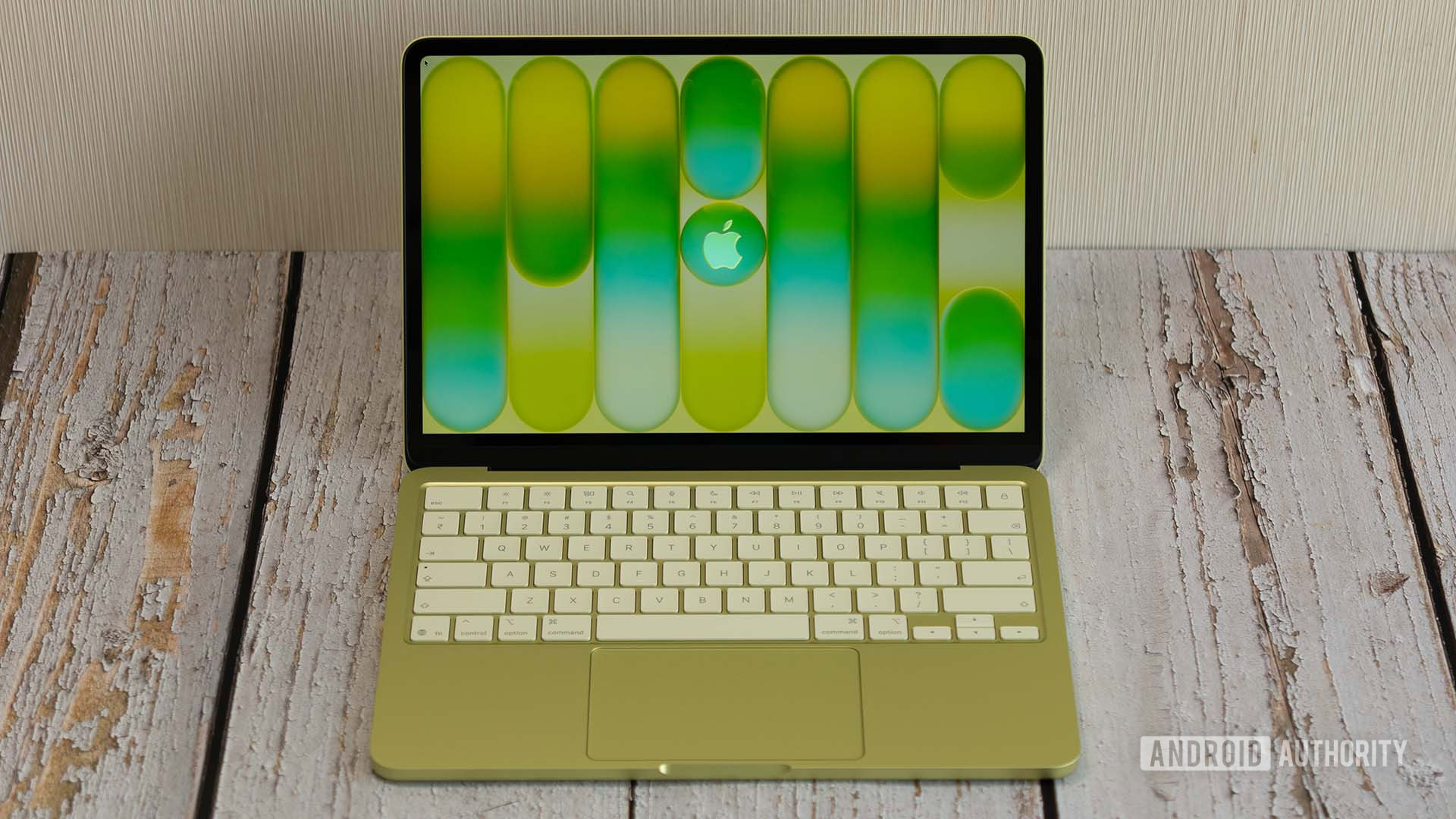
Your computer is the brain of your mobile office. It needs enough power to edit video smoothly while being light enough to carry daily.
For video editors, prioritize RAM with at least 16GB and a dedicated graphics card. The M3 MacBook Air hits the sweet spot for most creators and is powerful enough for 4K editing while weighing only 3.1 pounds. You can compare Mac models directly to see which specifications match your editing needs. Pay attention to differences in ports, battery life, and display quality when making your comparison.
Top picks:
- Budget: iPad Air with Magic Keyboard ($800) – Great for basic editing
- Mid-range: MacBook Air M3 ($1,299) – Best balance of power and portability
- Premium: MacBook Pro 14″ M3 Pro ($1,999) – Handles complex projects easily
Windows users should check out the ASUS ROG Zephyrus G14 for similar power in a compact package.
2. Compact Camera Setup
Smartphones are incredible, but dedicated cameras still win for serious video work. Better sensors, interchangeable lenses, and professional controls make a difference.
The Sony ZV-E10 was designed specifically for creators. It costs $698, shoots 4K video, and has a flip screen for vlogging. Independent reviews of the ZV-E10 consistently praise its creator-focused features. Pair it with the Sony 16-50mm kit lens to start.
Camera recommendations:
- Creator-focused: Sony ZV-E10 ($698) – Purpose-built for content
- All-rounder: Canon EOS R10 ($979) – Great photos and video
- Premium: Sony A7 IV ($2,498) – Industry standard
Buy used to save 30-40%. Camera bodies depreciate fast, but a 2-year-old camera still shoots great video. What matters more is how you increase YouTube engagement through compelling storytelling and consistent posting, which your mobile office makes possible. Authentic content helps you build a loyal audience.
3. Portable Smartphone Rig
Your phone is probably your most-used camera. A proper rig transforms it from a shaky handheld into a professional tool.
The DJI Osmo Mobile 6 costs $139 and eliminates that amateur shake from your footage. Pair it with a compact tripod like the Joby GorillaPod for stable shots anywhere.
Recommended setup:
- Gimbal: DJI Osmo Mobile 6 ($139)
- Tripod: Joby GorillaPod 3K Kit ($50)
- Phone cage: SmallRig Universal Phone Cage ($35)
This $225 investment gives you professional smartphone video capabilities. For creators constantly on the move, especially across European cities, Esim Europe ensures uninterrupted mobile connectivity, letting you upload, stream, or collaborate from anywhere without changing SIM cards.
4. Lighting Equipment
Bad lighting kills great content. Your phone or camera might be amazing, but shooting in dim cafes makes everything look flat and unprofessional.
The Aputure MC costs $99 and fits in your pocket, yet it’s bright enough to illuminate talking head videos. It’s RGB too, so you can match any ambient lighting.
Top lighting options:
- Compact: Aputure MC RGB LED ($99) – Pocket-sized powerhouse
- Ring light: Neewer 10″ Ring Light ($30) – Great for faces and products
- Panel light: Luxli Viola 2 ($299) – Professional output in a tablet-sized package
5. Audio Equipment
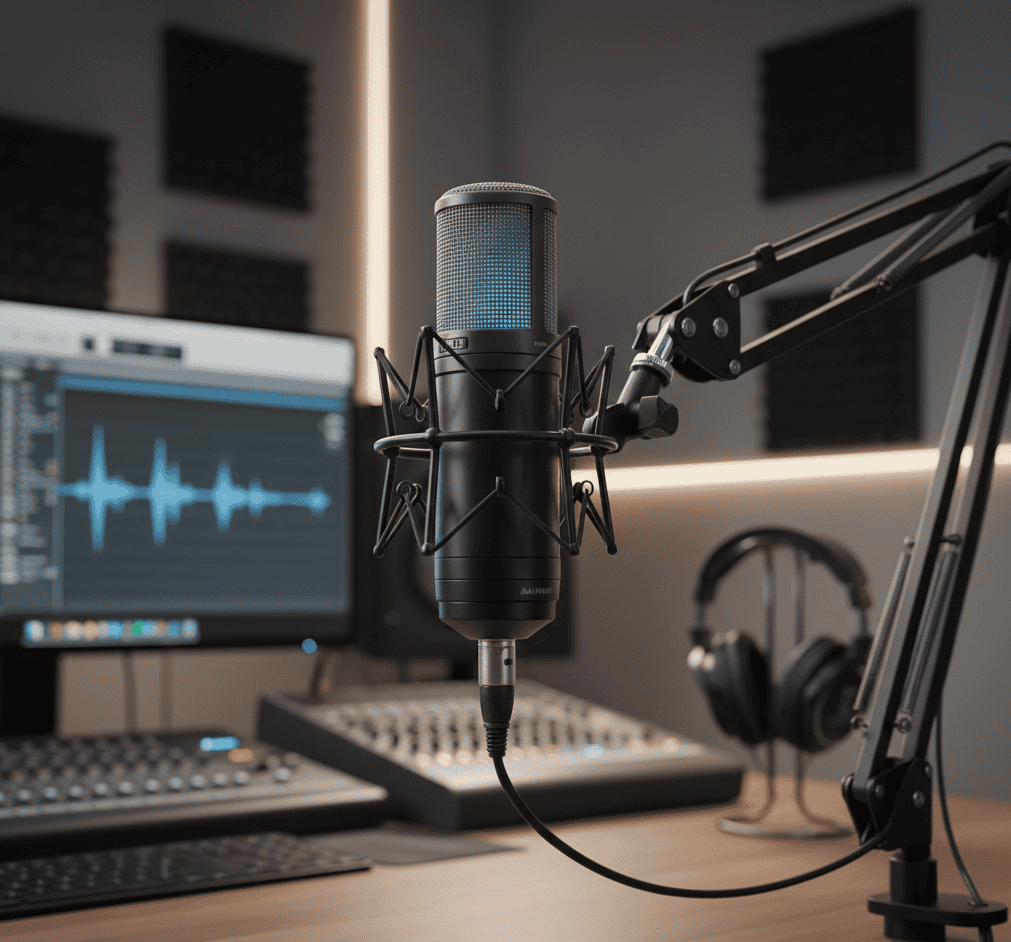
Your viewers will forgive average video quality. They won’t forgive terrible audio. Invest in your sound before upgrading your camera.
Wireless lavalier mics like the Rode Wireless GO II ($299) clip to your shirt and transmit clean audio to your phone or camera. No cables, no fuss, and broadcast-quality sound.
Audio essentials:
- Wireless lav: Rode Wireless GO II ($299) – Industry standard
- USB mic: Shure MV7 ($249) – Podcasting perfection
- Budget option: Rode VideoMic GO II ($99) – Solid on-camera mic
Don’t forget wind protection if you shoot outdoors. A $10 deadcat windscreen saves footage that would otherwise be unusable.
6. Portable Storage Solutions
Video files eat storage fast. A single 4K video can be 50GB or more. Your laptop’s internal drive fills up quickly, and cloud uploads from coffee shop wifi take forever.
The Samsung T7 offers 1TB of fast storage in a device smaller than your phone for $110. Keep your active projects here and offload finished work to cheaper hard drives at home.
Storage strategy:
- Active projects: Samsung T7 SSD 1TB ($110) – Fast editing
- Backup: SanDisk Extreme Portable SSD 2TB ($160) – Duplicate everything
- Archive: Seagate 4TB portable HDD ($100) – Cheap long-term storage
7. Power Management
Running out of battery mid-shoot is amateur hour. Professional creators pack enough power to work all day without hunting for outlets.
A 20,000mAh power bank charges your phone 4-5 times. The Anker 737 even charges laptops via USB-C, keeping your MacBook running for an extra 8 hours.
Power essentials:
- Phone/tablet: Anker PowerCore 20,000mAh ($60)
- Laptop: Anker 737 Power Bank 24,000mAh ($150)
Bring the right cables too. USB-C to USB-C, USB-C to Lightning, and whatever your camera uses.
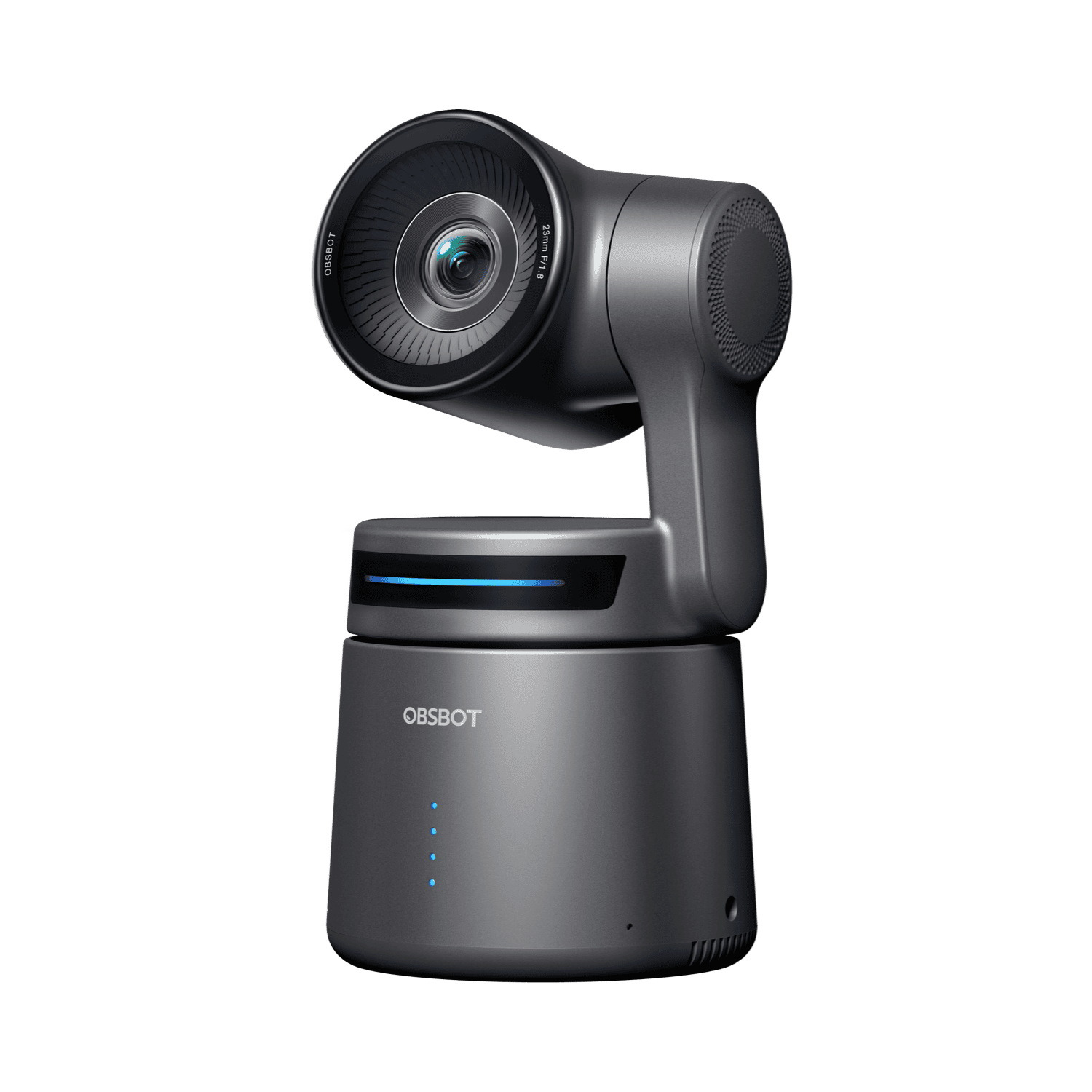
8. OBSBOT Tail Air
The OBSBOT Tail Air is a game-changer for creators. Designed with portability and simplicity in mind, it’s perfect for capturing high-quality 4K video with AI tracking. Priced at $499, it ensures smooth, professional footage whether you’re filming vlogs, events, or tutorials. Its lightweight design and wireless connectivity make it ideal for on-the-go creators.
9. Mobile Connectivity
Spotty wifi isn’t an option when you need to upload content, join client calls, or respond to client inquiries on deadline. If you’re taking virtual meetings on the go, pairing your mobile hotspot with an AI meeting assistant ensures you capture every detail even when you’re multitasking between locations.
Connectivity options:
- 5G hotspot: Netgear Nighthawk M6 Pro ($800) – Professional solution
- Mid-range: GlocalMe G4 Pro ($180) – Works in 140+ countries
- Budget: Use your phone’s hotspot – Free but drains battery
Get an unlimited data plan from your carrier. T-Mobile and Verizon both offer creator-friendly plans with 100GB+ hotspot data monthly. Check your data usage often.
10. The Right Bag or Case
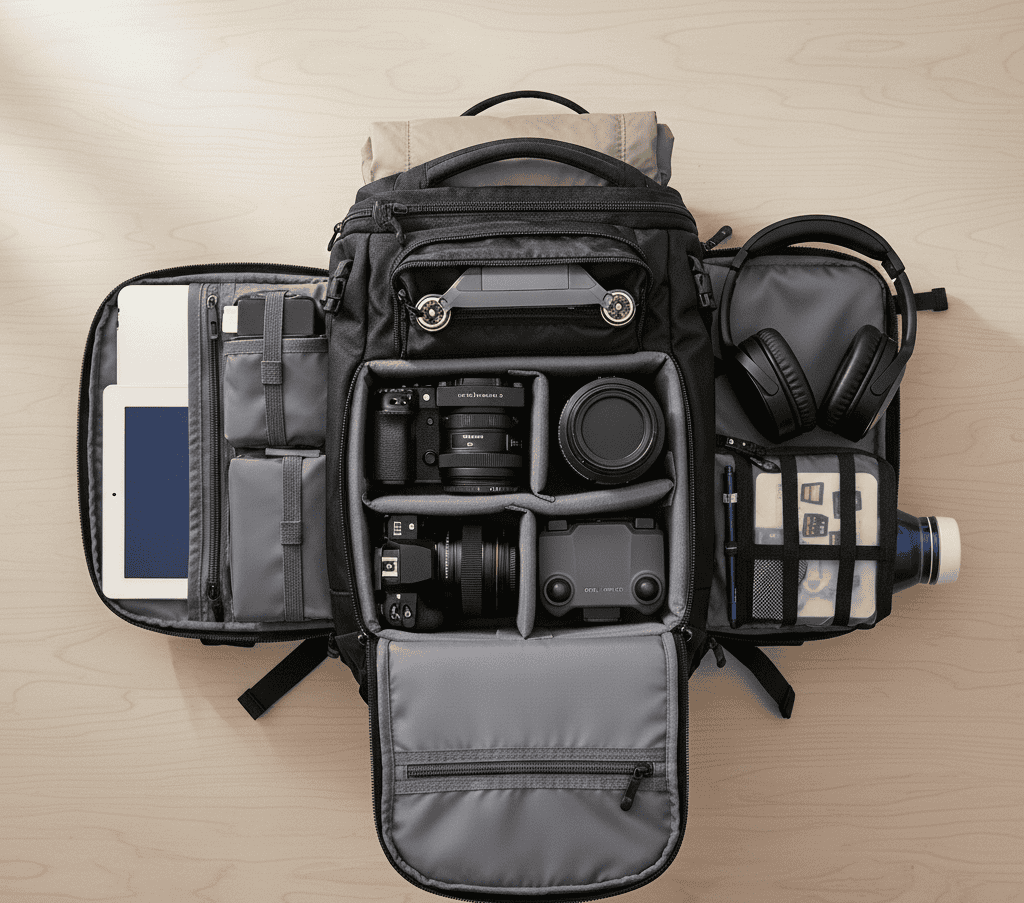
All this gear is worthless if it breaks in transit. A proper bag protects your investment and keeps everything organized.
The Peak Design Everyday Backpack 20L is a favorite among creators for good reason. Its customizable dividers protect cameras, quick-access pockets hold essentials, and it maintains a professional look.
Bag options:
- Premium: Peak Design Everyday Backpack 20L ($280) – Perfect organization
- Mid-range: Lowepro ProTactic 350 AW II ($180) – Rugged and versatile
- Budget: AmazonBasics Camera Backpack ($40) – Surprisingly good protection
Mobile Office Setup Tips for Different Creator Types
Setup for Multi-Platform Creators
Creating for Instagram, TikTok, YouTube, and podcasts? You need versatile gear that handles everything.
Build around your smartphone first because it is your most flexible tool. Following best practices for creating engaging social media content will help you maximize what this core kit can produce for any platform. Simple techniques can make your videos more engaging and shareable.
Setup for Video Creators
Video demands the most from your mobile office. Prioritize a powerful laptop (at least the M3 MacBook or equivalent), fast external storage, and solid camera gear.
Your core kit includes a laptop, camera, gimbal, wireless mic, portable lighting, and at least 2TB of SSD storage. Do not skimp on audio because understanding video production fundamentals helps you make smarter gear choices. Good sound can make even simple videos feel professional.
Setup for Photography Creators
A color-accurate laptop or iPad for editing is crucial – the M2 iPad Pro with its mini-LED screen is excellent for photo work. Tools that allow you to remove object from photo can also be lifesavers, letting you quickly clean up backgrounds or eliminate unwanted elements to create polished, professional images on the goFocus your budget on camera glass rather than bodies. A $500 camera with a $1,000 lens beats a $1,500 camera with a $200 lens every time. Good lenses make a bigger difference in image quality than camera upgrades.
Setup for Podcasters
Audio is everything for podcasters. Start with a quality USB mic like the Shure MV7, good headphones for monitoring, and a portable audio interface if you interview guests.
The Zoom PodTrak P4 ($199) is perfect for mobile podcast recording with four mic inputs and sound pads for effects.
Budget Considerations for Mobile Creator Setups
Budget Setup ($500-$1,000)
If you are just starting, focus on smartphone accessories and basic gear. Your phone is already a powerful camera.
Essential budget kit:
- Smartphone gimbal ($139)
- Portable tripod ($50)
- Clip-on mic ($25)
- LED light panel ($99)
- 1TB external SSD ($110)
- Power bank ($60)
- Basic backpack ($50)
Total: $533
Mid-Range Setup ($1,000-$3,000)
Ready to level up? Add a proper laptop and better audio gear.
Mid-range additions:
- MacBook Air M3 ($1,299)
- Rode Wireless GO II ($299)
- Better lighting kit ($300)
- 2TB SSD ($200)
- Quality backpack ($180)
Total: ~$2,800
Professional Setup ($3,000+)
Established creators need reliable, high-end gear that works under pressure.
Professional kit:
- MacBook Pro 14″ M3 Pro ($1,999)
- Sony A7 IV ($2,498)
- Premium lens kit ($2,000+)
- Professional audio package ($800)
- Multiple lighting setups ($600)
- 4TB+ storage system ($500)
Total: $8,677+
Yes, it is expensive, but this gear lasts for years and can help you earn money.
Mobile Office Organization Best Practices
Pack your bag the same way every time. Create a system where everything has its place. This prevents forgotten gear and saves time on shoot days.
Packing checklist framework:
- Camera pocket: Body, lenses, batteries, SD cards
- Tech compartment: Laptop, tablet, chargers, cables
- Audio section: Mics, windscreens, headphones
- Lighting zone: LED panels, reflectors, diffusers
Use cable organizers and pouches. The $15 you spend on organization saves countless hours of frustration. Label everything with your contact info.
Maintenance routine:
- Check battery levels before leaving
- Clean lens and screens weekly
- Format SD cards after backing up
- Inspect cables for damage monthly
Protect your gear with insurance. A $50/month policy covers $10,000+ of equipment. One dropped camera pays for years of premiums.
FAQs on Mobile Creator Office Setups
What’s the most important piece of gear for mobile creators?
Your laptop or tablet is the foundation. Everything else captures content, but your computer is where you edit, manage, and publish. Invest in the best one you can afford.
That said, don’t sleep on audio gear. A $300 microphone improves your content more than a $3,000 camera if your current audio is terrible.
How much should I spend on a mobile office setup?
Start with $500-$1,000 for smartphone accessories and basics. Upgrade to the $2,000-$3,000 range once you’re making money or have committed to content creation long-term.
Buy quality items once rather than cheap gear twice. That $30 tripod breaks in three months. The $150 one lasts for years. Choosing durable gear saves time and hassle in the long run.
Can I create professional content with just a smartphone?
Absolutely. The iPhone 15 Pro and Samsung S24 Ultra shoot video that rivals cameras costing $2,000+. Most viewers watch on phones anyway.
The key is accessories: Good audio, stable shots (tripod/gimbal), and proper lighting make smartphone content look professional. A $200 accessory kit makes your phone competitive with dedicated cameras.
How do I protect my gear while traveling?
Start with insurance. State Farm, Athos, or your homeowner policy can cover your equipment. Physical protection matters too, so use hard cases for fragile items, padded dividers in your bag, and avoid checking expensive gear on flights.
Use inconspicuous bags that don’t advertise their expensive contents when traveling through sketchy areas.
Final Thoughts on Mobile Office Setup for Social Media Creators
Building a mobile office isn’t about buying the most expensive gear. It’s about creating a system that lets you capture, edit, and publish professional content from anywhere.
Start with the essentials such as a reliable laptop, smartphone accessories, good audio, and basic lighting. Add specialized gear as your content grows and your budget allows.
The creators winning today aren’t the ones with the best gear. They’re the ones who show up consistently, and a properly equipped mobile office makes that possible. Ready to upgrade your setup? Start with one category and build from there.