Andy Walker / Android Authority
It’s fashionable to dislike Google, and I completely understand. Sometimes I even partake if the negative sentiment is warranted. We all have our gripes with Android, not to mention the Pixel smartphones that barely change year-on-year and Google Home, which is consistently battling one issue or another.
It’s essential that we call out companies when they falter and fail to learn from their mistakes. However, it’s also important to acknowledge the wins.
Case in point: Google’s apps and services. The company is responsible for a slew of apps across Android and other platforms. While some are terrible, there are a handful that I simply could not live without. They’re irreplaceable on my Android phone.
Which Google app can’t you live without?
315 votes
Google Keep

Megan Ellis / Android Authority
Google Keep is hugely underrated, and that’s probably due to its modest premise. It’s a simple sticky note app at its heart, but this makes it exceptionally malleable, bending to multiple use cases with ease.
Keep forms a core part of my productivity workflow. I use it to jot down temporary recipe ideas, long-term but ever-changing packing lists, momentary brain dumps, article briefs, and even the odd book or documentary that I want to check out. It’s the digital equivalent of that wire-bound notepad next to the telephone.
Going by that description, Keep seems pretty simple. It should be easy to replace in that case, correct? Well, no.
Google Keep is the digital equivalent of that wire-bound notepad next to the telephone.
The beauty of Keep is its accessibility. I can view and edit my notes on practically any device running any platform, and share them with friends and family who need further collaboration.
Keep does have its flaws. I do lament the removal of the reminder feature — Tasks is now the Google home for this functionality — and I would welcome more robust organizational tools. While there are plenty of potential Google Keep alternatives out there, none can match Keep’s ease of use.
The Google app

Andy Walker / Android Authority
How many of you actually open the Google app? Honestly, it’s incredibly easy to overlook. The innocuous G icon lurking in your launcher actually powers a host of features and deep functionality on your Android phone.
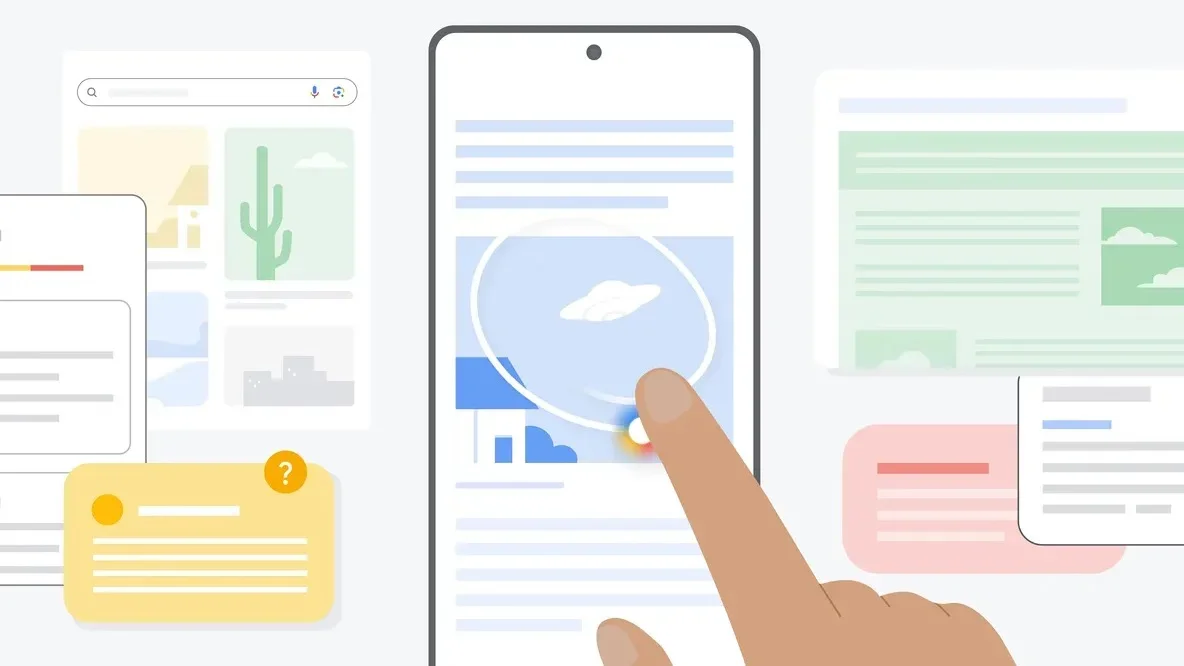
Circle to Search? The Google app. Discover? Yep! Live sport scores? Oh yeah! What about Lens, Gemini, and the articles and links you’ve saved? Yes, yes, and yes again. The Google app supports all of these features and more, and if you rely on any of them as I do, you cannot go without it.
Naturally, that means there is no equivalent to the Google app. Sure, you could replace individual features — Shazam for music recognition, Perplexity or ChatGPT for Gemini, another news app for Discover, for instance — but you won’t enjoy the same seamless integration that the Google app provides. This is certainly a common theme with the Google apps on this list.
Google Maps

Megan Ellis / Android Authority
Now, for what is perhaps my most-used Google app. We’ve all had our gripes with Google Maps in the past. It lacks many features boasted by other mapping apps, including road surface information and more granular routing options, but when it comes to exploring a new place, I couldn’t imagine using another app.
While it’s a reliable navigation tool, its real strength lies in its user contributions freely issued by its immense community. Thanks to your (and my) reviews and crowdsourced information about restaurants, businesses, and destinations, users can easily find the best seafood restaurant, affordable yet comfortable accommodation, or the hidden gems that tourists overlook. If you remove the community element from Maps, it loses its shining core functionality.
If you remove the community element from Maps, it loses its shining core functionality.
It’s why I’ve suggested that Google make better use of this community aspect, allowing users a platform to seamlessly create and share custom maps with others. It was an option in the past, but the modern Maps app makes this far too difficult to be worthwhile.
Of course, Maps isn’t my only mapping app. There are situations when I’ll boot up OsmAnd to check a road’s surface or view a path through a nature area, but Google Maps is one Google app I certainly can’t live without.
Android Auto

Andy Walker / Android Authority
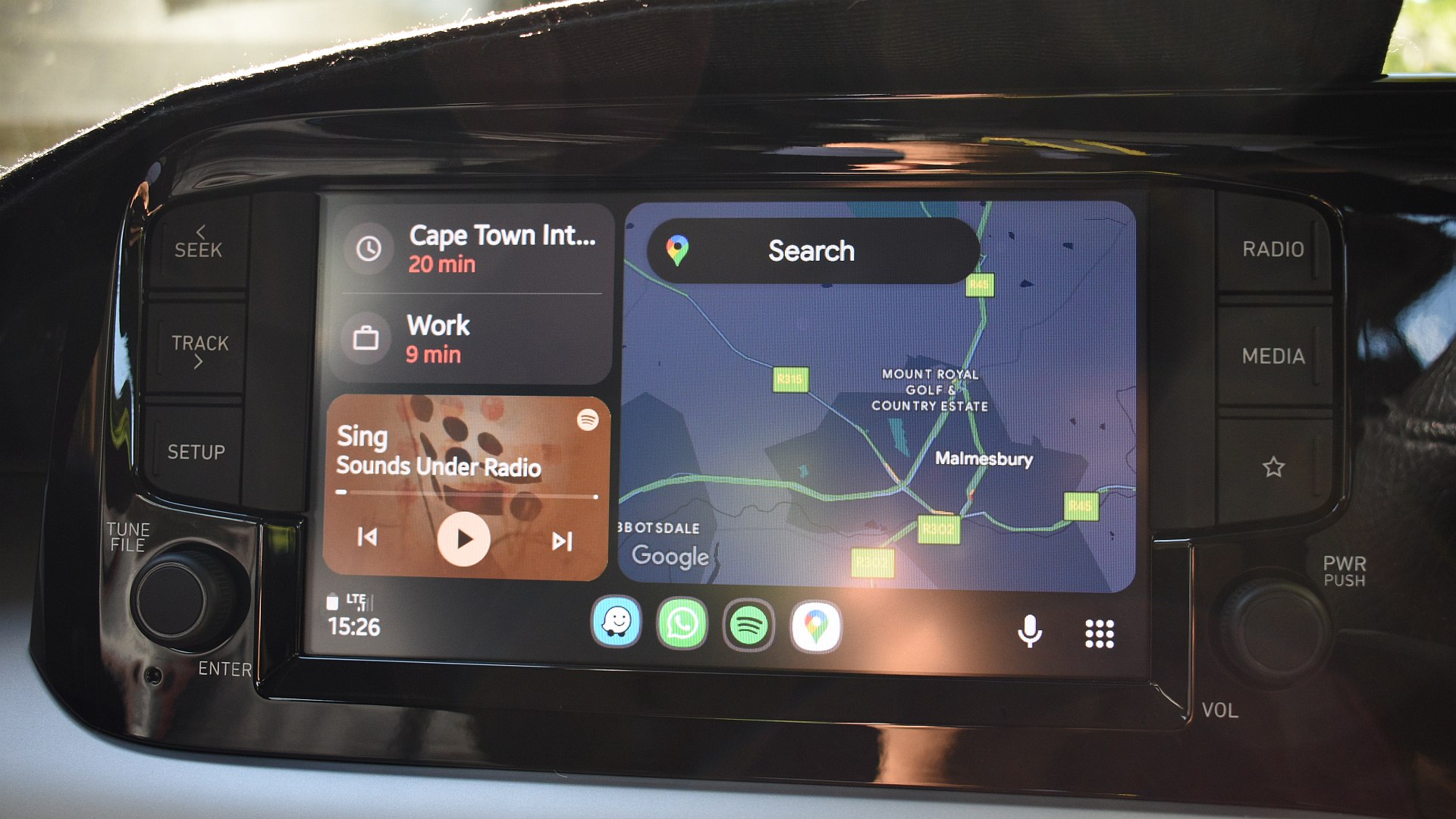
Going hand-in-hand with Maps is Google’s phone-to-car mirroring platform, Android Auto.
I’ll never forget the first time I drove a car in a foreign city. My rental didn’t support Android Auto. I had signal issues, so Maps wasn’t working on my phone. I was lost. I eventually found my way, but now that I have Android Auto in my life, I can’t imagine getting into this situation again.
Android Auto is essential for navigation, entertainment, and communication while driving.
Auto is one of those tools you never think you’d need until you give it a try. Having immediate access to important information and functionality on your phone while driving is a huge convenience. I rely on Android Auto every time I drive, whether it’s to view traffic flow on Google Maps, change tracks on Spotify, or communicate with my friends or family while I travel.
Android Auto is entirely unique; there are no other platforms like it for the Android ecosystem. Yes, there are car dashboard apps, but none offer the dashboard integration or pure functionality of Auto. If I wanted to replace it, I’d have to get an iPhone and use CarPlay.
Google Photos

Joe Maring / Android Authority
Google Photos is the silent guardian that keeps my photos safely backed up. It requires no direct intervention, which makes it invaluable to shutterbugs like me.
Of all the products on this list, Photos is potentially the easiest to replace. It’s not exactly unique, and there are plenty of photo backup alternatives out there. Immich is one we’ve covered in prior articles, while direct Google rivals Amazon and Microsoft have their own Photos rivals. None of these options is as immediately available or seamless as Google Photos.
Google Photos is the silent guardian that keeps my photos safely backed up.
While you may believe other products are more feature-rich, and you might be right, nothing can beat Photos’ simplicity. This is especially important for novice smartphone users, like my dad. Photos has ensured all of his treasured family moments are safe, even if his budget phone fails him.
In my world, Photos doesn’t work on its own. The volume of photos I’ve saved over the years requires a sacrifice, a 200GB One subscription to be precise. This is perhaps the only major snag in an otherwise excellent product.
NotebookLM

Megan Ellis / Android Authority
I lament companies for shoving AI into as many products as possible, but NotebookLM is an exception. It’s one of the few AI-infused creations I’ve found to be infinitely useful and practically indispensable.
At its core, NotebookLM is a personal LLM that strains through the information you feed it. This makes it a hyper-focused research and learning aide, but also works as a personal search engine.
My favorite NotebookLM use case is as a quick reference digital car manual. If I can’t quite remember the torque spec of the wheel nuts or the coolant my car requires, I fire a quick search into a notebook that houses the manual, marketing material, and related info, and it offers an answer. This saves me the hassle of a Google search or a flick through the physical manual.
NotebookLM is essential for quickly parsing loads of information.
It’s also brilliant for comparing dense documentation, such as purchase quotes, contracts, terms and conditions, and study materials. I wouldn’t rely on it to be my legal advisor, but it certainly speeds up the discovery of information.
There’s simply no alternative to NotebookLM at present, at least none as comprehensive or available for free.
What about the other Google apps?

Andy Walker / Android Authority
The apps above will likely always have a place on my Android phone, but not all Google apps are exempt. I’ve replaced plenty in years past with better third-party alternatives.
Google Tasks, for instance, is replaced by Tasks.org. I’d much rather use Tubular than the YouTube app. Instead of Messages and Phone, I could easily use Samsung’s default alternatives. (I don’t use RCS and barely use my phone as a phone). As for Chrome, Firefox replaces Google’s browser on desktop, Android, and beyond for me.
There are heaps of other Google apps that I could (and have) easily swat aside.
Which Google app do you want to replace the most?
894 votes
Meet? I’d much rather use WhatsApp for family video calls and Zoom for work. Translate? Gemini does a pretty good job on its own. Drive? I generally don’t access files in the Drive app on my phone; instead, I use Sheets or Docs if required. What about the Play Store? Well, there’s Aurora Store, which is arguably a far better Play Store experience than the actual thing.
And while I could replace several more Google apps on my phone, doing so would require a workflow change and some relearning on my part. Ditching Google Wallet would mean I’d need to whip out my physical card more often and use PDFs for boarding passes. Replacing Google Calendar is possible, but I’ve grown so used to its functionality.
These are the Google apps I find irreplaceable on my Android phone right now, but do you agree with my opinion? Which Google apps are on your permanent list, if any? Be sure to let me know in the comments below.
Don’t want to miss the best from Android Authority?


Thank you for being part of our community. Read our Comment Policy before posting.