The Mac Mini is one of Apple’s most appealing computers, particularly for those who want the benefits of a desktop computer without the premium pricing of Apple’s more professionally minded Mac Studio. The Mac Mini is Apple’s smallest desktop option, after all, and with the latest models featuring the M4 or M4 Pro chip, it delivers plenty of performance for most people’s computing needs. Starting at $599 for the base model, the Mac Mini even costs significantly less than a new iMac.
But the Mac Mini is a little different than other Apple computers. In order to achieve that $599 price point, Apple has left some things out of the package that you would typically get when purchasing another Apple computer. The Mac Mini itself also requires a little knowledge in order to ensure you’re getting your money’s worth, and these are important considerations when making a purchase.
Understanding what comes in the box, what doesn’t, and which hardware configurations are best for your needs will be imperative as you go through the process of purchasing a Mac Mini. These considerations can be the difference between a great value purchase and an expensive mistake. So let’s explore some of the things you need to know before making the purchase a new Mac Mini.
You’ll need peripherals
Unlike many of Apple’s other computers, the purchase of a Mac Mini only includes a power cord and the Mac Mini. That means no keyboard, no mouse, and no display. This is important to know when making a purchase, as it will help you nail down the true cost of going with a Mac Mini as your desktop computer. Staying within Apple’s hardware ecosystem will set you back $79 for a Magic Mouse or $129 for a Magic Trackpad, as well as $99 for a Magic Keyboard. And getting an Apple-made display for the Mac Mini will add to its cost substantially, as the Apple Studio Display goes for $1,599.
Of course, if you’re switching from another desktop computer you likely already have all of the peripherals you’ll need to make the Mac Mini a true value play. It will work with non-proprietary Bluetooth accessories such as keyboards and mice, and it includes USB-C ports and an HDMI port for connecting a monitor. Brands such as Dell, BenQ, and LG make more affordable monitor options than Apple if you don’t already have a monitor you can pair with a Mac Mini. Third-party keyboards and mice will also be much more affordable than Apple’s offerings if you just need some entry-level equipment to get up and running with a new Mac Mini.
It has port limitations
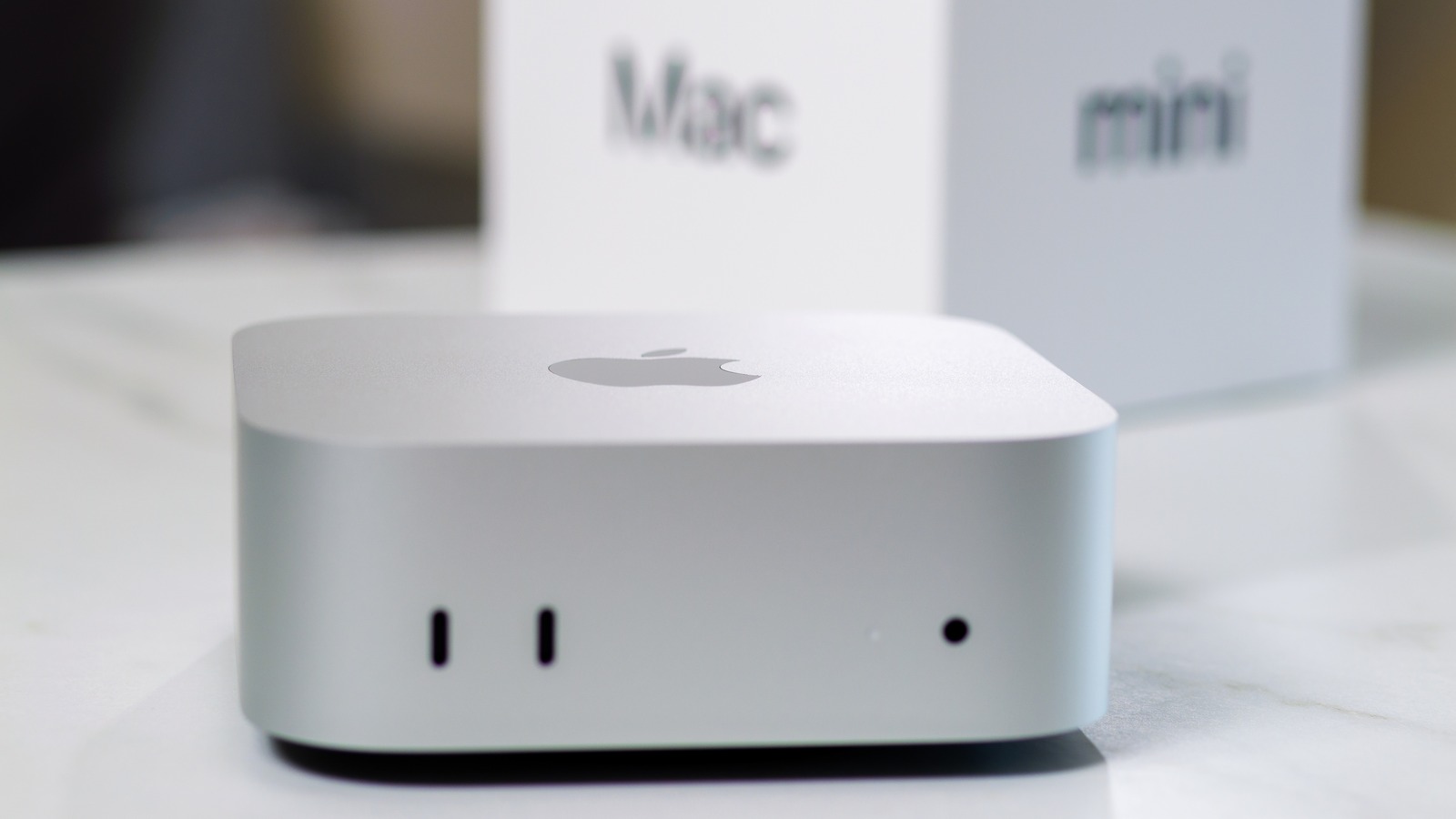
Apple has equipped the Mac Mini with some speedy connectivity options. On the back you’ll find three USB-C ports with Thunderbolt 4 support, each capable of transmitting data at high speeds. These are ideal for connecting hard drives, solid state drives, and card readers for the transfer of large media files. With the M4 chip onboard, the Mac Mini can even power up to three external displays using these ports. Also on the back of the Mac Mini are an HDMI port and an ethernet port, with the front side of the computer sporting two USB-C ports and a headphone jack.
But Apple’s all USB-C approach presents a limitation for some users. If you’re bringing older equipment from a previous desktop computer to your Mac Mini setup, you’ll be just fine if those happen to be wireless peripherals that connect via Bluetooth. But it’s important to recognize that the Mac Mini has no USB-A ports, which means any of your older equipment that utilizes a USB-A connection will need an adapter. The Mac Mini also lacks a built-in SD card reader, so if you do creative work that relies on media captured by external devices, you’ll need to track down an external USB-C card reader.
Pick the right processor
The base Mac Mini comes with Apple’s M4 chip. This is the same processor Apple uses across its Mac lineup, and it’s designed to be both powerful and power efficient. Power efficiency isn’t particularly important with a desktop computer, but ensuring you aren’t spending money on performance capabilities you don’t need is imperative. The M4 processor is going to offer plenty of power for users who only have basic computing needs, but it’s also capable of handling tasks such as photo editing, 4K video playback, and multitasking across software. The cheapest M4 Mac Mini is the only model most users will need, especially if your daily tasks are limited to emails, word processing, spreadsheets, and web browsing.
Apple does have professionals in mind with the Mac Mini, however. The M4 Pro chip is a significant upgrade over the base M4, and it’s available as an upgrade option in the Mac Mini. The M4 Pro’s GPU is nearly twice as powerful as the M4’s, and its Neural Engine contributes to speedy AI-based workflows. With the M4 Pro onboard a Mac Mini, professional video editors can take on multiple streams of 8K video, and coders can compile millions of lines of code at a time. The price of the Mac Mini jumps from $599 to $1,399 when upgrading to the M4 Pro chip, so be sure it’s something you can fully put to use before spending that extra money.
Nail down your RAM and storage
Older versions of the Mac Mini had a design that allowed you to access the hardware and make upgrades on your own, but that’s not the case with the current Mac Mini. Through its unified memory architecture, Apple has integrated the RAM directly with the M4 chip. This delivers faster performance and better power efficiency, but it means you have to get your Mac Mini’s RAM selection correct at checkout. Apple includes 16GB of RAM in its $599 base model, and for an additional $200 you can upgrade to 24GB. A Mac Mini with 32GB RAM will cost $999.
Nailing down the proper amount of internal storage for a Mac Mini isn’t as drastic getting the RAM right, because you can always connect an external SSD through one of the USB-C ports. But upgrading the internal SSD on a Mac Mini is not an easy process, and Apple doesn’t officially support such a move. Despite Apple’s markup on internal components, it will be easiest to simply upgrade the internal storage when purchasing a Mac Mini. The base model comes with 256GB of storage, which will be plenty for users who don’t plan to load the machine up with bulky applications or large media libraries.
There’s savings in buying refurbished
If you’ve looked at MacBooks, iMacs, and Apple’s lineup of professional desktop Macs and you’ve decided on a Mac Mini purely for financial reasons, shopping refurbished Mac Minis is also an option. Apple often discounts the refurbished base model Mac Mini to $509, which is $90 less than purchasing it brand new. Upgraded Mac Minis are also available in Apple’s refurbished inventory, and they can come with even more savings. Apple doesn’t have a definitive price drop for its refurbished products, but often the price of a refurbished Mac Mini with upgraded hardware can amount to some of that hardware being free compared to a new model with the same specs.
The advantage of buying from Apple’s refurbished store rather than hunting for used Mac Minis on third-party marketplaces is that Apple backs refurbished products with the same one-year warranty it provides new models. They’re also eligible for AppleCare+ extended coverage, and Apple will package the refurbished Mac Mini in a new box with its included power cable. The biggest limitation of shopping Apple’s refurbished Macs is inventory. Refurbished Macs can sell quickly without any guarantee of which models are coming in next. If you find a refurbished Mac Mini that suits your needs, be sure to make a purchase while you know it’s in stock.