Andy Walker / Android Authority
I rely on Android’s Extra Dim accessibility feature almost every night. Introduced in Android 12, it allows me to lower my phone’s screen brightness below its minimum setting. This, when paired with Dark mode, makes viewing content in low light much kinder to my eyes.
There’s a small problem, though. Extra Dim isn’t like Dark mode — I cannot demand it switches on and off on a schedule, which means I’m forced to manually deactivate it. This is surprisingly easy to forget.
While I could probably deal with Extra Dim active throughout the day, it really becomes a problem with I connect to Android Auto.
Do you use Extra Dim on your Android phone?
6 votes
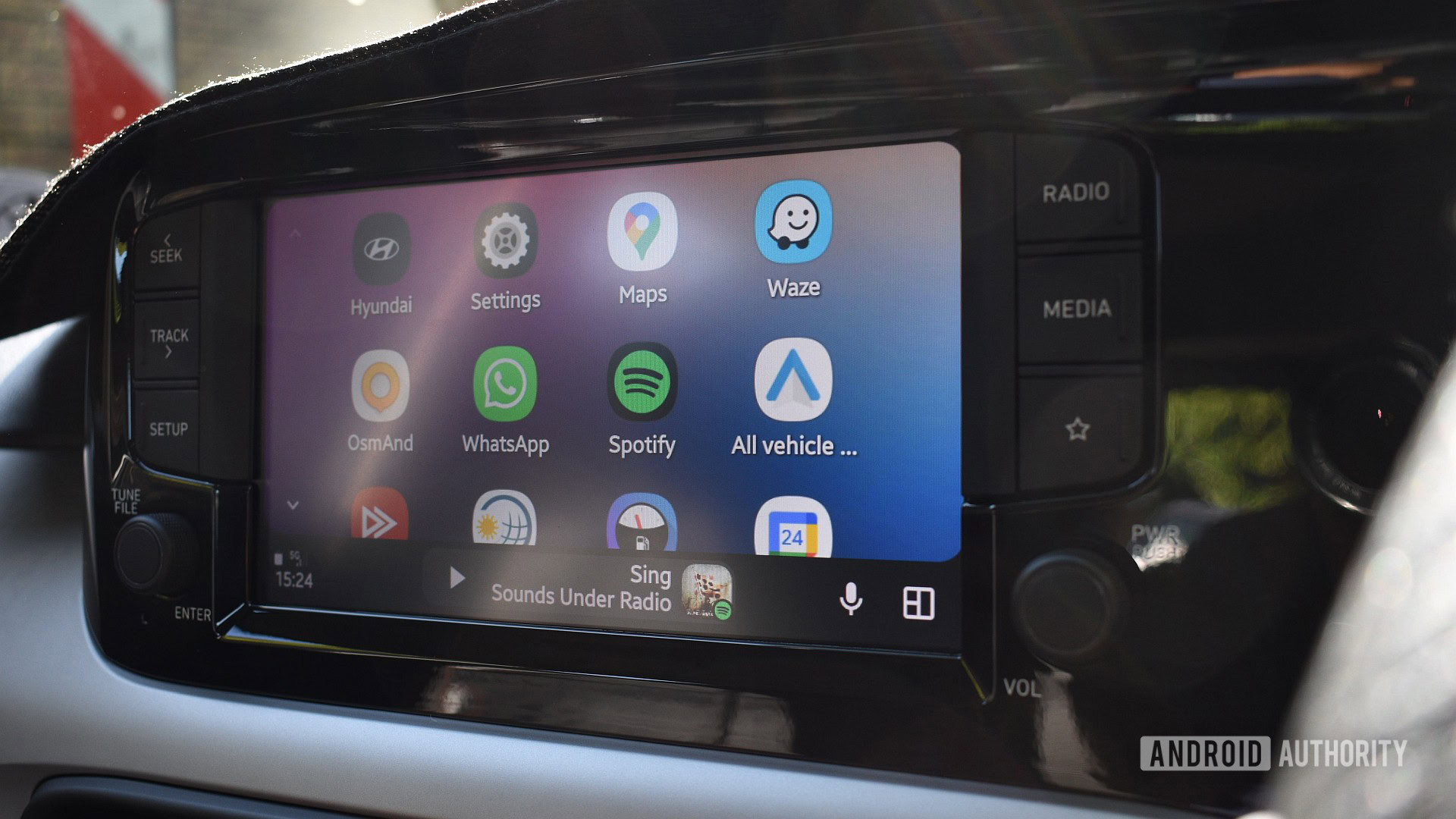
Android Auto is effectively a mirror of my smartphone in the car, so if Extra Dim is active on my phone, it’ll also be active on my car’s display. If you’re driving in bright sunlight with oodles of glare and sunglasses on, you want the brightest screen value possible to counteract this. Extra Dim goes against this by design, and judging by older posts on various online forums, it has been an issue for drivers for years.

Tushar Mehta / Android Authority
At this point, you’re probably muttering, “Well, just switch it off, then!” Well, yes. But deactivating Extra Dim can only be done through my phone, not Android Auto.
This means one of two things: I either have to stop on the side of the road, dig around for my phone, hunt for the setting, and deactivate it — something I have had to do in the past — or just deal with it. In my opinion, both solutions are dangerous.
In an ideal world, Android Auto would recognize that Extra Dim is active on my phone during the day and simply ignore it, but we don’t live in that wonderful timeline. Instead, as I use a Samsung phone, I use a built-in solution.
Using Modes and Routines to deactivate Extra Dim for Android Auto
Modes and Routines has come to my rescue more often than I can remember. The automation tool that ships with Samsung phones lets me trigger various settings under specific conditions, making it the perfect no-touch fix for my Extra Dim problem.
I’ve created routines for force-updating apps on the Play Store, activating my phone’s NFC radio when Google Wallet is opened, and modes that deactivate my mobile data when Wi-Fi is connected. It’s incredibly useful.

Andy Walker / Android Authority
In short, I use a Mode that triggers when I connect my phone to Android Auto. As a subsequent action, I also have the mode deactivate Extra Dim in the process, ensuring that I never have to manually disable it while driving again.
Samsung phones include a built-in Driving mode; I use this as my base for the fix. Of course, you can create your own, but this just strikes me as the easier solution.
Either way, find the base settings and instructions for setting up the mode below:
- Open Modes and Routines.
- Tap the Modes tab, and select Driving.
- Under “Turn on automatically,” select: Android Auto: Connected and Bluetooth device: Connected to [car name]. This ensures that once you’ve connected to Android’s car mirroring service, the Mode will trigger. It’ll also ensure the mode activates when you connect to your phone via Bluetooth for hands-free communication.
- Next, under “Other actions,” select: Extra Dim: Off. This will ensure the mode automatically switches off whenever my phone connects to my car.
At this point, you can select additional triggers and actions, but ensure you include Extra Dim: Off under “Other actions.”
Now, whenever I start up my car, and my phone connects to Android Auto, Extra Dim will automatically deactivate.
Notably, I’ve also included a trigger to automatically enable Extra Dim when the phone’s Sleep Mode is active. This mode activates at 10:00 pm and automatically ends at 5:00 am. However, if I were to drive during this time, Driving Mode and its demands would take precedence.
Google could introduce an Extra Dim schedule and solve this problem overnight, or it could force Android Auto to simply ignore the accessibility feature. However, for now at least, Modes and Routines is the best way to avoid this infuriating Android Auto display annoyance.
Don’t want to miss the best from Android Authority?


Thank you for being part of our community. Read our Comment Policy before posting.