By using this site, you agree to the Privacy Policy and Terms of Use.
Accept
World of SoftwareWorld of SoftwareWorld of Software
  • News
  • Software
  • Mobile
  • Computing
  • Gaming
  • Videos
  • More
    • Gadget
    • Web Stories
    • Trending
    • Press Release
Search
  • Privacy
  • Terms
  • Advertise
  • Contact
Copyright © All Rights Reserved. World of Software.
Reading: This iOS 26 Feature Will Tell You When Your AirPods Need To Be Charged – BGR
Share
Sign In
Notification Show More
Font ResizerAa
World of SoftwareWorld of Software
Font ResizerAa
  • Software
  • Mobile
  • Computing
  • Gadget
  • Gaming
  • Videos
Search
  • News
  • Software
  • Mobile
  • Computing
  • Gaming
  • Videos
  • More
    • Gadget
    • Web Stories
    • Trending
    • Press Release
Have an existing account? Sign In
Follow US
  • Privacy
  • Terms
  • Advertise
  • Contact
Copyright © All Rights Reserved. World of Software.
World of Software > News > This iOS 26 Feature Will Tell You When Your AirPods Need To Be Charged – BGR
News

This iOS 26 Feature Will Tell You When Your AirPods Need To Be Charged – BGR

News Room
Last updated: 2026/04/13 at 2:01 PM
News Room Published 13 April 2026
Share
This iOS 26 Feature Will Tell You When Your AirPods Need To Be Charged – BGR
SHARE


Bucsa Nicolae/Shutterstock

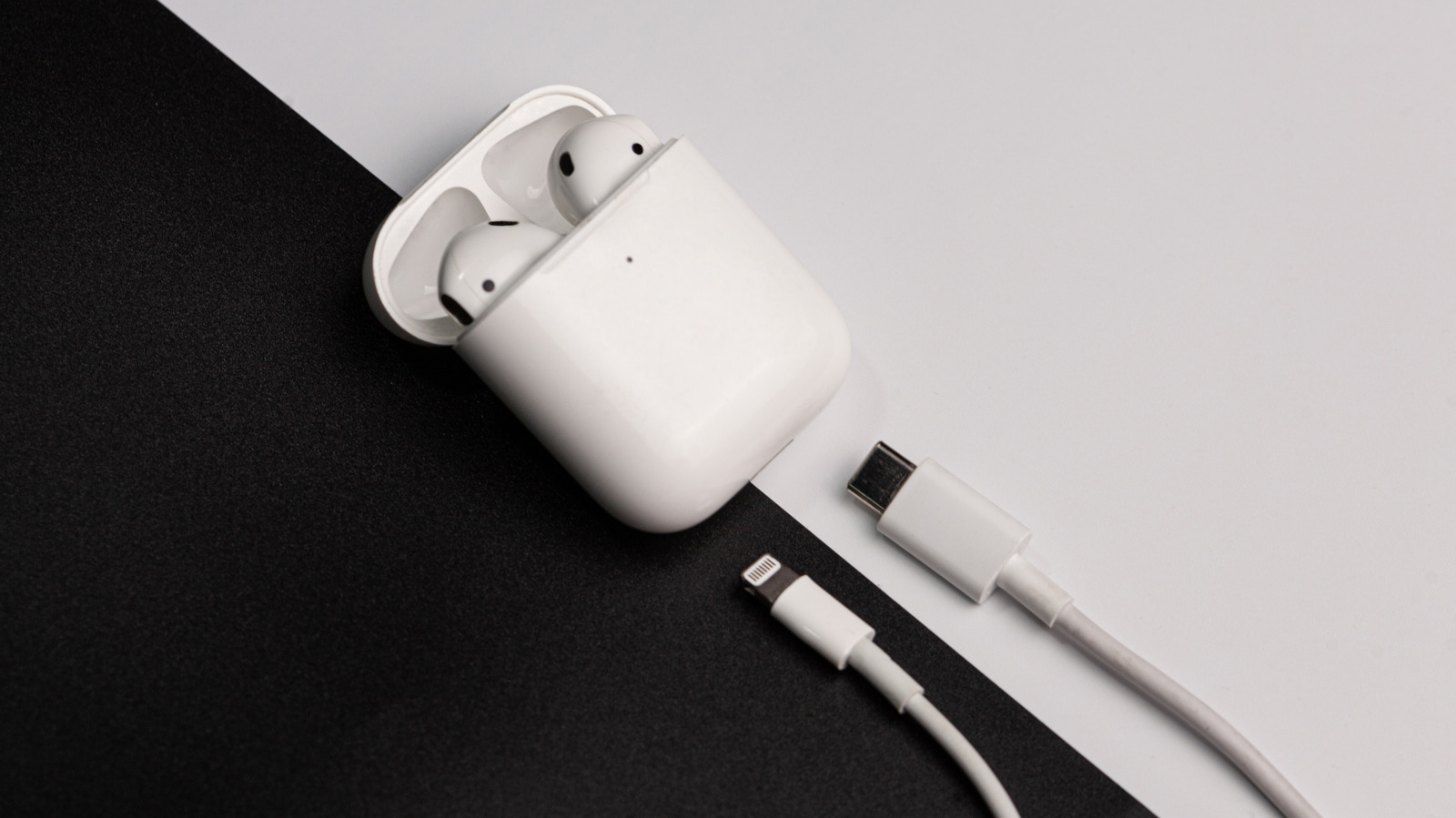
The last thing you want to deal with before leaving for work or school is dead AirPods. After all, how are you supposed to get through the day without your trusty noise-cancelling earbuds? Fortunately, charging your AirPods is as simple as connecting them to your iPhone’s wall charger, placing them on your Apple Watch’s wireless charger, or plugging them into your Mac or iPhone itself. But the real problem isn’t how to charge them — it’s how to remember to do so in the first place.

For this dilemma, you might normally turn to the Batteries widget, one of the best widgets to add on your iPad and iPhone. It shows you the remaining battery percentage for your AirPods case and each earbud, so you just need to make a habit of checking the level regularly to avoid running out of juice. While this is a solid workaround, iOS 26 has an even smarter solution to help make sure your AirPods always have enough battery life: charging notifications. Now, you can get alerts on your phone every time your AirPods run low on juice. This must-know AirPods feature, however, is exclusive to the AirPods Pro 2, AirPods Pro 3, and AirPods 4 (ANC). Here’s how to turn it on.

How to enable charging notifications for your AirPods
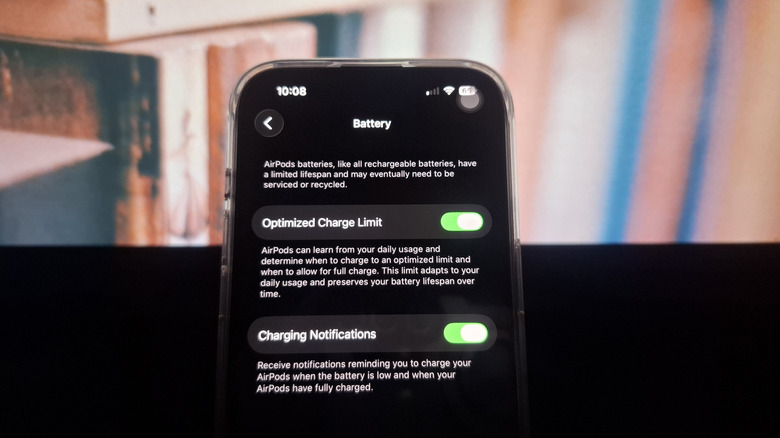

Turning on Charge Notifications in iPhone for AirPods
Marinel Sigue/BGR

You can find and enable the AirPods charging reminders right in the Settings. But before setting it up, make sure you’re running on iOS 26 and your AirPods are updated to the latest firmware version. To update your iPhone to iOS 26, go to Settings and look for Software Update. To update your AirPods, simply pair them to your iPhone or iPad, make sure it’s connected to Wi-Fi, and then charge the AirPods case. The earbuds should automatically update after about half an hour. 

Once all your software is up to date, follow these steps to turn on charging notifications for your AirPods:

  1. Wear your AirPods.
  2. Ensure they’re paired with your iPhone or iPad.
  3. Launch the Settings app.
  4. Select your AirPods at the top of the screen.
  5. Scroll down to Battery.
  6. Enable the toggle next to Charging Notifications.

When your AirPods’ battery level reaches 20%, you’ll get an alert on your iPhone or iPad. If you don’t charge them then, you’ll get additional charging reminders at 10% and again at 5%. After you plug in your AirPods, you will receive another notification once the earbuds are fully charged, so they’re not left on the charger unnecessarily.


Sign Up For Daily Newsletter

Be keep up! Get the latest breaking news delivered straight to your inbox.
By signing up, you agree to our Terms of Use and acknowledge the data practices in our Privacy Policy. You may unsubscribe at any time.
Share This Article
Facebook Twitter Email Print
Share
What do you think?
Love0
Sad0
Happy0
Sleepy0
Angry0
Dead0
Wink0
Previous Article Storipod brings Chimamanda Ngozi Adichie’s books to mobile readers Storipod brings Chimamanda Ngozi Adichie’s books to mobile readers
Next Article Meta creating AI version of Mark Zuckerberg so staff can talk to the boss Meta creating AI version of Mark Zuckerberg so staff can talk to the boss
Leave a comment

Leave a Reply Cancel reply

Your email address will not be published. Required fields are marked *

Stay Connected

248.1k Like
69.1k Follow
134k Pin
54.3k Follow

Latest News

A Planet Parade Starts This Week: How to View Four Planets in the Sky
News
Moth Delusion | HackerNoon
Computing
One UI 8.5 beta finally arrives on some of Samsung’s most popular older phones
News
JanelaRAT Malware Targets Latin American Banks with 14,739 Attacks in Brazil in 2025
Computing

You Might also Like

A Planet Parade Starts This Week: How to View Four Planets in the Sky
News

A Planet Parade Starts This Week: How to View Four Planets in the Sky

5 Min Read
One UI 8.5 beta finally arrives on some of Samsung’s most popular older phones
News

One UI 8.5 beta finally arrives on some of Samsung’s most popular older phones

4 Min Read
Hi, This Is AI. Starlink’s Customer Support Now Features Grok Voice Chatbot
News

Hi, This Is AI. Starlink’s Customer Support Now Features Grok Voice Chatbot

6 Min Read
Microsoft is testing OpenClaw-like AI bots for Copilot
News

Microsoft is testing OpenClaw-like AI bots for Copilot

2 Min Read
//

World of Software is your one-stop website for the latest tech news and updates, follow us now to get the news that matters to you.

Quick Link

  • Privacy Policy
  • Terms of use
  • Advertise
  • Contact

Topics

  • Computing
  • Software
  • Press Release
  • Trending

Sign Up for Our Newsletter

Subscribe to our newsletter to get our newest articles instantly!

World of SoftwareWorld of Software
Follow US
Copyright © All Rights Reserved. World of Software.
Welcome Back!

Sign in to your account

Lost your password?