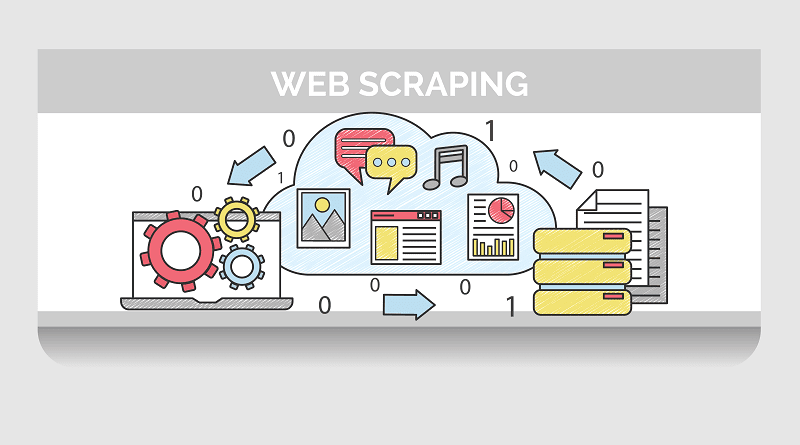
If you’re researching “web scraping in python,” you’re probably balancing two questions: how do I get reliable data fast, and how do I stay compliant and maintainable as I scale?
This guide covers modern Python approaches, when to use a headless browser like Playwright, and the core best practices that keep scrapers stable in production. For an extremely in depth comparison of available scraping libaries check out Playwright vs Selenium vs Puppeteer Comparison in 2025.
Why Python for Web Scraping
– Breadth of libraries: requests/httpx for HTTP, BeautifulSoup/lxml/parsel for parsing, Playwright/Selenium for JavaScript-heavy sites.
– Productivity: readable syntax, rich ecosystem, and batteries-included tooling for packaging, testing, and deployment.
– Community: countless examples and answers for sticky edge cases (encodings, captchas, dynamic pages, etc.).
When to Use a Browser vs. Plain HTTP
– Use plain HTTP (requests/httpx) when the page renders most content server-side, or if you can call public JSON endpoints directly. This is faster and cheaper.
– Use a headless browser (Playwright) when content depends on client-side rendering (React/Vue/etc.), requires interactions (clicks, scroll), or needs to evaluate JavaScript.
Core Building Blocks
– HTTP client: requests (simple) or httpx (modern, async support).
– Parser: BeautifulSoup (simplicity) or lxml/parsel (speed and XPath support).
– Headless browser: Playwright (fast, reliable cross-browser automation) or Selenium (broad ecosystem).
– Storage: CSV/JSONL (logs/exports), SQLite/PostgreSQL (queryable datasets), S3/GCS (archival), Parquet (analytics).
Selector Strategy
– Prefer stable selectors (data-* attributes) over brittle ones (deep nested class chains).
– CSS selectors are concise; XPath is powerful for “find relative to X then Y” patterns.
– Always handle “not found” cases gracefully—real pages change.
Scale and Reliability
– Concurrency: async (httpx+asyncio) or workers (multiprocessing) for higher throughput.
– Retries with backoff: retry on transient network errors and 5xx responses using exponential backoff + jitter.
– Rate limits: throttle globally and per-host; add random delays to avoid patterns.
– Proxies: use residential/datacenter proxies; rotate IPs and user agents.
– Observability: structured logs (JSON), metrics (success rate, latency), and request IDs.
Respect and Compliance
– Read and honor robots.txt and site terms.
– Identify yourself responsibly via headers; avoid overloading sites.
– Store only what you need; handle PII with care.
Short Example: Playwright in Python
Below is a compact example using Playwright’s sync API to render a dynamic page, extract a few fields, and save to CSV. It’s intentionally short—adapt it with retries, concurrency, or proxy settings for production.
Install requirements:
pip install playwright
playwright install chromium
Code (save as scrape_playwright.py):
from playwright.sync_api import sync_playwright
import csv, time
URLS = [
“https://example.com”,
“https://httpbin.org/html”,
]
def csv_escape(s: str) -> str:
return ‘”‘ + (s or “”).replace(‘”‘, ‘””‘) + ‘”‘
with open(“output.csv”, “w”, encoding=”utf-8″, newline=””) as f:
w = csv.writer(f)
w.writerow([“website”, “title”, “snippet”, “fetched_at”])
with sync_playwright() as p:
browser = p.chromium.launch(headless=True)
context = browser.new_context(
user_agent=(
“Mozilla/5.0 (Windows NT 10.0; Win64; x64) “
“AppleWebKit/537.36 (KHTML, like Gecko) “
“Chrome/120 Safari/537.36”
)
)
page = context.new_page()
for url in URLS:
try:
page.goto(url, timeout=30_000, wait_until=”networkidle”)
title = page.title()
# Try to get a readable snippet fallback
snippet = page.query_selector(“p”).inner_text() if page.query_selector(“p”) else “”
w.writerow([url, title, snippet[:200], time.strftime(“%Y-%m-%dT%H:%M:%SZ”, time.gmtime())])
except Exception as e:
w.writerow([url, f”ERROR: {e}”, “”, time.strftime(“%Y-%m-%dT%H:%M:%SZ”, time.gmtime())])
browser.close()
Run it:
python scrape_playwright.py
What This Example Demonstrates
– Headless rendering for JS-heavy pages (Chromium via Playwright).
– Realistic user agent and networkidle waiting to reduce race conditions.
– CSV output with a small schema you can expand (status, final_url, elapsed_ms, etc.).
Testing and Hardening Checklist
– Add a retry wrapper with exponential backoff for navigation and selectors.
– Guard selectors with timeouts and fallbacks; consider page.wait_for_selector when needed.
– Normalize encodings and strip invisible characters.
– Centralize request settings: user agent, viewport, locale, timeouts.
– Add logging around each URL (start, success/failure, duration).
– Parameterize concurrency (number of pages/contexts) and backoff settings.
– If you need speed on non-rendered pages, use httpx/requests + a parser instead of a browser.
Common Pitfalls
– Infinite spinners: wait for a content selector, not just networkidle.
– Lazy-loaded content: scroll or wait for intersection-observed elements.
– Shadow DOM/iframes: use frame/page APIs accordingly.
– Bot protections: rotate IPs/agents, slow down, or consider an API partner.
Going Deeper with Playwright
– Context reuse: create one BrowserContext per site to share cookies and reduce TLS handshakes; open multiple pages within that context for controlled concurrency.
– Resource control: block images, fonts, or third‑party trackers to cut bandwidth and speed up scraping. Use route interception to skip non‑essential requests.
– Waiting strategies: combine networkidle with selector waiters (for example, page.wait_for_selector(“article”)) to ensure content is truly ready.
– Infinite scroll: programmatically scroll and pause; stop when no new cards appear or a page limit is hit.
– Authentication flows: capture storage_state after login and reuse it to avoid repeated logins; rotate sessions across workers.
– Error taxonomy: label failures (dns_error, nav_timeout, blocked, missing_selector) so you can spot patterns quickly.
Data Quality and Deduplication
– Normalize URLs: lowercase hosts, strip tracking params, and canonicalize before you fetch to cut duplicates and save crawl budget.
– Hash content: compute a hash (e.g., SHA‑256) of HTML or main text to detect changes and avoid reprocessing identical pages.
– Sampling and alerts: sample a small percentage of successful pages daily for manual QA, and alert on anomalies like sudden drops in word count.
– Structured extraction: store clean fields (title, price, availability) alongside raw HTML for easier downstream use.
Queues, Scheduling, and Storage
– Scheduling: start with cron or GitHub Actions; move to Airflow or Dagster for dependencies, retries, and SLAs.
– Queues: push URLs into Redis/SQS; workers pull, fetch, and persist results.
– Caching: keep ETags/Last‑Modified and previously seen URLs; skip when unchanged.
– Storage: CSV/JSONL for exports; SQLite/Postgres for querying; S3/GCS for archived HTML; Parquet for analytics.
Handling Anti‑Bot Defenses Responsibly
– Behavior: throttle and jitter delays; be polite and respect capacity.
– Signals: frequent 403/429s, challenge pages, or sudden timeouts can indicate blocking—back off and adjust.
– Proxies: use reputable providers with rotation and sticky sessions; rotate user agents and maintain per‑site cookie jars.
– Compliance: document your use cases, respect robots.txt, and engage with site owners when appropriate.
Deploying and Operating at Scale
– Packaging: ship scrapers as Docker images to pin browser binaries and fonts.
– Configuration: load secrets (proxies, API keys) from environment variables or a secrets manager.
– CI/CD: run smoke tests (1–2 URLs) on every change and promote only on success.
– Observability: ship structured logs; track duration, success rate, bytes, and response codes.
– Cost control: prefer plain HTTP for JSON endpoints; use Playwright only when necessary.
Sitemaps, Feeds, and APIs First
– Before crawling, check for official APIs, RSS/Atom feeds, and sitemaps. They’re often faster, cleaner, and more stable.
Security and Privacy Basics
– Sanitize all outputs; avoid control characters in filenames.
– Pin dependency versions and update regularly.
– Consider redaction or hashing for sensitive fields.
A Minimal Architecture for Web Scraping in Python
– Producer: loads seed URLs (CSV, sitemap, database) and enqueues them.
– Worker: fetches pages (httpx or Playwright), extracts structured fields, writes results.
– Store: append to JSONL/CSV for batch, or write to Postgres/SQLite; archive HTML to S3/GCS.
– Orchestrator: cron/Airflow schedules runs and retries; dashboards report KPIs.
FAQ: Web Scraping in Python
– Is Playwright overkill for most pages? Often yes—favor httpx/requests for speed; use Playwright when you need JS rendering or interactions.
– How do I speed up scrapers? Block non‑essential resources, add concurrency thoughtfully, cache aggressively, and retry with backoff.
– What’s the best format to store data? JSONL for logs/streams, CSV for spreadsheets, Parquet for analytics, and SQL for queries.
– How do I stay unblocked? Be polite (rate limit), rotate IPs/agents, follow robots, and add randomness to navigation.
– Can I mix static and dynamic approaches? Absolutely—use httpx for most endpoints and fall back to Playwright for the few that need JS.
Closing Thoughts
Web scraping in Python works best when you match the tool to the page: HTTP + parser for static content, Playwright for dynamic flows, and robust wrappers for retries, throttling, and storage. Start with a minimal vertical slice (fetch, parse, store, log), then scale out carefully with observability and safeguards.
If you’d rather avoid proxy management, bot-detection pitfalls, and the operational overhead of browser automation, try Prompt Fuel. It’s a production-grade scraping platform that handles rendering, rotation, and reliability so you can focus on data and integrations.