For over a decade, PHP developers have relied on the symfony/console component as the gold standard for building CLI applications. It gave us beautifully formatted output, robust input validation, and progress bars. But fundamentally, the paradigm remained the same: Immediate Mod.
In immediate mode, your script executes top-to-bottom. If you want to show a progress bar, you must calculate the state, format a string, and explicitly echo ANSI escape codes to redraw that specific terminal line. If an HTTP request blocks the main thread, your entire terminal interface freezes.
But what if your CLI application could behave like a modern frontend application? What if you could declare a tree of widgets — containers, text inputs, markdown renderers — and let a rendering engine intelligently diff the screen state, capturing keystrokes and updating UI components asynchronously?
symfony/tui
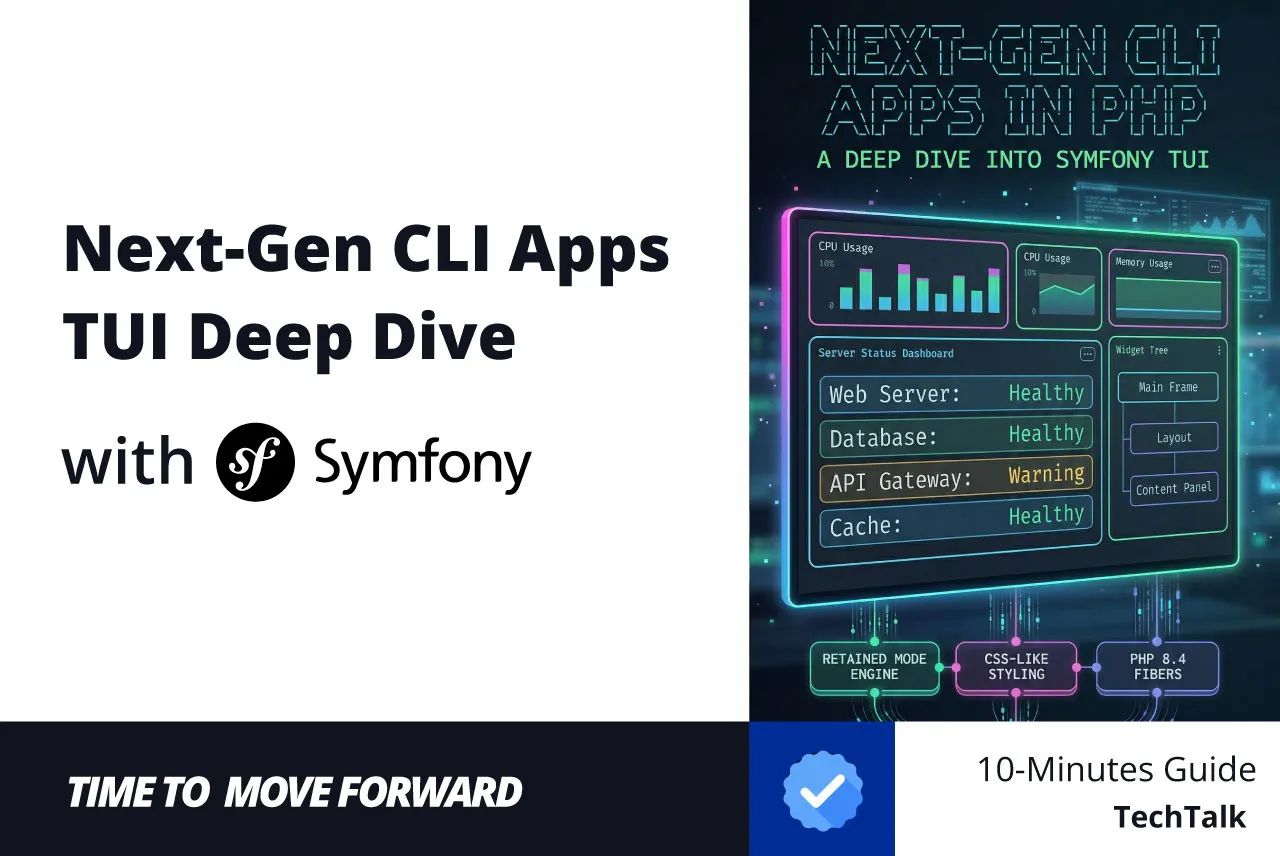
Currently in the experimental phase, this groundbreaking new component shifts PHP CLI development to a Retained Mode architecture, powered by PHP 8.4 Fibers and the Revolt Event Loop.
In this comprehensive guide, we are going to build two robust applications using the exact bleeding-edge code of the symfony/tui component. We will cover environment setup, responsive styling, event dispatching, focus management, and true concurrency.
Fibers, Event Loops, and PHP 8.4
Before we write code, we must understand the architectural shift. symfony/tui is strictly locked to PHP 8.4+.
Why? Because it relies heavily on native PHP Fibers to manage state without blocking the execution thread. It pairs Fibers with Revolt, a robust event loop for PHP.
This means your TUI is single-threaded but fully concurrent. Animations (like loaders) keep spinning, API requests are processed in the background, and user keystrokes are captured instantly without interrupting the rendering cycle.
Bleeding-Edge Installation & Setup
As of this writing, symfony/tui is an active Pull Request on the main symfony/symfony repository. You cannot run composer require symfony/tui just yet. We must manually map the experimental branch via Composer.
Create a Symfony 8 Project
composer create-project symfony/skeleton "8.0.*" my-tui-app
cd my-tui-app
Clone the Experimental Branch
Clone Fabien Potencier’s specific branch into a local vendor-src directory
mkdir -p vendor-src
git clone --branch tui --single-branch https://github.com/fabpot/symfony.git vendor-src/symfony
Configure Composer Path Repository
Tell Composer to look in our local checkout for the Tui component:
composer config repositories.symfony-tui path vendor-src/symfony/src/Symfony/Component/Tui
Install Required Dependencies
We will install the component itself, the Revolt event loop, and standard Markdown parsing libraries for our rich text widgets.
composer require symfony/tui:dev-tui
    revolt/event-loop
    league/commonmark
    tempest/highlight
Ensure your composer.json reflects PHP ^8.4 and the packages above. You can run php -v to confirm your local CLI environment.
Core Concepts: Widgets, Stylesheets, and Events
To transition from standard CLI commands to the TUI, you must adopt a DOM-like mindset.
The Widget Tree
Everything is a subclass of AbstractWidget. You compose a hierarchy by taking a ContainerWidget and calling $container->add($childWidget). When a widget’s internal state changes (e.g., calling $textWidget->setText()), it marks itself as dirty. The engine recalculates constraints and flushes only the necessary ANSI escape codes to the terminal.
The StyleSheet
Styling is no longer limited to basic ANSI foreground/background colors. symfony/tui implements a cascading style system. You can define a Stylesheet with CSS-like selectors or use built-in Tailwind-like utility classes directly on the widgets.
// Stylesheet approach
$stylesheet->addRule('.sidebar:focused', new Style(
    border: Border::all(1, 'rounded', 'cyan'),
    color: 'gray'
));

// Tailwind utility approach
$widget->addStyleClass('p-2 bg-emerald-500 bold border-rounded');
Event Dispatcher
The component natively integrates with symfony/event-dispatcher. Widgets emit events like SelectEvent, SelectionChangeEvent, FocusEvent, and CancelEvent.
Tui’s complete widgets set:
- TextWidget for labels, headings, and FIGlet ASCII art banners
- InputWidget for single-line text fields with cursor, scrolling, and paste support
- EditorWidget is a full multi-line text editor with word wrap, undo/redo, a kill ring, and autocomplete
- SelectListWidget for scrollable, filterable pick lists
- SettingsListWidget for preference panels with value cycling and submenus
- TabsWidget for multi-view interfaces with horizontal or vertical headers (follow-up PR)
- MarkdownWidget with full CommonMark support and syntax-highlighted code blocks
- ImageWidget and AnimatedImageWidget for inline images (via the Kitty graphics protocol) and animated GIF playback as ASCII art (follow-up PR)
- OverlayWidget for modal dialogs, dropdowns, and floating panels (follow-up PR)
- LoaderWidget, CancellableLoaderWidget, and ProgressBarWidget for background operations
The Reactive Server Dashboard
Let’s start by building a classic operational dashboard. We want a scrollable list of servers at the bottom and a reactive header on top that changes text color depending on the user’s current selection.
namespace AppCommand;

use SymfonyComponentConsoleAttributeAsCommand;
use SymfonyComponentConsoleCommandCommand;
use SymfonyComponentConsoleInputInputInterface;
use SymfonyComponentConsoleOutputOutputInterface;
use SymfonyComponentTuiTui;
use SymfonyComponentTuiWidgetContainerWidget;
use SymfonyComponentTuiWidgetTextWidget;
use SymfonyComponentTuiWidgetSelectListWidget;
use SymfonyComponentTuiStyleStyleSheet;
use SymfonyComponentTuiStyleStyle;
use SymfonyComponentTuiStyleBorder;
use SymfonyComponentTuiStylePadding;
use SymfonyComponentTuiStyleDirection;
use SymfonyComponentTuiEventSelectEvent;
use SymfonyComponentTuiEventCancelEvent;

#[AsCommand(
    name: 'app:server-dashboard',
    description: 'Launches the interactive server management TUI.'
)]
class ServerDashboardCommand extends Command
{
    protected function execute(InputInterface $input, OutputInterface $output): int
    {
        // 1. Initialize the StyleSheet
        $stylesheet = new StyleSheet();

        $stylesheet->addRule('.dashboard-container', new Style(
            padding: Padding::all(2),
            border: Border::all(1, 'double', 'blue')
        ));

        // 2. Build the Header
        $header = new TextWidget('Server Status Dashboard');
        $header->addStyleClass('font-big text-cyan-400 bold mb-2');

        // 3. Build the Interactive List
        // Note: The experimental API expects associative arrays, not objects.
        $serverList = new SelectListWidget(
            items: [
                ['value' => 'srv-01', 'label' => 'Web Server 01', 'description' => 'Healthy - 20ms ping'],
                ['value' => 'srv-02', 'label' => 'Database Primary', 'description' => 'Warning - 80% CPU'],
                ['value' => 'srv-03', 'label' => 'Worker Node', 'description' => 'Healthy - Idle'],
            ],
            maxVisible: 10
        );

        // 4. Handle State and Events (Using ->on() instead of addEventListener)
        $serverList->on(SelectEvent::class, function (SelectEvent $event) use ($header) {
            $header->setText(sprintf('Monitoring: %s', $event->getValue()));
            $header->addStyleClass('text-emerald-500');
        });

        // 5. Compose the Layout Tree
        $container = new ContainerWidget();
        $container->setStyle(new Style(direction: Direction::Vertical));
        $container->add($header);
        $container->add($serverList);
        $container->addStyleClass('dashboard-container');

        // 6. Boot the TUI Engine
        $tui = new Tui($stylesheet);
        $tui->add($container);

        // 7. Graceful Exits
        $serverList->on(CancelEvent::class, function () use ($tui) {
            $tui->stop();
        });

        // Takes over the terminal buffer
        $tui->run();

        $output->writeln('<info>Dashboard session ended successfully.</info>');
        return Command::SUCCESS;
    }
}
How the Code Works
- Separation of Concerns: We define our layout structure (ContainerWidget, TextWidget) independently of the terminal’s physical rendering engine.
- Reactive State: When the SelectEvent fires (triggered when a user navigates to an item and hits Enter), we mutate the $header widget. The TUI engine automatically detects this mutation and flushes the minimal required ANSI escape codes to the terminal to update only the header.
- Graceful Exits: Calling $tui->run() takes exclusive control of the terminal buffer. Once exited, the terminal state is completely restored, preventing the “garbled output” issue common in older CLI tools.
- API Evolution: If you read early blogs on the TUI component, you might have seen $stylesheet = new Stylesheet() and $widget->addEventListener(). The actual, current implementation enforces strict casing (StyleSheet) and uses a concise ->on(Event::class, callback) method.
- Object-Oriented Styling: Passing padding: 2 will throw a TypeError. You must use strongly typed immutable value objects: Padding::all(2) and Border::all(…).
- Widget Composition: Instead of passing children arrays via constructors, we instantiate empty ContainerWidgets and use the fluent ->add() interface.
The “Kitchen Sink” Widget Demo
To truly appreciate the power of Symfony TUI, we must explore its advanced widgets: Text Inputs, Multiline Editors, Markdown Renderers, and background-driven Progress Bars.
We are going to build a complex, multi-pane layout that simulates a Tabbed Interface. We will have a persistent navigation sidebar on the left and a dynamic content pane on the right.
Layout & Custom Focus Management
By default, the experimental TUI uses F6 to cycle focus. For a standard user experience, we want to use the TAB key. We also want to visually indicate which “window” has focus by turning its border Cyan.
namespace AppCommand;

use SymfonyComponentConsoleAttributeAsCommand;
use SymfonyComponentConsoleCommandCommand;
use SymfonyComponentConsoleInputInputInterface;
use SymfonyComponentConsoleOutputOutputInterface;
use SymfonyComponentTuiTui;
use SymfonyComponentTuiWidgetContainerWidget;
// ... (omitting widget imports for brevity, see later sections)
use SymfonyComponentTuiStyleStyleSheet;
use SymfonyComponentTuiStyleStyle;
use SymfonyComponentTuiStyleBorder;
use SymfonyComponentTuiStylePadding;
use SymfonyComponentTuiStyleDirection;
use SymfonyComponentTuiEventSelectEvent;
use SymfonyComponentTuiEventSelectionChangeEvent;
use SymfonyComponentTuiEventCancelEvent;
use SymfonyComponentTuiEventInputEvent;
use SymfonyComponentTuiEventFocusEvent;
use SymfonyComponentTuiInputKeybindings;
use SymfonyComponentTuiInputKey;
use RevoltEventLoop;

#[AsCommand(name: 'app:widgets-demo', description: 'Demonstrates all available widgets.')]
class WidgetsDemoCommand extends Command
{
    protected function execute(InputInterface $input, OutputInterface $output): int
    {
        $stylesheet = new StyleSheet();

        $stylesheet->addRule('.sidebar', new Style(padding: Padding::all(1)));
        $stylesheet->addRule('.content-pane', new Style(padding: Padding::all(1)));

        // Dynamic classes applied via Focus events
        $stylesheet->addRule('.active-pane', new Style(border: Border::all(1, 'rounded', 'cyan')));
        $stylesheet->addRule('.inactive-pane', new Style(border: Border::all(1, 'rounded', 'gray')));

        // ... [Widget construction goes here, we'll cover it below] ...

        // The TUI initialization with Custom Keybindings
        $keybindings = new Keybindings([
            'focus_next' => [Key::TAB],
            'focus_previous' => ['shift+tab'],
        ]);

        $tui = new Tui(styleSheet: $stylesheet, keybindings: $keybindings);
        $tui->add($mainLayout);

        // Workaround: Intercept raw InputEvents to force TAB navigation
        $tui->on(InputEvent::class, function (InputEvent $event) use ($tui, $keybindings) {
            $data = $event->getData();
            if ($keybindings->matches($data, 'focus_next')) {
                $tui->getFocusManager()->focusNext();
                $event->stopPropagation();
            } elseif ($keybindings->matches($data, 'focus_previous')) {
                $tui->getFocusManager()->focusPrevious();
                $event->stopPropagation();
            }
        });

        // Visually change the active pane border based on FocusEvent
        $tui->on(FocusEvent::class, function (FocusEvent $event) use ($sidebar, $contentPane, $inputField, $editorField) {
            $target = $event->getTarget();
            $previous = $event->getPrevious();

            if ($target === $sidebar) {
                $sidebar->removeStyleClass('inactive-pane')->addStyleClass('active-pane');
                $contentPane->removeStyleClass('active-pane')->addStyleClass('inactive-pane');
            } else {
                $sidebar->removeStyleClass('active-pane')->addStyleClass('inactive-pane');
                $contentPane->removeStyleClass('inactive-pane')->addStyleClass('active-pane');
            }

            // ... [Placeholder logic goes here] ...
        });

        $tui->run();
        return Command::SUCCESS;
    }
}
Notice how we rely on FocusEvent to manipulate CSS classes (removeStyleClass/addStyleClass). The framework completely abstracts away terminal coordinates. We simply alter the DOM, and Symfony handles the visual repainting.
Input and Editor Widgets (Handling Placeholders)
The InputWidget and EditorWidget provide robust input handling, including cursor movement, scrolling, and paste support. Let’s create an input and a multi-line editor and build custom placeholder logic using the FocusEvent we defined above.
// 2. InputWidget
        $inputContainer = new ContainerWidget();
        $inputContainer->setStyle(new Style(direction: Direction::Vertical, gap: 1));

        $inputField = new InputWidget();
        $inputField->setValue("Type something here...");
        $inputField->setStyle(new Style(border: Border::all(1, 'rounded', 'green')));
        $inputContainer->add(new TextWidget("Single-line text field:"))->add($inputField);

        // 3. EditorWidget
        $editorContainer = new ContainerWidget();
        $editorContainer->setStyle(new Style(direction: Direction::Vertical, gap: 1));

        $editorField = new EditorWidget();
        $editorField->setText("Write your multiline text here.nnEnjoy the full editing capabilities!");
        $editorField->setStyle(new Style(border: Border::all(1, 'rounded', 'yellow')));
        $editorField->expandVertically(true); // Fills available terminal height
        $editorContainer->add(new TextWidget("Multi-line text editor:"))->add($editorField);
Inside our FocusEvent listener, we can add this logic to simulate HTML placeholder attributes:
// InputWidget placeholder logic: hide on focus, restore on blur
            if ($target === $inputField && $inputField->getValue() === "Type something here...") {
                $inputField->setValue("");
            }
            if ($previous === $inputField && $inputField->getValue() === "") {
                $inputField->setValue("Type something here...");
            }

            // EditorWidget placeholder logic
            if ($target === $editorField && $editorField->getText() === "Write your multiline text here.nnEnjoy the full editing capabilities!") {
                $editorField->setText("");
            }
            if ($previous === $editorField && $editorField->getText() === "") {
                $editorField->setText("Write your multiline text here.nnEnjoy the full editing capabilities!");
            }
Markdown and Settings
The MarkdownWidget is a powerhouse. Using league/commonmark for parsing and tempest/highlight for tokenization, it renders fully syntax-highlighted code blocks natively in the terminal.
// 5. MarkdownWidget
        $mdText = "# MarkdownWidgetnnSupports **CommonMark** with syntax highlighting!nn```phpn// Look at this codenecho 'Hello TUI!';n```nn- Lists are supported too.";
        $markdownWidget = new MarkdownWidget($mdText);
The SettingsListWidget operates as an interactive preference panel, allowing users to hit or Right/Left arrows to cycle through enumerated values.
// 4. SettingsListWidget
        $settingItems = [
            new SettingItem(id: 'theme', label: 'Theme', currentValue: 'Dark', description: 'Application visual theme.', values: ['Dark', 'Light', 'System']),
            new SettingItem(id: 'telemetry', label: 'Telemetry', currentValue: 'Opt-out', description: 'Share usage statistics.', values: ['Opt-in', 'Opt-out']),
        ];
        $settingsList = new SettingsListWidget($settingItems, 10);
True Concurrency with Revolt and Loaders
The absolute magic of the symfony/tui component lies in its event loop. We can render a ProgressBarWidget and an animated LoaderWidget side-by-side and update them using a background timer without ever halting the user’s ability to type in the InputWidget or navigate menus.
// 6. Loaders & Progress Bar
        $loadersContainer = new ContainerWidget();
        $loadersContainer->setStyle(new Style(direction: Direction::Vertical, gap: 1));

        $loader = new LoaderWidget('Booting system...');
        $cancellableLoader = new CancellableLoaderWidget('Downloading updates...');

        // Customizing the ProgressBar visualization via Stylesheet and Setters
        $stylesheet->addRule(ProgressBarWidget::class.'::bar-fill', new Style(color: 'cyan'));

        $progressBar = new ProgressBarWidget(100);
        $progressBar->setBarCharacter('━');       // The filled portion
        $progressBar->setEmptyBarCharacter('─');  // The empty background
        $progressBar->setProgressCharacter('╸');  // The leading edge
        $progressBar->start();

        // Simulate asynchronous background progress via Revolt EventLoop
        EventLoop::repeat(0.1, function() use ($progressBar, $loader, $cancellableLoader) {
            if ($progressBar->getProgress() < 100) {
                $progressBar->advance(1);
            } else {
                $progressBar->setProgress(0);
            }

            // Sync text to the progress bar's state
            $percent = $progressBar->getProgress();
            $loader->setMessage("Booting system... {$percent}%");
            $cancellableLoader->setMessage("Downloading updates... {$percent}%");
        });

        $loadersContainer->add($loader)->add($cancellableLoader)->add($progressBar);
Connecting the Tabs
Finally, we map our “Tabs” (the Sidebar) to our Content Panes. Whenever a user triggers a SelectionChangeEvent on the sidebar, we simply call $contentPane->clear() and $contentPane->add($panes[$value]). The DOM updates instantly.
// Map the options to the containers
        $panes = [
            'input' => $inputContainer,
            'editor' => $editorContainer,
            'settings' => $settingsContainer,
            'markdown' => $markdownWidget,
            'loaders' => $loadersContainer,
        ];

        // The active content pane container
        $contentPane = new ContainerWidget();
        $contentPane->addStyleClass('content-pane');
        $contentPane->addStyleClass('inactive-pane');
        $contentPane->expandVertically(true);
        $contentPane->add($inputContainer); // default view

        // Sidebar Navigation
        $sidebar = new SelectListWidget(
            items: [
                ['value' => 'input', 'label' => 'Input Field'],
                ['value' => 'editor', 'label' => 'Editor'],
                ['value' => 'settings', 'label' => 'Settings List'],
                ['value' => 'markdown', 'label' => 'Markdown'],
                ['value' => 'loaders', 'label' => 'Loaders & Progress'],
            ],
            maxVisible: 10
        );
        $sidebar->addStyleClass('sidebar');
        $sidebar->addStyleClass('active-pane');

        // Swap out DOM content on selection change
        $sidebar->on(SelectionChangeEvent::class, function (SelectionChangeEvent $event) use ($contentPane, $panes) {
            $value = $event->getValue();
            if (isset($panes[$value])) {
                $contentPane->clear();
                $contentPane->add($panes[$value]);
            }
        });

        // TUI Main Layout
        $mainLayout = new ContainerWidget();
        $mainLayout->setStyle(new Style(direction: Direction::Horizontal, gap: 2));
        $mainLayout->add($sidebar);
        $mainLayout->add($contentPane);
The Future of the Terminal
Building with the experimental symfony/tui component feels revolutionary. It takes the lessons we’ve learned from decades of frontend browser development — the DOM tree, the event loop, cascading styles, and distinct focus states — and injects them seamlessly into the terminal.
While currently in its raw PHP object-oriented form, the planned roadmap includes bringing this exact retained-mode engine into Twig. Imagine writing your CLI tools using familiar declarative and tags, backed by powerful PHP Controllers.
While the component is still in its experimental phase, cloning the PR and building side-projects today will give you a massive head start. Terminal apps are about to become a whole lot richer, and Symfony is leading the charge.
Source Code: You can find the full implementation and follow the project’s progress on GitHub: [https://github.com/mattleads/TuiComponent]
Let’s Connect!
If you found this helpful or have questions about the implementation, I’d love to hear from you. Let’s stay in touch and keep the conversation going across these platforms:
- LinkedIn: [https://www.linkedin.com/in/matthew-mochalkin/]
- X (Twitter): [https://x.com/MattLeads]
- Telegram: [https://t.me/MattLeads]
- GitHub: [https://github.com/mattleads]

.jpg "Are You Drinking Coffee Too Early in the Morning? Neurologists Think So")