


By using this site, you agree to the Privacy Policy and Terms of Use.
Accept
World of SoftwareWorld of SoftwareWorld of Software
  • News
  • Software
  • Mobile
  • Computing
  • Gaming
  • Videos
  • More
    • Gadget
    • Web Stories
    • Trending
    • Press Release
Search
  • Privacy
  • Terms
  • Advertise
  • Contact
Copyright © All Rights Reserved. World of Software.
Reading: What The Power Indicator Light Colors On Your PS5 Are For – BGR
Share
Sign In
Notification Show More
Font ResizerAa
World of SoftwareWorld of Software
Font ResizerAa
  • Software
  • Mobile
  • Computing
  • Gadget
  • Gaming
  • Videos
Search
  • News
  • Software
  • Mobile
  • Computing
  • Gaming
  • Videos
  • More
    • Gadget
    • Web Stories
    • Trending
    • Press Release
Have an existing account? Sign In
Follow US
  • Privacy
  • Terms
  • Advertise
  • Contact
Copyright © All Rights Reserved. World of Software.
World of Software > News > What The Power Indicator Light Colors On Your PS5 Are For – BGR
News

What The Power Indicator Light Colors On Your PS5 Are For – BGR

News Room
Last updated: 2026/03/23 at 1:19 PM
News Room Published 23 March 2026
Share
What The Power Indicator Light Colors On Your PS5 Are For – BGR
SHARE


Skrypnykov Dmytro/Shutterstock

The current-gen PlayStation 5 delivers high graphical fidelity and excellent performance across a bevy of titles. It also boasts a unique, futuristic design, with many interesting angles and curves making up its stand-out black and white exterior. It can be positioned horizontally or vertically at your media center, but be warned — should you opt for an upright setup, there’s a slight chance your PS5 would need some repairs eventually.

On the surface, the PS5 doesn’t look like it has an indicator light to let you know the console’s running. But it does — it’s just a cleverly hidden feature. Your PS5’s indicator is a tucked-away LED light strip positioned at the center of the console. It runs along the perimeter of the system’s glossy black center chassis, and it fires up the moment you power on your system. Once you do, “power on” is indicated by a blue light that eventually transitions to solid white. That’s what you want to see, since it suggests your PS5 is 100% operational. But there are a few other light colors and pulse patterns you should be aware of as a PS5 owner.

If your PS5’s LED indicator blinks white or blue, or if it remains solid blue, you may be dealing with a console error. If your system is frozen or otherwise not working correctly, Sony suggests unplugging the power cord, waiting three minutes, and then reconnecting power to unfreeze your PS5. If that fails, the company recommends using the device’s built-in Safe Mode.

The PlayStation 5 has a few indicator light colors and patterns you should be aware of
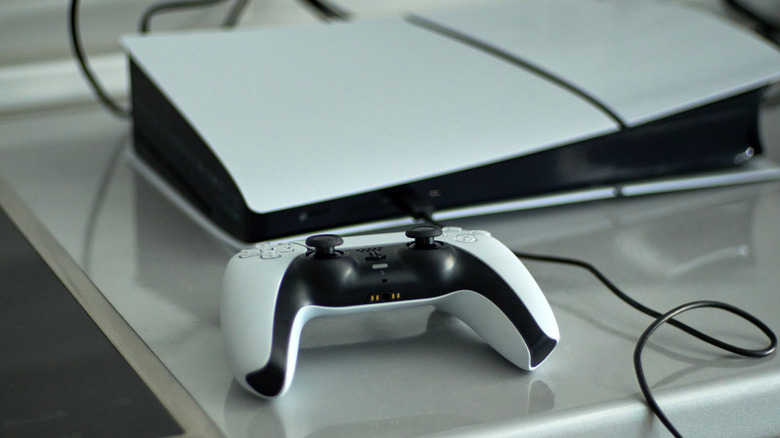

A PlayStation 5 and DualSense controller placed on top of a glossy gray surface.
darksoul72/Shutterstock

When you’ve had your fill of video games for the day, it’s time to turn off your PS5. Or, at the very least, it’s time to put the system into rest mode — especially if you just plan on playing again in a couple of hours anyway. If you shut down the console completely, the indicator light should blink white, then turn off to indicate the console is fully powered down.

When you put your PS5 into rest mode, the indicator should turn solid orange. Rest mode will allow you to charge controllers, as well as download and install content. To wake a console from rest mode, simply press and hold the PS button on a controller that’s been paired to the console (or connected via USB). The indicator should also flash orange when entering rest mode.

Here’s a nice little bonus: You can easily adjust the brightness of the PS5’s power indicator light. To do so, fire up your PlayStation and go to Settings > System > Beep and Light > Brightness. From there, simply choose between Dim, Medium, or Bright according to your preference, and your new settings will be applied. The indicator light really helps if you’re experiencing system failures, and it’s one of many things your PlayStation 5 can do to streamline your experience of using the console.



Sign Up For Daily Newsletter

Be keep up! Get the latest breaking news delivered straight to your inbox.
By signing up, you agree to our Terms of Use and acknowledge the data practices in our Privacy Policy. You may unsubscribe at any time.
Share This Article
Facebook Twitter Email Print
Share
What do you think?
Love0
Sad0
Happy0
Sleepy0
Angry0
Dead0
Wink0
Previous Article ABAN CEO thinks African angels can deploy  million a year ABAN CEO thinks African angels can deploy $80 million a year
Next Article China approves 129 domestic online games in March, a new monthly high since 2023 · TechNode China approves 129 domestic online games in March, a new monthly high since 2023 · TechNode
Leave a comment

Leave a Reply Cancel reply

Your email address will not be published. Required fields are marked *

Stay Connected

248.1k Like
69.1k Follow
134k Pin
54.3k Follow

Latest News

2026 Swift Student Challenge winners to be announced on March 26
News
Baidu reports Q3 revenue dip, AI Cloud growth remains strong · TechNode
Computing
Apple's WWDC 2026 Developer Event Is Set for Early June
News
Our Favorite Budget Earbuds Are Literally
Our Favorite Budget Earbuds Are Literally $19
Gadget

You Might also Like

2026 Swift Student Challenge winners to be announced on March 26

1 Min Read
Apple's WWDC 2026 Developer Event Is Set for Early June
News

Apple's WWDC 2026 Developer Event Is Set for Early June

2 Min Read
US Startup Funding Slows Sharply In March
News

US Startup Funding Slows Sharply In March

3 Min Read
Get Massive 5TB Cloud Storage on Sale for 80% Off
News

Get Massive 5TB Cloud Storage on Sale for 80% Off

4 Min Read
//

World of Software is your one-stop website for the latest tech news and updates, follow us now to get the news that matters to you.

Quick Link

  • Privacy Policy
  • Terms of use
  • Advertise
  • Contact

Topics

  • Computing
  • Software
  • Press Release
  • Trending

Sign Up for Our Newsletter

Subscribe to our newsletter to get our newest articles instantly!

World of SoftwareWorld of Software
Follow US
Copyright © All Rights Reserved. World of Software.
Welcome Back!

Sign in to your account

Lost your password?
