

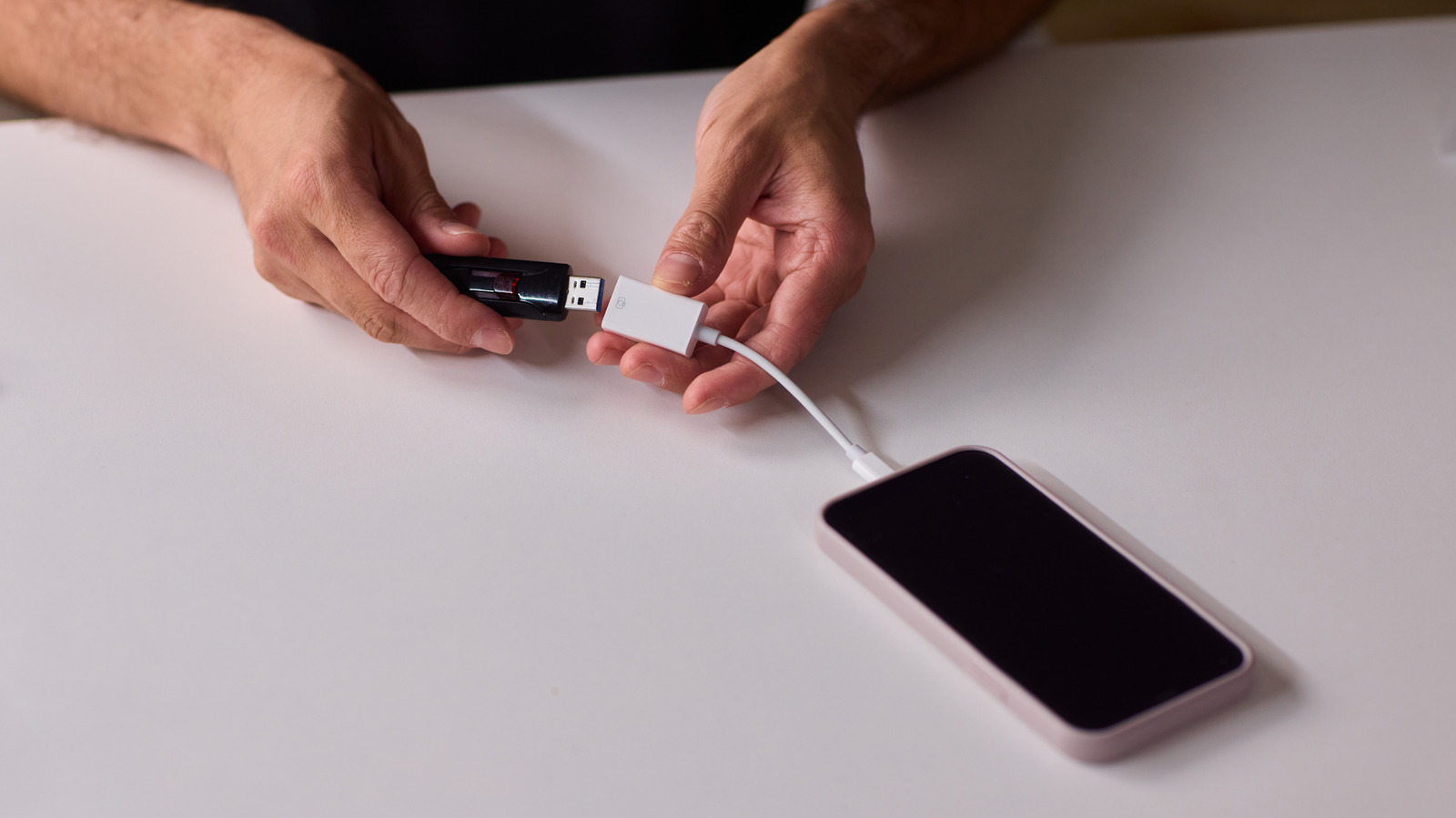
By using this site, you agree to the Privacy Policy and Terms of Use.
Accept
World of SoftwareWorld of SoftwareWorld of Software
  • News
  • Software
  • Mobile
  • Computing
  • Gaming
  • Videos
  • More
    • Gadget
    • Web Stories
    • Trending
    • Press Release
Search
  • Privacy
  • Terms
  • Advertise
  • Contact
Copyright © All Rights Reserved. World of Software.
Reading: What USB OTG Means For Android Phones (And Why You Should Use It) – BGR
Share
Sign In
Notification Show More
Font ResizerAa
World of SoftwareWorld of Software
Font ResizerAa
  • Software
  • Mobile
  • Computing
  • Gadget
  • Gaming
  • Videos
Search
  • News
  • Software
  • Mobile
  • Computing
  • Gaming
  • Videos
  • More
    • Gadget
    • Web Stories
    • Trending
    • Press Release
Have an existing account? Sign In
Follow US
  • Privacy
  • Terms
  • Advertise
  • Contact
Copyright © All Rights Reserved. World of Software.
World of Software > News > What USB OTG Means For Android Phones (And Why You Should Use It) – BGR
News

What USB OTG Means For Android Phones (And Why You Should Use It) – BGR

News Room
Last updated: 2026/03/24 at 3:57 PM
News Room Published 24 March 2026
Share
What USB OTG Means For Android Phones (And Why You Should Use It) – BGR
SHARE


Vershinin89/Shutterstock

We may receive a commission on purchases made from links.

Universal Serial Bus (USB) is a standard port found on many devices. Most phones, including iPhones, come with USB-C starting with the iPhone 15 series. The only difference is the physical interface used in different smartphones — some use USB-C while others have the older micro-USB port. Since the arrival of the USB standard in the ’90s, it has massively evolved with every generation. As a result, there are many different types of USB ports.

The continuous improvement in the USB standard has resulted in Android phones using the port to have various capabilities besides charging. For example, the USB On-The-Go (simply referred to as USB OTG or OTG) was introduced in 2001 as part of the USB 2.0 specification. Over two decades after its introduction, OTG has become ubiquitous. But do you know what USB OTG really means for your Android phone? In a nutshell, this specification enables your Android phone to act as a USB host instead of always acting as a peripheral.

That means that you can directly connect other peripheral devices to it, like a flash drive. Therefore, if you want to transfer files from your phone to a flash drive, you can do so directly without having to use a computer as the host device. OTG also allows a phone to act as a peripheral when necessary, such as when you hook it up to a computer.

How USB OTG works
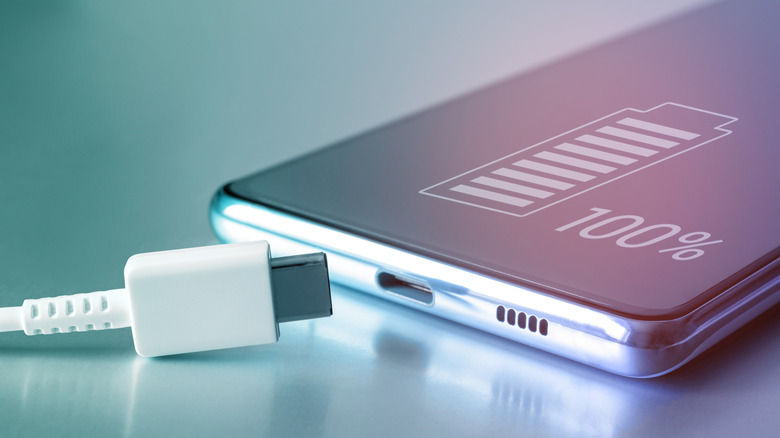

A USB cable placed next to a phone
LariBat/Shutterstock

The secret behind the working of OTG is how two connected devices can establish a communication link when they’re physically connected using a USB cable. Since USB OTG enables your phone to act as a host device or a peripheral device depending on the situation, it will automatically detect when another device is connected at the end of the link using an ID pin, which is part of the Attach Detection Protocol (ADP). 

Once it establishes that another device has been attached at the end of the link, it will then act as a host and supply power to it over the USB link to create a connection. The peripheral device also has a role to play when it comes to establishing the connection, as it sends a Session Request Protocol (SRP) signal while waiting for power from the host device at the other end of the cable. This is just the tip of the iceberg of how OTG works — the inner workings are much more complicated than that.

OTG is important for connecting peripherals to your phone
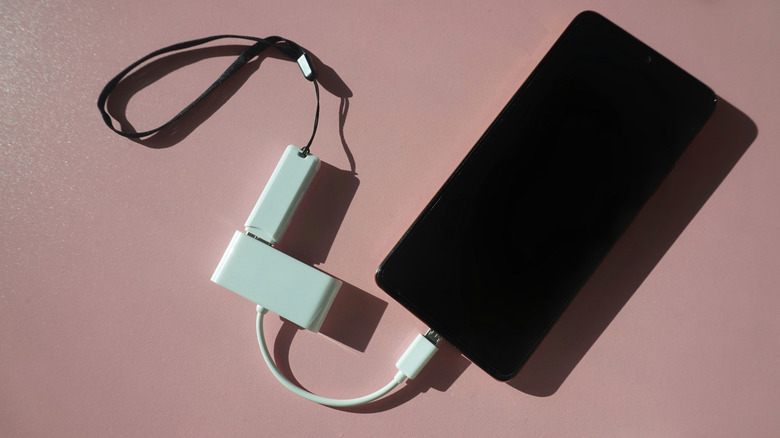

A phone using OTG to connect to a flash drive
Tinawww/Shutterstock

If your phone has OTG support, it can come in handy in a variety of scenarios. As previously mentioned, one use case of OTG is being able to directly connect a flash drive to your phone. Besides, you can connect other storage devices like external hard drives and SSDs. OTG support also enables your phone to connect and work with an external keyboard and mouse, turning it into a fully portable device for getting some work done while on the go.

Another scenario where you take advantage of USB OTG is when you want to use a gaming controller while gaming. However, note that there are some devices that you shouldn’t plug into your smartphone’s USB port. Additionally, you may not be able to connect some peripherals directly to your phone because of the difference in ports. For example, your thumb drive might have a USB-A connector, while your phone uses USB-C. In such a case, you will need to look for USB OTG adapters that will help you overcome the mismatch, like Anker’s USB-C to USB-A OTG cable.



Sign Up For Daily Newsletter

Be keep up! Get the latest breaking news delivered straight to your inbox.
By signing up, you agree to our Terms of Use and acknowledge the data practices in our Privacy Policy. You may unsubscribe at any time.
Share This Article
Facebook Twitter Email Print
Share
What do you think?
Love0
Sad0
Happy0
Sleepy0
Angry0
Dead0
Wink0
Previous Article Experts Say Remittix Is the Best Crypto to Buy Now As Zcash Eyes Up 0 Experts Say Remittix Is the Best Crypto to Buy Now As Zcash Eyes Up $400
Next Article Arm is releasing the first in-house chip in its 35-year history |  News Arm is releasing the first in-house chip in its 35-year history | News
Leave a comment

Leave a Reply Cancel reply

Your email address will not be published. Required fields are marked *

Stay Connected

248.1k Like
69.1k Follow
134k Pin
54.3k Follow

Latest News

Social Media for Business: A Practical Guide
Computing
4 TVs With The Highest Color Accuracy You Can Buy In 2026 – BGR
News
LinkedIn Marketing: Ultimate Guide for Companies to Grow in 2025
Computing
iOS 18.7.7, macOS 15.7.5 updates fix kernel memory leaks & WebKit flaws
News

You Might also Like

4 TVs With The Highest Color Accuracy You Can Buy In 2026 – BGR
News

4 TVs With The Highest Color Accuracy You Can Buy In 2026 – BGR

8 Min Read
iOS 18.7.7, macOS 15.7.5 updates fix kernel memory leaks & WebKit flaws
News

iOS 18.7.7, macOS 15.7.5 updates fix kernel memory leaks & WebKit flaws

1 Min Read
Ocasio-Cortez: Prediction markets' latest moves to block insider trading 'absolutely not enough'
News

Ocasio-Cortez: Prediction markets' latest moves to block insider trading 'absolutely not enough'

0 Min Read
OnePlus shutdown rumors just went from bad to worse
News

OnePlus shutdown rumors just went from bad to worse

3 Min Read
//

World of Software is your one-stop website for the latest tech news and updates, follow us now to get the news that matters to you.

Quick Link

  • Privacy Policy
  • Terms of use
  • Advertise
  • Contact

Topics

  • Computing
  • Software
  • Press Release
  • Trending

Sign Up for Our Newsletter

Subscribe to our newsletter to get our newest articles instantly!

World of SoftwareWorld of Software
Follow US
Copyright © All Rights Reserved. World of Software.
Welcome Back!

Sign in to your account

Lost your password?