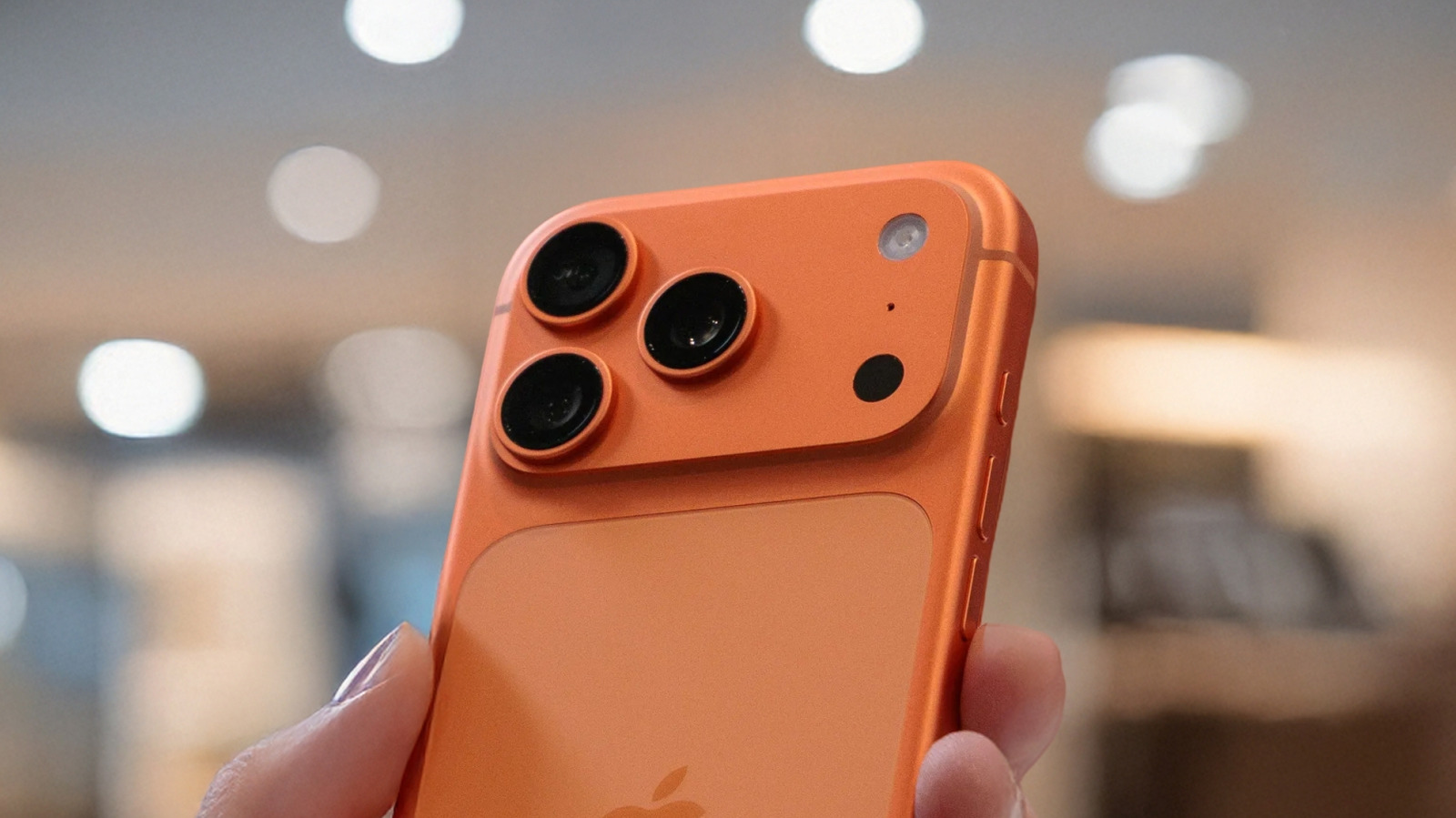
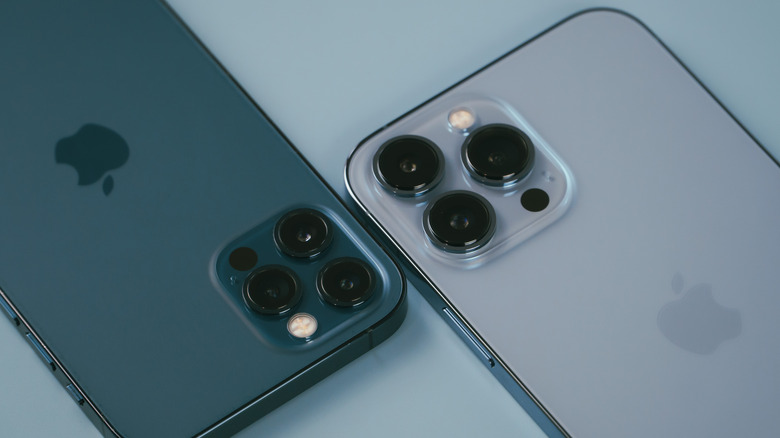
The iPhone in your hand likely has two or three cameras on the back: Non‑Pro models typically have two, while Pro models have three. If it’s the latter, your iPhone Pro model may have a larger black “dot” inside the camera module, as seen above. If you’ve been wondering what the “dot” does and how it benefits your iPhone experience, the answer is simple. It’s a LiDAR sensor (short for Light Detection and Ranging), a technology that’s used to map the surroundings of a device with near-infrared laser light. LiDAR sensors on self-driving cars help the vehicle determine its surroundings. On iPhones, the LiDAR sensor is used to improve photos, run augmented reality (AR) apps, and measure objects and people.
The LiDAR dot isn’t available on all iPhones. Apple introduced it in 2020 with the iPhone 12 Pro and iPhone 12 Pro Max models. All Pro and Pro Max versions released since then have the same component inside the rear-facing camera module. Apple has upgraded the sensor over the years, but this isn’t the kind of camera upgrade Apple would routinely advertise. It’s not about increasing the megapixel count or the size of the lens. Instead, LiDAR works in the background for you, and most of the time, you won’t even know it’s there.
You can’t manually start the iPhone’s LiDAR sensor or switch to it when taking photos or using AR apps. The sensor just works when the software determines that it’s necessary to measure distances to a subject or map a room for an AR application. There’s no button on the screen to activate the black dot.
How the iPhone’s LiDAR sensor works
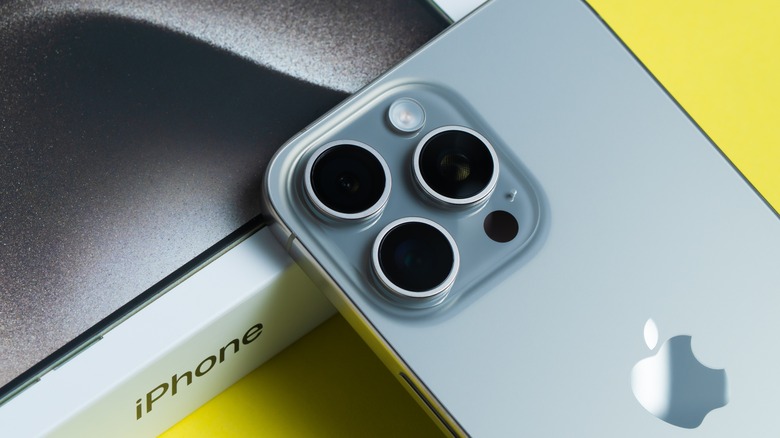
The LiDAR sensor contains a light emitter and a receiver. The emitter is made of vertical cavity surface emitting laser (VCSEL) cells, which emit pulses of light rapidly. Research done on the iPhone 13 Pro shows the LiDAR sensor emits 64 VCSEL pulses, which are multiplied into 576 pulses via a diffraction element. These pulses reach objects in front of the iPhone’s camera, and the infrared light then beams back to the receiver. Algorithms measure how fast the light returns to the receiver to determine the distance between the iPhone camera and the objects in front of it, also known as the time-of-flight principle. Since each point is at a different distance, the LiDAR allows the iPhone to map its surroundings. The depth map can be used to determine exactly how far a subject is from the camera. It’s also used for AR apps.
Since light travels very fast, these time-of-flight measurements are immediate. The depth map is a grid of 256 x 192 points that refreshes up to 60 times per second. You won’t have to wait to see whether the LiDAR sensor works. Taking a photo in low-light conditions, when LiDAR can be especially useful, or trying to place a virtual couch in your living room via an AR app, are iPhone experiences that are almost instant. The LiDAR sensor is involved in that without the user’s explicit knowledge.
While Apple doesn’t explain its design choices for the LiDAR sensor, the reason the dot is black has to do with cosmetics and functionality. LiDAR sensors may feature protective covers that appear black to the user. They absorb visible light but let near-infrared light pass through.
Do you really need a black dot on your iPhone?
The LiDAR sensor can help with low-light photography. Apple describes the feature as “night mode portraits enabled by LiDAR Scanner” on supported devices. It can also help with general photos, as it estimates distances and can improve focus in challenging lighting conditions. Also, the LiDAR depth map is used in AR apps and games. The sensor helps with plane detection, allowing apps to quickly overlay AR elements onto the real world seen through the camera. And since iOS 14.2, iPhones with LiDAR sensors, including the iPhone 17 Pro, can help detect people nearby via the Magnifier feature, which may be a useful accessibility feature to users with certain vision impairments. Finally, developers can use the 3D scanning abilities of an iPhone Pro for specific purposes, like mapping a room.
That said, LiDAR is a nice-to-have feature but not a must-have one. For example, if you don’t take portrait photos in low light and don’t use AR apps, your LiDAR sensor will not be used frequently. Put differently, not having the black dot on the back of your iPhone doesn’t necessarily mean the iPhone will take worse photos in low-lit environments. Also, non-Pro iPhones can still run AR apps. The iPhone will still measure distances and focus even without a LiDAR sensor, but it won’t use time-of-flight technology. For AR, some experiences may require moving the iPhone around, as plane detection will not be instant.