

By using this site, you agree to the Privacy Policy and Terms of Use.
Accept
World of SoftwareWorld of SoftwareWorld of Software
  • News
  • Software
  • Mobile
  • Computing
  • Gaming
  • Videos
  • More
    • Gadget
    • Web Stories
    • Trending
    • Press Release
Search
  • Privacy
  • Terms
  • Advertise
  • Contact
Copyright © All Rights Reserved. World of Software.
Reading: Why Your Apple CarPlay Keeps Disconnecting (And How To Fix It) – BGR
Share
Sign In
Notification Show More
Font ResizerAa
World of SoftwareWorld of Software
Font ResizerAa
  • Software
  • Mobile
  • Computing
  • Gadget
  • Gaming
  • Videos
Search
  • News
  • Software
  • Mobile
  • Computing
  • Gaming
  • Videos
  • More
    • Gadget
    • Web Stories
    • Trending
    • Press Release
Have an existing account? Sign In
Follow US
  • Privacy
  • Terms
  • Advertise
  • Contact
Copyright © All Rights Reserved. World of Software.
World of Software > News > Why Your Apple CarPlay Keeps Disconnecting (And How To Fix It) – BGR
News

Why Your Apple CarPlay Keeps Disconnecting (And How To Fix It) – BGR

News Room
Last updated: 2025/12/07 at 10:04 AM
News Room Published 7 December 2025
Share
Why Your Apple CarPlay Keeps Disconnecting (And How To Fix It) – BGR
SHARE


Harry Howitt/Shutterstock

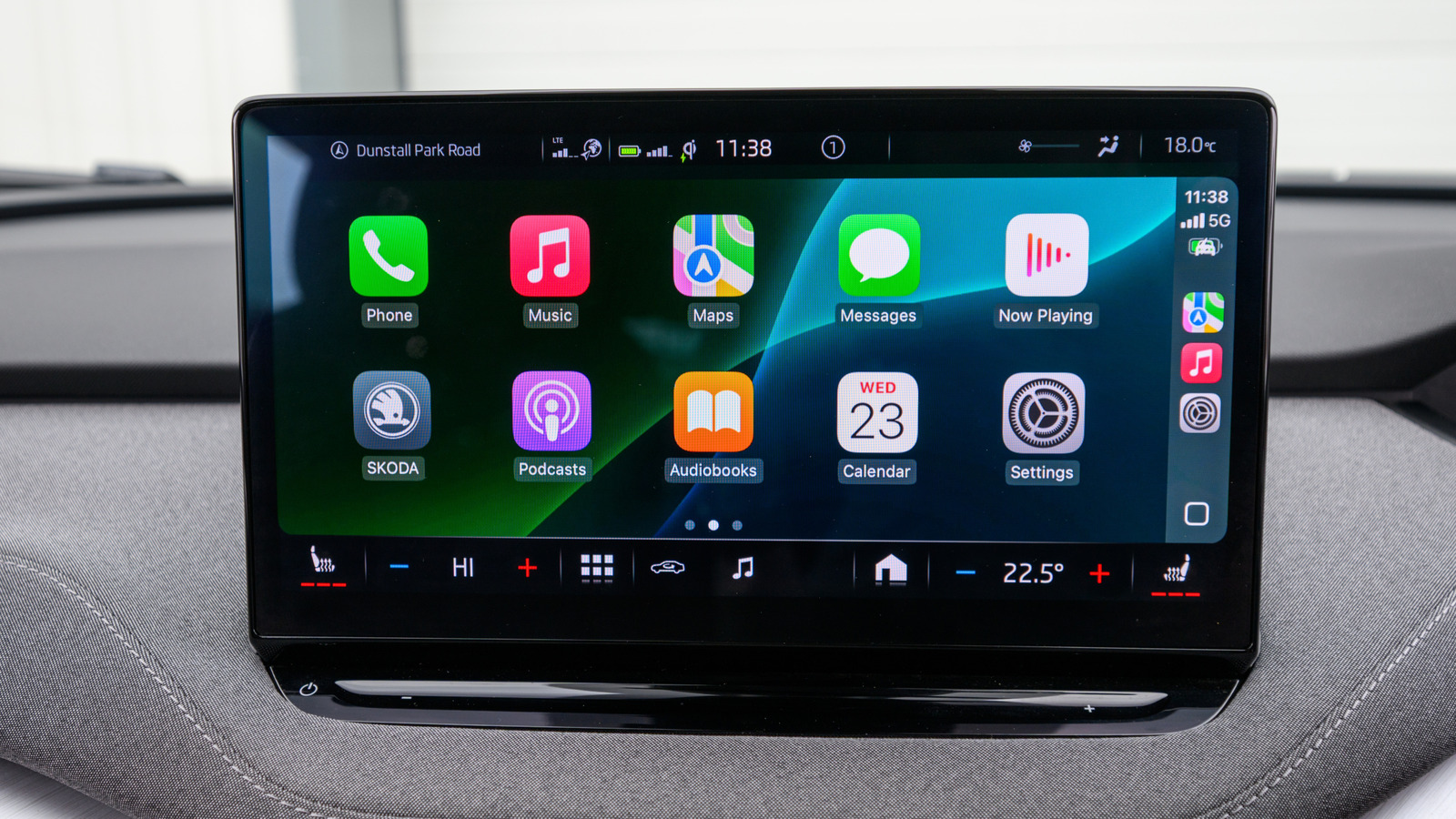
Apple CarPlay makes using your iPhone on the road both safer and easier. All you need to do is bring your iPhone along, start the car, and make sure it’s connected. Once you’re up and running, CarPlay pulls in the best parts of iOS, whether you’re firing off messages, navigating to your next stop, or cueing up a playlist for the drive. You can even fine-tune your experience using some of the best CarPlay tips and tricks.

That said, the software behind your CarPlay and iOS experience isn’t totally immune to hiccups. One problem you might run into is a full-blown CarPlay disconnect — the whole interface dropping out without warning. It’s annoying, especially when you’re in the middle of a drive, and there are plenty of reasons why it happens. Sometimes it’s as simple as a connectivity setting or an overdue software update. Other times, it comes down to the accessories you’re using to power your CarPlay setup. A preliminary fix you can try is to make sure your iPhone is running the latest version of iOS, as an outdated build can often cause wireless CarPlay to misbehave. You can do this by heading to Settings > General > Software Update and downloading anything waiting in the queue. However, if you’re still having the issue after updating, here’s why, and what you can do to get CarPlay back up and running.

Wireless connectivity is only great when it works
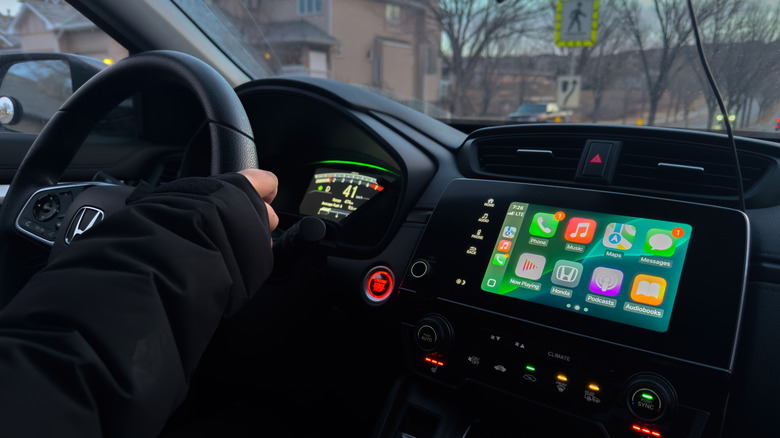

Car infotainment screen showing Apple CarPlay dashboard.
oasisamuel/Shutterstock

If you’re using the wireless version of Apple CarPlay — the kind that doesn’t need a USB cable — your car relies on both Wi-Fi and Bluetooth to mirror your iPhone. That also ties directly into a common question people have: Can you use Apple CarPlay without plugging your iPhone in? The short answer is yes — but only when those wireless features are enabled and working together. That means you’ll want to double-check that both Wi-Fi and Bluetooth are actually enabled on your iPhone when you hop into the driver’s seat. The quickest way to do this is by swiping down from the top-right corner of your screen to pull up Control Center. If the Wi-Fi and Bluetooth icons are lit up in blue, you’re good to go.

For a quick reset, you can either tap both icons to disable and tap again to enable, or go to Settings > Wi-Fi and Settings > Bluetooth, respectively, and toggle the buttons. On the Bluetooth settings page, you can also see what devices your iPhone has been paired to. If your iPhone is juggling multiple remembered accessories — old earbuds, a smart speaker in your house, or even another vehicle — it’s possible that it’s trying to connect to one of these other devices, which may be causing CarPlay to drop or fail altogether. Clearing out unused Bluetooth pairings and forgetting devices can help cut down on these conflicts. It’s also worth restarting your car’s head unit (if the vehicle allows it) to force a fresh connection handshake. You may also want to clear your iPhone from your vehicle’s memory. Go to Settings > General > CarPlay. Select your vehicle, tap “Forget This Car,” then reconfigure your CarPlay connection.

Wired connections can be just as finicky
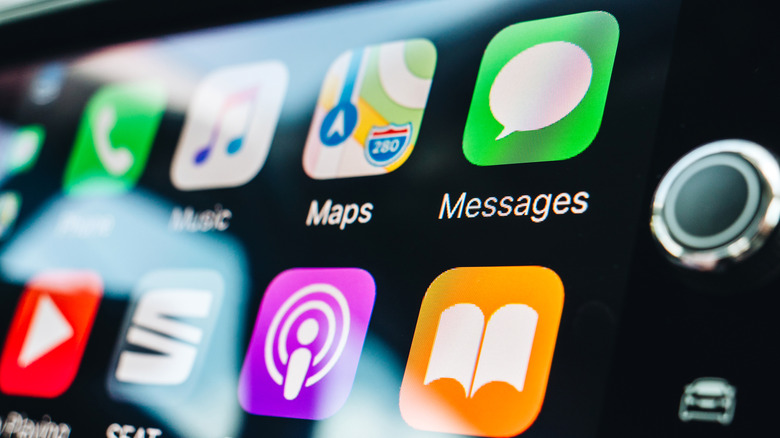

Apple CarPlay Home screen on a car infotainment screen.
Adrianhancu/Getty Images

If your version of CarPlay relies on a wired USB connection, keep in mind that iPhones can be picky, especially when you’re using a cable that isn’t made by Apple or at least MFi-certified, and a low-quality or off-brand one can be enough to break the connection outright. Swap in a different cable (preferably an Apple or MFi-approved one) and see if that clears things up. It’s also worth giving your iPhone a quick reboot. Power it down, wait a few seconds, and turn it back on to give both your phone and your car a clean slate. Sometimes that fresh handshake is all CarPlay needs to start working normally.

Likewise, if you use third-party adapters to convert a wired CarPlay setup into a wireless one, they can be just as finicky as a cheap cable. If CarPlay keeps cutting out, try giving the adapter a full reset. Most adapters have a tiny button or a quick reboot sequence in their companion app. Once it restarts, re-pair your iPhone again. It’s an extra step, but clearing out old pairing data often solves weird dropouts or lag.



Sign Up For Daily Newsletter

Be keep up! Get the latest breaking news delivered straight to your inbox.
By signing up, you agree to our Terms of Use and acknowledge the data practices in our Privacy Policy. You may unsubscribe at any time.
Share This Article
Facebook Twitter Email Print
Share
What do you think?
Love0
Sad0
Happy0
Sleepy0
Angry0
Dead0
Wink0
Previous Article Starlink made ‘work from home’ possible from anywhere — now, I’m ready for a change Starlink made ‘work from home’ possible from anywhere — now, I’m ready for a change
Next Article Confused by Your Spotify Wrapped This Year? Spotify Explains How It Picks Confused by Your Spotify Wrapped This Year? Spotify Explains How It Picks
Leave a comment

Leave a Reply Cancel reply

Your email address will not be published. Required fields are marked *

Stay Connected

248.1k Like
69.1k Follow
134k Pin
54.3k Follow

Latest News

Public Companies’ Bitcoin Bets Sour, Highlighting Need for Real Utility Like RentStac (RNS)
Gadget
Have chatbots killed the student essay?
Software
Amazon Is Reportedly Preparing to Cut Ties With USPS as Negotiations Stall
News
Apple TV previews new F1 streaming deal, confirms driver onboard cams will be included – 9to5Mac
News

You Might also Like

Amazon Is Reportedly Preparing to Cut Ties With USPS as Negotiations Stall
News

Amazon Is Reportedly Preparing to Cut Ties With USPS as Negotiations Stall

4 Min Read
Apple TV previews new F1 streaming deal, confirms driver onboard cams will be included – 9to5Mac
News

Apple TV previews new F1 streaming deal, confirms driver onboard cams will be included – 9to5Mac

3 Min Read
Why There’s A Black Dot On Your iPhone’s Screen (And How To Turn It Off) – BGR
News

Why There’s A Black Dot On Your iPhone’s Screen (And How To Turn It Off) – BGR

3 Min Read
Samsung could finally upgrade its rugged smartwatch with Galaxy Watch Ultra 2
News

Samsung could finally upgrade its rugged smartwatch with Galaxy Watch Ultra 2

2 Min Read
//

World of Software is your one-stop website for the latest tech news and updates, follow us now to get the news that matters to you.

Quick Link

  • Privacy Policy
  • Terms of use
  • Advertise
  • Contact

Topics

  • Computing
  • Software
  • Press Release
  • Trending

Sign Up for Our Newsletter

Subscribe to our newsletter to get our newest articles instantly!

World of SoftwareWorld of Software
Follow US
Copyright © All Rights Reserved. World of Software.
Welcome Back!

Sign in to your account

Lost your password?