

By using this site, you agree to the Privacy Policy and Terms of Use.
Accept
World of SoftwareWorld of SoftwareWorld of Software
  • News
  • Software
  • Mobile
  • Computing
  • Gaming
  • Videos
  • More
    • Gadget
    • Web Stories
    • Trending
    • Press Release
Search
  • Privacy
  • Terms
  • Advertise
  • Contact
Copyright © All Rights Reserved. World of Software.
Reading: You Can Integrate Your Smart TV Into Your Living Room’s Aesthetics – Here’s How – BGR
Share
Sign In
Notification Show More
Font ResizerAa
World of SoftwareWorld of Software
Font ResizerAa
  • Software
  • Mobile
  • Computing
  • Gadget
  • Gaming
  • Videos
Search
  • News
  • Software
  • Mobile
  • Computing
  • Gaming
  • Videos
  • More
    • Gadget
    • Web Stories
    • Trending
    • Press Release
Have an existing account? Sign In
Follow US
  • Privacy
  • Terms
  • Advertise
  • Contact
Copyright © All Rights Reserved. World of Software.
World of Software > News > You Can Integrate Your Smart TV Into Your Living Room’s Aesthetics – Here’s How – BGR
News

You Can Integrate Your Smart TV Into Your Living Room’s Aesthetics – Here’s How – BGR

News Room
Last updated: 2026/01/11 at 2:57 PM
News Room Published 11 January 2026
Share
You Can Integrate Your Smart TV Into Your Living Room’s Aesthetics – Here’s How – BGR
SHARE


New Africa/Shutterstock

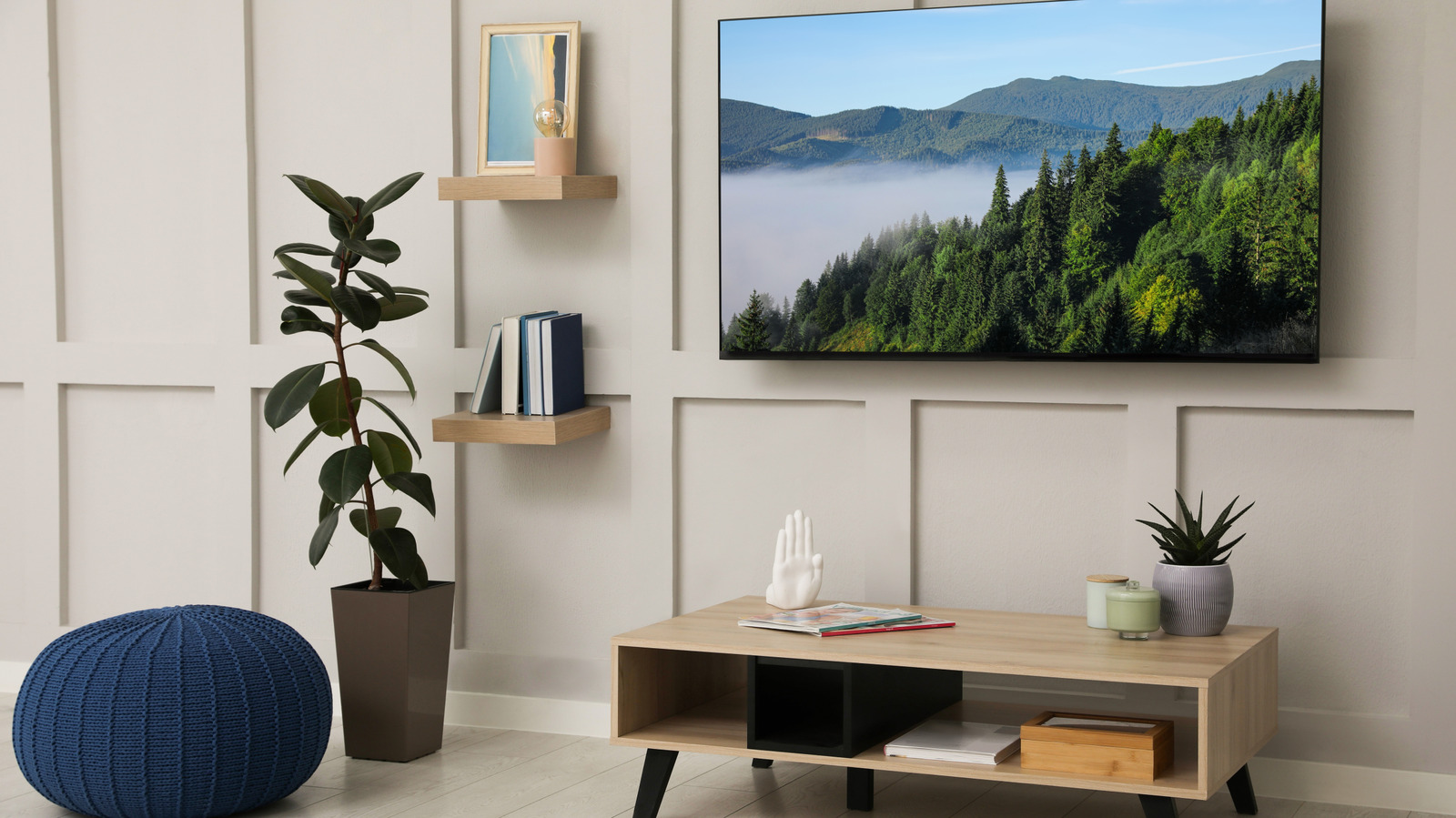
While televisions may often be the center of our living room activities for movie nights and playing video games, they also can be a bit unsightly, compared to a well-decorated living room. All the colors, styles, and decor of your living room may match one aesthetic theme and then against a wall you have a big black box with a bunch of cables coming off of it. You don’t have to move your TV to another room, though, as there are some easy ways to make your TV part of your living room’s aesthetics.

The first point to tackle is the cables. Modern day TV watching often requires quite a bit of cords, but they don’t have to hang in ugly groups down the wall. There are some great DIY solutions for messy TV cables, including in-wall power kits and sleek cord covers. Even just using twisty ties to bind cords together and wall-mounted hooks to keep them in a single line can go a long way in controlling the cable clutter.

With the cables taken care of, it’s now time to focus on the TV itself. By building up the console space around the television, you can easily make it match with your living room. If you want to take things a step further, you can also turn your TV into a work of art itself by using the screen display.

Use your TV console to match the living room
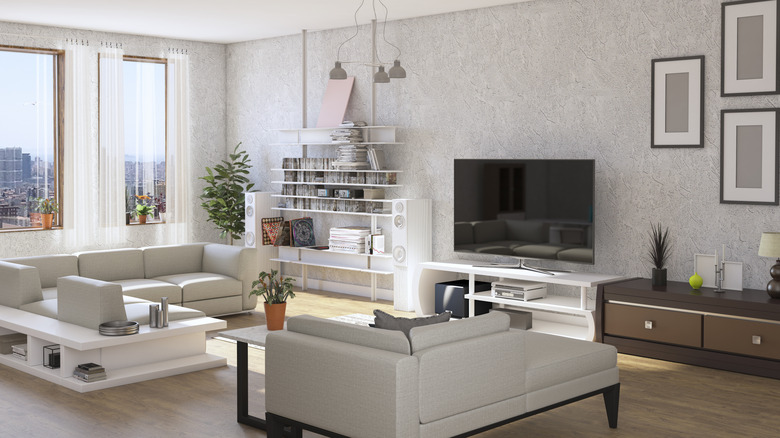

A living room with white colors and modern design.
Ibrahim Akcengiz/Getty Images

By taking an artistic approach to the console your TV sits on, or sits near if it is wall-mounted, then it can easily be integrated into the same design style as your living room. When shopping for a TV stand, try to find one that matches the vibe of your living room. For example, if you have a lot of white decors, either buy a white console or paint one white. If you have a living room with a modern design, then buy a stand that matches that interior design style with strong angles and smooth surfaces.

Decorate your TV console with items to match your room’s aesthetics. Use the top of the console around the TV, or use open shelves if available on the console to place items. Putting plants near the TV adds some nice greenery and nature, even if they are fake. You can also decorate it with books, vases, or small statues and art pieces. While decorating, focus on finding items with the same color scheme as your room and with the same interior design scheme.

Mounting photos or other art on the wall around your TV is also a great way to make it blend in as part of the decor. If you really want to hide the TV and just focus on the decor, there is a DIY way to create a hidden TV lift cabinet.

Use TV artwork backdrops
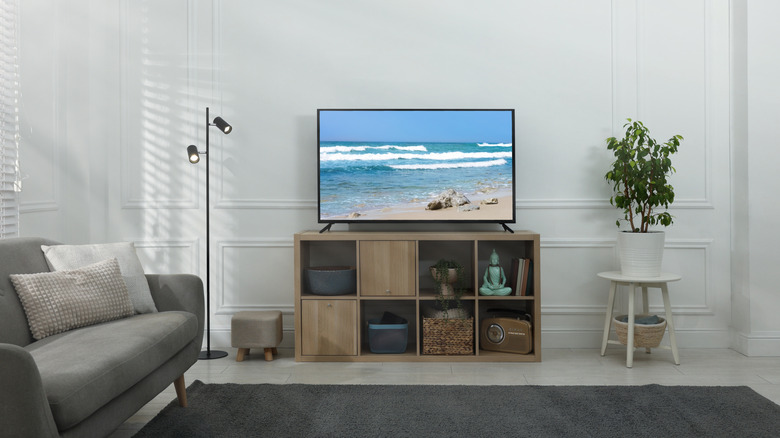

a living room with a TV on a wooden stand.
New Africa/Shutterstock

Your TV doesn’t just have to be a blank black screen, as most TVs have a feature that make them look like an artwork. This is a great way to display photos that match your room’s aesthetics, such as an ocean photo for a beach-themed living room, or a mountain photo for an adventure-themed living room.

On a Roku TV, you can use the Roku Backdrops app, which lets you set a pre-generated art gallery or create one yourself. You don’t have to have a Roku TV to take advantage of this: If you own or purchase a Roku streaming device for your TV, you also can create art backdrops. Depending on the TV model you own, you may already have access to art backdrops, as well. Google TV lets you create your own art gallery for your screensaver by going into Settings and then Ambient mode. It’s worth looking around on your specific TV model and apps to see what are a available to you.




Sign Up For Daily Newsletter

Be keep up! Get the latest breaking news delivered straight to your inbox.
By signing up, you agree to our Terms of Use and acknowledge the data practices in our Privacy Policy. You may unsubscribe at any time.
Share This Article
Facebook Twitter Email Print
Share
What do you think?
Love0
Sad0
Happy0
Sleepy0
Angry0
Dead0
Wink0
Previous Article NVIDIA launches China-customized RTX 5090D with 29% reduction in AI performance · TechNode NVIDIA launches China-customized RTX 5090D with 29% reduction in AI performance · TechNode
Next Article Heterogeneous computing and the future of AI –  News Heterogeneous computing and the future of AI – News
Leave a comment

Leave a Reply Cancel reply

Your email address will not be published. Required fields are marked *

Stay Connected

248.1k Like
69.1k Follow
134k Pin
54.3k Follow

Latest News

Latest Linux 6.19 Code Fixes Rust Binder Driver, Adds Intel Nova Lake Point S To MEI
Computing
CES 2026: Meet Tiiny AI, a pocket-sized AI supercomputer
News
Golden Globes 2026 live: All the red carpet moments, predictions, and winners as they happen
News
China targets 28 US entities with export controls due to security concerns · TechNode
Computing

You Might also Like

CES 2026: Meet Tiiny AI, a pocket-sized AI supercomputer
News

CES 2026: Meet Tiiny AI, a pocket-sized AI supercomputer

4 Min Read
Golden Globes 2026 live: All the red carpet moments, predictions, and winners as they happen
News

Golden Globes 2026 live: All the red carpet moments, predictions, and winners as they happen

9 Min Read
Your Sound System Is Probably Plugged Into The Wrong HDMI Port — Here’s Why – BGR
News

Your Sound System Is Probably Plugged Into The Wrong HDMI Port — Here’s Why – BGR

5 Min Read
I finally found smart glasses I like wearing at CES
News

I finally found smart glasses I like wearing at CES

11 Min Read
//

World of Software is your one-stop website for the latest tech news and updates, follow us now to get the news that matters to you.

Quick Link

  • Privacy Policy
  • Terms of use
  • Advertise
  • Contact

Topics

  • Computing
  • Software
  • Press Release
  • Trending

Sign Up for Our Newsletter

Subscribe to our newsletter to get our newest articles instantly!

World of SoftwareWorld of Software
Follow US
Copyright © All Rights Reserved. World of Software.
Welcome Back!

Sign in to your account

Lost your password?
