By using this site, you agree to the Privacy Policy and Terms of Use.
Accept
World of SoftwareWorld of SoftwareWorld of Software
  • News
  • Software
  • Mobile
  • Computing
  • Gaming
  • Videos
  • More
    • Gadget
    • Web Stories
    • Trending
    • Press Release
Search
  • Privacy
  • Terms
  • Advertise
  • Contact
Copyright © All Rights Reserved. World of Software.
Reading: You Can Store Your Car Keys On Your Apple Watch – Here’s How – BGR
Share
Sign In
Notification Show More
Font ResizerAa
World of SoftwareWorld of Software
Font ResizerAa
  • Software
  • Mobile
  • Computing
  • Gadget
  • Gaming
  • Videos
Search
  • News
  • Software
  • Mobile
  • Computing
  • Gaming
  • Videos
  • More
    • Gadget
    • Web Stories
    • Trending
    • Press Release
Have an existing account? Sign In
Follow US
  • Privacy
  • Terms
  • Advertise
  • Contact
Copyright © All Rights Reserved. World of Software.
World of Software > News > You Can Store Your Car Keys On Your Apple Watch – Here’s How – BGR
News

You Can Store Your Car Keys On Your Apple Watch – Here’s How – BGR

News Room
Last updated: 2026/01/10 at 9:07 AM
News Room Published 10 January 2026
Share
You Can Store Your Car Keys On Your Apple Watch – Here’s How – BGR
SHARE


Ringo Chiu/Shutterstock

One of the best parts of owning a modern vehicle is having the ability to store a digital version of your car keys on everyday devices like phones and smartwatches. This prevents you from having to dig into your pockets or backpack for that overstressed carabiner. It’s also a great safety feature when parking in unfamiliar areas in the dark. More and more vehicles are getting the digital key treatment — including top brands like Toyota, Honda, and Hyundai — and big tech companies are following suit. One such company is Apple. Along with utilizing nifty tricks to get the best out of Apple CarPlay when driving, iPhone users can now quickly unlock their cars. Apple lets iPhone and Apple Watch owners store digital car keys using the iOS and watchOS Wallet app.

To do so, you’ll need a compatible car, an iPhone XS or SE (2nd generation) or later, or the Apple Watch Series 5 or later. Your device should also be running the latest version of iOS or watchOS. To get started, you’ll need to use your vehicle manufacturer’s companion app or the car’s display to set up a digital key. If the instructions tell you to, place the top-center of your iPhone on the key reader to allow your phone and car to sync up. This should automatically add the new key to your paired Apple Watch, but you can manually do so by opening the Apple Watch app on your iPhone and tapping Wallet & Apple Pay > Add beside your car key.

Lock, unlock, and start your car the Apple way
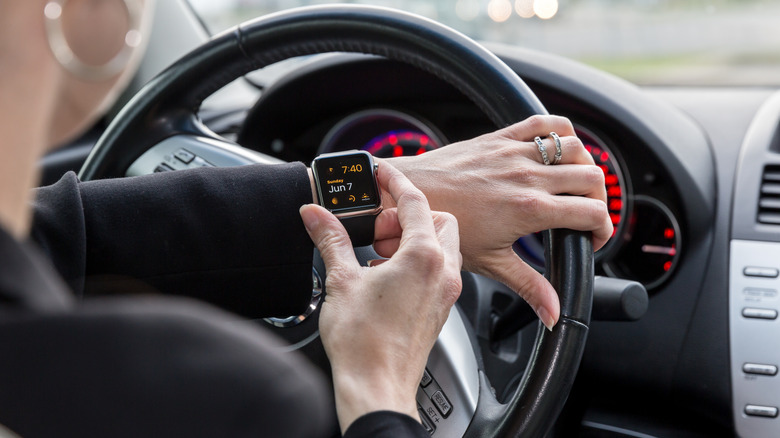

A person using an Apple Watch inside a car.
Onfokus/Getty Images

Now that your digital key is officially paired to your Apple Account and Wallet app, you’ll be able to lock, unlock, and start your car using your iPhone or Apple Watch. When Express Mode is enabled, you won’t even need to use Face ID, Touch ID, or a passcode to unlock your car. Depending on your vehicle make and model — as well as what iPhone or Apple Watch you own — you may also be able to use passive entry or the proximity function to lock, unlock, and start the car. While it’s not exactly a hidden feature, having digital keys linked to an Apple Watch is definitely an under-the-radar Apple Watch feature.

We also appreciate that the setup process doesn’t involve any janky, third-party apps. Fortunately, transferring a key to a new iPhone is pretty simple, too. In Setup Assistant on your new device, tap Wallet, select the key you want to transfer from your old device, then tap Continue to complete the process. Do keep in mind that if you decide to sign out of your Apple Account, though, you won’t have access to your digital key anymore.



Sign Up For Daily Newsletter

Be keep up! Get the latest breaking news delivered straight to your inbox.
By signing up, you agree to our Terms of Use and acknowledge the data practices in our Privacy Policy. You may unsubscribe at any time.
Share This Article
Facebook Twitter Email Print
Share
What do you think?
Love0
Sad0
Happy0
Sleepy0
Angry0
Dead0
Wink0
Previous Article The CES 2026 stuff I might actually buy The CES 2026 stuff I might actually buy
Next Article Why Mauritius is attracting foreign millionaires Why Mauritius is attracting foreign millionaires
Leave a comment

Leave a Reply Cancel reply

Your email address will not be published. Required fields are marked *

Stay Connected

248.1k Like
69.1k Follow
134k Pin
54.3k Follow

Latest News

Linus Torvalds: “The AI Slop Issue Is *NOT* Going To Be Solved With Documentation”
Computing
Drug cartels are adopting cutting-edge drone technology. Here’s how the US must adapt.
News
Spotify Is No Longer Running Recruitment Ads for ICE
News
The B Opportunity: Why B2B Companies Are Racing to Optimize for AI Search
The $10B Opportunity: Why B2B Companies Are Racing to Optimize for AI Search
Gadget

You Might also Like

Drug cartels are adopting cutting-edge drone technology. Here’s how the US must adapt.
News

Drug cartels are adopting cutting-edge drone technology. Here’s how the US must adapt.

10 Min Read
Spotify Is No Longer Running Recruitment Ads for ICE
News

Spotify Is No Longer Running Recruitment Ads for ICE

5 Min Read
How to watch NFL Wildcard Round 2025/26: free live streams, schedule
News

How to watch NFL Wildcard Round 2025/26: free live streams, schedule

11 Min Read
DJI Power 2000 deal: 9 at Amazon
News

DJI Power 2000 deal: $699 at Amazon

3 Min Read
//

World of Software is your one-stop website for the latest tech news and updates, follow us now to get the news that matters to you.

Quick Link

  • Privacy Policy
  • Terms of use
  • Advertise
  • Contact

Topics

  • Computing
  • Software
  • Press Release
  • Trending

Sign Up for Our Newsletter

Subscribe to our newsletter to get our newest articles instantly!

World of SoftwareWorld of Software
Follow US
Copyright © All Rights Reserved. World of Software.
Welcome Back!

Sign in to your account

Lost your password?