By using this site, you agree to the Privacy Policy and Terms of Use.
Accept
World of SoftwareWorld of SoftwareWorld of Software
  • News
  • Software
  • Mobile
  • Computing
  • Gaming
  • Videos
  • More
    • Gadget
    • Web Stories
    • Trending
    • Press Release
Search
  • Privacy
  • Terms
  • Advertise
  • Contact
Copyright © All Rights Reserved. World of Software.
Reading: You Can Store Your House Keys On Your Samsung Phone Now – Here’s How – BGR
Share
Sign In
Notification Show More
Font ResizerAa
World of SoftwareWorld of Software
Font ResizerAa
  • Software
  • Mobile
  • Computing
  • Gadget
  • Gaming
  • Videos
Search
  • News
  • Software
  • Mobile
  • Computing
  • Gaming
  • Videos
  • More
    • Gadget
    • Web Stories
    • Trending
    • Press Release
Have an existing account? Sign In
Follow US
  • Privacy
  • Terms
  • Advertise
  • Contact
Copyright © All Rights Reserved. World of Software.
World of Software > News > You Can Store Your House Keys On Your Samsung Phone Now – Here’s How – BGR
News

You Can Store Your House Keys On Your Samsung Phone Now – Here’s How – BGR

News Room
Last updated: 2026/03/10 at 12:49 AM
News Room Published 10 March 2026
Share
You Can Store Your House Keys On Your Samsung Phone Now – Here’s How – BGR
SHARE


Framesira/Shutterstock

Secure wallet apps on mobile phones can store all sorts of useful items, including credit cards, IDs, public transit tickets, car keys, and home keys, with support depending on platform and region. For example, credit card and car keys may be widely available on iPhone and Android devices, but digital IDs may be more limited.

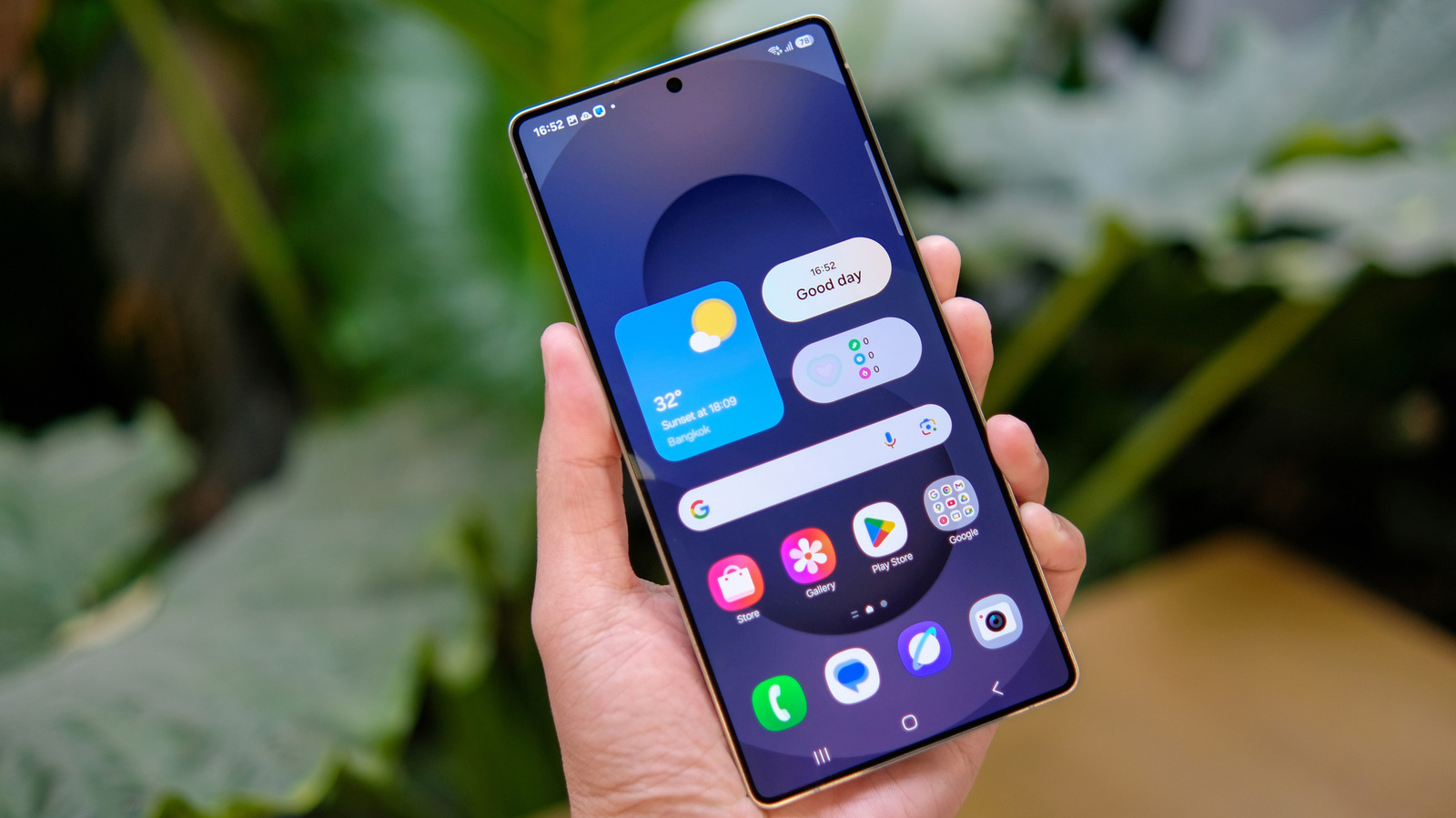
Samsung, which already operates its own Samsung Wallet app on Galaxy phones, announced on March 2 a new feature that some users may appreciate. Your Galaxy phone can now store your house keys via a new feature called Digital Home Key. The feature will work with select smart locks and will allow users to open doors via the Samsung Wallet app instead of using a different unlock mechanism or physical keys.

Samsung explained in a press release that it built the Digital Home Key on Aliro, a standard smart lock access protocol from the Connectivity Standards Alliance (CSA). The company also mentioned various lock brands that will support Digital Home Key starting in March 2026, including Aqara, Nuki, Schlage, and Xthings, though the feature will only be available in select regions this month – with a future expansion planned. If a compatible smart lock isn’t available for purchase in your region, you may not be able to use Digital Home Key.

How to use Digital Home Key and which phones are supported

Samsung explained the process of setting up a Digital Home Key in the Wallet app, and it appears to be relatively easy. You need to configure a compatible smart lock via Samsung SmartThings, the company’s app for managing smart home products.

To use Digital Home Key with the smart lock, users will have several options that depend on their Galaxy phone and lock. One way to open the door using the new feature is to tap the phone on the device, a process that uses near-field communication technology and requires Android 14 or later. An even more convenient option is the hands-free access that takes advantage of ultra-wideband (UWB) technology on Android 16 or newer. With this method, the door will unlock automatically when you approach it, similar to how digital keys interact with cars. Finally, Digital Home Key also supports remote control of the door.

Samsung listed all the Galaxy phones that can use Digital Home Key and the type of connectivity they offer on a support page. This functionality will be available on foldable phones as old as the Galaxy Z Fold 3 and Z Flip 3released in 2021. Various Galaxy S21 models and newer, as well as mid-range phones including the Galaxy A35 and the Galaxy A55, will also support Digital Home Keys.

What if the phone is stolen?
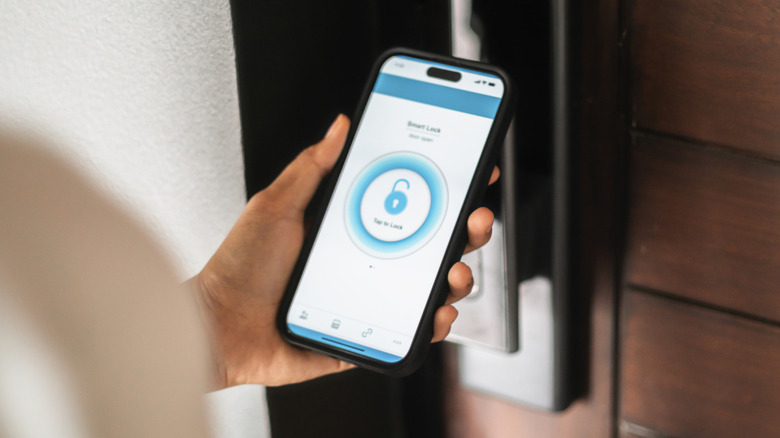

A person using an app on an iPhone to unlock a smart lock.
Athvisions/Getty Images

Like other items in Samsung Wallet, Digital Home Key is secured by Samsung’s Knox platform, which is designed to prevent unauthorized access to the sensitive information stored in the app. You will need to enter a PIN or your biometrics to authorize the use of these digital keys. If your phone is lost or stolen, you can use Samsung Find to remove Digital Home Key access. An attacker would not be able to open and use the Wallet without knowing the PIN code.

Samsung makes no mention of sharing Digital Home Keys with other people in the household. It’s unclear if other people with the same smart locks as the owner can also enable the functionality if they own Galaxy phones. A similar feature has been available on iPhone since iOS 15. Google Pixel devices started supporting a similar feature in Google Wallet, called resident keys, in October 2025. 


Sign Up For Daily Newsletter

Be keep up! Get the latest breaking news delivered straight to your inbox.
By signing up, you agree to our Terms of Use and acknowledge the data practices in our Privacy Policy. You may unsubscribe at any time.
Share This Article
Facebook Twitter Email Print
Share
What do you think?
Love0
Sad0
Happy0
Sleepy0
Angry0
Dead0
Wink0
Previous Article Multiple Chinese cities pause trade-in subsidies, sparking confusion amid 618 sales rush · TechNode Multiple Chinese cities pause trade-in subsidies, sparking confusion amid 618 sales rush · TechNode
Next Article Readers reply: What if Shakespeare was dropped in modern-day London? Readers reply: What if Shakespeare was dropped in modern-day London?
Leave a comment

Leave a Reply Cancel reply

Your email address will not be published. Required fields are marked *

Stay Connected

248.1k Like
69.1k Follow
134k Pin
54.3k Follow

Latest News

World Baseball Classic 2026: How to Watch Week 2 Games for Free
News
Check out all the changes in iOS 26.4 Beta 4, and yes, Siri 2.0 quietly broke an Apple record
News
👨🏿‍🚀 Daily – Folded by a paper cut |
Computing
Here’s a Gaming Deal You Don’t See Everyday, Take 90% Off Mario + Rabbids: Sparks of Hope
News

You Might also Like

World Baseball Classic 2026: How to Watch Week 2 Games for Free
News

World Baseball Classic 2026: How to Watch Week 2 Games for Free

11 Min Read
Check out all the changes in iOS 26.4 Beta 4, and yes, Siri 2.0 quietly broke an Apple record
News

Check out all the changes in iOS 26.4 Beta 4, and yes, Siri 2.0 quietly broke an Apple record

4 Min Read
Here’s a Gaming Deal You Don’t See Everyday, Take 90% Off Mario + Rabbids: Sparks of Hope
News

Here’s a Gaming Deal You Don’t See Everyday, Take 90% Off Mario + Rabbids: Sparks of Hope

7 Min Read
Best TV deal: Save 13% on the 43-inch Samsung Class Crystal LED 4K TV
News

Best TV deal: Save 13% on the 43-inch Samsung Class Crystal LED 4K TV

3 Min Read
//

World of Software is your one-stop website for the latest tech news and updates, follow us now to get the news that matters to you.

Quick Link

  • Privacy Policy
  • Terms of use
  • Advertise
  • Contact

Topics

  • Computing
  • Software
  • Press Release
  • Trending

Sign Up for Our Newsletter

Subscribe to our newsletter to get our newest articles instantly!

World of SoftwareWorld of Software
Follow US
Copyright © All Rights Reserved. World of Software.
Welcome Back!

Sign in to your account

Lost your password?