By using this site, you agree to the Privacy Policy and Terms of Use.
Accept
World of SoftwareWorld of SoftwareWorld of Software
  • News
  • Software
  • Mobile
  • Computing
  • Gaming
  • Videos
  • More
    • Gadget
    • Web Stories
    • Trending
    • Press Release
Search
  • Privacy
  • Terms
  • Advertise
  • Contact
Copyright © All Rights Reserved. World of Software.
Reading: Your Roku Might Be Using The Wrong TV Display Resolution – Here’s Why – BGR
Share
Sign In
Notification Show More
Font ResizerAa
World of SoftwareWorld of Software
Font ResizerAa
  • Software
  • Mobile
  • Computing
  • Gadget
  • Gaming
  • Videos
Search
  • News
  • Software
  • Mobile
  • Computing
  • Gaming
  • Videos
  • More
    • Gadget
    • Web Stories
    • Trending
    • Press Release
Have an existing account? Sign In
Follow US
  • Privacy
  • Terms
  • Advertise
  • Contact
Copyright © All Rights Reserved. World of Software.
World of Software > News > Your Roku Might Be Using The Wrong TV Display Resolution – Here’s Why – BGR
News

Your Roku Might Be Using The Wrong TV Display Resolution – Here’s Why – BGR

News Room
Last updated: 2026/01/06 at 1:09 PM
News Room Published 6 January 2026
Share
Your Roku Might Be Using The Wrong TV Display Resolution – Here’s Why – BGR
SHARE


Brett Hondow/Shutterstock

Roku streaming devices have a lot going for them. They are relatively affordable, have a simple and easy-to-use interface, and provide access to every major streaming service, making them a good choice to add smart TV capabilities to your older non-smart TV or to replace your TV’s existing operating system. However, Roku devices aren’t perfect. Like other smart TV platforms, Roku streamers can suffer from problems, many of which are easy to spot and fix. One such problem is the use of the wrong TV display resolution by your Roku streaming device. This can result in you not being able to get the best possible content resolution and an overall subpar visual performance.

If your Roku is using the wrong resolution, you may also spot pixelated content or, in rare cases, weirdly cropped content. This typically happens when your Roku is unable to correctly detect the display capabilities of your smart TV, which can cause it to offer content in lower than your TV’s supported resolution. Another reason for this is the use of the wrong HDMI port or an incompatible HDMI cable to connect your Roku streamer. Not all HDMI ports on TVs are made equal, and if your Roku is plugged into an older-generation HDMI port, it may not recognize your TV’s true display capabilities. Similarly, an older-generation HDMI cable can cause display issues. Fortunately, there are relatively straightforward fixes for these problems.

How to select the correct display type in Roku settings
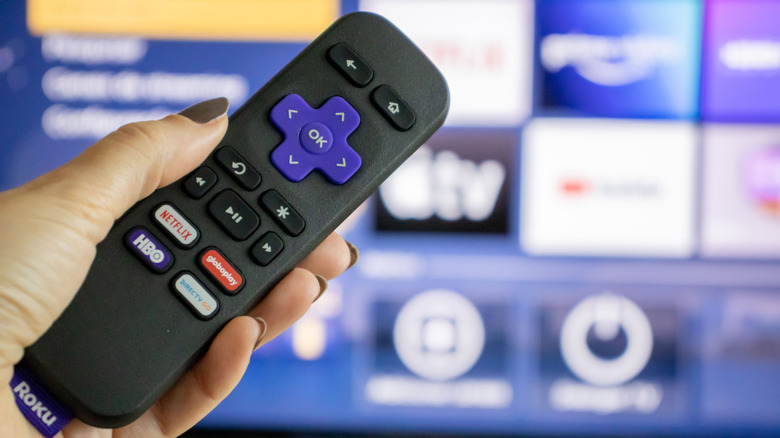

A person holding a Roku remote with a smart TV in the background
renata colella/Shutterstock

Roku streamers allow you to manually change the display resolution and HDR settings. To do so, navigate to the Roku home screen by pressing the Home button on the Roku remote. Then, go to Settings > Display type, and Roku will display all available display options, including the one that has been automatically selected. This will confirm whether Roku has indeed made a mistake in determining your TV’s display capabilities. You can now select the correct resolution and HDR option, depending on your TV’s specifications. So, if you have a 4K TV that supports Dolby Vision, you can select the option named 4K Dolby Vision HDR TV.

In case you see a warning that your TV doesn’t support the option you have selected, but you are sure about your TV’s capabilities, you can go ahead with the manually selected option and press OK on your remote. As the Roku streamer changes the display setting, your screen may go black for a few moments. If everything goes well, it will display a picture on the screen and ask whether you can see it or not. Select the suitable option, and you are all set. However, if your manual display type settings don’t work, the streaming device will return to the Display type setting page, notify you that the settings didn’t work, and give you the option to try again. But if the error persists, you may have to look beyond the Roku settings.

Confirm you’re using a compatible HDMI cable and the right HDMI port
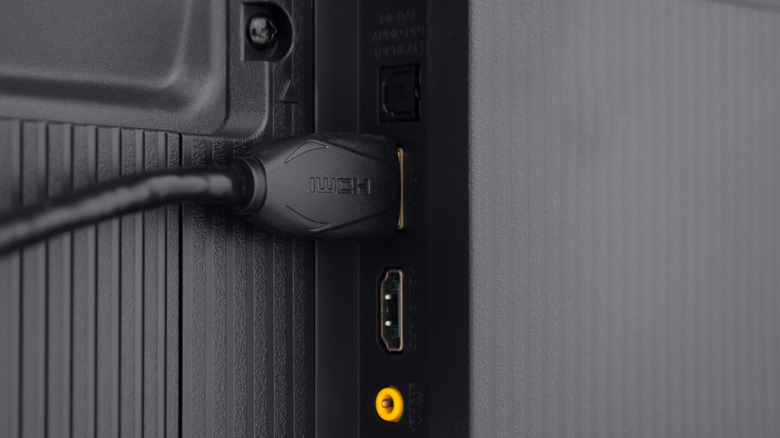

HDMI cable connected to the back of a TV
Mulad Images/Shutterstock

While Roku devices with a stick-style form factor plug right into your TV’s HDMI port, others, such as Roku Ultra and Roku Streambar SE, connect via an HDMI cable to your TV. Using a compatible HDMI cable and the right HDMI port is important to ensure you don’t face issues related to display resolution. Roku recommends using the supplied HDMI cable or buying a Premium High Speed or Ultra High Speed HDMI cable to get the best experience. Both these HDMI cable types have enough bandwidth to carry 4K 60Hz signals with HDR metadata, including Dolby Vision HDR. You can identify whether an HDMI cable is Ultra High Speed, Premium High Speed, or an older cable by looking at its jacket or the cable packaging.

Similarly, when connecting your Roku streaming device to your TV, stick to HDMI 2.0 and HDMI 2.1 ports with HDCP 2.2 support if you want to get both 4K resolution and HDR support. Look for labels next to the HDMI ports or in the TV manual to identify which HDMI port on your TV has which capabilities. Once you have plugged your Roku streaming device into your TV using the right HDMI port and cable, you can repeat the steps mentioned earlier for changing the display type if the correct display type isn’t automatically detected by the Roku device.



Sign Up For Daily Newsletter

Be keep up! Get the latest breaking news delivered straight to your inbox.
By signing up, you agree to our Terms of Use and acknowledge the data practices in our Privacy Policy. You may unsubscribe at any time.
Share This Article
Facebook Twitter Email Print
Share
What do you think?
Love0
Sad0
Happy0
Sleepy0
Angry0
Dead0
Wink0
Previous Article Friction-maxxing: could less convenience lead to much more happiness? Friction-maxxing: could less convenience lead to much more happiness?
Next Article Google chooses TSMC for Tensor G5 processor in next-gen Pixel 10 smartphones: report · TechNode Google chooses TSMC for Tensor G5 processor in next-gen Pixel 10 smartphones: report · TechNode
Leave a comment

Leave a Reply Cancel reply

Your email address will not be published. Required fields are marked *

Stay Connected

248.1k Like
69.1k Follow
134k Pin
54.3k Follow

Latest News

Xbox game CANCELLED four days before release – but there’s still a way to get it
News
Google Photos now lets you describe how to transform images into video
News
The Best Sleep Masks for Hot Sleepers, Third-Shift Workers, and Travelers
Gadget
The TechBeat: How to Uninstall Windows 11 Updates When a Patch Breaks Your System (1/27/2026) | HackerNoon
Computing

You Might also Like

Xbox game CANCELLED four days before release – but there’s still a way to get it
News

Xbox game CANCELLED four days before release – but there’s still a way to get it

3 Min Read
Google Photos now lets you describe how to transform images into video
News

Google Photos now lets you describe how to transform images into video

2 Min Read
Java News Roundup: Oracle Critical Patch Update, Grizzly 5, Payara Platform, GraalVM, Liberica JDK
News

Java News Roundup: Oracle Critical Patch Update, Grizzly 5, Payara Platform, GraalVM, Liberica JDK

7 Min Read
Tesla leases new 108k-sq ft R&D facility near Fremont Factory
News

Tesla leases new 108k-sq ft R&D facility near Fremont Factory

3 Min Read
//

World of Software is your one-stop website for the latest tech news and updates, follow us now to get the news that matters to you.

Quick Link

  • Privacy Policy
  • Terms of use
  • Advertise
  • Contact

Topics

  • Computing
  • Software
  • Press Release
  • Trending

Sign Up for Our Newsletter

Subscribe to our newsletter to get our newest articles instantly!

World of SoftwareWorld of Software
Follow US
Copyright © All Rights Reserved. World of Software.
Welcome Back!

Sign in to your account

Lost your password?