Gaming with a next-gen console on a 4K HDR TV is an experience that’s hard to beat. With hardware like the PS5 and Xbox Series X/S to work with, graphics and overall performance have reached new heights — feats made all the more rewarding when cutting-edge HDMI features join the party. There are numerous HDMI tips and tricks for improving your TV’s image quality, and one major HDMI feature that every gamer should be taking advantage of is Variable Refresh Rate (VRR). VRR is a dynamic frame-matching technology that might make all the difference the next time you fire up an action-heavy, multiplayer round of “Battlefield 6”.
When enabled, VRR adjusts your TV’s refresh rate to match the connected source device. The idea is to eliminate as much screen tearing and frame skipping as possible, so that gameplay looks buttery smooth on your OLED screen. Fortunately, most modern TVs support VRR, and activating it is often as simple as changing the input’s picture preset to Game Mode or enabling VRR in your TV settings.
Both your TV and source component need to support the same VRR format in order for the feature to work, and there are three main VRR standards on the market right now: HDMI Forum VRR, FreeSync, and G-SYNC. The first two are the most common standards you’ll find across both TVs and PC monitors, while the latter is primarily found on monitors. For the best (and most consistent) VRR results, you should also make sure your console or gaming PC is connected to your TV’s HDMI 2.1 port with an Ultra High Speed HDMI cable.
Take control of your gameplay with VRR
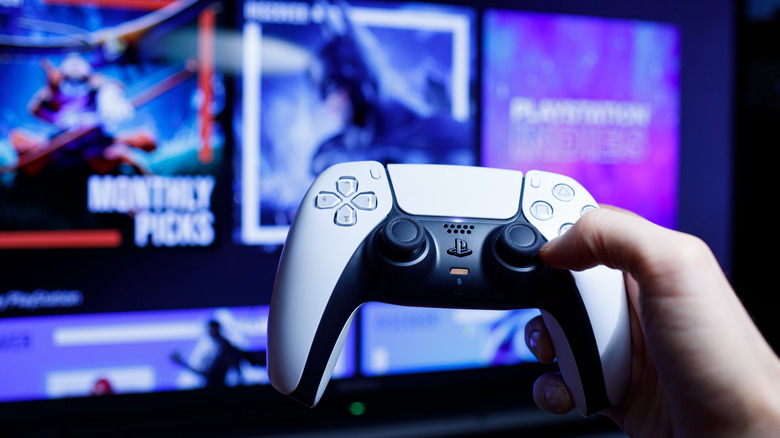
Taking time to learn the ins and outs of your TV’s various HDMI settings can be a game-changer for modern gaming and ensure you’re not missing out on the best gameplay. While VRR is frequently associated with the HDMI 2.1 standard, you’ll also be able to find the feature on TVs with HDMI 2.0 connectivity. That said, we still recommend using HDMI 2.1 whenever possible, because the standard also supports features like Automatic Low Latency Mode (ALLM) and Quick Frame Transport (QFT).
Together, VRR and ALLM are the golden combo for gaming: VRR takes care of all things frame rate, while ALLM works to reduce input lag by auto-switching to your TV’s Game preset when a console or gaming PC is detected. Those shopping for one of the best smart TVs will want to make sure VRR and ALLM are included on whatever OLED or QLED TVs you’re considering.
Display technology is constantly evolving, which means features like VRR are only going to get better as time goes on. And even if a new console or gaming PC hits shelves without some type of VRR support, or runs an older version of the picture tech, the feature can usually be added or enhanced via firmware update.