By using this site, you agree to the Privacy Policy and Terms of Use.
Accept
World of SoftwareWorld of SoftwareWorld of Software
  • News
  • Software
  • Mobile
  • Computing
  • Gaming
  • Videos
  • More
    • Gadget
    • Web Stories
    • Trending
    • Press Release
Search
  • Privacy
  • Terms
  • Advertise
  • Contact
Copyright © All Rights Reserved. World of Software.
Reading: Zendesk for Customer Service Review: An AI-Forward Help Desk With Exceptional Ticket Management
Share
Sign In
Notification Show More
Font ResizerAa
World of SoftwareWorld of Software
Font ResizerAa
  • Software
  • Mobile
  • Computing
  • Gadget
  • Gaming
  • Videos
Search
  • News
  • Software
  • Mobile
  • Computing
  • Gaming
  • Videos
  • More
    • Gadget
    • Web Stories
    • Trending
    • Press Release
Have an existing account? Sign In
Follow US
  • Privacy
  • Terms
  • Advertise
  • Contact
Copyright © All Rights Reserved. World of Software.
World of Software > News > Zendesk for Customer Service Review: An AI-Forward Help Desk With Exceptional Ticket Management
News

Zendesk for Customer Service Review: An AI-Forward Help Desk With Exceptional Ticket Management

News Room
Last updated: 2026/03/07 at 5:55 AM
News Room Published 7 March 2026
Share
Zendesk for Customer Service Review: An AI-Forward Help Desk With Exceptional Ticket Management
SHARE

Adding tickets in Zendesk for Customer Support works effortlessly. It’s a simple matter of clicking the Add button in the upper right, then selecting Ticket. Once you specify a few pop-up fields for requester, priority, and type (such as incident or problem), all that’s left is to add more detail about the issue. I also tried emailing a support inbox I created, which adds the ticket and even sends a confirmation that someone is working on the issue. I noticed the ticket popped up right away in the main dashboard. Similarly, after connecting Facebook as a support channel, Zendesk routed a tech support question I raised via chat to an agent.

(Credit: Zendesk/PCMag)

The main ticket view is straightforward and clutter-free. You can easily see unresolved and recently updated tickets, though suspended and deleted tickets could be a bit more prominent. A filter also lets you quickly view tickets assigned to a specific agent, with a specific priority, status, or other attribute. I used this tool to quickly find high-priority tickets marked urgent, which was a real time-saver. It’s also possible to view tickets related to a single support department, which saves you the trouble of generating a report.


Newsletter Icon

Newsletter Icon

Get Our Best Stories!

All the Latest Tech, Tested by Our Experts


Lab Report Newsletter Image

Sign up for the Lab Report to receive PCMag’s latest product reviews, buying advice, and insights.

Sign up for the Lab Report to receive PCMag’s latest product reviews, buying advice, and insights.

By clicking Sign Me Up, you confirm you are 16+ and agree to our Terms of Use and Privacy
Policy.

Thanks for signing up!

Your subscription has been confirmed. Keep an eye on your inbox!

Zendesk for Customer Service offers many features for triaging tickets. Entity Detection, for example, is an automated way to detect an issue or problem and then route the ticket to an agent based on skill level, workload capacity, and other factors. Additional logic rules can detect what product an issue relates to and route it accordingly. This is helpful for companies that develop or maintain several products.

The AI features for triaging tickets are exceptional. Although Freshdesk Omni also has many such features, Zendesk for Customer Service is more innovative and sometimes works a bit better. For example, its AI-generated suggestions around tone tend to be more in line with what I want.

Ticket Detail in Zendesk for Employee Support

(Credit: Zendesk/PCMag)

Tickets provide just the right level of detail, and fields are fully customizable. It’s simple to escalate or downgrade a ticket’s priority level, which adjusts the associated SLA. For example, a ticket with an urgent priority might require an agent response within a few hours. Transferring a ticket involves changing the assignee and hitting the Submit button. An alert icon in the upper right shows notifications about tickets, including transfers. It, and some other ticketing functions, could be more prominent.

A Customers tab in the main left-hand sidebar shows you all customer records; adding a new contact is straightforward and similar to adding a ticket. It’s not hard to view, filter, and search for customers, though it doesn’t seem possible to add an attachment to a profile page, such as a photo. Bulk additions are easy; you can import a CSV or Excel file for a group of customers as long as the file is formatted correctly. Like other help desk products, you can see a history of all interactions for every ticket.

Sign Up For Daily Newsletter

Be keep up! Get the latest breaking news delivered straight to your inbox.
By signing up, you agree to our Terms of Use and acknowledge the data practices in our Privacy Policy. You may unsubscribe at any time.
Share This Article
Facebook Twitter Email Print
Share
What do you think?
Love0
Sad0
Happy0
Sleepy0
Angry0
Dead0
Wink0
Previous Article It costs less to get a Microsoft Office 2024 lifetime license than to pay one year of Microsoft 365 It costs less to get a Microsoft Office 2024 lifetime license than to pay one year of Microsoft 365
Next Article Think AI Can Do Your Taxes? The IRS Might Disagree Think AI Can Do Your Taxes? The IRS Might Disagree
Leave a comment

Leave a Reply Cancel reply

Your email address will not be published. Required fields are marked *

Stay Connected

248.1k Like
69.1k Follow
134k Pin
54.3k Follow

Latest News

FreeBSD 15.1 On Track With Better Realtek WiFi & KDE Desktop Install Option
Computing
MacBook Air M5 vs MacBook Pro M5: Do you really need Pro?
Gadget
This annoying Android Auto display issue grinds my gears — here’s how I fixed it
News
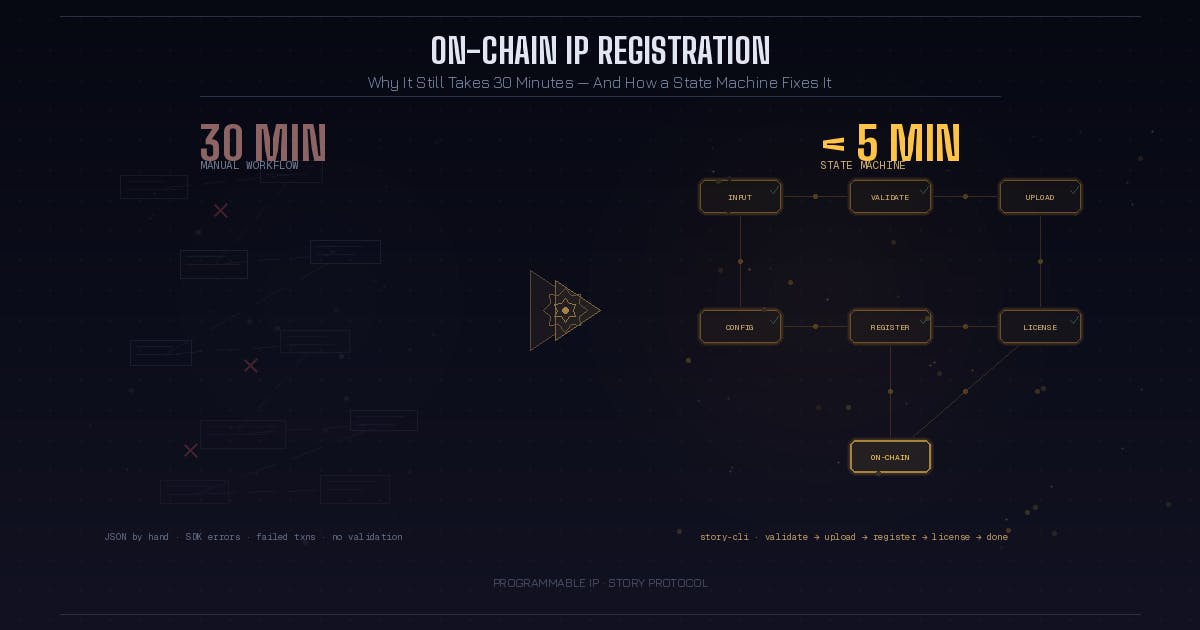
Why On-Chain IP Registration Still Takes 30 Minutes (And How a State Machine Fixes It) | HackerNoon
Computing

You Might also Like

This annoying Android Auto display issue grinds my gears — here’s how I fixed it
News

This annoying Android Auto display issue grinds my gears — here’s how I fixed it

6 Min Read
Roblox's New AI Tool Rephrases Player Chats to Remove Banned Language
News

Roblox's New AI Tool Rephrases Player Chats to Remove Banned Language

4 Min Read
The Corvette ZR1X hybrid can outpace million-dollar sports cars for a fraction of the cost
News

The Corvette ZR1X hybrid can outpace million-dollar sports cars for a fraction of the cost

17 Min Read
Managing open-source at scale across hybrid and multicloud environments –  News
News

Managing open-source at scale across hybrid and multicloud environments – News

10 Min Read
//

World of Software is your one-stop website for the latest tech news and updates, follow us now to get the news that matters to you.

Quick Link

  • Privacy Policy
  • Terms of use
  • Advertise
  • Contact

Topics

  • Computing
  • Software
  • Press Release
  • Trending

Sign Up for Our Newsletter

Subscribe to our newsletter to get our newest articles instantly!

World of SoftwareWorld of Software
Follow US
Copyright © All Rights Reserved. World of Software.
Welcome Back!

Sign in to your account

Lost your password?