By using this site, you agree to the Privacy Policy and Terms of Use.
Accept
World of SoftwareWorld of SoftwareWorld of Software
  • News
  • Software
  • Mobile
  • Computing
  • Gaming
  • Videos
  • More
    • Gadget
    • Web Stories
    • Trending
    • Press Release
Search
  • Privacy
  • Terms
  • Advertise
  • Contact
Copyright © All Rights Reserved. World of Software.
Reading: 4 Surprising Uses For Your Motherboard’s Second Ethernet Port – BGR
Share
Sign In
Notification Show More
Font ResizerAa
World of SoftwareWorld of Software
Font ResizerAa
  • Software
  • Mobile
  • Computing
  • Gadget
  • Gaming
  • Videos
Search
  • News
  • Software
  • Mobile
  • Computing
  • Gaming
  • Videos
  • More
    • Gadget
    • Web Stories
    • Trending
    • Press Release
Have an existing account? Sign In
Follow US
  • Privacy
  • Terms
  • Advertise
  • Contact
Copyright © All Rights Reserved. World of Software.
World of Software > News > 4 Surprising Uses For Your Motherboard’s Second Ethernet Port – BGR
News

4 Surprising Uses For Your Motherboard’s Second Ethernet Port – BGR

News Room
Last updated: 2026/02/07 at 7:06 PM
News Room Published 7 February 2026
Share
4 Surprising Uses For Your Motherboard’s Second Ethernet Port – BGR
SHARE


aileenchik/Shutterstock

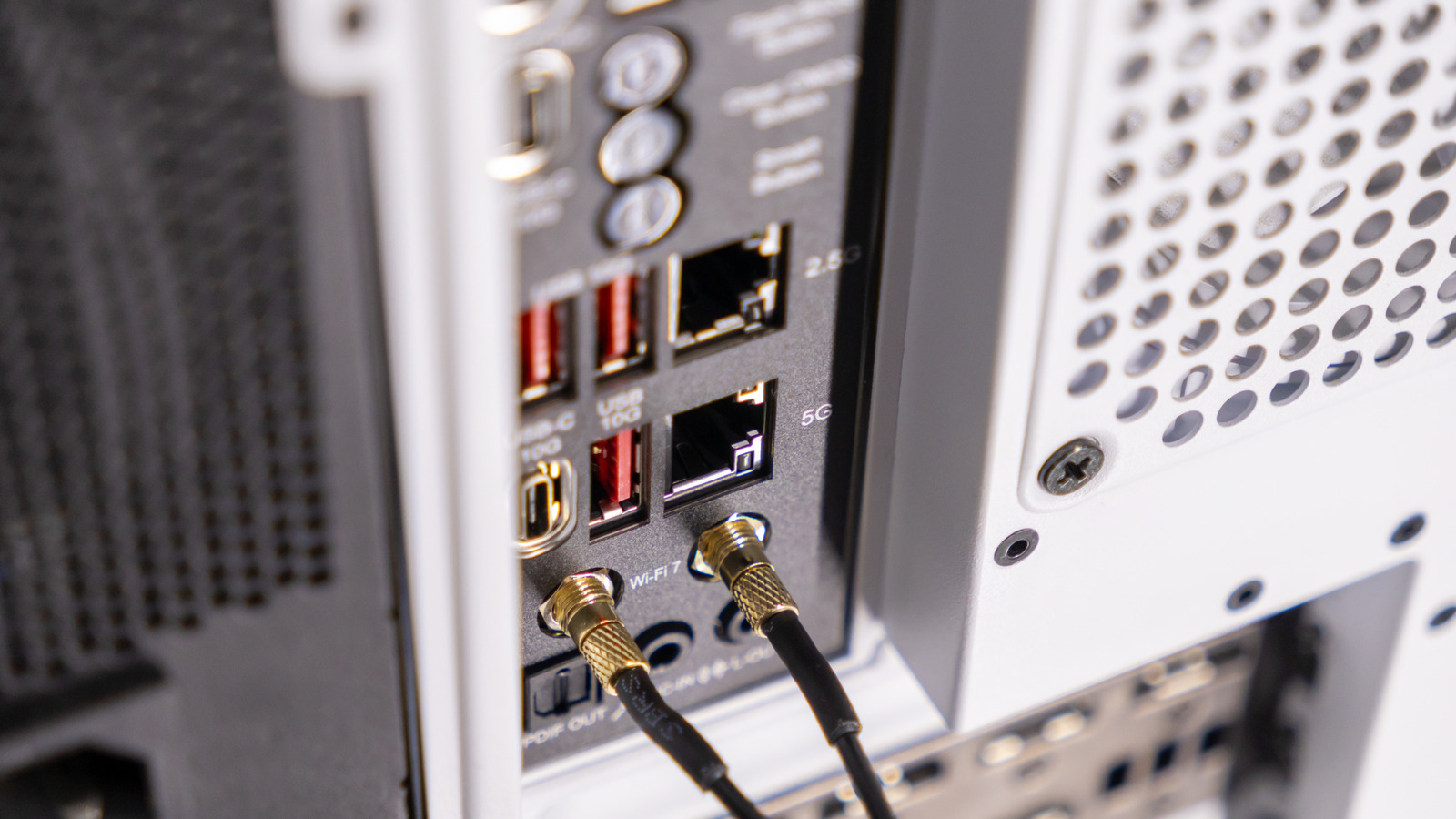
If you’ve gotten your hands on a new motherboard — or even a mini PC — you might have seen that sometimes there are two Ethernet ports. What’s the point of motherboards having more than one Ethernet port? Especially when you can use adaptors to turn USB ports into LAN ports. It’s a great question, considering the average user only needs one to connect to the internet.

Ethernet ports allow computers to connect to a Local Area Network (LAN), which lets multiple devices use the same internet connection and share documents with one another. It is the most secure and fastest way for different devices to communicate with each other or access the internet via a router or modem.

For use cases where reliability, separation, and control of network traffic are paramount, it’s a necessity. While it’s a feature more often tackled by professionals who operate enterprise servers, it can also be taken advantage of by the general public.

Use as a backup internet connection, or split the internet from your network

An Ethernet port on a PC can be used for a backup internet connection if you have one. Dual LAN designs are commonly used to improve network stability by providing a fail-safe if the primary Ethernet port, cable, or switch stops working. When considering remote working setups, home servers and systems that need to stay online, such as server rooms, it’s a valuable backup. 

Having a secondary Ethernet port plugged into a backup network or internet connection is a quality fail-safe. For example, you can have a Fiber gigabit connection hooked up to one port and your updated Starlink router to the other one. A second Ethernet port also makes it possible to separate Internet and local network traffic.

This is known as network segmentation, and it’s a great way to enhance security and local network performance, dividing traffic as needed. This just means one Ethernet Port is used for an internet connection, while the other accesses local offline servers and files. This includes hooking up one PC to another, keeping one online and the other offline, like with your latest Raspberry Pi project.

Easier troubleshooting and turning another PC into a router or firewall

With two LAN connections, a single system could act as a router, firewall, or secure gateway between networks. Dedicated, open-source firewalls and routing operating systems are great for getting another PC set up for these functions. There are systems that professionals will often use that provide them with automated firewall software alongside other bells and whistles like real-time traffic visibility and management.

The overall idea here is to use another PC’s dual LAN ports to take in internet traffic, make sure it’s clean, then feed the internet connection to a user’s network. It also stops any malicious internet traffic from hitting any devices on your network, instead of just relying on Windows Firewall and Antivirus software. It’s still wise to have these enabled, but it’s a no-brainer when there’s a PC or laptop collecting dust.

Having two Ethernet ports helps with troubleshooting, as well, giving users the ability to isolate issues caused by the network, router, or computer itself. Users can test connections, temporarily bridge networks when a connection fails, and diagnose issues without proper routing equipment.


Sign Up For Daily Newsletter

Be keep up! Get the latest breaking news delivered straight to your inbox.
By signing up, you agree to our Terms of Use and acknowledge the data practices in our Privacy Policy. You may unsubscribe at any time.
Share This Article
Facebook Twitter Email Print
Share
What do you think?
Love0
Sad0
Happy0
Sleepy0
Angry0
Dead0
Wink0
Previous Article Google Wallet’s upcoming redesign will make accessing your extra passes a bit more complicated Google Wallet’s upcoming redesign will make accessing your extra passes a bit more complicated
Next Article One AI hub, fewer tabs — 1min.AI’s lifetime plan costs .99 One AI hub, fewer tabs — 1min.AI’s lifetime plan costs $99.99
Leave a comment

Leave a Reply Cancel reply

Your email address will not be published. Required fields are marked *

Stay Connected

248.1k Like
69.1k Follow
134k Pin
54.3k Follow

Latest News

Over 100 million on alert for dangerous cold — what you need to know about ‘dripping’ your faucets
News
You Need To Avoid This Huge RAM Problem When Buying Your Next Laptop – BGR
News
Banks gain amid software stock rout, despite credit questions
Software
OAK Family Advisors sells  million worth of NICE stock
OAK Family Advisors sells $4 million worth of NICE stock
News

You Might also Like

Over 100 million on alert for dangerous cold — what you need to know about ‘dripping’ your faucets
News

Over 100 million on alert for dangerous cold — what you need to know about ‘dripping’ your faucets

5 Min Read
You Need To Avoid This Huge RAM Problem When Buying Your Next Laptop – BGR
News

You Need To Avoid This Huge RAM Problem When Buying Your Next Laptop – BGR

5 Min Read
OAK Family Advisors sells  million worth of NICE stock
News

OAK Family Advisors sells $4 million worth of NICE stock

5 Min Read
IKEA’s new smart home products have a big connection problem
News

IKEA’s new smart home products have a big connection problem

3 Min Read
//

World of Software is your one-stop website for the latest tech news and updates, follow us now to get the news that matters to you.

Quick Link

  • Privacy Policy
  • Terms of use
  • Advertise
  • Contact

Topics

  • Computing
  • Software
  • Press Release
  • Trending

Sign Up for Our Newsletter

Subscribe to our newsletter to get our newest articles instantly!

World of SoftwareWorld of Software
Follow US
Copyright © All Rights Reserved. World of Software.
Welcome Back!

Sign in to your account

Lost your password?