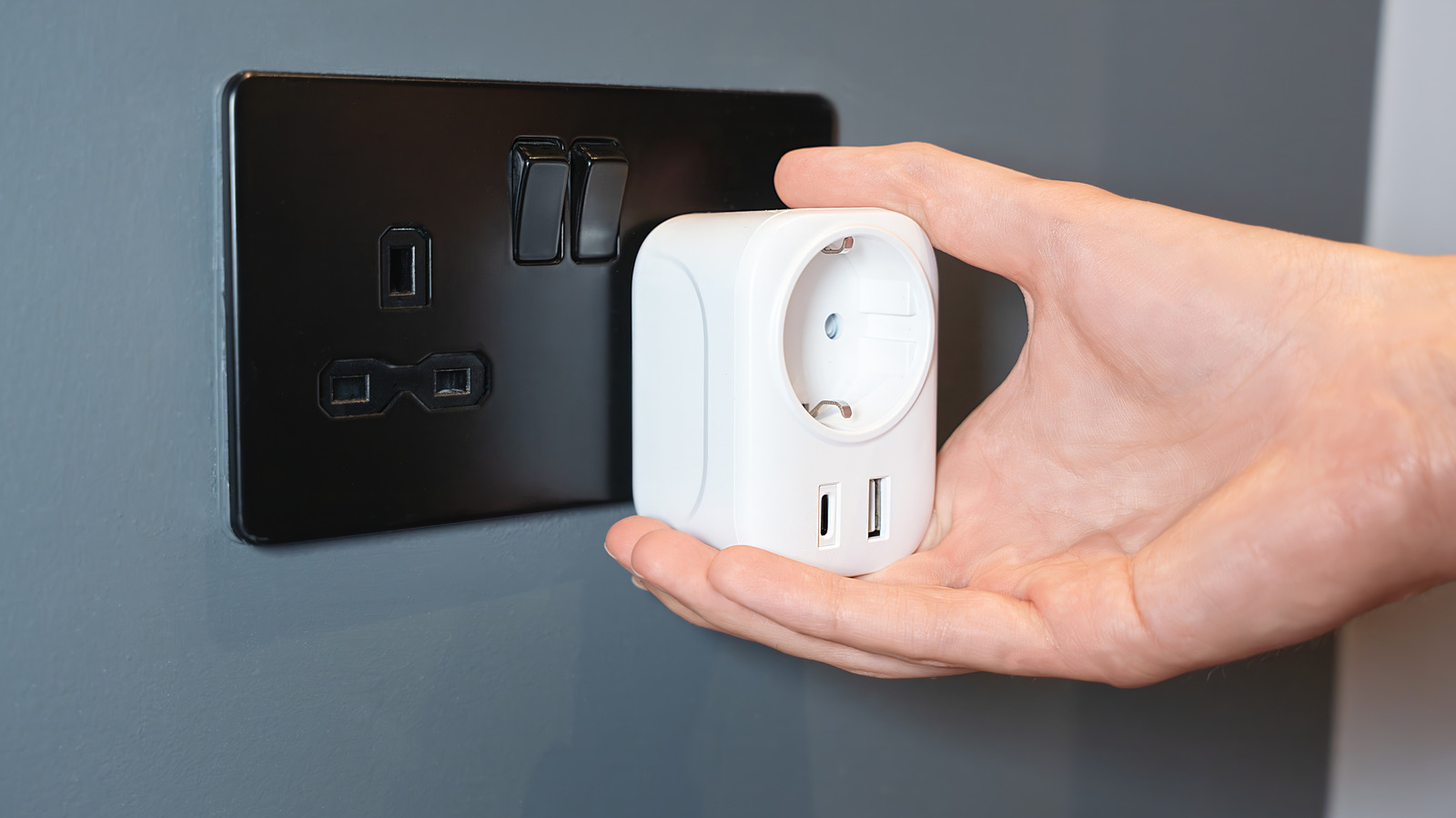
Smart plugs are a great way to automate everyday devices in your home. You can turn them on or off from the comfort of your couch or bed. But many people don’t fully utilize their smart plugs, often ignoring the built-in USB ports, which can come in handy in a lot of practical ways. The USB ports on smart plugs can help you automate lighting, seamlessly manage digital displays, quickly fix glitchy devices, and streamline charging of electrical gadgets.
In most homes, these USB ports are usually unused, and even when devices are plugged in, they are often limited to smartphones or simpler gadgets. That’s a missed opportunity. Unlike standard USB chargers, smart plugs can do a lot more by automating the entire experience. You have complete control over when and how long the devices stay powered. This technology is best utilized when it helps solve small, everyday problems and reduce clutter, which can be a real game-changer in homes.
Control USB-powered lamps
These days, the market is flooded with cool-looking USB-powered lamps, and many of us have one placed either on a workstation or a nightstand. On their own, they are pretty basic. You connect them directly to a USB port or to the wall socket using an adapter, and the lamps power on. But when coupled with a smart plug, these lamps become surprisingly useful. You can control them remotely, set them to run on fixed schedules, and even sync them with your daily routine. For instance, you can configure the lamp on your work desk to turn on when your day starts and turn off when it ends.
Similarly, the one on your nightstand or anywhere around the house can be set up to automatically turn off in the morning at sunrise. With a smart plug and a USB-powered lamp, you can even control lighting in another room without stepping out of your bed. The best part is that you don’t have to invest in an elaborate setup or buy a new accessory. It’s all about smartly utilizing what’s already available.
Easily manage digital frames
Many modern digital frames come with built-in batteries that are charged using a USB cable. Some models are completely USB-powered, unlike traditional digital frames that require plugging into a wall socket. When you connect these frames to the USB port on your smart plug, you are in complete control of when they recharge or run. This helps you in multiple ways. First, you can set the frames to run only during certain hours of the day or when people are around.
This, in turn, reduces power consumption and can increase the life span of digital frames. Frames that run throughout the day are more likely to wear out faster. Giving them 8-10-hour breaks can have a positive impact, saving you money in the long run. As for battery-powered frames, you can use the smart plug to set a daily or weekly charging schedule. This way, your digital frame never runs out of power.
Automatically reboot glitchy devices
Several electrical gadgets run into issues from time to time, be it smart home appliances, speakers, or even fancy lamps. Most of the time, the fix is simple: unplug the device for a few seconds and plug it back in. That’s the most common piece of troubleshooting advice. But how do you do that for gadgets that are harder to reach, say a digital frame or lamp placed at a height? Well, you connect them to the USB port on a smart plug and automate this fix.
Once done, you can now remotely reboot the device. Simply turn off the power supply for a minute and then resume it from your smartphone. For USB-powered devices that glitch frequently, you can even set the smart plug to automatically cut off power during the night for a minute every day or once a week. This quick reset prevents issues from arising and keeps your devices running smoothly.
Safely charge devices overnight
Many of us charge devices overnight, and while modern smartphones are capable of optimizing the charging rate, some older gadgets are not, affecting the battery in the long run. The USB port on your smart plug can help mitigate that. Just connect your smartphone, tablet, earbuds, or smartwatch to the USB port, set a charging schedule, and when you wake up, the device is fully charged and ready for use.
If you have multiple devices and limited USB ports on the smart plug, you can even use a USB charging station to charge all the devices simultaneously without losing control. This will also reduce clutter around the house, with all your devices plugged into the same outlet. Additionally, it can help conserve power over time, resulting in savings, because those unused USB chargers waste electricity when connected to a traditional wall socket.
Get more control over PC peripherals
Many computer peripherals, such as speakers and cooling pads that are plugged into USB ports, remain powered on even when you are not actively using them or after the system enters sleep mode. While some devices include indicator lights, many don’t, which means you have no quick way of knowing whether the peripheral is truly inactive. A smart plug offers a simple way to manage that. To get better control, you can connect the peripherals to the smart plug’s USB port instead of plugging them into the PC’s built-in USB port.
Once you are done using them, simply cut off the power supply, which immediately shuts them all down. And if you have multiple gadgets to manage, a USB hub will do the trick. This can be particularly helpful for devices that consume slightly more power, such as a cooling pad with multiple fans. Additionally, this smart approach extends the lifespan of the peripheral and can slightly reduce battery drain on laptops.