By using this site, you agree to the Privacy Policy and Terms of Use.
Accept
World of SoftwareWorld of SoftwareWorld of Software
  • News
  • Software
  • Mobile
  • Computing
  • Gaming
  • Videos
  • More
    • Gadget
    • Web Stories
    • Trending
    • Press Release
Search
  • Privacy
  • Terms
  • Advertise
  • Contact
Copyright © All Rights Reserved. World of Software.
Reading: 5 Devices You Should Never Plug Into Your Router’s USB Port – BGR
Share
Sign In
Notification Show More
Font ResizerAa
World of SoftwareWorld of Software
Font ResizerAa
  • Software
  • Mobile
  • Computing
  • Gadget
  • Gaming
  • Videos
Search
  • News
  • Software
  • Mobile
  • Computing
  • Gaming
  • Videos
  • More
    • Gadget
    • Web Stories
    • Trending
    • Press Release
Have an existing account? Sign In
Follow US
  • Privacy
  • Terms
  • Advertise
  • Contact
Copyright © All Rights Reserved. World of Software.
World of Software > News > 5 Devices You Should Never Plug Into Your Router’s USB Port – BGR
News

5 Devices You Should Never Plug Into Your Router’s USB Port – BGR

News Room
Last updated: 2026/02/28 at 9:47 AM
News Room Published 28 February 2026
Share
5 Devices You Should Never Plug Into Your Router’s USB Port – BGR
SHARE


Iuliia Berezhna/Shutterstock

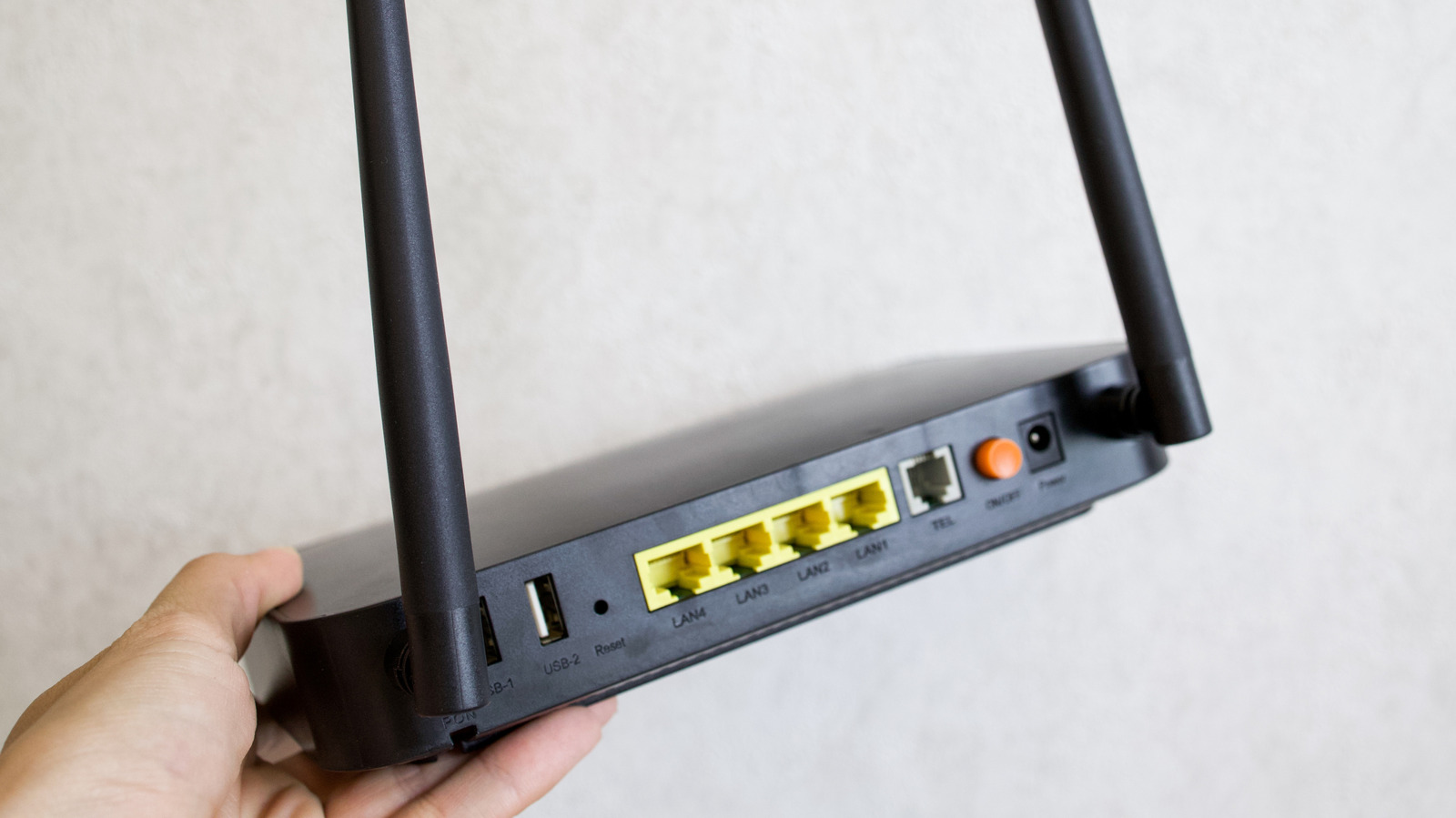
When you spot an empty USB port on your router, it feels like a wasted opportunity — something that could have been utilized to connect storage devices, smartphones, or other USB accessories. After all, it looks the same as the USB-A ports on your laptop or desktop. Since you might plug any device into a laptop without giving it a second thought, why not the router as well? There are a few reasons you shouldn’t, and these directly impact the security and performance of your entire home network.

The USB ports on your router are not as secure as the ones on computers because your router generally doesn’t receive the same level or frequency of security updates. They are also not meant as a power source, especially for devices that require a high wattage. Additionally, your router can’t handle a wide array of tasks at once due to its relatively low-powered CPU. And when it reaches its limit, you run the risk of slow Internet speeds, frequent disconnects, instability, or in the worst case, damaging the internal components due to overheating.

Flash drives, hard drives, and solid state drives
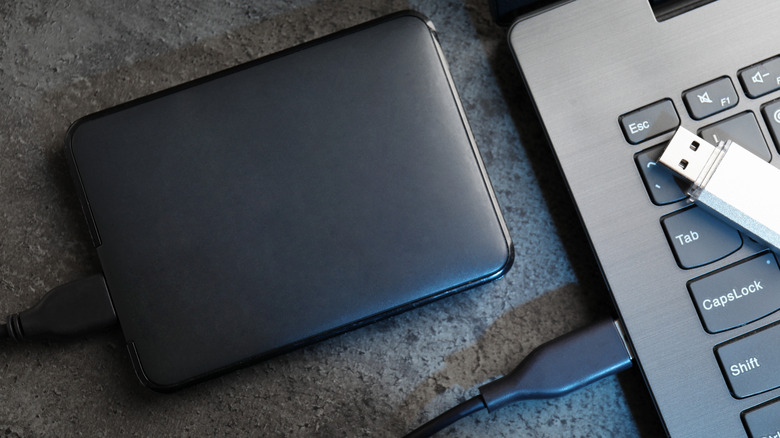

A flash drive and an external SSD shown next to a laptop
New Africa/Shutterstock

When you connect a flash drive, HDD, or SSD to the router’s USB port, the router may treat it as network-attached storage (NAS), allowing other devices on the network to view and download files stored on the drive. And that’s where things get risky. 

Unlike a traditional NAS setup, most routers lack advanced encryption standards. This means anyone with access to the network can view or modify data without further checks. Additionally, some routers still rely on outdated communication protocols for file sharing, primarily SMBv1, which is vulnerable to attacks, leaving your files exposed to threat actors. Many routers even run on outdated firmware, which is an added security risk. That’s why you should avoid plugging storage drives into the router’s USB ports, and if you do, make sure there are no critical files on it.

Other than that, routers aren’t designed to handle heavy file transfers or constant read and write operations. So, when you connect storage devices like flash drives, HDDs, or SSDs and start file transfers, your router is suddenly under an increased load. With the limited resources that it has, the router may struggle to route internet traffic. When that happens, you’ll find yourself looking for ways to improve Wi-Fi speeds in a hurry.

What about a drive you borrowed from someone? The risks here are even greater. Hackers often rely on USB ports to infect devices with malware and viruses, and unlike a PC, your router won’t warn you of this. So, if you don’t own the drive or know precisely what’s on it, never connect it to your router. You may end up compromising the entire network.

Smartphones and USB-powered accessories


USB lamp on a nightstand being powered by a power bank
marirybka/Shutterstock

Another common use for the USB port on your router is to power or charge devices, and while this might feel harmless, there still are risks involved. Routers typically feature USB 2.0 or USB 3.0 ports. Even with the latter, you get a capacity of 4.5–7.5 watts, which is not suitable for charging power-hungry devices, especially modern laptops and smartphones.

As for lower-power devices like USB lights and fans, the downsides stem from constant power consumption, which can affect the router’s functioning. So, while the USB light will technically power on, your router often bears the brunt of it. And if it starts to overheat, the router may automatically throttle its primary function, i.e., providing seamless internet access to connected devices, which can affect internet speeds.

The USB port on your router isn’t a charging socket or an expansion slot. Keep in mind that it’s designed for specific use cases and accessories. The best option is to check the router’s manual or the OEM’s website and view the list of devices that it actually supports. This ensures the security, performance, and reliability of the entire network.


Sign Up For Daily Newsletter

Be keep up! Get the latest breaking news delivered straight to your inbox.
By signing up, you agree to our Terms of Use and acknowledge the data practices in our Privacy Policy. You may unsubscribe at any time.
Share This Article
Facebook Twitter Email Print
Share
What do you think?
Love0
Sad0
Happy0
Sleepy0
Angry0
Dead0
Wink0
Previous Article Palantir billionaire Peter Thiel is selling two artificial intelligence (AI) stocks that Wall Street says are undervalued Palantir billionaire Peter Thiel is selling two artificial intelligence (AI) stocks that Wall Street says are undervalued
Next Article Stop tab-hopping between AI models and try this tool Stop tab-hopping between AI models and try this tool
Leave a comment

Leave a Reply Cancel reply

Your email address will not be published. Required fields are marked *

Stay Connected

248.1k Like
69.1k Follow
134k Pin
54.3k Follow

Latest News

OpenAI’s Sam Altman announces Pentagon deal with ‘technical safeguards’ |  News
OpenAI’s Sam Altman announces Pentagon deal with ‘technical safeguards’ | News
News
Groundbreaking New Battery Technology Just Broke The Voltage Barrier – BGR
News
Xiaomi 17 Ultra vs Galaxy S26 Ultra: Comparing the 2026 flagships
Gadget
The HackerNoon Newsletter: Why “Small Changes” Don’t Exist in Production Game Systems (2/28/2026) | HackerNoon
Computing

You Might also Like

OpenAI’s Sam Altman announces Pentagon deal with ‘technical safeguards’ |  News
News

OpenAI’s Sam Altman announces Pentagon deal with ‘technical safeguards’ | News

4 Min Read
Groundbreaking New Battery Technology Just Broke The Voltage Barrier – BGR
News

Groundbreaking New Battery Technology Just Broke The Voltage Barrier – BGR

4 Min Read
Pentagon reaches deal with OpenAI amid Anthropic beef
News

Pentagon reaches deal with OpenAI amid Anthropic beef

0 Min Read
USB-C fast charging is still a nightmare, but this phone finally gets it right
News

USB-C fast charging is still a nightmare, but this phone finally gets it right

10 Min Read
//

World of Software is your one-stop website for the latest tech news and updates, follow us now to get the news that matters to you.

Quick Link

  • Privacy Policy
  • Terms of use
  • Advertise
  • Contact

Topics

  • Computing
  • Software
  • Press Release
  • Trending

Sign Up for Our Newsletter

Subscribe to our newsletter to get our newest articles instantly!

World of SoftwareWorld of Software
Follow US
Copyright © All Rights Reserved. World of Software.
Welcome Back!

Sign in to your account

Lost your password?