We may receive a commission on purchases made from links.
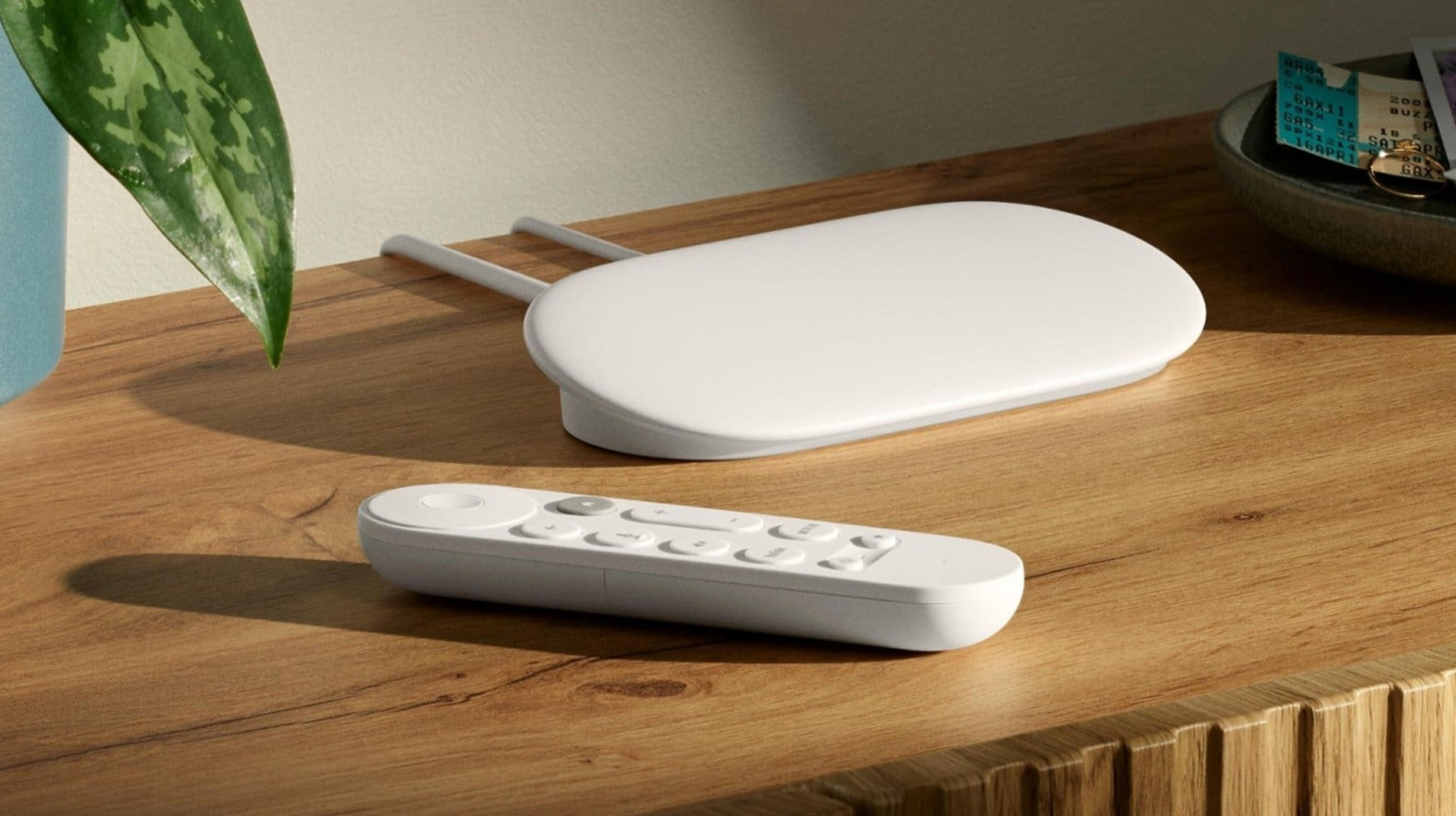
The Google TV Streamer is among the best streaming devices you can buy in 2025, and a solid replacement for the company’s Chromecast. While it’s certainly not cheap, it delivers the best Google TV experience you can get on any media player. Thanks to its relatively higher price tag, Google has managed to include a number of features you typically don’t see in more affordable stick-style media streamers, such as an Ethernet port and a USB-C port that can not only handle power but also data and Ethernet signals.
The Google TV Streamer in itself is pretty capable and a well-rounded device. However, with the right accessories, you can further enhance your experience of using it. There are a variety of Google TV Streamer accessories on the market, some help you mount it or add protection for the remote, whereas others allow you to plug in USB storage or power the streamer from your TV’s USB port.
Wasserstein TV Mount
If you prefer to keep the Google TV Streamer out of sight or don’t have a suitable spot to put it, the Wasserstein TV Mount can help. This $19.99, 4.4-star, “Made for Google” certified accessory clips onto your TV and helps mount the streaming media player on the back. It not only hides all the cables behind your TV but also provides the streamer with a safe and secure spot. It’s easy to use and doesn’t require any tools for installation. Moreover, its unique design features built-in cutouts for ventilation to ensure the Google TV Streamer doesn’t heat up.
It’s important to remember that the Wasserstein TV Mount is designed to be used with flat screen TVs that have a top edge thickness of less than 30 millimeters. If your TV’s top edge is thicker, the mount may not work as intended. You’ll be better served with something like the Sanus Mounting Kit, which is another “Made for Google” accessory, but instead of getting clipped, it can be mounted with adhesive strips to any flat surface. The Sanus Kit is also helpful if your TV has a snug wall mount and can’t accommodate the Wasserstein TV Mount.
Ugreen Revodok Pro USB-C Hub
As mentioned, the USB-C port included in the Google TV Streamer is not only good for getting power, it can also handle data and Ethernet signals. So, if you want to enjoy your locally stored media or basic peripherals with the Google TV Streamer, you can connect the 4.5-star Ugreen Revodok Pro USB-C Hub to it. This hub costs $19.99 and has been confirmed to work with the Google offering.
The Ugreen Revodok Pro is an easy-to-use USB hub that comes with two USB 3.2 Gen 2 Type-A and two USB 3.2 Gen 2 Type-C ports, all of which you can use to connect USB flash drives or external hard disk drives, as well as external SSDs or other basic peripherals. Besides these USB ports, it includes an HDMI port, but it won’t work with the Google TV Streamer, as it doesn’t support video input.
Another highlight of the Ugreen offering is its power delivery (PD) support, which keeps Google’s streaming device powered up without issues. However, you will need to plug a USB PD adapter rated at 23 watts or higher into the hub, so that 15 watts is available for hub operation and the rest for the streamer’s needs.
Hi Color Silicone Cover
Although the Google TV Streamer remote feels reasonably durable to handle everyday abuse, the Hi Color Silicone Cover can offer extra protection if you don’t want to worry about damaging it or if you have young kids in your household who may accidentally bump or drop it while playing. As the name suggests, it’s made from silicone, which offers ample cushioning and impact resistance to protect the remote from bumps, drops, dents, and other mishaps. It also offers full coverage of the remote, leaving only the buttons open, which is needed for their seamless operation and getting tactile feedback.
Moreover, the cover has a textured finish for enhanced grip and is available in 14 color options to match your aesthetic. Most importantly, the Hi Color Cover has a 4.7 rating, only costs $9.98, and comes with a lanyard in the box if you want to attach one to your remote.
Google Pixel Buds Pro 2
One interesting feature offered by the Google TV Streamer is its ability to deliver a spatial audio experience when you connect your Pixel Buds Pro or Buds Pro 2 with it for audio output. If you’re someone who frequently uses headphones to get TV audio to avoid disturbing others in the household, the 4.2-rated Pixel Buds Pro 2 can be a good option to pair with the Google TV Streamer.
The $229 Buds Pro 2, which are the latest true wireless headphones in the Pixel Buds Pro lineup, have a lightweight design and feel comfortable to wear. The wireless headphones also come with several good-to-have features, such as active noise cancellation, seamless device switching, and a long battery life, all of which will certainly come in handy when you use them with your media streamer as well as your Android phone. The Buds Pro 2 feature 11-millimeter drivers and are known for delivering good audio quality, with a natural and rich sound. Keep in mind that you’ll only get a spatial audio experience with content that has a surround-sound audio track.
Mission USB Power Cable for Google TV
The $18.99 Mission USB Power Cable for Google TV is another helpful little accessory that’s designed to remove the need to rely on the supplied wall adapter for powering the Google TV Streamer. While it’s best to use the wall adapter with your streamer for a seamless operation, you can go with the Mission USB Power Cable if you are struggling with the lack of power outlets around your TV setup.
It’s a specially-designed USB power cable that plugs into one of your TV’s USB ports and supplies the necessary power to your media streamer. However, you are bound to wonder how it’s managing to do with a TV USB port, which typically can only deliver up to 2.5 watts or 4.5 watts of power, depending on whether it’s a USB 2.0 or USB 3.0 port, whereas the Google TV Streamer comes with a 7.5-watt power supply. The 4.4-star Mission USB Power Cable has a built-in battery, which gets charged when your streamer is idling, and this stored power is automatically used to supplement the USB power when the Google TV Streamer needs the full 7.5 watts of power. It’s a pretty nifty solution to a niche problem.
How we selected these accessories
While picking up the Google TV Streamer accessories, we focused on products that add real value to the streaming device, enhance its functionality, or improve the overall setup. We also chose the accessories that are either made for the Google streaming device itself or are confirmed to work with it seamlessly, removing any doubts about their compatibility. Finally, all our recommendations have received excellent reviews from verified buyers, with an average rating of 4.2 out of 5, indicating that they will deliver reliable performance.