ChatGPT is helpful for a million things. One of the most valuable? Social media content creation. For Instagram especially, it can speed up everything from brainstorming content ideas to writing captions, planning Reels, and repurposing posts across multiple accounts.
If you’re managing content for multiple clients or brands, these kinds of time-savers can seriously improve your workflow.
In this article, we pulled together 8 Instagram-specific ChatGPT prompts that you can plug into your own workflow and speed up everything from planning to publishing.
Let’s jump right in!
ChatGPT Prompts for Instagram Strategy
Before you write a single caption or design a Reel cover, you need a solid plan. These prompts help you define your content strategy, generate ideas by theme, and build a repeatable posting rhythm.
Prompt #1: Define Instagram Content Pillars
Your content will perform better when it revolves around a few consistent themes. These “content pillars” help ensure your posts stay relevant, on-brand, and aligned with your social media goals.
📝 Prompt:
“Act as a senior content strategist who manages Instagram for a brand called [brand/business name], which operates in the [industry or niche] space. The brand’s target audience includes [describe audience segments, roles, or demographics], and you want to position the brand as [describe positioning: e.g., approachable expert, innovative leader, etc.].
The brand values include [list values such as transparency, creativity, empowerment, performance]. The goal of the brand’s Instagram presence is to [main business goals: increase brand awareness, drive engagement, support product education, generate leads, etc.].
Based on this, define 3–5 strategic Instagram content pillars. For each content pillar:
- Give it a clear and compelling name
- Explain its purpose in relation to the brand’s goals
- Describe how it connects to the target audience’s interests, motivations, or challenges
- Recommend the best types of Instagram formats to use for this pillar (e.g., Reels, carousel, single image, story, live)
- Suggest 2–3 post ideas for each pillar with a short caption hook and ideal format.”
Prompt #2: A 4-week Instagram Content Calendar
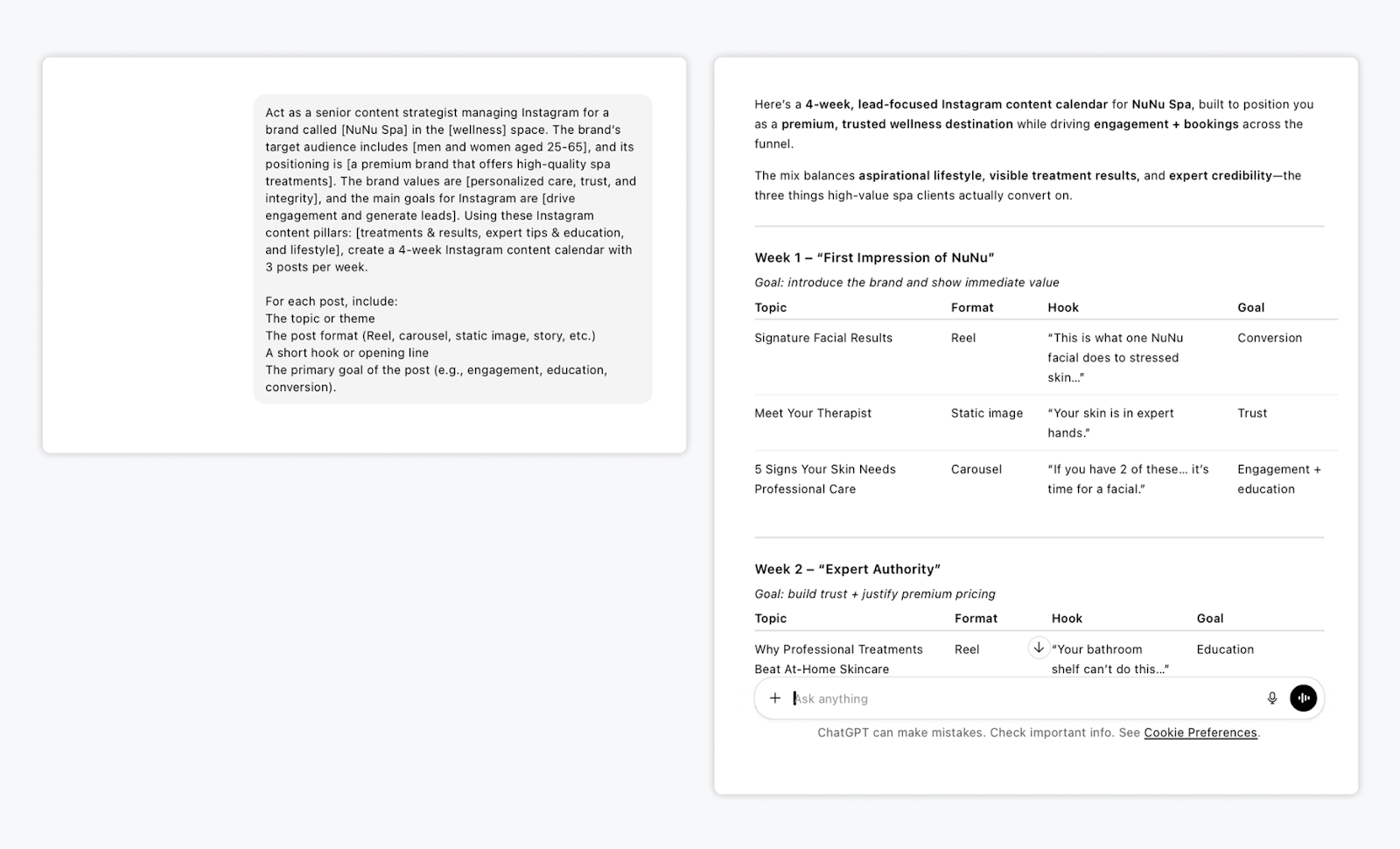
Once you’ve defined your content pillars, the next step is turning them into a content calendar. This prompt helps you build a month-long Instagram calendar with clear goals, varied formats, and scroll-stopping hooks.
📝 Prompt:
“Act as a senior content strategist managing Instagram for a brand called [brand/business name] in the [industry or niche] space. The brand’s target audience includes [describe audience], and its positioning is [e.g., approachable expert, premium brand, innovative leader].
The brand values are [list values], and the main goals for Instagram are [e.g., increase awareness, drive engagement, support product education, generate leads].
Using these Instagram content pillars: [insert pillars], create a 4‑week Instagram content calendar with 3 posts per week. For each post, include:
- The topic or theme
- The post format (Reel, carousel, static image, story, etc.)
- A short hook or opening line
- The primary goal of the post (e.g., engagement, education, conversion).”
ChatGPT Prompts for Writing Instagram Captions & Creating Post Types
This section focuses on content execution, including how to generate great captions, Reels scripts, and post formats that are on-brand, on-message, and ready to publish.
Prompt #3: Write a High-performing Instagram Carousel
Carousels are ideal for storytelling, education, and engagement. This prompt helps you structure a post that leads with a strong hook, delivers value slide by slide, and ends with a CTA that drives interaction.
📝 Prompt:
“Act as a content creator managing Instagram for a [describe brand] in the [industry/niche] space. The audience is [describe audience], and the brand voice is [e.g., playful, expert, straightforward]. Create a carousel post on the topic: [insert topic].
Write a slide-by-slide breakdown for an Instagram carousel:
- Slide 1: Attention-grabbing hook
- Slides 2–6: Clear, concise points or tips that build on each other
- Final slide: Strong CTA encouraging saves, shares, or comments
Use a tone consistent with the brand and include short caption text for each slide.”
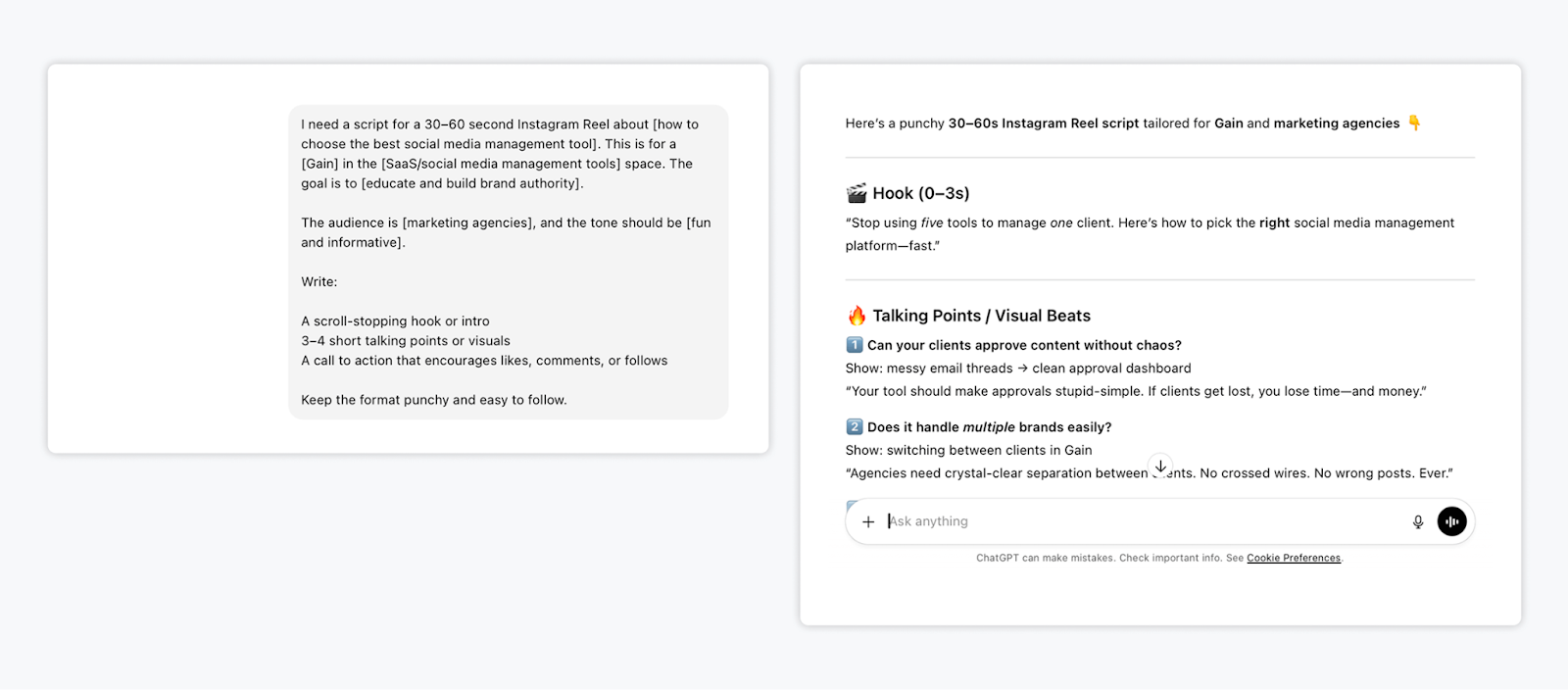
Prompt #4: Generate a Script for a Short-Form Video or Reel
If you follow Instagram trends, you know that Reels are one of Instagram’s most effective formats. But if, like many of us, you get stuck coming up with fresh ideas and scripts, this prompt is for you!
📝 Prompt:
“I need a script for a 30–60 second Instagram Reel about [topic or theme]. This is for a [type of brand] in the [industry] space. The goal is to [e.g., educate, entertain, build brand authority, share a tip].
The audience is [describe audience], and the tone should be [e.g., bold, fun, informative].
Write:
- A scroll-stopping hook or intro
- 3–4 short talking points or visuals
- A call to action that encourages likes, comments, or follows
Keep the format punchy and easy to follow.”
Prompt #5: Build a Value-packed Instagram Mini-series
Another great format that works on Instagram is a value-packed mini-series on a particular topic. Here’s a prompt to help you come up with some ideas👇
📝 Prompt:
“Act as a strategist planning an Instagram mini-series for a [brand type] in the [industry]. The theme is: [insert theme, like ‘Instagram tips for small business owners’].
Break it into a 3-part series. For each post, include:
- A specific topic or sub-theme
- A suggested format (carousel, Reel, static)
- A short caption hook
- The key value or insight the post should deliver.”
Prompt #6: Create a Seasonal or Holiday-themed Instagram Post
Timely posts give you a reason to show up and connect around shared moments, whether that’s Christmas, the Fall season, or Easter. This prompt helps you stay relevant and on-brand.
📝 Prompt:
“I manage Instagram content for a [brand type] in the [industry]. Create a timely Instagram post for [insert upcoming holiday, season, or event] that aligns with our brand voice: [e.g., cheerful, empowering, witty].
The post should:
- Reference the holiday/event in a creative way
- Relate back to our product, service, or values
- Include a hook, a short message, and a light CTA (e.g., tag a friend, share your thoughts, etc.)
- Suggest the best post format for this (carousel, Reel, or story).”
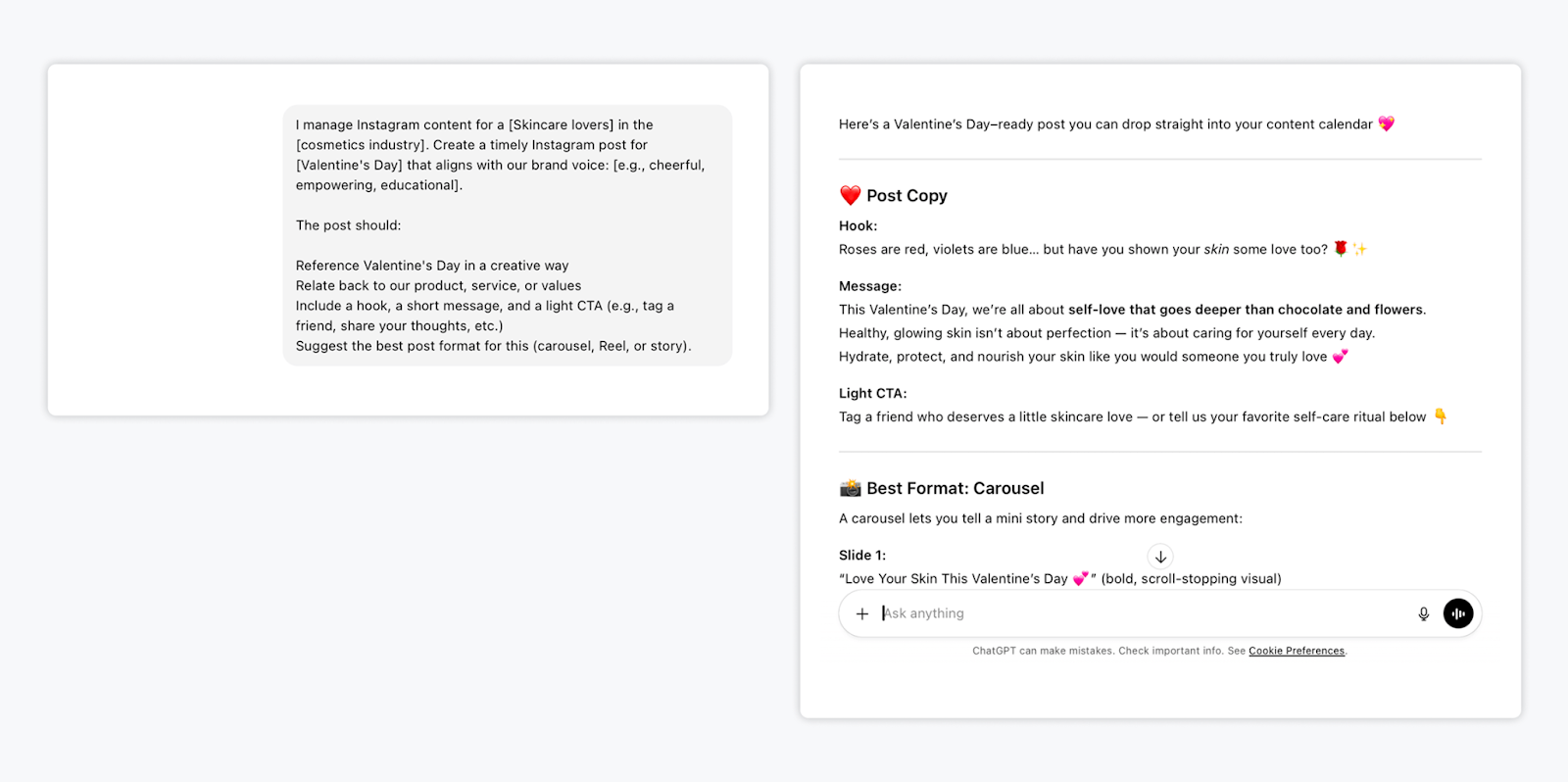
Caption: Example prompt for Valentine’s Day
ChatGPT Prompts for Content Repurposing
If you’re a smart marketer, you don’t need to create content from scratch every time. Some of your best Instagram content is probably already hiding in blog posts, long-form videos, or webinars. These prompts help you get more mileage from your existing marketing assets.
Prompt #7: Turn a Blog Post into an Instagram Carousel or Reel
Transform long-form content into bite-sized, high-performing Instagram posts. This is perfect if you want to extend the reach of your blog posts across channels.
📝 Prompt:
“I want to repurpose a blog post titled [insert title or URL] into an Instagram post. The brand is in the [industry/niche] space, and the target audience is [describe audience].
Suggest 2 format options: 1 carousel and 1 Reel.
For each format, include:
- A hook for the first slide or opening line
- 3–5 short key points to include
- A closing CTA (save, share, comment, or visit link in bio)
Keep the tone aligned with our brand voice: [e.g., expert-driven, friendly, witty].”
Prompt #8: Repurpose a Newsletter Into Multiple Instagram Posts
Email newsletters are often packed with great material. This prompt helps you pull it out and repackage it for Instagram.
📝 Prompt:
“I want to turn this email newsletter into 2–3 Instagram posts. The newsletter topic is: [insert topic or copy]. The brand tone is [describe tone], and the audience is [describe audience].
For each post:
- Summarize a core insight or takeaway
- Suggest an Instagram-optimized headline or hook
- Choose the best format (Reel, carousel, quote graphic)
- Write a short caption that drives engagement or comments.”
FAQs
Yes, you can use ChatGPT to write Instagram captions quickly and effectively. With the right prompt, it can generate captions and different variations that match your brand voice, include hooks, highlight product benefits, tell stories, or encourage engagement. It’s especially helpful when you’re managing multiple accounts or need to produce content at scale.
ChatGPT can’t create video files, but it can write Instagram Reel scripts, plan out the structure, and suggest hooks, visuals, or captions. You can use it to brainstorm Reel ideas, outline the flow of your video, and even write what to say on camera. Pair its output with a video editing app to bring the content to life.
To get accurate, on-brand content from ChatGPT, you need to give it a detailed prompt. Describe your brand’s tone clearly (e.g., “friendly but expert,” or “bold and direct”), and provide examples of real content you’ve already written. If possible, paste in short samples like Instagram captions, email copy, or ad copy. For even better results, you can upload your brand voice guidelines or messaging docs. The more context you give, the more accurately ChatGPT can mirror your voice.
What’s Next?
We hope you’ll put these prompts to good use the next time your content calendar’s looking a little too empty. Whether you’re running point on a single brand or juggling multiple client accounts, you deserve to know a few shortcuts to help speed things up.
Of course, once the content is done, you still need to get it approved and out the door. That’s where Gain comes in—a social media approval tool that helps you collaborate with clients, automate content approvals, and publish across every channel.
With dedicated client workspaces, auto-reminders, and the most intuitive content approval interface out there, Gain is the tool you need to manage more clients with less effort.
Try Gain for free (no credit card required).