What is a verified Twitter account?
On X (formerly Twitter), verification is now primarily tied to a paid subscription, not the older system that verified accounts mainly based on public notoriety.
A verified Twitter account displays a blue checkmark next to the account’s display name, showing that the Twitter account is connected to an active X Premium (formerly Twitter Blue) premium subscription and meets the platform’s basic eligibility requirements.
Even though it’s a paid feature, to guarantee verification and maintain it, the account must meet several baseline conditions. In most cases, this includes:
- A complete profile with a profile photo and display name
- Activity on the platform within the last 30 days (only active accounts can remain verified)
- A verified phone number or confirmed phone number
- Compliance with the platform’s authentic criteria and rules against misleading information
Before assigning the verification badge, X reviews the account to ensure it isn’t impersonating someone, spreading misleading information, or using automated content in ways that violate the platform’s policies. If the platform later detects violations, the blue checkmark can be removed and the account’s verified status revoked.
Additionally, here are a few key things to keep in mind about verification:
- The blue badge appears next to your Twitter profile name in tweets, replies, and search results.
- Having a verified Twitter account does not mean X endorses the account or its content.
- Verification simply confirms that the account meets the platform’s requirements and is connected to a premium account.
Why do you need an X (Twitter) verified account?
A verified Twitter account helps people quickly confirm that your X account belongs to the real person, brand, or organization behind it. 12% of Americans use X as a data source, according to Pew Research Center, and a verification can tell your audience that it’s safe to get their information from you.
Here’s where verification can make a practical difference:
- Establish trust with your audience. Public-facing accounts are more vulnerable to impersonation. This is especially true for public figures, and a verification badge helps followers confirm they are interacting with the legitimate account.
- Resolve impersonation issues more easily. If someone creates a fake account pretending to be you, the platform can more easily identify the legitimate profile when your account is verified. This makes it simpler to report impersonation or misleading content.
- Stand out in conversations. The blue check appears next to your display name in replies, mentions, and search results. This visual signal helps users quickly recognize your official account, which can influence how they interpret and engage with your posts.
- Increase credibility for partnerships. Brands, media outlets, and creators often verify accounts before collaborating. A verified status can help confirm your identity when reaching out for business partnerships, interviews, or cross-promotions.
- Unlock additional platform tools. A premium-subscribed account through X Premium includes several features, such as enhanced analytics and early access to certain platform updates.
Is paying for Twitter verification worth it?
In my experience, the value of Twitter verification depends on how you use your account.
It’s usually worth the monthly fee if you:
- represent a brand or official account
- rely on credibility for partnerships or media visibility
- run campaigns where identity confirmation matters (such as for local political leaders)
- are vulnerable to impersonation
It’s less useful if you:
- post rarely
- don’t rely on identity signals
- primarily use X casually rather than professionally
For accounts that depend on reputation and visibility, the blue checkmark can act as a simple but effective trust signal.
What are the types of X (Twitter) verification?
X replaced its legacy verification program with a subscription-based system in 2023. Today, the platform uses different badge colors and labels to show what type of account you’re looking at and why it has a verified status instead of the previous criteria.
These visual markers in the new verification system help users distinguish between individual accounts, organizations, government accounts, and automated accounts.
Remember that only X can complete the verification process and assign a verification badge. Third-party apps or tools cannot verify a Twitter account on your behalf.
Here are the main types of verification badges currently used on X:
- Blue check
- Gold check
- Gray check
- Affiliation badge
- Automated account label
1. Blue check on X (Twitter)
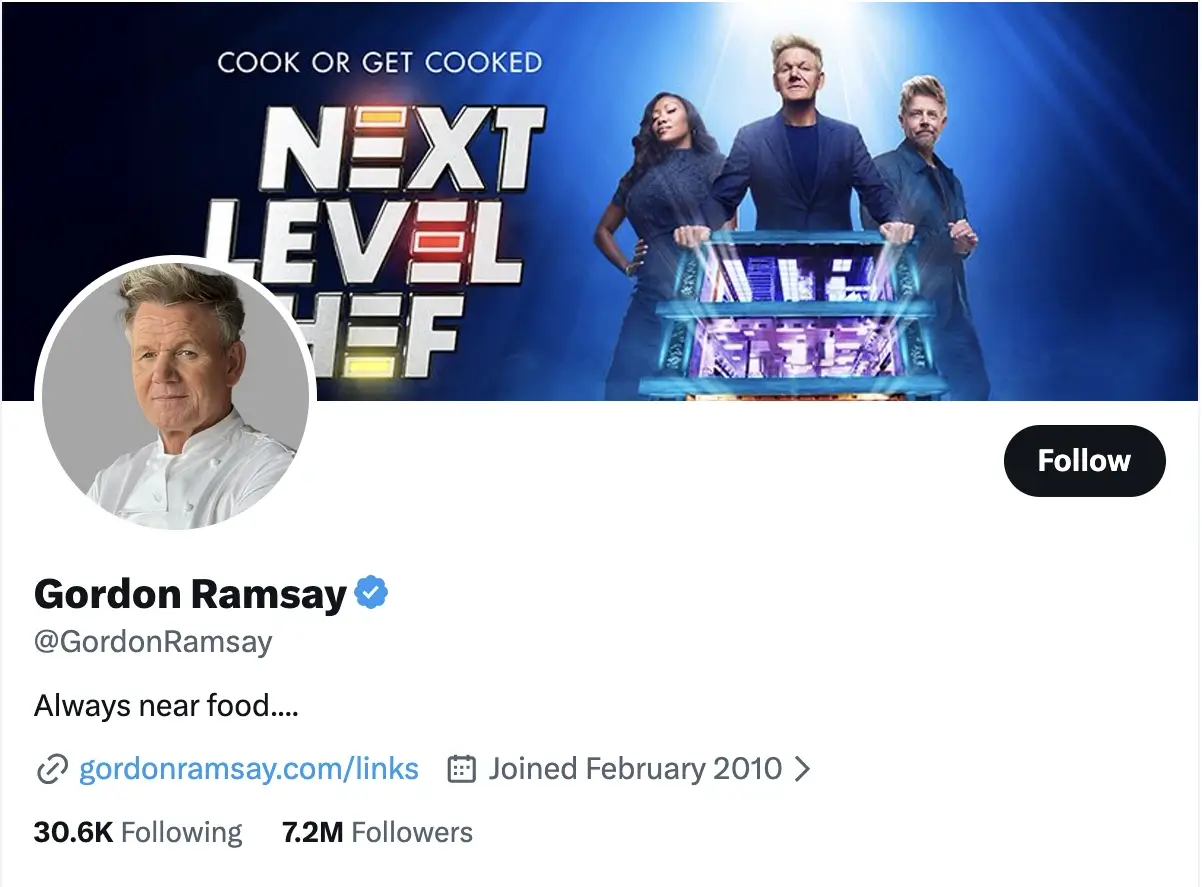
What it looks like
A blue checkmark displayed next to the account’s display name on the Twitter profile, in replies, and in search results.
Who it’s for
Individuals, creators, and brands with an active subscription to X Premium.
How to get it
Subscribe to X Premium and meet the platform’s eligibility requirements, such as maintaining a complete profile, adding a profile picture, and connecting a verified phone number.
What it signals
The blue badge shows that the account is connected to a premium subscription and has passed the platform’s basic verification checks.
2. Gold check and square profile picture on X (Twitter)
What it looks like
A gold checkmark paired with a square profile picture instead of the standard circular avatar.

Who it’s for
Only accounts of businesses and institutions with an X Premium Business subscription.
How to get it
Organizations apply for X Premium Business and confirm their business identity with X.
What it signals
The gold checkmark indicates the official account of a company, nonprofit, news organization, or other institution.
3. Gray check on X (Twitter)
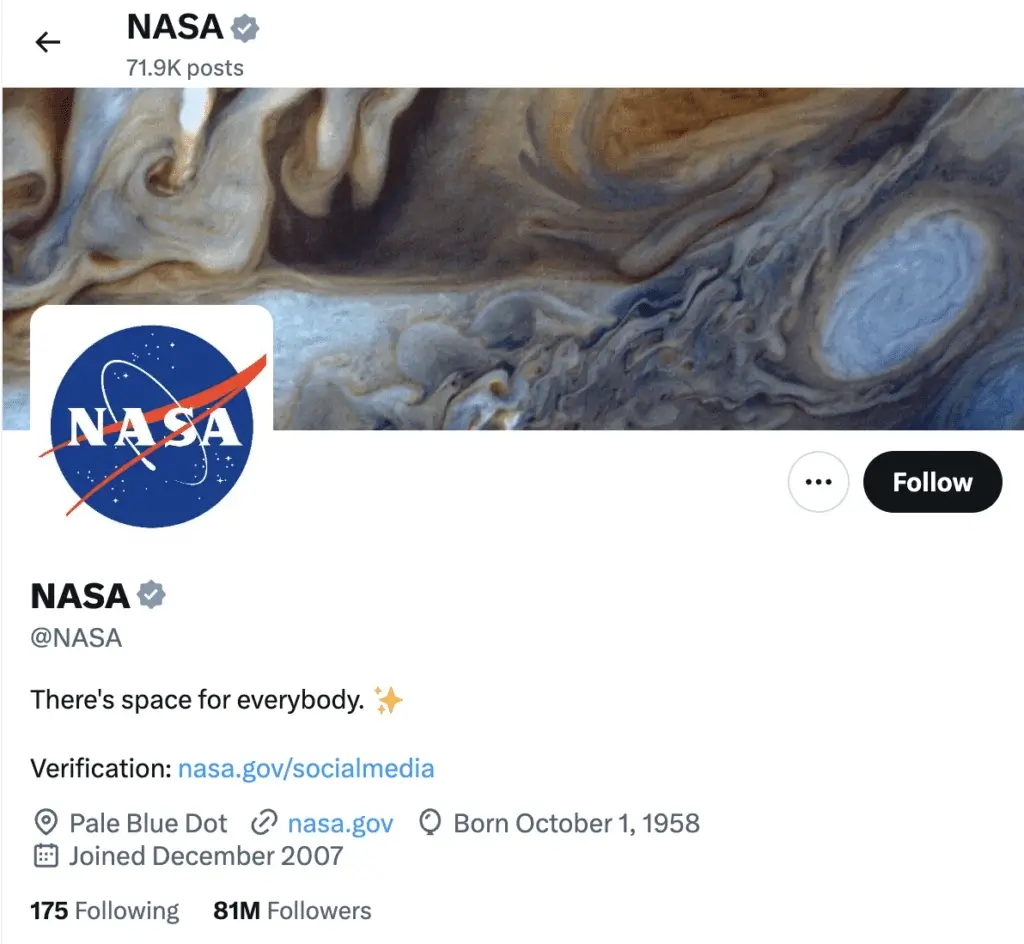
What it looks like
A gray checkmark displayed next to the account name.
Who it’s for
Government institutions and public officials, including agencies, embassies, and official spokespeople.
How to get it
These accounts are verified directly by X through internal review rather than by being premium users.
What it signals
The gray badge confirms the account represents an official government authority or public institution.
4. Affiliation badges on X (Twitter)
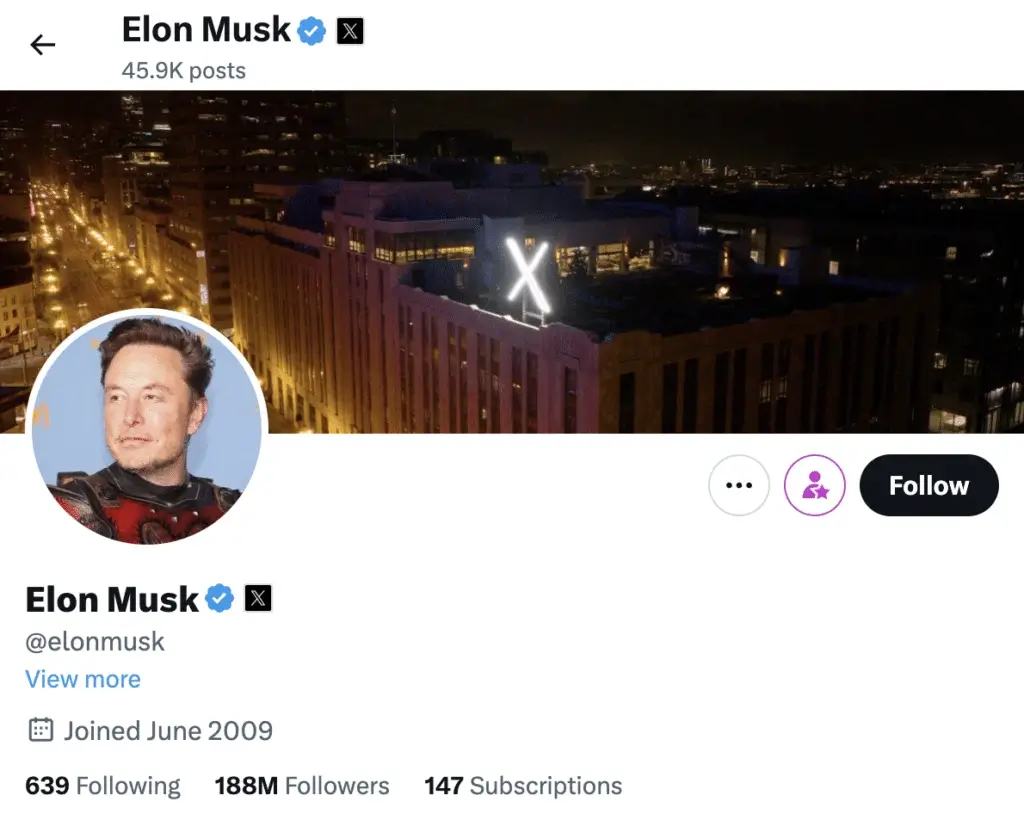
What it looks like
A small badge that includes the profile picture of the parent organization next to the account.
Who it’s for
Employees or representatives connected to a verified organization.
How to get it
Organizations assign secondary affiliated accounts through the Verified Organizations program.
What it signals
The badge shows the individual account is officially linked to an organization.
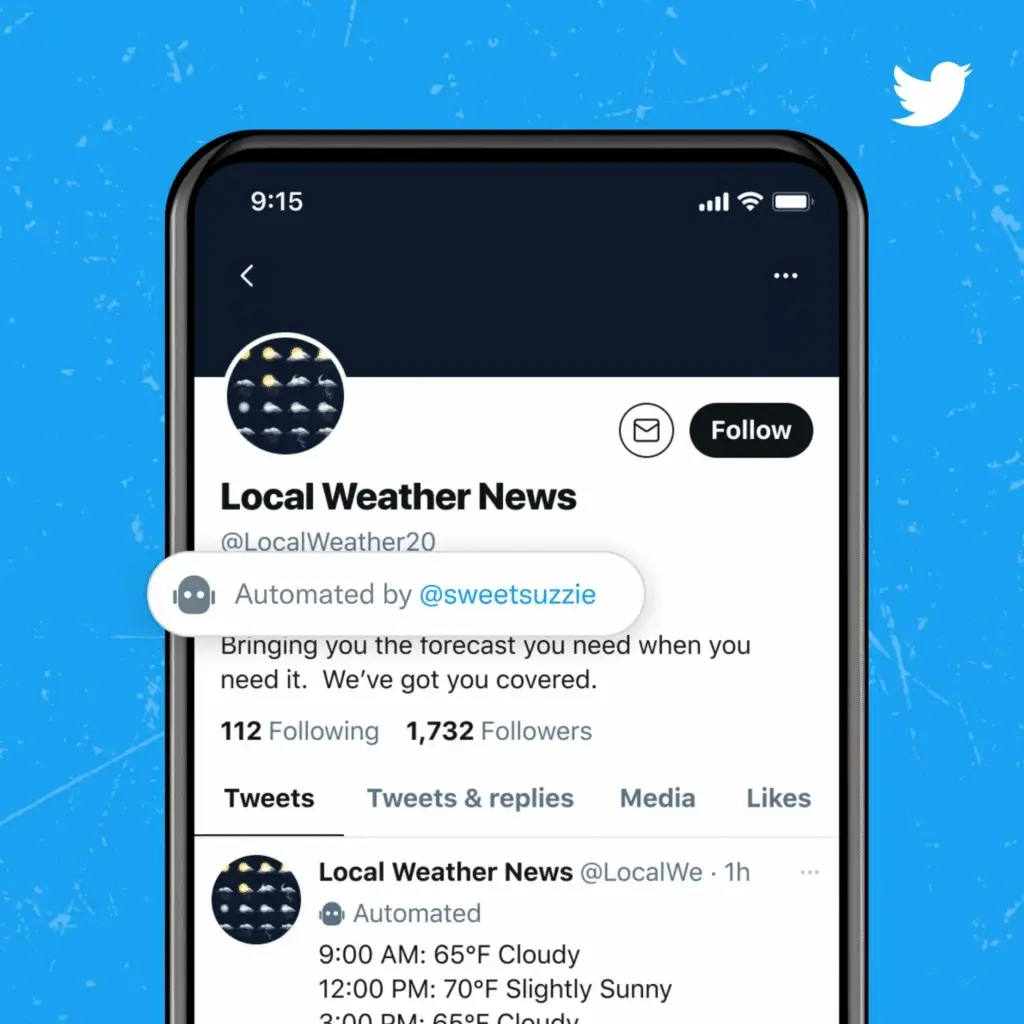
5. Automated account labels on X (Twitter)
What it looks like
A visible label identifying the account as publishing automated content.
Who it’s for
Accounts that use bots or automation to generate posts.
How to get it
Account owners must label automated accounts according to X platform policies.
What it signals
The label helps users distinguish between human-run accounts and automated systems. Accounts that rely heavily on automation may struggle to meet certain verification criteria.
How to apply for an X (Twitter) verification badge in 5 steps
If you want to get verified on Twitter (X) and earn the blue checkmark, the process today revolves around meeting the platform’s X Premium eligibility requirements and maintaining a credible account.
Before you apply, make sure your X account meets these basic conditions before starting the verification process:
- Your account must be at least 90 days old
- Your profile details are stable (avoid recent changes to your display name, profile picture, or username)
- Your phone number is confirmed
- Your profile is complete and your tweets are public
Once these conditions are met, you can move forward with the steps below.
1. Get an X Premium subscription
First, become an X Premium subscriber or confirm that your premium subscription is active.
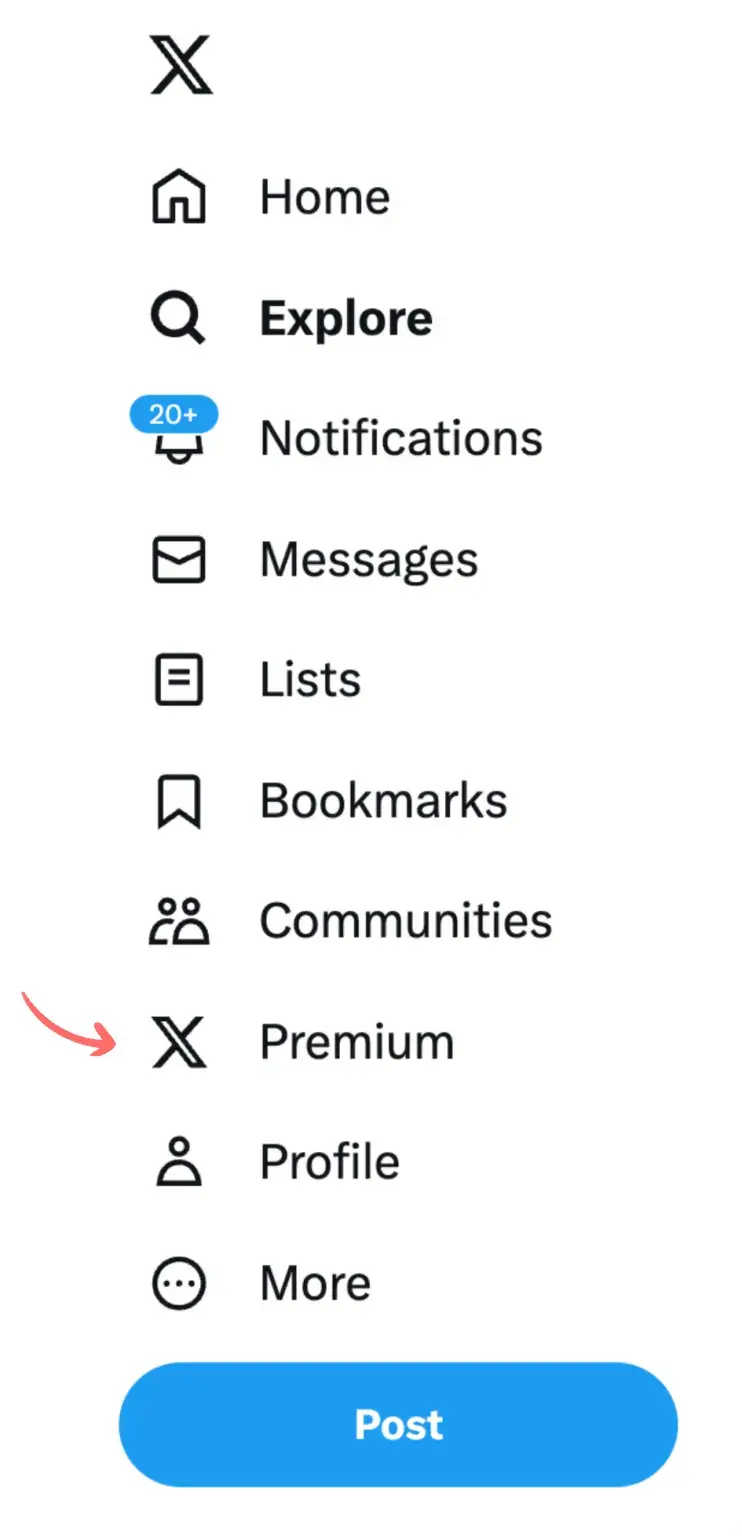
X offers several tiers, including Basic, Premium, and Premium+, each with different premium features. Pricing varies depending on the plan and region, so check the official X pricing page for the latest monthly subscription details.
2. Complete your profile
Next, make sure your Twitter profile is fully set up. X uses profile details to confirm that your account represents a real person or organization.
Focus on these elements:
- Profile photo: Use a recent, recognizable photo of yourself or your brand logo. A clear profile picture helps users identify your account.
- Cover image: Choose a cover photo that reflects your brand, role, or area of expertise.
- Twitter bio: Write a concise bio that clearly explains who you are and what you do.
- Website link: Adding an official website or official email address can provide additional context.
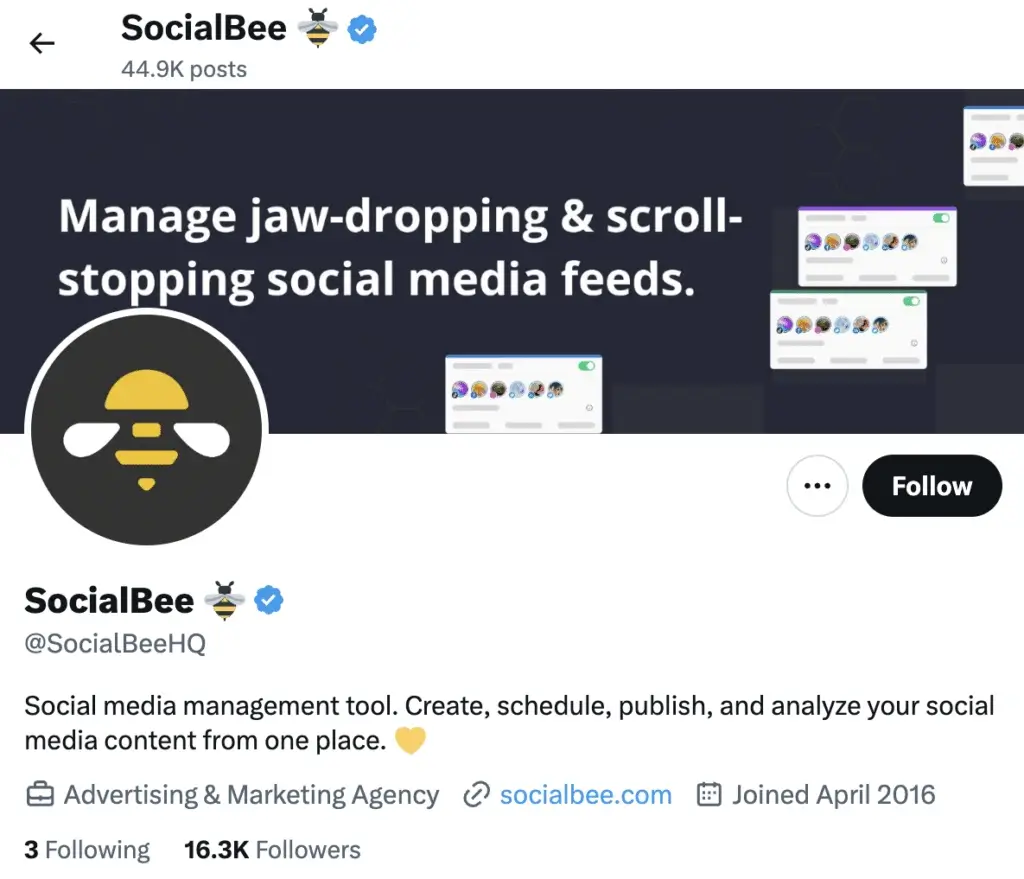
X also values profile stability, so avoid frequently changing your display name, profile picture, or other key account information right before applying for verification.
3. Stay active on the platform
X only grants verified status to active accounts, so consistent activity is important. People use X mostly for getting the news, researching brands, and looking for entertaining content and all of these require you to have a solid posting plan.
If you haven’t posted in several weeks, start sharing updates, participating in conversations, and replying to relevant posts. However, avoid spammy behavior or automated content designed to game the system.
Consistency matters more than volume. Regular activity signals that your Twitter account is actively maintained.
Getting verified followers is also a way to signal to the platform that you’re trustworthy, and “the easiest way to gain verified followers is by interacting with other verified users in your niche. So for example, if your niche is software development, then look for some of the biggest accounts talking about that. And in their comment section, you will find other people who are interested in software development. When you see blue checks, visit their profile, interact with some of their posts, and give them a follow… a good goal to aim for is gaining 10 verified followers a day. So if you can do that, you will reach 500 verified followers in 50 days.” advises Jacob C. Edmunds, marketing manager and founder of Ensign Media.