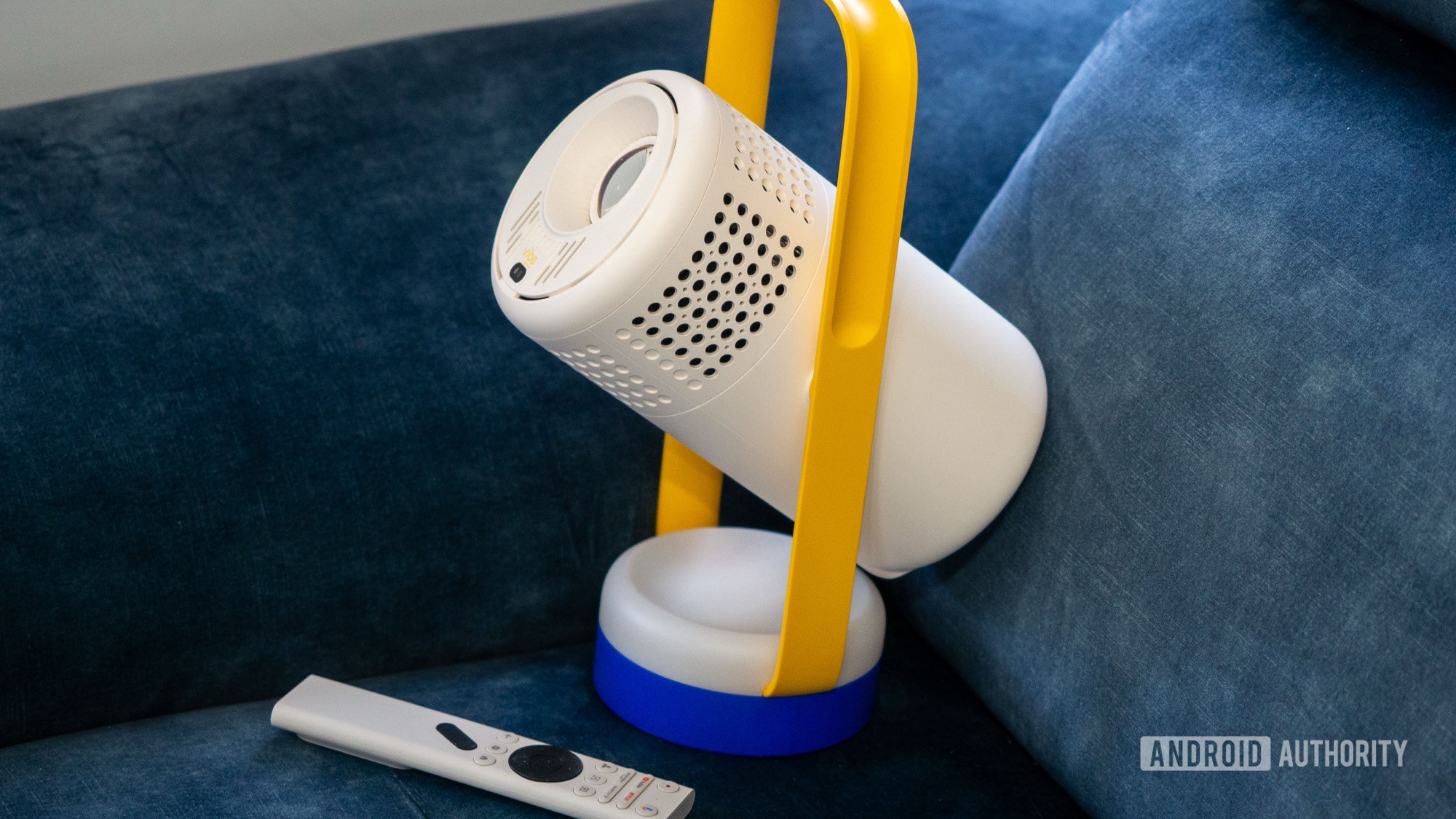
The XGIMI Vibe One is an affordable all-in-one Google TV with built-in speakers, battery, and stand that you can carry everywhere.
I’ve had my brand-spanking-new 65-inch Samsung The Frame Pro TV for less than a year, and it has been nothing but trouble since. It has random and frequent CEC issues with my Google TV Streamer and Samsung’s own soundbar, and it arbitrarily turns off when it shouldn’t in the middle of watching something. A few weeks ago, this $2,200 TV completely gave up. Any time I turned it on, it lasted all of five seconds, then turned off by itself. Samsung support in France has been extremely slow to react — it took them two weeks to pick it up for repair — leaving me with no other TV for weeks. Or maybe not?!
When my Frame Pro completely gave up on me in the middle of Real Madrid and Benfica’s UCL second-leg tie, I ran up to the bedroom, picked up the XGIMI Vibe One projector I’ve been sporadically using there, and set it up in the living room. And boom! I had a pseudo-TV right there, on my wall, just in time to catch Vinicius’ brilliant counterattack and 80-minute goal. So I’ve been using the $250 Vibe One for the last few weeks as my TV and, for the price, I couldn’t recommend it enough.
A $250 Google TV anywhere, anytime

Rita El Khoury / Android Authority
Pictured above is my dismounted, dead Samsung The Frame Pro, with the XGIMI Vibe One’s image projected on the wall right above it. So let’s rip the band-aid first: No, the 1080p image with 250 ISO Lumens isn’t as good as my Neo QLED 4K TV’s display, especially the luminosity and contrast. I have to completely close all shutters and curtains to be able to enjoy what I’m watching. In these situations, I can almost forget that I’m watching a projection and not my TV.
However, in anything but a pitch-dark room, the image appears even more washed out, just like in the photo below, where there’s daylight streaming in from one shutterless door behind me. But is it watchable? Yes, it is. Does it do the job as a secondary, portable TV experience? Of course, it does.

Rita El Khoury / Android Authority
Even the two 3W built-in JBL speakers with Dolby Audio have been doing a good job when catching music videos, watching YouTube, following football matches, and watching TV series. Again, it’s obviously not the same experience as my soundbar, but I have to remind myself that this is a $250 all-in-one 65-inch (and larger) TV that I can carry up and down the stairs between my bedroom and living room in a second.
This is a $250 all-in-one humongous TV with built-in battery, speakers, and stand, that I can carry up and down the stairs in a second.
It has its own built-in handle and pivoting stand, its own speaker, its own battery power, and it runs Google TV out of the box. All it requires is a white wall. It doesn’t get more practical than this.

Rita El Khoury / Android Authority
There’s no need to plug in another source over HDMI (even though there is a port), and no need to set up an external speaker. With previous models I’ve tested, I had to buy a tripod to adjust the projection angle, but not here. The projector rotates 160° around its vertical axis (80° either way), so there’s always a way to project the image on any surface I want.
As shown in the earlier images, I’ve tried it on the living room wall above the dead TV, on the much larger wall above the buffet, but also on the bedroom’s slanted ceiling, and the bedroom’s even more slanted walls. Before my Frame Pro gave up on me, I was using the XGIMI Vibe One up in the bedroom because of its attic walls. A projector is the only TV I can have up there since I don’t want to buy an ugly, always-there freestanding unit — at least, I can always hide the projector in a drawer.
No matter how skewed the wall and projection angle, I’ve found that the Vibe One’s keystone correction adapts very well. The remote also packs an auto-focus button that helps when the image doesn’t immediately focus. There are manual settings, too, with a ceiling projection type that has been a lot of help when watching in the bedroom.
Some flaws and some extra perks

Rita El Khoury / Android Authority
If there’s one thing I will fault the XGIMI Vibe One at, it’s the annoying DC charging port and abysmal battery life. My previous XGIMI projector, a first-gen Mogo Pro, used a DC barrel charger too, and I barely found that tolerable in 2021. We’re five years later now, in 2026, so how is this not a USB-C port on the Vibe One?
The company has switched to USB-C ports on its newer, higher-end Mogo projectors, but the Vibe One still inherits the inconvenience of a DC charger. Everything around my home is USB-C, so having to fish out a specific adapter just to charge this projector is annoying. But there’s a solution. I’ve bought a 5.5mm x 2.5mm DC to USB-C cable ($12 on Amazon) that allows me to plug this into any powerful USB-C charger or USB-C power bank. It’s a perfect workaround to a problem that shouldn’t exist in the first place. Hear me out, XGIMI: swith to USB-C. There’s no excuse.
This projector could’ve been perfect with USB-C charging and a larger battery instead of the light show.
What makes this decision even more frustrating is that the battery only lasts 96 minutes on a good run, while considerably lowering the projector’s brightness. I can’t get through a full movie or a football match without having to plug in towards the end. So even though this is, on paper, a battery-powered projector, it really needs to be plugged in to get through any decent watching session.
XGIMI justifies this by classifying the Vibe One as a more casual, teen-oriented projector, with a funky twist: The base is made of a translucent plastic that the projector lens can send colors through when it’s pointing down. In this Bluetooth speaker mode, the projector can do a fun light show to go with your music. It’s gimmicky at best, and makes me wish the base had a larger battery instead. That’d be ten times more useful.
One last thing I noticed was that the projector always tends to start slow and laggy; it takes around 10 seconds for things to be smooth and ready. I blame this on the 2GB of RAM and 1.5GHz MT9630 processor. Once the projector is running, though, I haven’t felt any hiccups or significant performance drops. At least there’s 32GB of storage on board, not less like in low-end Google TV units, so I’ve been able to install all my apps without worrying about how much storage is left.
On the upside, XGIMI continues to provide one of the best Google TV remotes out there. It has a dedicated button to switch user profiles, which is awesome for multi-user homes like mine. My husband can tap that and immediately switch to his account, whereas he has to tap, tap, tap to get there on our Google TV Streamer. There’s also a button that opens the quick settings side panel on top of whatever I’m watching. I don’t get why Google doesn’t have this for its own Streamer’s remote.
I also appreciate that XGIMI didn’t customize (read: ruin) Google TV’s interface. It’s the same experience I’m familiar with on my Streamer, but with a few projector-related extras: some necessary projection and image settings, power settings for battery mode, and some remote button customizations. There’s voice input, casting support, remote control via the Google Home app, and Google Assistant/Gemini on board.
XGIMI Vibe One review verdict: Should you buy it?

Rita El Khoury / Android Authority
A projector is an excellent idea if you’re looking for a portable TV that you can easily move around the house, between guest bedrooms and kitchens, or that you can keep in your own bedroom for brief watching sessions without permanently hanging a huge, black, rectangular eyesore. If you have slanted walls, like in my bedroom, a projector may even be the most realistic option. And you’ll always have a backup TV on hand in case yours breaks like my Samsung The Frame Pro just did.
For sparing, punctual use cases like these, you don’t need an expensive projector. Something in the $200-300 range is perfect, even if it comes with some concessions around image quality. After looking at dozens of projectors in this price range, I’d suggest you get something with these features:
- A built-in battery — no matter how small, it’ll make short watching sessions less of a hassle.
- USB-C power or charging — you want to be able to plug it into any charger or power bank you own.
- A built-in stand — carrying and setting up a tripod or stand is fun once, but not for frequent use.
- A smart TV platform built in — you don’t want to power up and plug in a separate HDMI stick each time.
- As high an ISO Lumens rating as you can, plus decent speakers, RAM, storage, and processor.
The XGIMI Vibe One ticks most of these boxes, save for the USB-C charging. For this reason, and for the fact that it saved me the past few weeks, it gets my stamp of approval. There are other alternatives out there, though, depending on what you value.

Rita El Khoury / Android Authority
I’d also avoid the Google TV-powered TCL C1 ($225 on Amazon), which is practically identical to the XGIMI Vibe One, but skips the built-in battery. You won’t regret splurging the extra $20 for the XGIMI’s battery. A better option would be the Aurzen BOOM Air ($299.99 at Amazon), which ticks a lot of boxes: brighter 300 ANSI projection, built-in 110° rotatable stand, 10W speaker, and USB-C power. There’s no battery, and you might have trouble projecting on the ceiling if you don’t get a stand, but everything else is perfect, especially when this projector is discounted down to $210 like it is now.
Other great Google TV alternatives are a bit more expensive. The JMGO Play ($349 on JMGO) is a new interesting addition to the category that will be worth keeping an eye on. It has a larger battery that can last three hours, USB-C charging, an adjustable 88° gimbal, and 400 ISO Lumens projection. It even comes with its own Bluetooth speaker mode and light show if you really want those features. Meanwhile, the Aurzen BOOM Mini ($229.99 at Amazon), the XGIMI Mogo 3 Pro ($449.99 at Amazon), and the Nebula Capsule 3 GTV ($399 on Amazon) sometimes drop to $300-320 and become very realistic alternatives. But at their original MSRP of $400 or so, they’re a bit out of budget for someone looking at a cheaper projector.

Battery-powered projector • Google TV • Built-in adjustable stand
MSRP: $269.00
A stylish portable Google TV projector that doubles as a speaker with light effects.
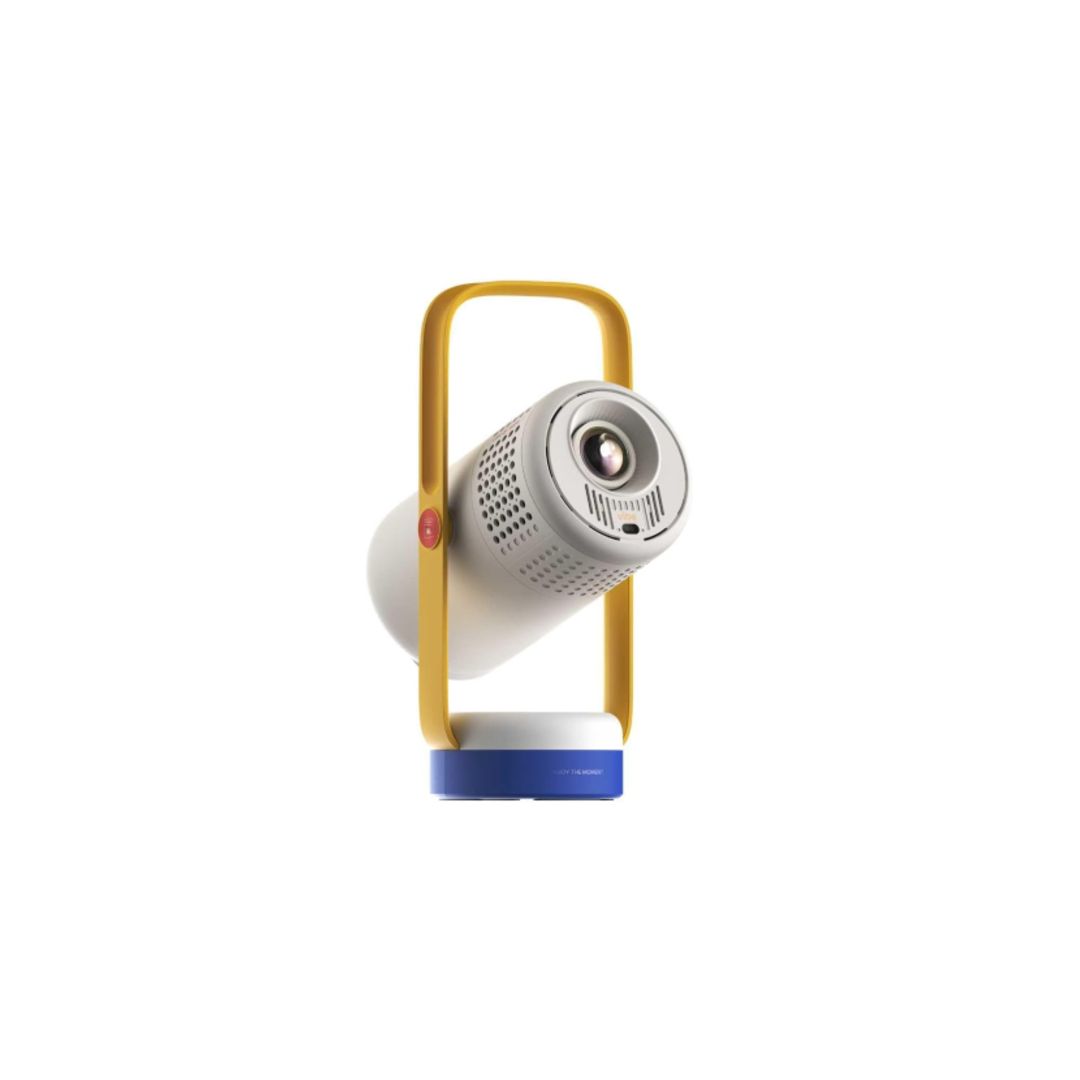
The XGIMI Vibe One is a compact, entry-level portable 1080p, 250 ISO Lumens projector with a unique, fun design and a built-in handle that doubles as a 160-degree adjustable stand. It runs on Google TV with native Netflix support, and includes automatic focus, keystone correction, and a built-in battery for up to 1.2 hours of video playback. The dual 3W JBL speakers allow it to function as a standalone Bluetooth speaker with an ambient light mode.
Positives
- Battery-powered projector
- Google TV
- Bluetooth speaker with light effects
- Built-in adjustable stand for wall or ceiling projection
Cons
- Dim projection requires a dark room
- No USB-C charging
- Laggy for 10 seconds on boot
Thank you for being part of our community. Read our Comment Policy before posting.