C. Scott Brown / Android Authority
TL;DR
- Google is widely rolling out the new Media Playback template for Android Auto, bringing a consistent UI to music player apps like Spotify and YouTube Music.
- The update features a wavy progress bar and moves the Play/Pause and track controls to the left side of the screen.
- Changes are being enabled via a server-side switch, meaning users may see the new look automatically if their app is up to date.
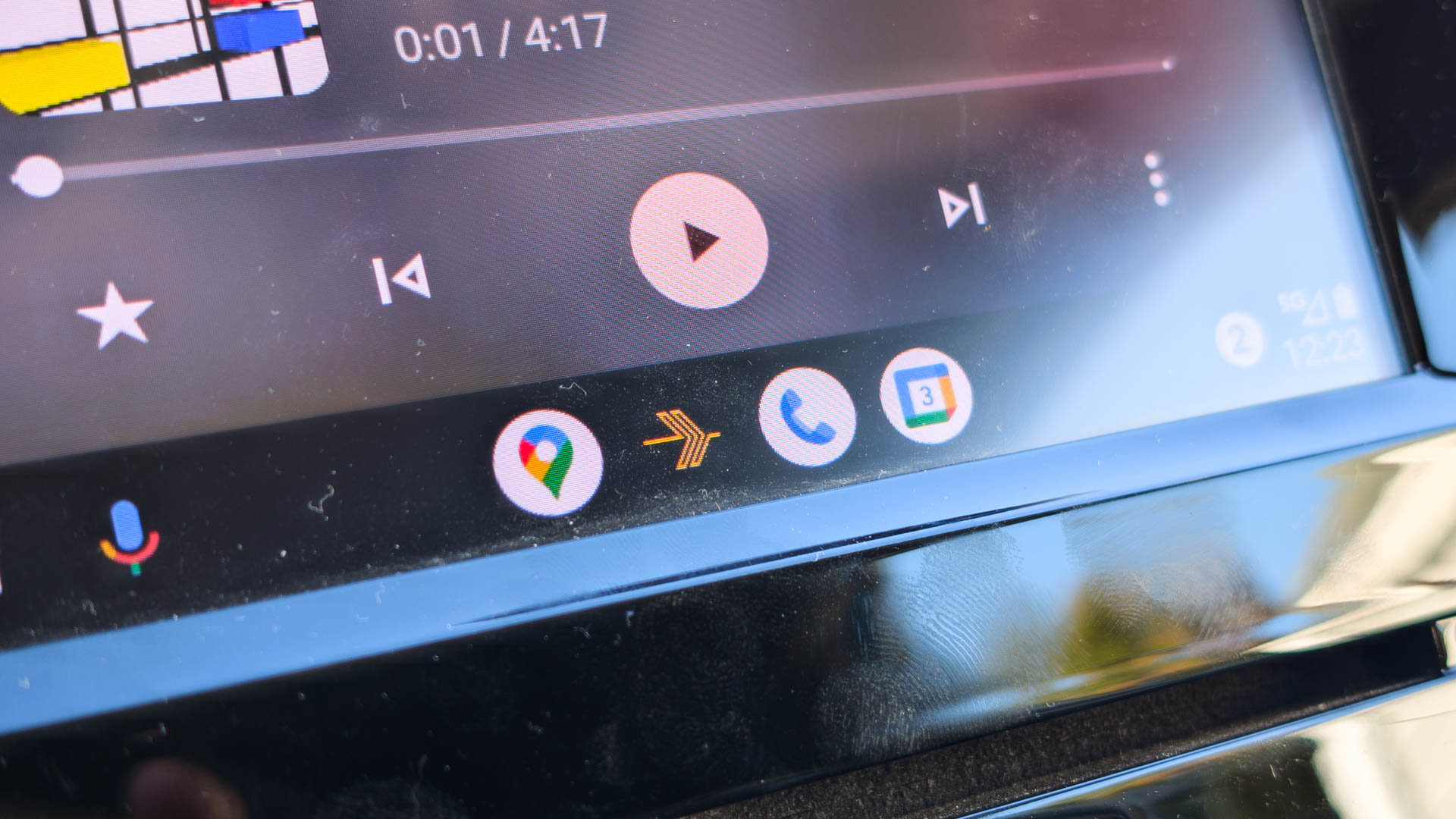
Google gave music player apps like Spotify and YouTube Music the opportunity to have a consistent look and experience on Android Auto through the new Media Playback template that it introduced last year. The template was also updated with a new wavy progress bar, and there’s room for further improvements that will equally apply to all music player apps that use the template. It seems Google is finally ready with the template, as we’re now seeing user reports indicating a wider rollout.
Don’t want to miss the best from Android Authority?


There were reports earlier in the year that the Media Playback template was rolling out to users when Android Auto v16.0 hit the stable branch. However, Google’s feature rollouts often rely on server-side switches for staged rollouts (which helps them catch bugs before they can impact too many users). As a result, many users didn’t see the new music player UI even after updating their Android Auto app.
We’re now seeing more reports from users that the new music player UI, utilizing the new Media Playback template, is rolling out widely. Many users have reported in this Reddit thread that they are now walking into the new UI on their cars, with no action taken on their end.
This is likely a mix of the Android Auto app being updated and Google opening the floodgates on their end, flipping the server-side switch to enroll more users.
In the new UI, the Play/Pause button shifts to the left corner. It also includes the track control buttons on that side, while other app-specific controls crowd the other side. This is a big shift from the often-centered controls that music player apps had, and it might trigger accidental touches due to muscle memory in the initial days of the rollout. There’s also the new wavy progress bar, which gives the UX a fresh, lively look.
Have you received the new music player UI in Android Auto?
2 votes
This new look will be available in all music player apps that have been updated to use the new Media Playback template. Once muscle memory is retrained, you should find it easier to operate just about any media app that opts into this new template. Any change Google makes to the template should also roll out uniformly across all media apps that use it.
Thank you for being part of our community. Read our Comment Policy before posting.