By using this site, you agree to the Privacy Policy and Terms of Use.
Accept
World of SoftwareWorld of SoftwareWorld of Software
  • News
  • Software
  • Mobile
  • Computing
  • Gaming
  • Videos
  • More
    • Gadget
    • Web Stories
    • Trending
    • Press Release
Search
  • Privacy
  • Terms
  • Advertise
  • Contact
Copyright © All Rights Reserved. World of Software.
Reading: Pixel users report Now Playing app is finally working as it should
Share
Sign In
Notification Show More
Font ResizerAa
World of SoftwareWorld of Software
Font ResizerAa
  • Software
  • Mobile
  • Computing
  • Gadget
  • Gaming
  • Videos
Search
  • News
  • Software
  • Mobile
  • Computing
  • Gaming
  • Videos
  • More
    • Gadget
    • Web Stories
    • Trending
    • Press Release
Have an existing account? Sign In
Follow US
  • Privacy
  • Terms
  • Advertise
  • Contact
Copyright © All Rights Reserved. World of Software.
World of Software > News > Pixel users report Now Playing app is finally working as it should
News

Pixel users report Now Playing app is finally working as it should

News Room
Last updated: 2026/04/03 at 7:23 PM
News Room Published 3 April 2026
Share
Pixel users report Now Playing app is finally working as it should
SHARE

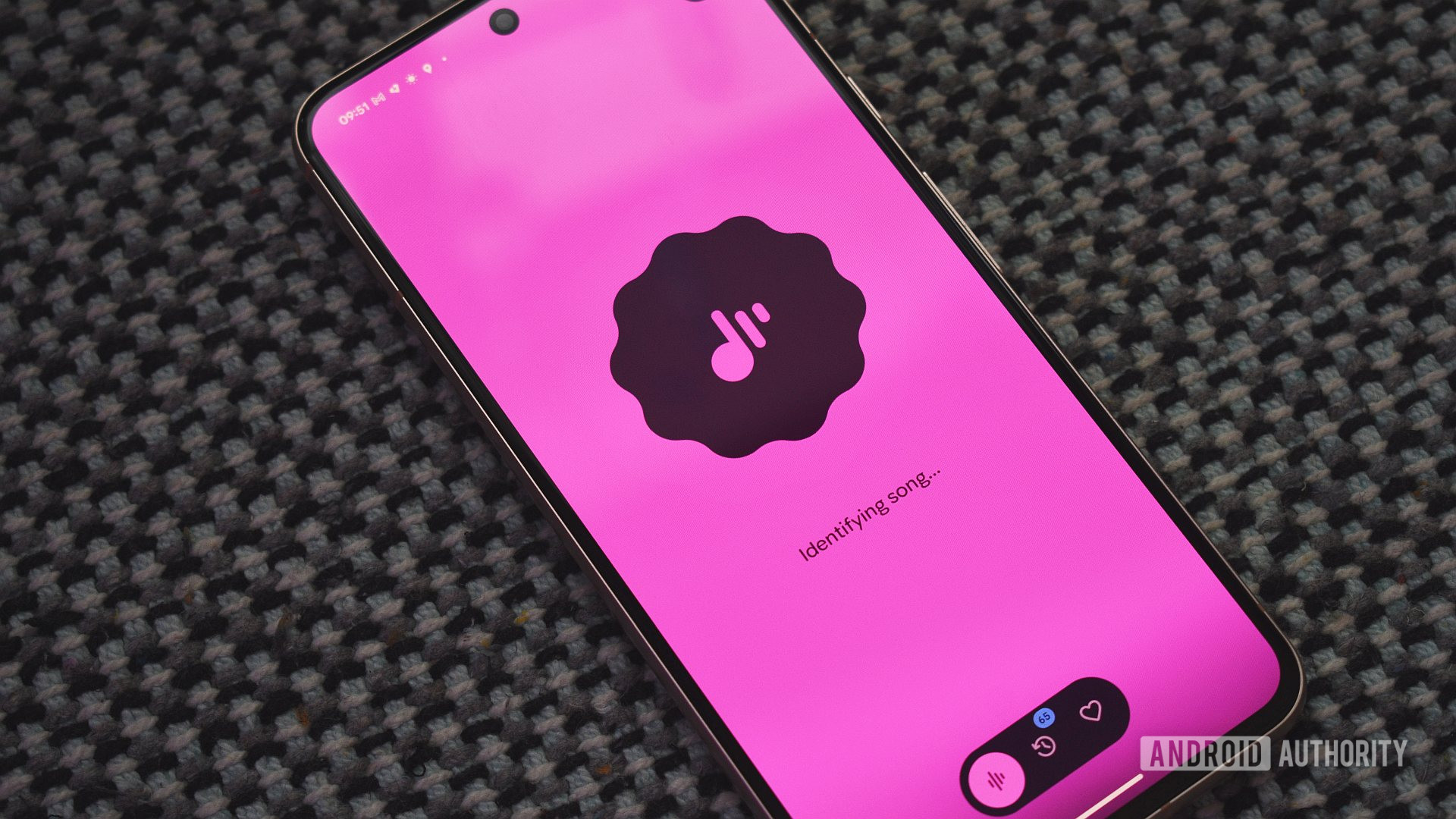
Andy Walker / Android Authority

TL;DR

  • After the Now Playing app rolled out, users began reporting issues such as “Tap to see what’s playing” missing from the lock screen.
  • Users are now getting notified that the app has been updated.
  • Google appears to have fixed the various issues plaguing users.

The Pixel’s “Now Playing” feature was finally turned into a standalone app with the March Pixel Drop. Previously bundled into Android System Intelligence, the new song identification app brought some nice add-ons, like a hub for discovery, the ability to view and manage previous songs, the ability to listen to the songs in your history on your favorite music services, and so on. However, it also brought a few problems for users. Thankfully, it appears Google may have fixed those issues with an update.

Don’t want to miss the best from Android Authority?

google preferred source badge light@2xgoogle preferred source badge dark@2x

Shortly after the rollout of the Now Playing app, users reported that “Tap to see what’s playing” no longer appeared on the lock screen. There were also reports that the March update broke the ability to sync up your Now Playing history. If you were experiencing these problems, they may be gone now.

It appears that users who were experiencing issues are now starting to get notifications that the Now Playing app has been updated. One user claims that the “Tap to see what’s playing” option has returned to their lock screen. However, it looks like the fix hasn’t arrived for everyone just yet, as multiple commenters mention that the feature is still missing for them.

Do you like Google’s new Now Playing app?

168 votes

Over on Google’s Now Playing app troubleshooting guide, the company offers the following remedies:

  • Not seeing Now Playing features after downloading the app? Now Playing relies on several system services to identify music and add it to your song history. If you have disabled Now Playing services in the past, song history and favorites won’t be available until you enable the feature. To do so, go to Now Playing > Settings > Use Now Playing.
  • Why is the app not identifying songs automatically? If songs aren’t being identified automatically, it can take up to 24 hours to download the song fingerprints after setting up the app. Also, double-check that Battery Saver is off and Android System Intelligence has microphone permissions enabled.
  • Why did my song history disappear? If your song history doesn’t appear immediately after the update, it may just need up to 24 hours to resolve. If the issue persists after 24 hours, then check to see if the Now Playing app is enabled. If not, enable the app and your song history should appear again. To make sure your favorite songs are saved to your account and accessible across devices, remember to use the heart icon to “Favorite” them regularly.
  • How do I export and import songs between Pixel phones? Currently, Now Playing does not support bulk downloads and saves, but there are some workarounds you can use for the time being. To manually export, open Now Playing History > select each song > tap the Share icon to save as a file. To export to your preferred music app, open the song in that music app on the Pixel phone you’re switching from (Example, YouTube Music or Spotify) and then save the song to a playlist of your choice.

In regard to compatibility, Google says these issues are connected to the March software update. If you don’t have the update installed, you may run into messages like “This app is not compatible with your device” and “Check back in a few hours.” Google says that the app also needs 24 hours to get properly set up on your device.

Thank you for being part of our community. Read our Comment Policy before posting.

Sign Up For Daily Newsletter

Be keep up! Get the latest breaking news delivered straight to your inbox.
By signing up, you agree to our Terms of Use and acknowledge the data practices in our Privacy Policy. You may unsubscribe at any time.
Share This Article
Facebook Twitter Email Print
Share
What do you think?
Love0
Sad0
Happy0
Sleepy0
Angry0
Dead0
Wink0
Previous Article Tencent’s Delta Force: Hawk Ops hits PS5 and Xbox this August · TechNode Tencent’s Delta Force: Hawk Ops hits PS5 and Xbox this August · TechNode
Next Article Report: Edge AI chip startup Hailo to go public via SPAC merger –  News Report: Edge AI chip startup Hailo to go public via SPAC merger – News
Leave a comment

Leave a Reply Cancel reply

Your email address will not be published. Required fields are marked *

Stay Connected

248.1k Like
69.1k Follow
134k Pin
54.3k Follow

Latest News

Crime blotter: A  million iPhone heist in Florida
Crime blotter: A $2 million iPhone heist in Florida
News
These are my 5 favorite One UI power user tricks for Samsung foldables
News
China’s state broadcaster takes small stake in iQIYI as revenue falls · TechNode
Computing
Can AI Find Your Next Obsession? I Tested Its Hobby Suggestions
News

You Might also Like

Crime blotter: A  million iPhone heist in Florida
News

Crime blotter: A $2 million iPhone heist in Florida

1 Min Read
These are my 5 favorite One UI power user tricks for Samsung foldables
News

These are my 5 favorite One UI power user tricks for Samsung foldables

12 Min Read
Can AI Find Your Next Obsession? I Tested Its Hobby Suggestions
News

Can AI Find Your Next Obsession? I Tested Its Hobby Suggestions

6 Min Read
Musk Forces Banks to Use Grok, Ahead of SpaceX IPO
News

Musk Forces Banks to Use Grok, Ahead of SpaceX IPO

5 Min Read
//

World of Software is your one-stop website for the latest tech news and updates, follow us now to get the news that matters to you.

Quick Link

  • Privacy Policy
  • Terms of use
  • Advertise
  • Contact

Topics

  • Computing
  • Software
  • Press Release
  • Trending

Sign Up for Our Newsletter

Subscribe to our newsletter to get our newest articles instantly!

World of SoftwareWorld of Software
Follow US
Copyright © All Rights Reserved. World of Software.
Welcome Back!

Sign in to your account

Lost your password?