By using this site, you agree to the Privacy Policy and Terms of Use.
Accept
World of SoftwareWorld of SoftwareWorld of Software
  • News
  • Software
  • Mobile
  • Computing
  • Gaming
  • Videos
  • More
    • Gadget
    • Web Stories
    • Trending
    • Press Release
Search
  • Privacy
  • Terms
  • Advertise
  • Contact
Copyright © All Rights Reserved. World of Software.
Reading: Google listens to Pixel users, returns a feature it just took away last month
Share
Sign In
Notification Show More
Font ResizerAa
World of SoftwareWorld of Software
Font ResizerAa
  • Software
  • Mobile
  • Computing
  • Gadget
  • Gaming
  • Videos
Search
  • News
  • Software
  • Mobile
  • Computing
  • Gaming
  • Videos
  • More
    • Gadget
    • Web Stories
    • Trending
    • Press Release
Have an existing account? Sign In
Follow US
  • Privacy
  • Terms
  • Advertise
  • Contact
Copyright © All Rights Reserved. World of Software.
World of Software > News > Google listens to Pixel users, returns a feature it just took away last month
News

Google listens to Pixel users, returns a feature it just took away last month

News Room
Last updated: 2026/04/05 at 4:17 AM
News Room Published 5 April 2026
Share
Google listens to Pixel users, returns a feature it just took away last month
SHARE

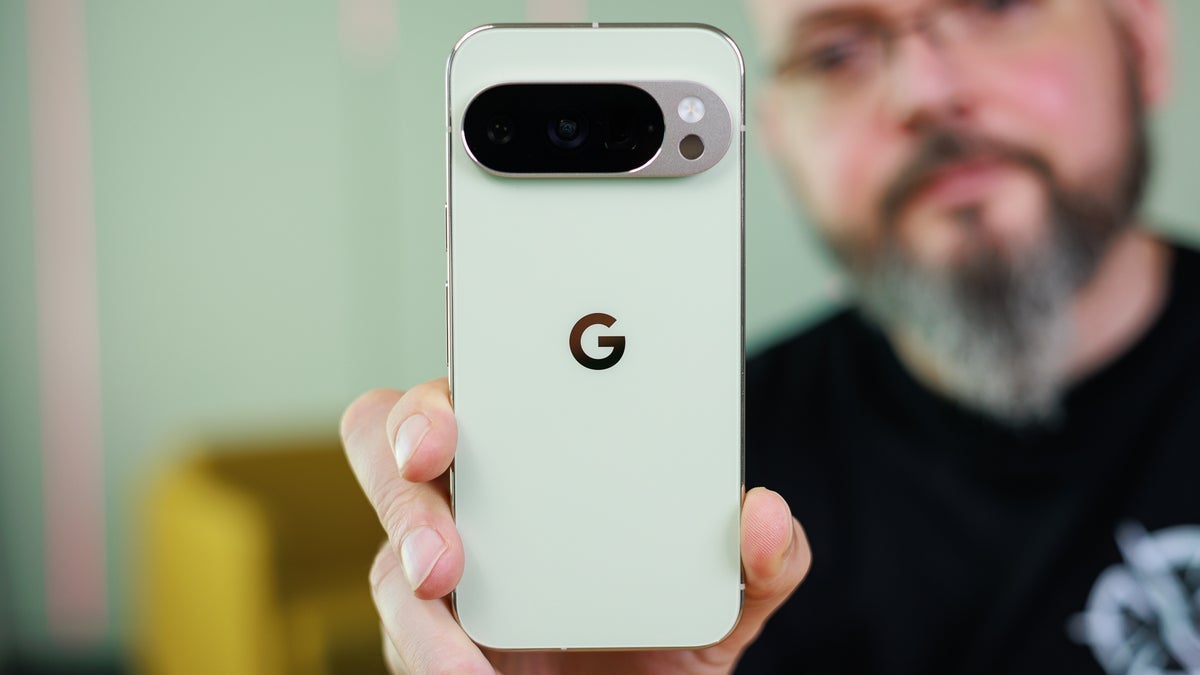
If you’re a dedicated Pixel user, one of the features you probably enjoy having is Now Playing. The latter uses on-device technology to quickly name a song being played within earshot of a Pixel phone. The name of the tune and the artist would appear on the bottom of the lock screen without any prompting from the Pixel user. In those cases when a song could not be discovered by the on-device technology, a message would appear under the fingerprint icon telling the user to tap the screen to identify the song.

Some Pixel users praised Google for returning the “Tap to see what’s playing” feature to Now Playing

Once the screen was tapped, a snippet of the song was sent via the cloud to Google’s servers where it was identified, and sent back via the cloud to the phone.The problem is that the “Tap to see what’s playing” option seemed to go away once Google released a standalone Now Playing app last month. On Friday, Google released an update of the Now Playing app taking it from version 2026.03.02.x to version 2026.03.24.x. 

A new transparent lozenge gives Pixel users one-handed access to a song identified by Now Playing

Here are some things that you should know. If your Pixel recognizes a song it hears and lists the name and artist near the bottom of phone’s lock screen, a single press on that data will show this information in a transparent lozenge under the fingerprint icon. It includes a picture of the album cover, the name of the song and the artist, a button to list the song as a like or dislike, and a button that will play the track from your default music streamer. This lozenge is set up to work with one-handed use. 

If you disable the Pixel’s always-on display to conserve battery life, the “Tap to see what’s playing” button will not appear. To allow your phone to conduct a search without unlocking the display, you can set up a Now Playing shortcut for your lock screen. Go to Settings > Display > Lock screen > Shortcuts > Now Playing. Choose to add the shortcut to the left or right corner.  
With the always-on screen disabled, if you hear a tune you’re interested in, long-press the Now Playing shortcut in the left or right corner, whichever side you selected. You will see the aforementioned transparent lozenge under the fingerprint icon. Another alternative is to check out the 2 x 1 Now Playing Quick Setting tile, which should have the correct song title and the name of the artist.

Get Visible as low as $20/mo for 1 year. Limited time offer with code: FRESHSTART

Offer Ends 6.1.2026 at 11.59pm ET. New members get $5/mo off the $25/mg Visible plan, $35/mo Visible+ plan, or $45/mo Visible+ Pro plan for the first 12 months. Promo code FRESHSTART required at checkout.


Buy at Visible

Read the latest from Alan Friedman

Sign Up For Daily Newsletter

Be keep up! Get the latest breaking news delivered straight to your inbox.
By signing up, you agree to our Terms of Use and acknowledge the data practices in our Privacy Policy. You may unsubscribe at any time.
Share This Article
Facebook Twitter Email Print
Share
What do you think?
Love0
Sad0
Happy0
Sleepy0
Angry0
Dead0
Wink0
Previous Article 5 Things To Know Before Buying A Refurbished Xbox Series X – BGR 5 Things To Know Before Buying A Refurbished Xbox Series X – BGR
Next Article Zhipu AI launches free AI agent as China’s tech race heats up · TechNode Zhipu AI launches free AI agent as China’s tech race heats up · TechNode
Leave a comment

Leave a Reply Cancel reply

Your email address will not be published. Required fields are marked *

Stay Connected

248.1k Like
69.1k Follow
134k Pin
54.3k Follow

Latest News

BYD, Leapmotor, and Xiaomi hit 2024 targets, on track for 2025 goals · TechNode
Computing
Dangerous “NoVoice” malware found in over 50 Play Store apps that were installed 2.3 million times
News
the reason is the laws of physics
Mobile
Goodbye Waze? This French GPS surprises with its functions that Google does not have!
Mobile

You Might also Like

Dangerous “NoVoice” malware found in over 50 Play Store apps that were installed 2.3 million times
News

Dangerous “NoVoice” malware found in over 50 Play Store apps that were installed 2.3 million times

4 Min Read
Samsung brings BP monitoring to Galaxy Watches in the US (Updated: Clarification on FDA approval)
News

Samsung brings BP monitoring to Galaxy Watches in the US (Updated: Clarification on FDA approval)

3 Min Read
Dynamic Languages Faster and Cheaper in 13-Language Claude Code Benchmark
News

Dynamic Languages Faster and Cheaper in 13-Language Claude Code Benchmark

5 Min Read
Here’s how NASA cleared the iPhone 17 Pro Max for astronauts on Artemis II – 9to5Mac
News

Here’s how NASA cleared the iPhone 17 Pro Max for astronauts on Artemis II – 9to5Mac

4 Min Read
//

World of Software is your one-stop website for the latest tech news and updates, follow us now to get the news that matters to you.

Quick Link

  • Privacy Policy
  • Terms of use
  • Advertise
  • Contact

Topics

  • Computing
  • Software
  • Press Release
  • Trending

Sign Up for Our Newsletter

Subscribe to our newsletter to get our newest articles instantly!

World of SoftwareWorld of Software
Follow US
Copyright © All Rights Reserved. World of Software.
Welcome Back!

Sign in to your account

Lost your password?