By using this site, you agree to the Privacy Policy and Terms of Use.
Accept
World of SoftwareWorld of SoftwareWorld of Software
  • News
  • Software
  • Mobile
  • Computing
  • Gaming
  • Videos
  • More
    • Gadget
    • Web Stories
    • Trending
    • Press Release
Search
  • Privacy
  • Terms
  • Advertise
  • Contact
Copyright © All Rights Reserved. World of Software.
Reading: Google Photos On Android Just Got A Feature It’s Needed For Years – BGR
Share
Sign In
Notification Show More
Font ResizerAa
World of SoftwareWorld of Software
Font ResizerAa
  • Software
  • Mobile
  • Computing
  • Gadget
  • Gaming
  • Videos
Search
  • News
  • Software
  • Mobile
  • Computing
  • Gaming
  • Videos
  • More
    • Gadget
    • Web Stories
    • Trending
    • Press Release
Have an existing account? Sign In
Follow US
  • Privacy
  • Terms
  • Advertise
  • Contact
Copyright © All Rights Reserved. World of Software.
World of Software > News > Google Photos On Android Just Got A Feature It’s Needed For Years – BGR
News

Google Photos On Android Just Got A Feature It’s Needed For Years – BGR

News Room
Last updated: 2026/04/08 at 11:16 AM
News Room Published 8 April 2026
Share
Google Photos On Android Just Got A Feature It’s Needed For Years – BGR
SHARE


Bangla press/Shutterstock

One of Google Photos’ top requested features just landed on Android, as the company announced that it’s now possible to change the playback speed of videos on the Android app. According to the Google Photos team, this has been one of the most requested features from the community, and it’s now available, as Google continues to make its Photos app the perfect CapCut alternative.

With this functionality, users can switch playback speed from 0.25x up to 4x, which can be perfect when you record a long video of a concert, a lecture, or any subject you might want to move through faster. Additionally, this functionality can also just speed up your video in general, as you can make a fun effect out of it, whether making it a lot faster or a lot slower. With this, Google continues to power up Google Photos with more perks.

It’s worth noting that, for now, this new feature is only available on Android’s Google Photos app, and it’s unclear when Google plans to roll it out on the Google Photos app for iOS. However, iOS users eventually getting the feature is likely, as Google generally doesn’t neglect them, and sometimes even releases its own apps on iOS first.

Here’s how to change the speed of your video
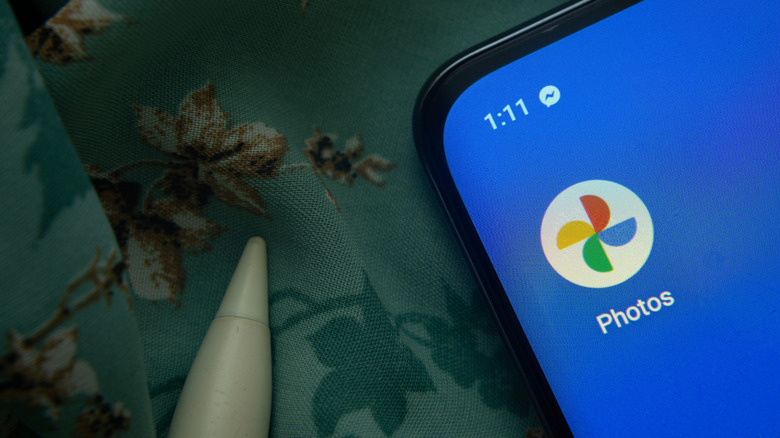

The Google Photos app icon is seen on a smartphone
Bangla press/Shutterstock

Google doesn’t specify which version of Android you should be running, but it’s important to keep your device and Google Photos app up to date. With that, open the Google Photos app on your device to change the speed of your recording. At the top right of the selected video, you can tap More and then Playback speed. By choosing the option you want, the speed will be adjusted automatically.

While the ability to watch videos at different speeds in the Google Photos app may be new, users have long been able to change the playback speed of videos permanently by editing them. After selecting a video, tap Edit, and then Speed. You can select a part of the video to change its speed, touch and hold, then drag the trim handles. You can speed up your video to 2x or 4x or slow it down to 1/4x or 1/2x. Once you’re done, you can save a copy by choosing Save.

This feature is also available for iOS and iPadOS. On your iPhone or iPad’s Google Photos app, select a video, go to Edit, and then Speed. You can speed up or slow down the video in the same way you can on Android, and then just save a copy.




Sign Up For Daily Newsletter

Be keep up! Get the latest breaking news delivered straight to your inbox.
By signing up, you agree to our Terms of Use and acknowledge the data practices in our Privacy Policy. You may unsubscribe at any time.
Share This Article
Facebook Twitter Email Print
Share
What do you think?
Love0
Sad0
Happy0
Sleepy0
Angry0
Dead0
Wink0
Previous Article Irene Mwendwa wants to make the internet safer for women leaders Irene Mwendwa wants to make the internet safer for women leaders
Next Article Accenture buys the Spanish company Keepler to improve its AI and data areas Accenture buys the Spanish company Keepler to improve its AI and data areas
Leave a comment

Leave a Reply Cancel reply

Your email address will not be published. Required fields are marked *

Stay Connected

248.1k Like
69.1k Follow
134k Pin
54.3k Follow

Latest News

Interior design at 25,000 mph
News
MacBook Neo can reach 1TB storage – but you’ll need some skills
Gadget
Get Microsoft Office essentials for less than  each with this lifetime license
Get Microsoft Office essentials for less than $5 each with this lifetime license
News
How I Built a Persistent AI Persona That Passed Cognitive Testing (And What Broke Along the Way) | HackerNoon
Computing

You Might also Like

Interior design at 25,000 mph
News

Interior design at 25,000 mph

16 Min Read
Get Microsoft Office essentials for less than  each with this lifetime license
News

Get Microsoft Office essentials for less than $5 each with this lifetime license

3 Min Read

1440 Is Just What the News Needs

0 Min Read
5 Affordable Cameras That Make Photography More Fun – BGR
News

5 Affordable Cameras That Make Photography More Fun – BGR

12 Min Read
//

World of Software is your one-stop website for the latest tech news and updates, follow us now to get the news that matters to you.

Quick Link

  • Privacy Policy
  • Terms of use
  • Advertise
  • Contact

Topics

  • Computing
  • Software
  • Press Release
  • Trending

Sign Up for Our Newsletter

Subscribe to our newsletter to get our newest articles instantly!

World of SoftwareWorld of Software
Follow US
Copyright © All Rights Reserved. World of Software.
Welcome Back!

Sign in to your account

Lost your password?