If you want to stay updated wherever you go and without looking at your phone, waveguide smart glasses might be the answer. They can put maps, messages, and other useful info directly in front of your eyes, and promise a future where your phone might feel obsolete. Right now, though, they’re a mix of potential and frustration.
After testing multiple models, I can confidently say that waveguide smart glasses are the future of wearable tech. That’s because they focus on visual information. Depending on how fast you read or can understand a diagram, a visual response to a question can be understood much more quickly than a spoken one. For example, a map with a route and big arrows that tell you when to turn is a lot more useful than having directions read to you. Likewise, subtitles that appear as a person speaks will keep you more engaged in a conversation with a language barrier, rather than waiting for the translation to be spoken. You could look at the ingredients in your fridge and immediately get a recipe for a meal you can cook with them. Waveguide smart glasses can perform these tasks, to varying degrees of success.
None of the models I’ve tried have been successful enough to rely on in day-to-day use, though. Their functionality is limited, fragmented, unpolished, and in some cases practically unusable. It depends on the model, but even the best of the best that I’ve tested have had many issues.
The Best Waveguide Glasses I’ve Tested
Even so, the potential is undeniable. They just need more polish, standardized features, and better third-party support before they’re worth buying. With that in mind, I’m going to tell you the top three reasons why they aren’t worth your money just yet.
1. The Biggest Problem Is Right in Front of Your Eyes
Waveguide display smart glasses have one big thing in common: The color green. The Even Realities G2, Rokid Glasses, and Vuzix Z100 have monochrome screens that project the color green, and that’s it. That’s fine for text and simple drawings, but downright stifling for anything else.
The Even G2’s navigation mode (Credit: Will Greenwald)
This is the biggest issue with most current waveguide glasses, and it’s hard to get past. The Even G2 is one of the most usable waveguide smart glasses I’ve tested, but I have a hard time recommending it because I know color displays will be the standard within the next year or two. The monochrome waveguide display will go the way of black-and-white TVs.
I’m confident in this because I’ve already used a few smart glasses with color waveguide displays. The Meta Ray-Ban Display is the most prominent, and it has the best picture quality of any publicly available waveguide smart glasses I’ve tested. The latest Snap Specs also feature color displays and look great, though they’re currently only available as developer hardware. I wouldn’t be surprised to see new, user-ready Specs show up in stores by the end of the year, though.

The color display on the Meta Ray-Ban Display (Credit: Will Greenwald)
Even with color, waveguide displays could use a little more time in the oven. Their resolutions and fields of view are very limited. The Meta Ray-Ban Display can only cover 20% of your field of view with a 600-by-600 image. Those aren’t a lot of pixels to work with, and they can usually only appear in the center of your vision. Higher resolutions and wider fields of view would give these glasses a lot more options in how and where they show you information. For example, you could see a tiny map in the corner of your eye while walking down the street with your vision otherwise unobstructed, then sit down and read a news story in the middle of your sight.
Besides those improvements, color waveguide displays have to shrink further. The color waveguide glasses I’ve used have been much bulkier than monochrome waveguide glasses, seemingly because the microprojectors they use are larger than green-only projectors. Your taste might vary, but I found the Meta Ray-Ban Display to be just a bit too big to pass off as regular glasses. Before I even explained what they were to a friend, he called me wearing them “a choice.”

Watch These Smart Glasses Translate Language in Real Time | All Things Mobile
2. Controlling Them Is Still a Mess
Waveguide glasses are also AI glasses, so you can use your voice to control them. That said, for any kind of precision or speed, you should be able to directly interact with the visual interface. Tapping is faster than speaking, with or without AI. Control schemes for these glasses are still developing, and there hasn’t been a really good, consistent system for them yet.

The Even Realities G2 smart glasses work with an optional smart ring accessory (Credit: Will Greenwald)
Most waveguide glasses, like the Even G2 and Rokid Glasses, rely on tiny touch strips on the temples. They work well enough for simple scrolling and menu selection, but they’re also very finicky. Even offers the R1 smart ring as an alternate control method, using it as a touch surface for easier, more intuitive swiping. It’s a $250 accessory on top of a $600 pair of glasses, though, and is awkward and inconsistent.

Get Our Best Stories!
Your Daily Dose of Our Top Tech News

By clicking Sign Me Up, you confirm you are 16+ and agree to our Terms of Use and Privacy
Policy.
Thanks for signing up!
Your subscription has been confirmed. Keep an eye on your inbox!
Then there’s the Meta Ray-Ban Display, which has the best control system and interface I’ve seen in the category by far. It uses a wristband called the Neural Band that detects hand gestures from electrical impulses in your arms. The Neural Band lets you control the glasses by using the side of your index finger as a touchpad, swiping your thumb in different directions to navigate menus. Tapping your thumb to that “pad,” or to the tips of your index or middle fingers, is another gesture. You can even adjust volume or zoom by holding your thumb and index finger together and rotating your wrist. It works relatively well and is aided by a polished interface that’s easy on the eyes, thanks to the color display.

The Meta Ray-Ban Display’s Neural Band works better than any other smart glasses’ controls, but is awkward in several ways (Credit: Will Greenwald)
Even the Neural Band has issues; swiping and wrist-turning gestures were inconsistent in my tests. The band itself is also a bit awkward, because you need to wear it further down your arm than you would a smartwatch or fitness tracker. However, you can’t wear it so far down that wearing one of those devices on the same arm doesn’t feel cramped and weird. There’s a lot of potential here, but it needs to be more comfortable and reliable.
3. No Two Pairs Do the Same Thing Well
Even if you can easily control your waveguide smart glasses, they need to actually do something useful to be worthwhile. There is no single consistent feature set across the various models, but standard features you’ll typically see include an AI assistant, live speech captioning and language translation, displaying and responding to texts and other notifications, making phone calls, playing music and podcasts, taking photos and videos, and navigation.
Recommended by Our Editors
These features are pretty mix-and-match. The Even G2 doesn’t output sound, so you can’t listen to audio or make calls. It also lacks a camera, which means it lacks machine vision and can’t take photos or videos (though I think that is a pretty even trade-off since it helps ensure privacy both for you and others around you, and makes the glasses much lighter and stealthier).
The G2’s limitations don’t come close to the Meta Ray-Ban Display’s massive omission, though. Meta’s waveguide glasses don’t support notifications. It will notify you if you receive a phone call, a text, or a message through Meta’s supported social apps, but nothing else. No Discord, no Slack, no Bluesky, nothing. It’s so limiting that, while I was excited about seeing how the latest, hottest waveguide glasses could help me when covering CES, I left the Display at home and took the Even G2 with me instead. I didn’t miss the camera (I had my phone) or the audio (I had my earphones), but I would have missed every message from my colleagues at the show through Slack if I brought the Meta glasses. The Even G2’s messages popped up reliably at the show, at least outside of the Wi-Fi-choked halls.

Rokid’s interface includes a lyrics feature that doesn’t work with any music services in North America (Credit: Will Greenwald)
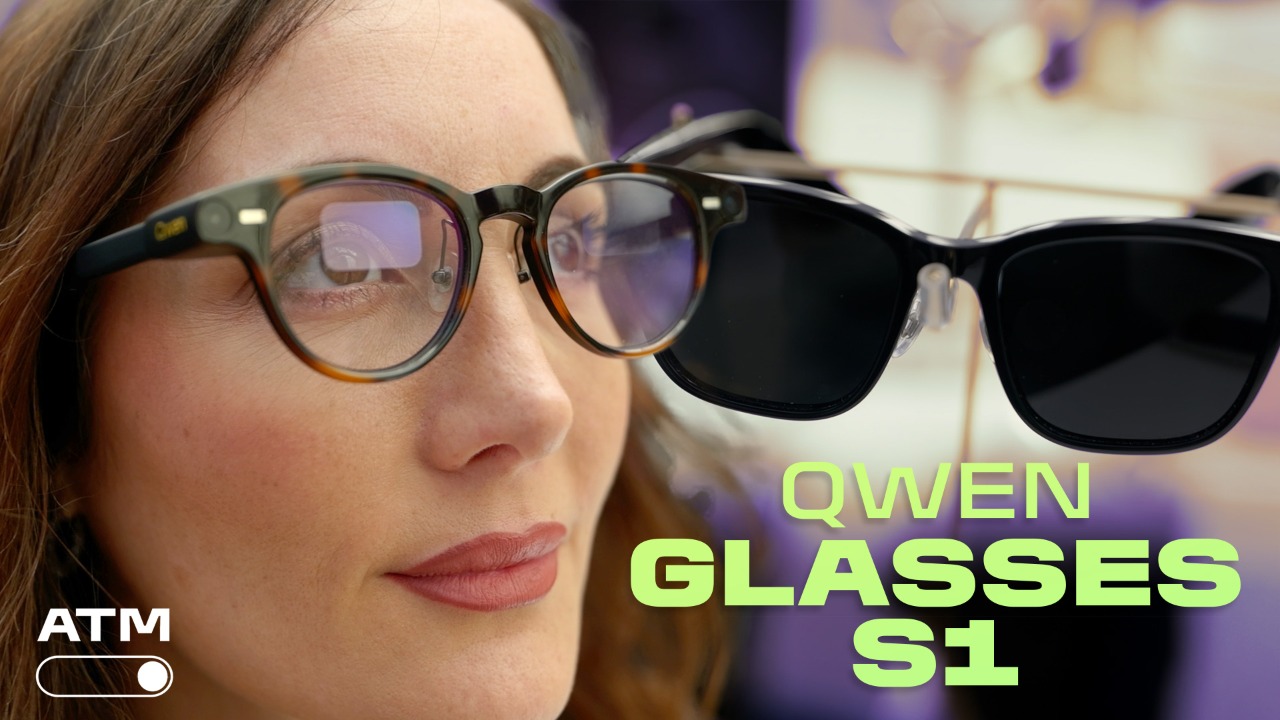
For the features the two glasses share, and that most other waveguide glasses have, they’re extremely inconsistent. The G2 and Rokid Glasses offer fairly reliable live captioning and translation in dozens of languages, while Meta’s glasses offer only four. The Meta Ray-Ban Display has very good navigation with an easy-to-read map, but only in some regions. Meanwhile, the G2 is slower and much less accurate. And the Rokid Glasses? It lacks navigation functionality. Rokid Glasses does, however, have a feature that displays lyrics, but it isn’t compatible with any streaming services available in North America. As for AI, Meta and Even use their own LLMs, while Rokid lets you choose between ChatGPT and Qwen for both spoken interaction and machine vision.
Also, there’s not much of an app ecosystem for these glasses. Even just launched the Even Hub for the G2, a platform for third-party developers, and currently the only actual app store available for waveguide smart glasses. It shows a lot of promise, but most of the apps on it for now are very clunky or seem like proofs of concept rather than software designed to add functionality to the glasses. Even with a development platform, apps on the G2 face the other two big problems of current waveguide glasses: low-resolution, monochrome displays and very limited controls. When all you can do is tap or swipe left or right on a single touch surface, like on the G2, precise interaction is difficult.
The Meta Ray-Ban Display has several built-in apps that tie into Meta’s services like Facebook Messenger and WhatsApp, but there’s no app store. On that note, I don’t see much in the way of third-party additions coming to the glasses.
This entire category needs to open up so other developers can create software that extends the glasses’ functionality and offers alternatives if you aren’t satisfied with the default feature set. This isn’t happening on current waveguide glasses. It is, however, happening in future smart glasses, hopefully with unified platforms, so developers don’t have to focus on making apps for just one brand’s devices.
About Our Expert

Will Greenwald
Principal Writer, Consumer Electronics
Experience
I’m PCMag’s home theater and AR/VR expert, and your go-to source of information and recommendations for game consoles and accessories, smart displays, smart glasses, smart speakers, soundbars, TVs, and VR headsets. I’m an ISF-certified TV calibrator and THX-certified home theater technician, I’ve served as a CES Innovation Awards judge, and while Bandai hasn’t officially certified me, I’m also proficient at building Gundam plastic models up to MG-class. I also enjoy genre fiction writing, and my urban fantasy novel, Alex Norton, Paranormal Technical Support, is currently available on Amazon.
Read Full Bio