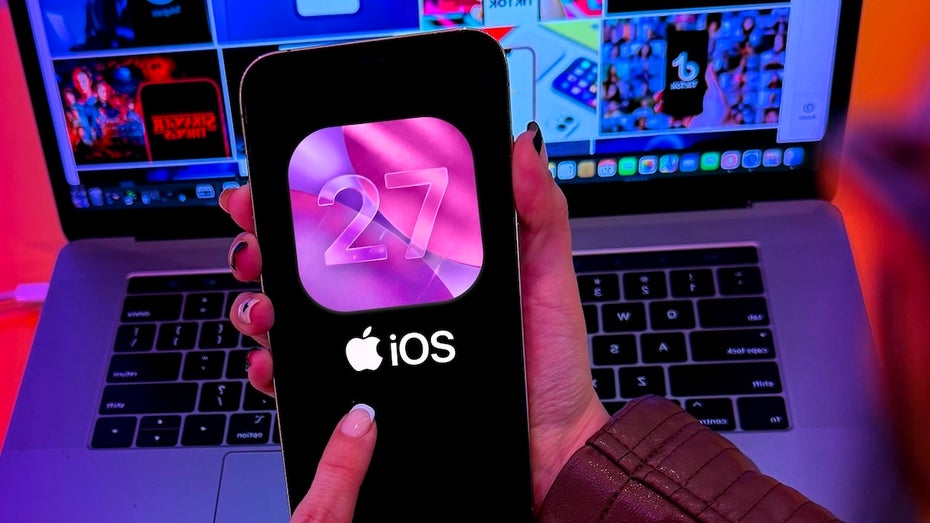
With iOS 27, Apple should place a strong focus on optimization and stability of the operating system. Accordingly, it is not surprising that the list of innovations is not that long. Nevertheless, there are a handful of features that should delight iPhone users even with iOS 27. We have summarized for you what these are and what else awaits you. Using the navigation you can quickly reach the points that interest you most.
When will iOS 27 be released?
We will probably find out what iOS 27 has in store as early as June 8, 2026. Then Apple will hold this year’s WWDC and give an outlook on the update. Shortly after the presentation, the first developer beta should be released. App programmers can take an early look at the update and adapt their applications to the new iOS version. The developer beta usually reveals further subtleties and new features of iOS.
Editorial recommendations
${content}
${custom_anzeige-badge}
${custom_tr-badge}
${section}
${title}
If the developer beta does not cause any major problems, the public beta phase should follow in July 2026. Then all iPhone users can install and try out iOS 27 before the official release. Smaller errors can occasionally occur. That is also the purpose of the beta, to eliminate these bugs before the final release. The release should then take place in September – together with parts of the next iPhone generation.
For which iPhones will iOS 27 be released?
As always with a major system update, the question arises as to which devices are no longer current enough to receive the update. At Apple, this question is answered quite easily: iOS 27 will only be released for devices starting with the iPhone 12. This meant that the iPhone 11, iPhone 11 Pro, iPhone 11 Pro Max and the second generation iPhone SE were no longer included in the update cycle. The devices in question will probably still be provided with security updates in the coming years. So you don’t have to replace them directly when iOS 27 is released.
iOS 27: Big updates for Siri and Apple Intelligence

Is Siri finally getting the upgrade we were hoping for? (Photo: Shutterstock / Piotr Swat)
With iOS 27, Siri is primarily getting a big makeover that Apple promised years ago. This means: First, the iPhone voice assistant gets its own app. The application is intended to be a central point of contact for conversations with the AI-powered Siri, similar to the apps from Claude, Gemini and ChatGPT. The app should open system-wide via a context-sensitive button called “Ask Siri” and allow new conversations to be started.
In general, Apple probably wants to make Siri easier to use and access. A chat bar for the voice assistant should also be located in the iPhone’s control center. If you enter a prompt there, rumor has it that on newer iPhones the answer will initially be displayed in a shortened version within the Dynamic Island. If you then tap on it, Siri’s entire response will open.
But what makes Siri better after the iOS 27 update? Thanks to an AI upgrade, the voice assistant should in the future be able to understand and process more complex tasks one after the other. In theory, you can ask Siri to search your calendar for possible dates for a meeting and then send an email to all participants including the invitation.
In addition, Siri with iOS 27 should search the Internet for information for you and access context from other apps in order to be able to answer prompts even more personally and precisely. Last but not least, the AI will probably be able to scan photos for phone numbers and addresses in the future and add them directly to your phone book. The same applies when photographing nutritional information. Once you take a photo of this on food packaging, the information will be added to Apple Health.
This is possible because Apple is ditching its ambitious plans for in-house AI – and relying on outside help instead. In the future, the voice assistant will largely run on Google’s Gemini models. But that shouldn’t be the end. With iOS 27, Apple wants to give you even more AI freedom. After the update, you are apparently free to choose which AI should drive Apple Intelligence – and therefore Siri. In the first step, Claude should also be available for selection alongside Gemini. However, Apple is said to be in discussions with other AI companies for future integrations.
New camera options and AI image editing
Apple is also expected to make some adjustments to the camera app with iOS 27. This means that all setting options can be adapted to your preferences. According to rumors, you can freely choose which options are displayed, where they are positioned and what you can avoid when taking videos and photos. The options are divided into three widget categories: “Basic” includes the flash, a timer and live photos, while “Manual Widgets” include lighting settings, photo styles and manual focus. Last but not least, there are the “Setting Widgets” for guides and various image formats.
Also exciting for photo enthusiasts: Apple is introducing new AI options for image editing with iOS 27. While unwanted objects can already be removed from images using AI, three further features are intended to complement the offer. Images can be expanded beyond the existing edges, automatic adjustments to lighting and sharpness can be made, or the perspective of 3D images can be changed subsequently.
Other minor innovations under iOS 27
- The Apple Wallet is set to receive an upgrade that will allow a large number of tickets and ID cards to be stored in the future. If the tickets have a QR code, you can simply scan it with the app and save a digital image of it. For example, you can leave your physical ticket at home when you go to a concert or your gym membership card.
- The Image Playground should also get an AI upgrade. The “Describe a change” option can be used to initiate adjustments to AI-generated images using natural language. In addition, the underlying model has been improved to create more realistic images and less frequent use of cartoon styles.
- AI-powered text features will be improved with iOS 27. In the future, the spell checker should also detect grammatical errors instead of just spelling errors. In addition, the AI learns your writing style over time and should use this to suggest recommendations for certain formulations.
- Safari is getting a redesign. With iOS 27, the browser’s home page will consist of four tabs: Favorites, Bookmarks, History and articles saved to read later. Apple Intelligence is also designed to help you keep track. If you create a group with multiple tabs, the AI automatically generates a suitable name based on its contents.
- With iOS 27, the Liquid Glass design will probably have options to better adjust the transparency. Design adjustments should also ensure that users can easily distinguish between static and interactive elements. Last but not least, performance has been improved so that the design puts less strain on iPhone batteries.
- Apple should also clean up the settings for Airpods. A new interface is intended to provide a better overview and faster access to the most important options. However, Apple is probably not planning a standalone app for the headphones.
- Due to EU regulations, users will in future be able to choose between several streaming options on the iPhone and will not only have to rely on Apple’s own Airplay solution. For example, Google Cast could be used to stream content from the iPhone to a television.
Do you already know these iPhone features?

You probably don’t know these iPhone functions yet
See more in Google News:

Top Article
${content}
${custom_anzeige-badge}
${custom_tr-badge}
${section}
${title}