To create a text document, a spreadsheet, or a presentation, users often all have the same reflex: use Microsoft’s Office suite. The various tools in Microsoft’s office suite are so widely used that their name has entered common use, without anyone paying any attention to it anymore.
Who has never heard someone talk about a Word document, an Excel table, or a PowerPoint presentation? Yet Microsoft isn’t the only publisher offering a solid office suite with which to create documents. There are obviously other players on a global scale who offer standalone or online software. Apple, for example, offers its own office tools (Pages, Numbers and Keynote), which can be installed for free on any Apple device, and can also be used from a web browser in an online version, accessible on iCloud.
Google also offers its own office tools. But the Mountain View giant’s tools are only accessible from a web browser. These are the famous Google Docs. But all these solutions have one thing in common: that of being offered by an American Tech giant.
However, on a European scale, there are office suites that are just as effective, and which clearly have nothing to envy of the tools offered by Microsoft, Apple and Google. And, the good news is that there are “standalone” European solutions for the general public, which are physically installed on your computer, and work locally, without any Internet connection being required (except to carry out updates obviously).
Unfortunately, these alternatives are still too few in number. While there are several online solutions, the solutions that can be installed locally on a machine can be counted on the fingers of one hand. Here are the ones we selected.
When it comes to alternatives to Microsoft Office, LibreOffice is usually the first instinct. And for good reason, the free and open source office suite from The Document Foundation has been around for 15 years already. Derived from the OpenOffice project (the office suite, not the firewall 😉), LibreOffice is managed from Berlin in Germany, by a foundation whose goal is to ensure the sustainability of the project.
LibreOffice has always made transparency and software freedom its main focus. The office suite thus uses and promotes open standards, such as OpenDocumentFormat (ODF), the objective of which is to free users from the lock-in of proprietary formats and suppliers. With LibreOffice, The Document Foundation also intends to eliminate the digital divide by offering free and unlimited productivity tools, all while preserving users’ native languages. LibreOffice can indeed congratulate itself on being translated into 114 languages thanks to the work of its community.
LibreOffice clearly has nothing to envy of an office suite like that of Microsoft. It indeed includes solid alternatives which no longer have to prove their effectiveness compared to software like Word, Excel and PowerPoint.
The Document Foundation office suite thus integrates six tools: Writer, a word processing tool, Calc, a spreadsheet editor, Impress, a solution for creating presentations, Draw, a drawing tool that can be used to create simple diagrams and 3D illustrations, Base, a database manager, and finally Math, a utility for editing mathematical formulas.
Developed in Germany by Softmaker, FreeOffice is an office suite which presents itself as “the best free alternative to Microsoft Office”. Its use is completely free for both private and commercial use. As FreeOffice is a German office suite, it emphasizes privacy and strictly complies with GDPR requirements.
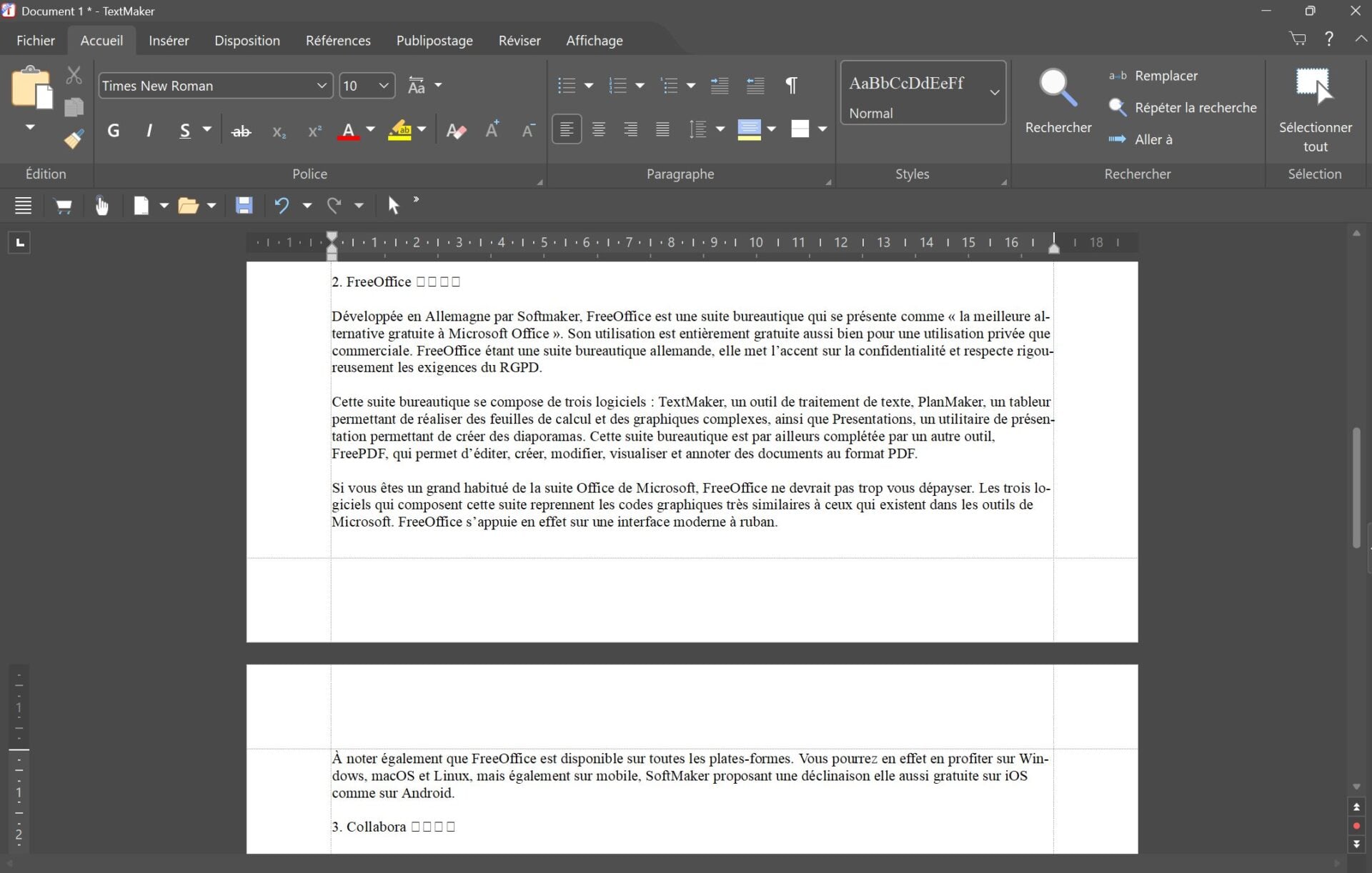
This office suite consists of three software programs: TextMaker, a word processing tool, PlanMaker, a spreadsheet for creating complex spreadsheets and graphics, as well as Presentations, a presentation utility for creating slideshows. This office suite is also complemented by another tool, FreePDF, which allows you to edit, create, modify, view and annotate documents in PDF format.
If you are used to Microsoft’s Office suite, FreeOffice should not disorient you too much. The three software programs that make up this suite use graphic codes very similar to those that exist in Microsoft tools. FreeOffice is based on a modern ribbon interface.
Also note that FreeOffice is available on all platforms. You will be able to benefit from it on Windows, macOS and Linux, but also on mobile, SoftMaker offering a version also free on iOS as well as on Android.
Based on LibreOffice source code, Collabora Office for desktop is an open source office suite designed in the United Kingdom. Available on Windows, macOS and Linux, Collabora Office desktop benefits from a modern interface using a banner system similar to what Microsoft offers on Office.
The desktop version of Collabora Office covers the essential needs in terms of office tools and offers very good interoperability with file formats generated by Microsoft’s office suite, in addition to open formats.
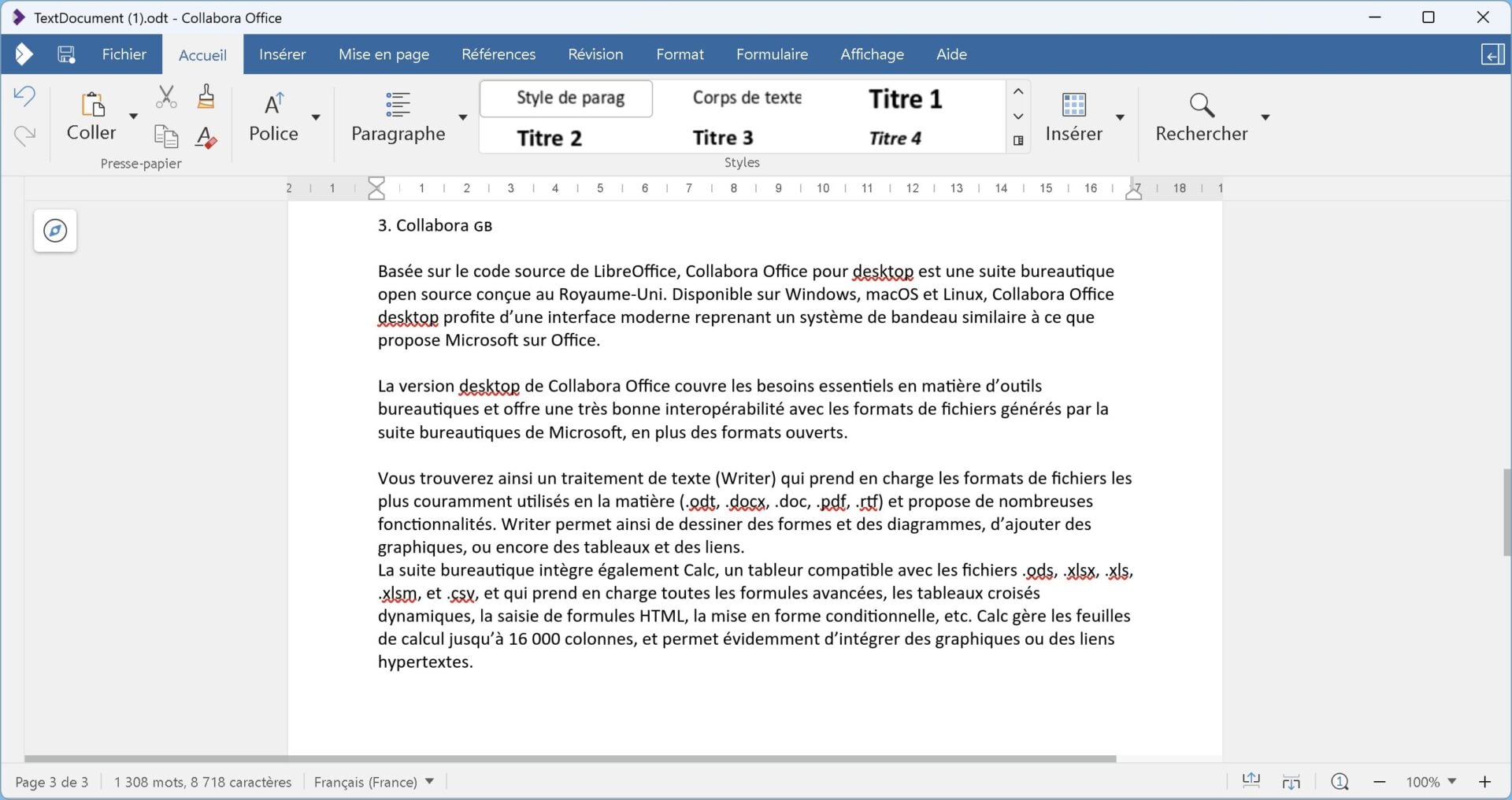
You will find a word processor (Writer) which supports the most commonly used file formats in this area (.odt, .docx, .doc, .pdf, .rtf) and offers many features. Writer allows you to draw shapes and diagrams, add graphics, or even tables and links.
The office suite also includes Calc, a spreadsheet compatible with .ods, .xlsx, .xls, .xlsm, and .csv files, and which supports all advanced formulas, pivot tables, HTML formula entry, conditional formatting, and more. Calc manages spreadsheets with up to 16,000 columns, and obviously allows you to integrate graphics or hypertext links.
You can also generate presentations with Impress, compatible with .odp, .ppt and .pptx formats, or draw with Draw.
The case of ONLYOFFICE is a bit special. The history of the project dates back to 1998. At the time, the Russian development team created TeamLab, a collaborative software, ancestor of ONLYOFFICE.
To be able to manage the product internationally, the team decided to create, in 2009, a company in Latvia, named Ascensio System SIA. This company, which officially owns the software, renames it ONLYOFFICE and becomes open source. As of 2019, the Russian business of ONLYOFFICE is separated and resold locally under a new name, R7-Office. Today, ONLYOFFICE is run by a Latvian company, with a broader international organization. Since 2023, ONLYOFFICE and the Latvian company Ascensio System SIA have been controlled by a British structure, itself managed by a holding company in Singapore, ONLYOFFICE Capital Group Pte. Ltd.
“All intellectual property rights related to ONLYOFFICE are held in Latvia” explains ONLYOFFICE in a blog post dedicated to this subject.
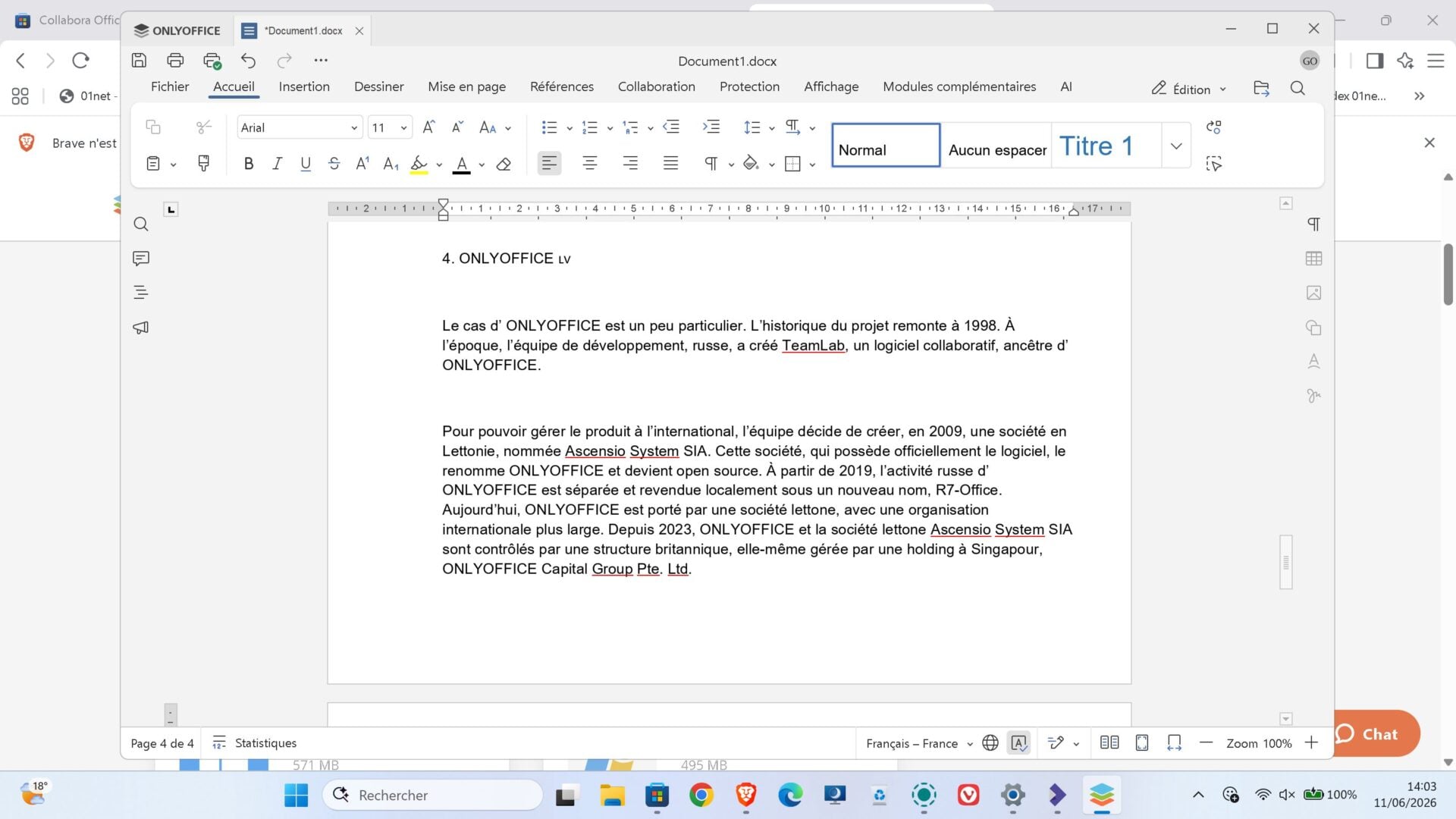
In its desktop version, the office suite therefore includes five software programs: a complete word processor, a spreadsheet supporting more than 400 functions and formulas, a presentation tool similar to PowerPoint, a forms editor, as well as a PDF document editor. Please note that ONLYOFFICE supports the most popular file formats (including Microsoft Office .docx, .xlsx and .pptx) in addition to open file formats (.odt, .ods, .odp).
As with competitors, ONLYOFFICE offers an interface modeled on that offered by Microsoft in the various tools of its Office suite. You should therefore not see your habits be disrupted by abandoning Microsoft Office for ONLYOFFICE.
Note that ONLYOFFICE serves as the basis for the European office suite Euro Office, the availability of which is imminent, but reserved for businesses. A general public version of this new sovereign office suite, developed by IONOS and Nextcloud, is nevertheless in preparation.
👉🏻 Follow tech news in real time: add 01net to your sources on Google, and subscribe to our WhatsApp channel.