

By using this site, you agree to the Privacy Policy and Terms of Use.
Accept
World of SoftwareWorld of SoftwareWorld of Software
  • News
  • Software
  • Mobile
  • Computing
  • Gaming
  • Videos
  • More
    • Gadget
    • Web Stories
    • Trending
    • Press Release
Search
  • Privacy
  • Terms
  • Advertise
  • Contact
Copyright © All Rights Reserved. World of Software.
Reading: Can You Use A Roku Without Internet? – BGR
Share
Sign In
Notification Show More
Font ResizerAa
World of SoftwareWorld of Software
Font ResizerAa
  • Software
  • Mobile
  • Computing
  • Gadget
  • Gaming
  • Videos
Search
  • News
  • Software
  • Mobile
  • Computing
  • Gaming
  • Videos
  • More
    • Gadget
    • Web Stories
    • Trending
    • Press Release
Have an existing account? Sign In
Follow US
  • Privacy
  • Terms
  • Advertise
  • Contact
Copyright © All Rights Reserved. World of Software.
World of Software > News > Can You Use A Roku Without Internet? – BGR
News

Can You Use A Roku Without Internet? – BGR

News Room
Last updated: 2025/12/14 at 12:09 PM
News Room Published 14 December 2025
Share
Can You Use A Roku Without Internet? – BGR
SHARE


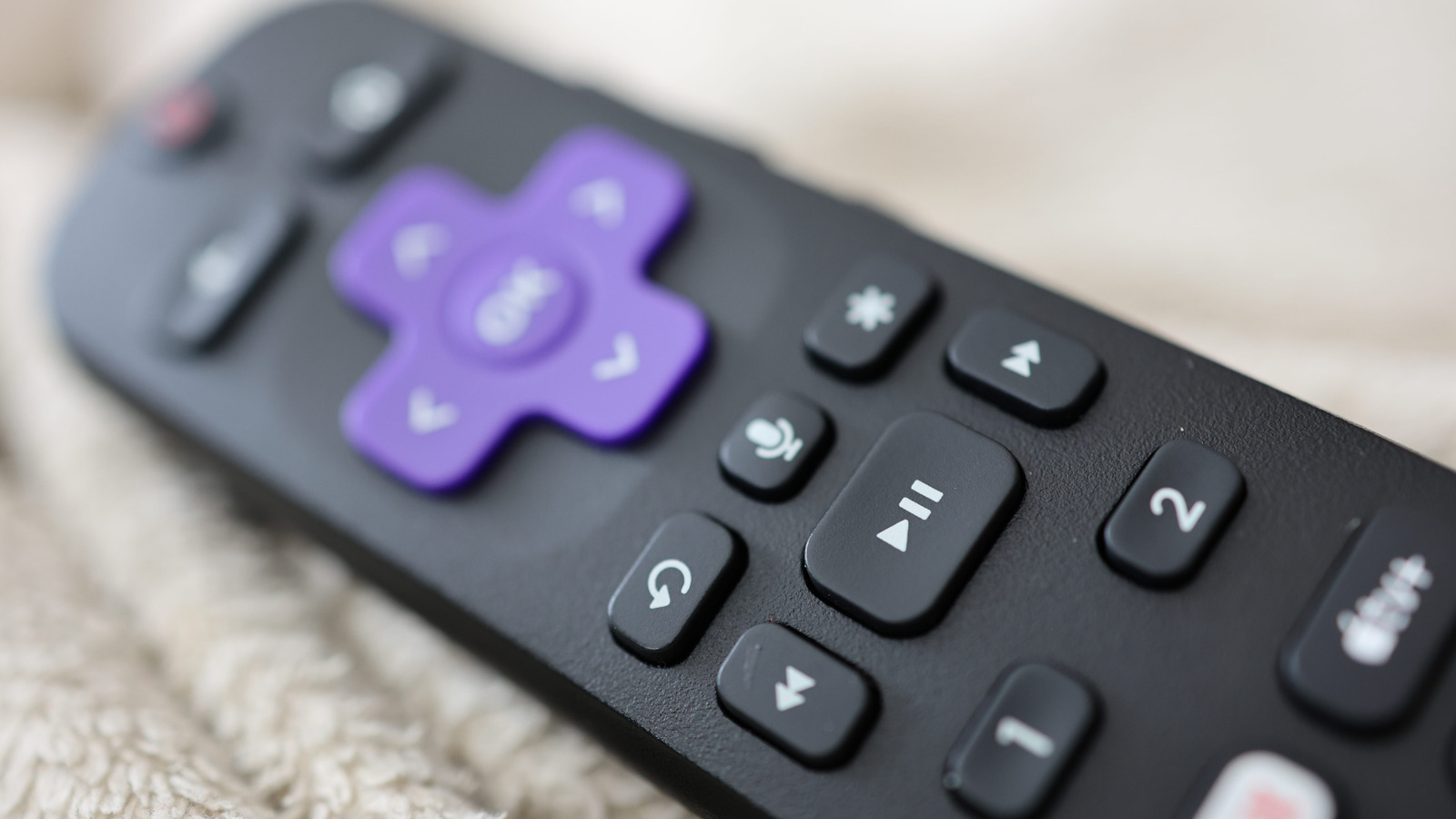
Joshua Westbrook/Getty Images

We may receive a commission on purchases made from links.

Using a Roku streaming device to watch movies and TV shows doesn’t require much more than an internet connection. You won’t need to pay for cable, and you won’t be charged for having a Roku account. But does this mean that when your Wi-Fi network is down, your Roku device is completely useless?

Similar to a smart TV without internet, a Roku device will literally work when it’s not connected to your Wi-Fi. That said, you’ll be pretty limited in what you can actually do without web access. None of your Roku’s streaming apps (e.g., Netflix, Hulu, Disney+, etc.) will actually function, and even the clock in the top-right corner of Roku OS won’t display. However, not all Roku users will be totally out of luck.

If you happen to own the Roku Ultra, Roku Streambar SE, or any older Roku device with a USB input, you should still be able to use the Roku Media Player app to watch, view, or listen to files you have loaded on a USB flash drive or other type of external storage.

The latest version of the Roku Ultra has a USB 3.0 connection and supports numerous video, audio, and image formats, including MKV, MP4, MOV, FLAC, AAC, JPG, and PNG. The Roku Streambar SE offers similar file support but uses a USB 2.0 connection.

Using Roku’s Media Player when the Wi-Fi’s out

The Roku Media Player app is free, though it will require an internet connection to download it. If you don’t have access to Wi-Fi, head to a friend or family member’s house and use theirs. Once the Roku Media Player is added to your Roku account, you should be able to use the app offline. Technically, you can also use your buddy’s Wi-Fi to download other essential Roku TV apps, but remember: once you disconnect from the internet, these streaming apps won’t function.

The Media Player app supports external drives that use the FAT16, FAT32, NTFS, EXT2, EXT3, exFAT, and HFS+ file systems. Conveniently, you’ll also be able to connect a USB hub to your Roku’s USB port if you want to plug in more than one external drive at a time.

Selecting content is as simple as choosing the USB drive you want to use from the Media Type selection screen. Then, use your device remote to search for the media you’d like to play, then press OK or play-pause to load the content.

There are several tips and tricks to making the most of your Roku, and the Media Player app can be a true ace in the hole when your network goes down.



Sign Up For Daily Newsletter

Be keep up! Get the latest breaking news delivered straight to your inbox.
By signing up, you agree to our Terms of Use and acknowledge the data practices in our Privacy Policy. You may unsubscribe at any time.
Share This Article
Facebook Twitter Email Print
Share
What do you think?
Love0
Sad0
Happy0
Sleepy0
Angry0
Dead0
Wink0
Previous Article I’m finally beginning to trust Microsoft’s handheld Xbox I’m finally beginning to trust Microsoft’s handheld Xbox
Next Article Grading our 2025 enterprise technology predictions –  News Grading our 2025 enterprise technology predictions – News
Leave a comment

Leave a Reply Cancel reply

Your email address will not be published. Required fields are marked *

Stay Connected

248.1k Like
69.1k Follow
134k Pin
54.3k Follow

Latest News

The Enterprise Architecture for Scaling Generative AI | HackerNoon
Computing
‘Our industry has been strip-mined’: video game workers protest at The Game Awards
News
2 Days Left! How to Claim Up to ,500 From AT&T’s 7 Million Data Breach Settlement
2 Days Left! How to Claim Up to $7,500 From AT&T’s $177 Million Data Breach Settlement
News
China sees 400% y-o-y growth in humanoid robotics hiring in first five months of 2025 · TechNode
Computing

You Might also Like

‘Our industry has been strip-mined’: video game workers protest at The Game Awards
News

‘Our industry has been strip-mined’: video game workers protest at The Game Awards

5 Min Read
2 Days Left! How to Claim Up to ,500 From AT&T’s 7 Million Data Breach Settlement
News

2 Days Left! How to Claim Up to $7,500 From AT&T’s $177 Million Data Breach Settlement

12 Min Read
Best smart speaker deal: Save  on the Sonos Era 100
News

Best smart speaker deal: Save $50 on the Sonos Era 100

3 Min Read
Only Ukraine can teach NATO how to combat Putin’s growing drone fleet
News

Only Ukraine can teach NATO how to combat Putin’s growing drone fleet

8 Min Read
//

World of Software is your one-stop website for the latest tech news and updates, follow us now to get the news that matters to you.

Quick Link

  • Privacy Policy
  • Terms of use
  • Advertise
  • Contact

Topics

  • Computing
  • Software
  • Press Release
  • Trending

Sign Up for Our Newsletter

Subscribe to our newsletter to get our newest articles instantly!

World of SoftwareWorld of Software
Follow US
Copyright © All Rights Reserved. World of Software.
Welcome Back!

Sign in to your account

Lost your password?