We may receive a commission on purchases made from links.
The Roku brand is well known for its streaming products. These consist of Roku Streaming Sticks, Roku TVs, and television sets with Roku built in. However, Roku didn’t put all its eggs into this streaming entertainment basket, as the company also sells plenty of other products.
While most of Roku’s catalog consists of entertainment-related products, including peripherals such as soundbars and remotes, the company has also branched into smart home devices. Roku doesn’t sell smart appliances, but it does offer a curated selection of devices, including doorbell cameras, smart plugs, and energy-efficient lights. However, you might be wondering which ones are worth investing in and which aren’t. We reviewed the entire catalog, gathered feedback on these smart home devices, and consolidated it into this article. Read on if you are interested in joining the Roku ecosystem, and want to know which gadgets are right for you.
Roku Battery Camera (Regular and Plus)
When talking about products, the word “worse” implies that some are genuinely bad. That preconceived notion is a failure of the English language. Saying a gadget is worse than others doesn’t mean it’s bad, just not as good by comparison. The arguably worst Roku smart home product is the Roku Battery Camera. That means it does not have as high an overall review score as the other Roku smart home products, but that does not necessarily mean the Roku Battery Camera is objectively bad.
The Battery Camera comes in two varieties: Standard and Roku Battery Camera Plus. The only difference between the two is that while the standard camera lasts six months on a single charge, the Camera Plus’ charge lasts two full years (according to the Roku website). Otherwise, the products are virtually identical: They both record anything that enters their detection zones in 1080p, provide notifications, and let you communicate with whomever they detect via two-way audio. And you can stream the videos live to your Roku TV, computer, or mobile app.
Based on user reviews, the Roku Battery Camera appears to be an excellent product. Buyers on Amazon claim it is easy to install and highly weather resistant, but reviews from professional critics are a little more, well, critical. Consumer Reports, for instance, notes that while the camera’s data security and response time are top-notch, the device suffers from mediocre video quality and lackluster data privacy (data security prevents hacks, but data privacy determines what information Roku collects). The standard and Plus versions of the Roku Battery Camera are $59.99 and $79.99, respectively.
Roku Floodlight Camera
When most people want to add an extra layer of security to their homes, smart doorbell cameras such as the Ring Video Doorbell are a good first step, but they are only really useful for the doors. If you want to add additional security to, say, your backyard or garage, you need a different product, doubly so if you want it to automatically illuminate the area.
Technically speaking, the Roku Battery Cameras have built-in floodlights, but the Roku Floodlight Camera has two big honking motion-activated floodlights attached to the chassis. And speaking of honking, each floodlight device comes with a siren meant to scare away intruders, be they burglars trying to steal your belongings or raccoons trying to steal your trash. The Roku Floodlight Camera also shares many features with the Battery Camera, including customizable activation zones, two-way audio, and live feeds that stream to other Roku devices and apps.
In terms of reviews, the Roku Floodlight Camera ranks slightly higher than the Battery Camera. Customers on Amazon love its video quality and ease of installation, and you can even customize when and why the device sends you notifications. However, the Floodlight camera loses points among Amazon users due to its convoluted setup process. Moreover, Consumer Reports notes that data privacy is still a concern, and you must pay additional money to unlock certain features, such as recognizing when packages are dropped off. Still, the Roku Floodlight by all accounts can help make your home more secure, and help you see your pets during nighttime potty runs. The Roku Floodlight Camera currently retails for $79.99 on Amazon.
Roku Video Doorbell & Chime (Wired and Wire-free)
Video doorbells come with numerous bells and whistles, and we’re not just talking about customizable chimes. However, they primarily boil down to two varieties: wired and wireless. One might assume wired versions are better due to their constant power supply, but that isn’t always true.
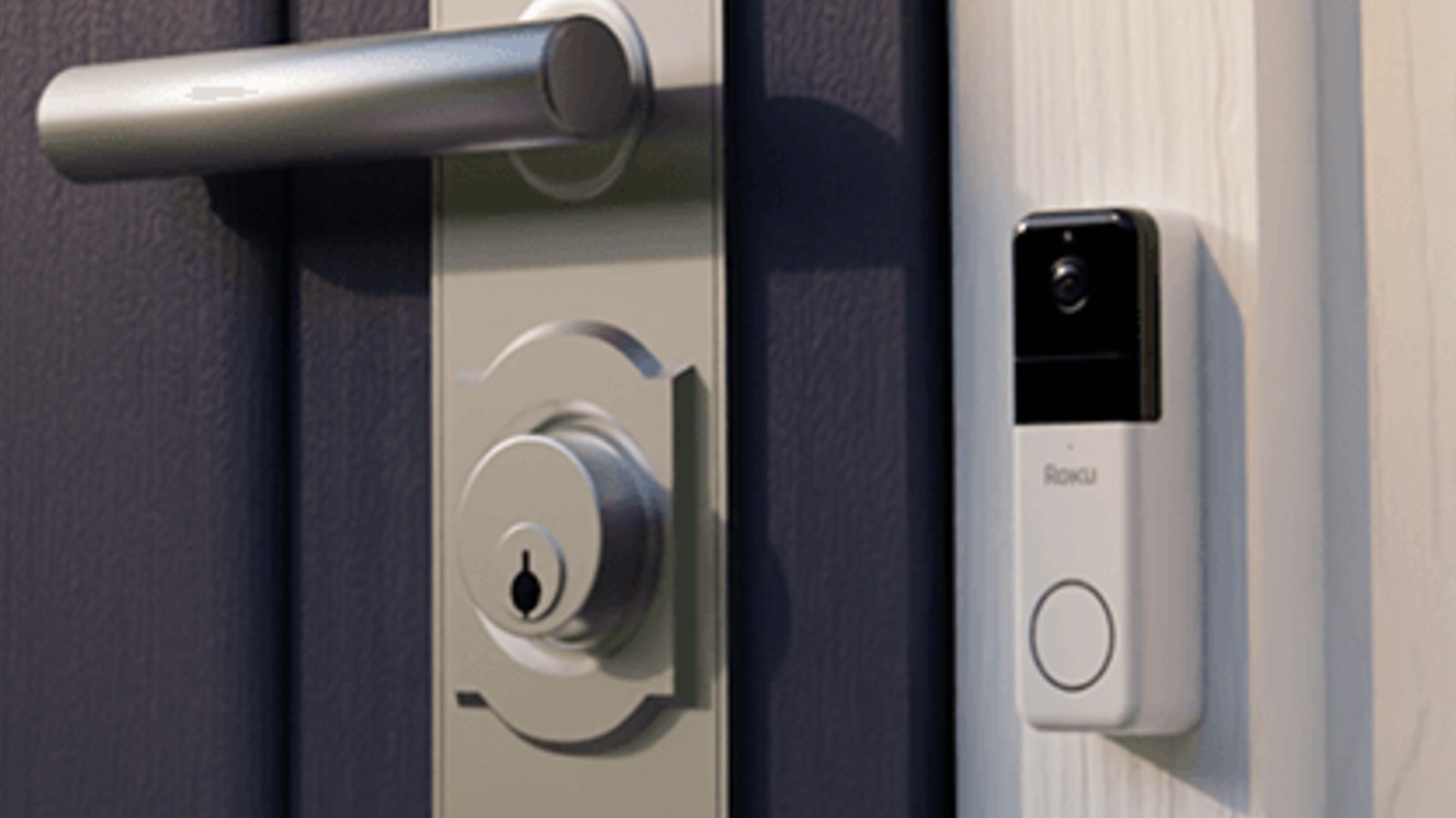
Roku offers two Video Doorbell & Chime products. These include the standard wired version and the Roku Wire-free Video Doorbell & Chime. Both devices notify you when someone approaches or rings the doorbell and provide two-way audio so you can chat with visitors. The major differences are the price and installation difficulty. While the Roku website claims installation is very easy, the wired doorbell is comparatively harder to set up since it requires your current doorbell’s wiring.
While the standard Roku Video Doorbell & Chime is hardwired into each house’s electrical grid, thereby eliminating the need to recharge batteries, reviews of the device are somewhat mixed. When PC Mag tested the device, the outlet praised the camera’s color night vision and its ability to integrate with other Roku products, but noted that while setup was easy, it still requires interaction with low-voltage wires, which isn’t without risk. Meanwhile, reviews of the wireless doorbell are a bit more generous, as sites such as Lifewire state the device has a six-month battery life and can be installed without any drilling. However, regardless of the model, Roku still locks some features behind subscriptions. You can buy the Roku Wired Video Doorbell & Chime for $59.99 and the Roku Wire-free Video Doorbell & Chime for $49.99.
Roku Indoor Camera 360°
While cameras are helpful for security, they can’t see everything at once. In order to reduce the number of blind spots, you either need multiple units or a camera that can pivot on its base. Adding a motorized swivel to a camera is a boon, but the overall package can still be held back by other shortcomings.
As its name suggests, the Roku Indoor Camera 360° is built for indoor monitoring. The device has all the bells and whistles of outdoor Roku cameras, including customizable detection zones and integration with other Roku devices. The indoor camera even has two-way audio, though you will probably use it to yell at your cat rather than talk to visitors. And of course, the Indoor Camera 360° can tilt up to 93° and pan a full 360°.
Reviews of the Roku Indoor Camera 360° are generally positive. According to PC Mag, the device lives up to its name and provides a “corner-to-corner view of any room you place it in,” and it can automatically track movement or accept remote commands. However, the Indoor Camera 360° can’t integrate with systems such as Apple HomeKit, which many reviewers consider a drawback. Plus, users are locked out of features such as intelligent subject detection unless they pay a recurring subscription fee. Still, according to users on the r/Roku subreddit, many people are willing to tolerate certain problems because of the gadget’s price. The Roku Indoor Camera 360° retails for $34.99 and is currently $32.49 on Amazon.
Roku Indoor Smart Plug SE
If you want to turn your house into a smart home without spending a fortune on smart devices, you have several budget-friendly paths, one of which is a smart plug. This device is a Wi-Fi-enabled middleman placed between outlets and appliances. If you’ve ever used a timer for your wall outlet, you probably already know where this is going.
The Roku Indoor Smart Plug SE communicates wirelessly with the Roku Smart Home app. This connection lets you remotely control when the plug allows electricity into connected devices. You can activate and deactivate devices anywhere with an internet connection, and create schedules to turn them on and off. That’s ideal for both saving energy and tricking would-be burglars into thinking that you’re at home when you’re not.
When we reviewed the Roku Indoor Smart Plug SE, we called it a “boring but necessary smart home device” because it doesn’t offer many features, yet it still fills an important niche in the smart home ecosystem. Other reviews share this sentiment. For instance, PC Mag praises the Roku Indoor Smart Plug SE’s price and ability to integrate with other Roku products. However, the plug can’t connect with Apple Siri and HomeKit, which is a sticking point. Also, while the smart plug can help you save money, it can’t tell you how much you’re saving because it can’t create power usage reports. Still, at only $14.99 for a two-pack, you won’t have to break the bank to start investing in a Roku smart home.
Roku Outdoor Wired Camera
Many smart home products offer similar features, such as keeping track of time and accepting voice commands. However, there is a huge difference between how a gadget functions and the purpose it serves. That’s like saying you don’t need a stove when you already have an oven because they both heat food.
The Roku Outdoor Wired Camera boasts many of the features from the cameras previously mentioned in this article. It records in 1080p, features color night vision, and can stream live video to various Roku devices, but it is specifically intended for outdoor use due to its weatherproof design. While the Outdoor Wired Camera doesn’t have floodlights, it does include an 80db siren to scare away intruders.
Much of the praise surrounding the Roku Outdoor Wired Camera revolves around its features. A device roundup on Consumer Reports states that capabilities such as the video quality and live video streaming work as advertised. Moreover, reviews on sites such as Amazon echo this sentiment, with one user citing “crystal clear” picture quality and two-way audio. However, according to some owners, connectivity and movement detection can prove spotty, and while battery life is good, the installation location can make it tough to swap out and charge the power pack. While the website touts the camera’s ability to save 14 days’ worth of video on the cloud and detect everything from pets to package deliveries, these features are locked behind a subscription. You can currently buy the Roku Outdoor Wired Camera for $39.99 ($32.99 on Amazon).
Roku Indoor Camera
We previously reviewed the Roku Indoor Camera 360°, which is an inexpensive camera that has a theoretically unrestricted horizontal field of view. However, it is lower on this list than the standard Roku Indoor Camera because sometimes simplicity and affordability win over a glut of capabilities.
The Roku Indoor Camera is, true to its name, a wired indoor security camera. Like other cameras in this article, this device can notify users whenever someone or something enters its customizable detection zones, record 1080p video, stream it to Roku devices and apps, and accept both app-based and voice-control commands. And … that’s it. No floodlights, no siren. But not everyone needs these features.
When we reviewed the Roku Indoor Camera, we stated that while the device is lacking in features, it is “an excellent option at a low price.” It just does what it does well, and other reviews seem to agree. Tom’s Guide praises the device’s ease of setup and color night vision, and calls it “the best budget home security camera for Roku users.” However, the reviewer mentions that many detection features and cloud recording require a subscription service to function — an issue Android Police’s review also points out. You can currently buy the Roku Indoor Camera for $19.99 ($26.50 on Amazon), which is definitely a budget price for what you get.
Roku Smart Light Strip SE (Regular and +, 16.4 feet and 32.8 feet)
Light strips are an excellent and inexpensive way to kit out your entertainment center. They can help set virtually any mood via ambient lighting and don’t require a lot of electricity. And yes, they come in smart varieties. Some are even smarter than others.
The Roku Smart Light Strip SE is a light strip you can stick just about anywhere, yet still control via the app and voice commands. The Roku website claims that it has “16 million color options.” Plus, you can set it to follow schedules, and you can even make the colors and luminosity match the beats of your favorite songs thanks to the built-in microphone. The Roku Smart Light Strip SE is available in four flavors: The standard and the Roku Smart Light Strip+ SE, each of which comes in 16.4-ft and 32.8-ft packages. What’s the difference? The Light Strip+ offers finer control over the light strip, allowing users to change colors every foot.
Reviews of the Roku Smart Light Strip SE products are mostly positive. Amazon users say they work as advertised, although some purchasers have reported color consistency issues. The biggest problem (if you can call it that) is that the products don’t have even more features. As we pointed out in our review of the Roku Smart Light Strip SE, you need to go all-in on the Roku smart home ecosystem to get the most out of these lights. The Roku Smart Light Strip SE is $24.99 for the 16.4-foot package and $44.99 for the 32.8-foot version, whereas the Roku Smart Light Strip+ SE is $34.99 and $49.99 for those respective lengths.
Roku Smart Bulb SE (White and Color)
Smart bulbs have many advantages over traditional lights. These bulbs are more energy-efficient than standard incandescent bulbs, and many can shift colors, allowing you to set the mood and brightness to your liking. However, many companies offer more than one type of smart bulb, including Roku.
The Roku Smart Bulb SE is available in two varieties, including a two-pack of Roku Smart Bulb SE (Color) and a four-pack of Roku Smart Bulb SE (White). Both integrate into the Roku, Google, and Alexa smart home ecosystems and can be controlled through the respective apps. You can adjust luminosity and create programs to streamline and set up schedules. While Roku claims the colored bulbs can illuminate rooms in up to 16 million colors, the white bulbs have a sunlight match mode that purportedly mimics the color of sunlight.
Overall, reviews praise the Roku Smart Bulb SE. PC Mag lauds the smart home lighting’s affordability, rainbow of color options, and ease of use. However, as has been a running theme throughout this article, the review points out that the bulbs don’t integrate with ecosystems such as Apple HomeKit. And while Lifewire appreciates that the bulbs don’t require a middleman hub, the outlet notes that Roku’s smart lights are heavier than some rival products. As of writing, the two-pack of Roku Smart Bulb SE (Color) is $17.99 ($17.88 on Amazon), while the four-pack of Roku Smart Bulb SE (White) sells for a cheaper $14.99 ($19.79 on Amazon).
Roku Solar Panel USB-C
While Roku’s wireless outdoor cameras are easy to install since they don’t have to tap into your power grid, you must remove the batteries to charge them every several months. During that time, the cameras will be offline unless you have a spare power pack or an alternate power source.
The Roku Solar Panel USB-C is exactly what it sounds like: A solar panel with a USB-C cable. While it isn’t a smart home device in and of itself, it is designed to improve the functionality of the Roku Battery Camera and the Roku Battery Camera Plus. Just install the Roku Solar Panel, swivel it so the panels catch as much sun as possible (a must for any home solar panel installation), and plug it into a Roku camera to provide almost all the electricity they will ever need aslong as the solar panel receives a few hours of direct sunlight per day.
While the Roku Solar Panel USB-C is simpler than other Roku smart home products, reviews are overwhelmingly positive. Customers who bought the device through Home Depot often cite easy installation and efficiency; many claim they haven’t had to worry about camera battery charges since installing the solar panel. The only objective problem with the device is its limited use. The Roku Solar Panel is compatible only with the Battery Camera family; it cannot be used with products like the Roku Outdoor Camera. Plus, the Roku Solar Panel USB-C can only charge one camera at a time. If you own multiple battery-powered cameras, you will need to purchase multiple solar panels at $29.99 each.
Methodology
For this article, we focused solely on products listed in the Smart Home page of the Roku website. No soundbars or streaming sticks; just security devices, lights, and related accessories. However, since there are more than 10 products listed on the site, we consolidated similar items into a single entry (e.g., grouped the color and white Roku Smart Bulbs on the same slide).
As listing entries in order from “worst” to “best” was at the very crux of the article, we had to figure out in what order to place them. To achieve this, we reviewed numerous professional reviews, averaged the scores to determine initial placements, and then used customer reviews to refine final positions as needed. The items with the fewest reviews (such as the Roku Entry Sensor, Roku Motion Sensor, and Roku Keypad) were removed from the article because they received little to no attention, suggesting they probably weren’t major smart home products.