Megan Ellis / Android Authority
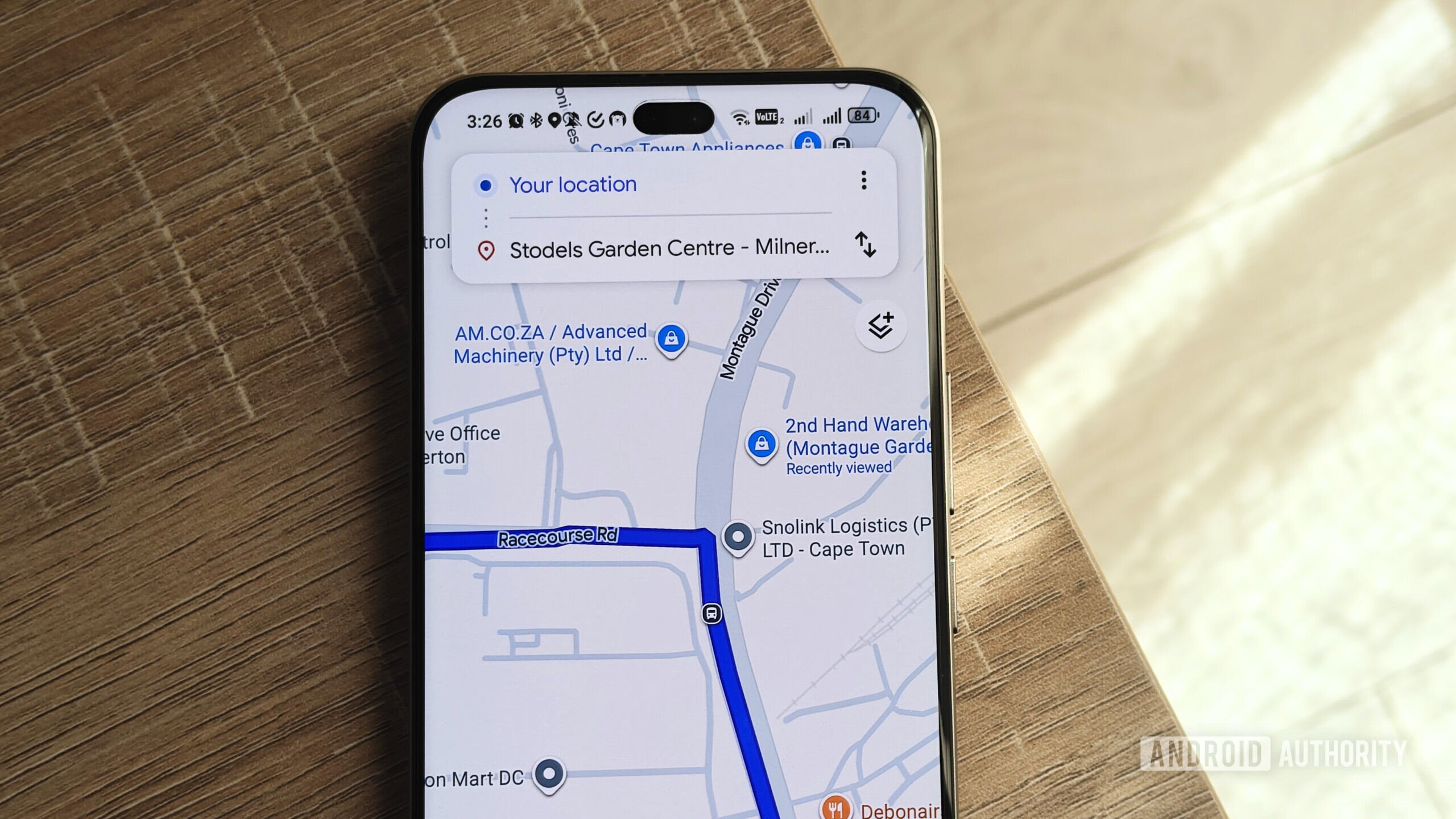
While I use Google Maps even when I’m not navigating, I drove around a bit more during the holiday season and had to rely on the app’s directions to get around. However, this made me acutely aware of its shortcomings when it comes to audio navigation — something I thought that Google would’ve improved by now.
When I drive, I mostly rely on Maps’ audio navigation. This is down to a few reasons: I don’t have a smartphone mount that can reliably attach to my car’s vents, I have no built-in dashboard display, and I have to stow my phone away when driving through high-crime areas.
This means I have to trust that the app’s spoken directions will get me where I need to go. But my experience with Google Maps’ various quirks has eroded my trust significantly.
Would you trust Google Maps to guide you accurately with audio directions only?
22 votes
Google Maps really needs a regional language course

Aamir Siddiqui / Android Authority
While there are certainly countries where one language is spoken by the vast majority, you’ll often still find places and street names derived from other languages. In the case of multilingual countries, this diversity in place names is even more apparent.
I live in South Africa, where there is a fair bit of linguistic diversity. We have 12 official languages, but street names and areas will often depend on where you live. For example, in Cape Town, street names and areas often have English, Afrikaans, and Xhosa names.
But when it comes to your Google Maps settings, you can only set one language. Of course, this is useful when it comes to getting coherent directions. However, it can become a problem when it comes to pronouncing street names or when specific places use terms from other languages.
For example, “weg” is the Afrikaans word for road. In areas where the majority speaks a certain language, the road will often use this term in its name instead. Google Maps pronounces this similar to the English word “wag,” but the first letter is actually pronounced as a “v,” and the last letter has no direct English equivalent (“g” in Afrikaans is similar to the “ch” in the Scottish word “loch”).
The issue isn’t simply mispronunciation, but words becoming incomprehensible. This makes the relevant street or turn hard to find.
So it’s more than a case of a word just sounding off; it can sound completely different. This can make certain street names unintelligible. And it’s not like listening to an English person try to enunciate a word they don’t recognize.
For example, when people from outside the UK try to pronounce Worcester or Leicester, people familiar with the areas understand what they are referring to when they say all those silent parts out loud. But when Google Maps’ audio directions try to say certain local place and street names, the voice model creates a completely unrecognizable word.
And even when you stay in one language, I find that the voice model still gets it wrong sometimes for no apparent reason. For example, I recently had to turn onto a regional road that simply had a letter and number designation (MR559). The audio directions read this as “Mister 559” until I actually turned onto the highway. It then reverted to the correct letters and numbers.
Surprisingly, I’ve even encountered issues with pronouncing highways that just consist of letters and numbers.
Needless to say, these pronunciation quirks can be really disorienting, especially when other directions aren’t detailed. For example, I find that Google Maps doesn’t always specify when to turn left (we drive on the left side of the street). This means in a suburb with plenty of turns, you need the street name to figure out exactly when to turn. It’s less of an issue when you’re in a rural area and there’s only one left turn for miles, but it becomes a hazard on busy highways and neighborhood streets.
I do think that Google could improve this with better language models and more nuanced language settings. I don’t need it to have native-level proficiency, but it definitely needs to get better. At least stop giving highways honorifics.
Another improvement could be making its directional navigation more accurate, so that you don’t need to rely on street names as much. However, right now when it says “take the next left,” it doesn’t actually mean the real next turn about 30% of the time.
But Google’s sly route changes are my bigger issue

Rita El Khoury / Android Authority
One of the bigger issues I have with Google Maps’ audio navigation is the app’s habit of changing your route even when you’ve selected a specific one to take. It sometimes warns me that it is switching to a slightly quicker route, but makes this opt-out. This means that I have to pick up my phone and press the cancel button in time to avoid switching routes.
Other times, it doesn’t warn me at all. I either realize this when it tells me to take a turn I know not to take, or I end up in a totally different area than intended.
Sometimes I take specific routes to avoid driving alone through dangerous areas. Other times, it’s to avoid roads that have a lot of trucks so that I don’t have to deal with overtaking them on long trips. For specific holidays, it’s better to take the quieter roads due to the high number of holiday road accidents.
It’s not always about safety, though. Sometimes you may select the more scenic route for a trip. I also choose routes I’m more likely to remember, like ones that use roads I’m familiar with. Basically, there are a bunch of reasons you may select a certain route, with time not being the deciding factor for many of those choices.
There are plenty of reasons to choose a specific route, but Google Maps often tries to automatically switch me to the quickest one.
But if you rely on audio navigation, it’s difficult to trust Google to stick to the route you selected. A while ago, I selected a route through Stellenbosch. This would help me avoid road construction and give me a more scenic route. However, I ended up going through a town I didn’t intend to visit and missing Stellenbosch completely.
More recently, when returning from my parents’ house, I selected the route I always take (with fewer trucks and less traffic). Google tried to reroute me, but I pressed the cancel button. However, when I reached a certain point, it tried to direct me back to the slightly faster route. Only because I knew that this wasn’t the turn I needed to take, did I ignore the audio directions and continue straight.
The easiest fix would be to make switching to a faster route opt-in rather than opt-out. I also think that people should have more options when it comes to their rerouting preferences. Right now, the experience feels a bit inconsistent.
Google will consistently try to reroute me through an entirely different town to shave five minutes off of an hour-long journey (even though fuel-efficient routes aren’t toggled on). At the same time, it also tried to get me to make an illegal U-turn last week to backtrack on a journey (and therefore take longer) rather than taking the road I always use to get home. That rerouting would’ve added around two minutes to my journey when I was less than five minutes from home.
Don’t want to miss the best from Android Authority?


Do I think Google Maps will fix these issues? I don’t really have much faith that it will. I think that Google will focus more on bringing Gemini to Maps and more flashy AI features than on polishing existing, useful features. While Gemini’s integration could improve language models and directions, it could also add a bunch of bloat to the app.
Now that the festive period is over, I will be returning to my routine of spending time at home rather than venturing out to new locations. However, my experience over the past few weeks has made me consider whether it’s time to ditch Maps and try out another navigation app.
Thank you for being part of our community. Read our Comment Policy before posting.