Rita El Khoury / Android Authority
TL;DR
- A lot of users are complaining that they don’t see the option to make their Google Photos 2025 recap.
- Despite having all the necessary requirements, the recap just doesn’t show up in the app.
- There are two workarounds to force it, but even those aren’t foolproof.
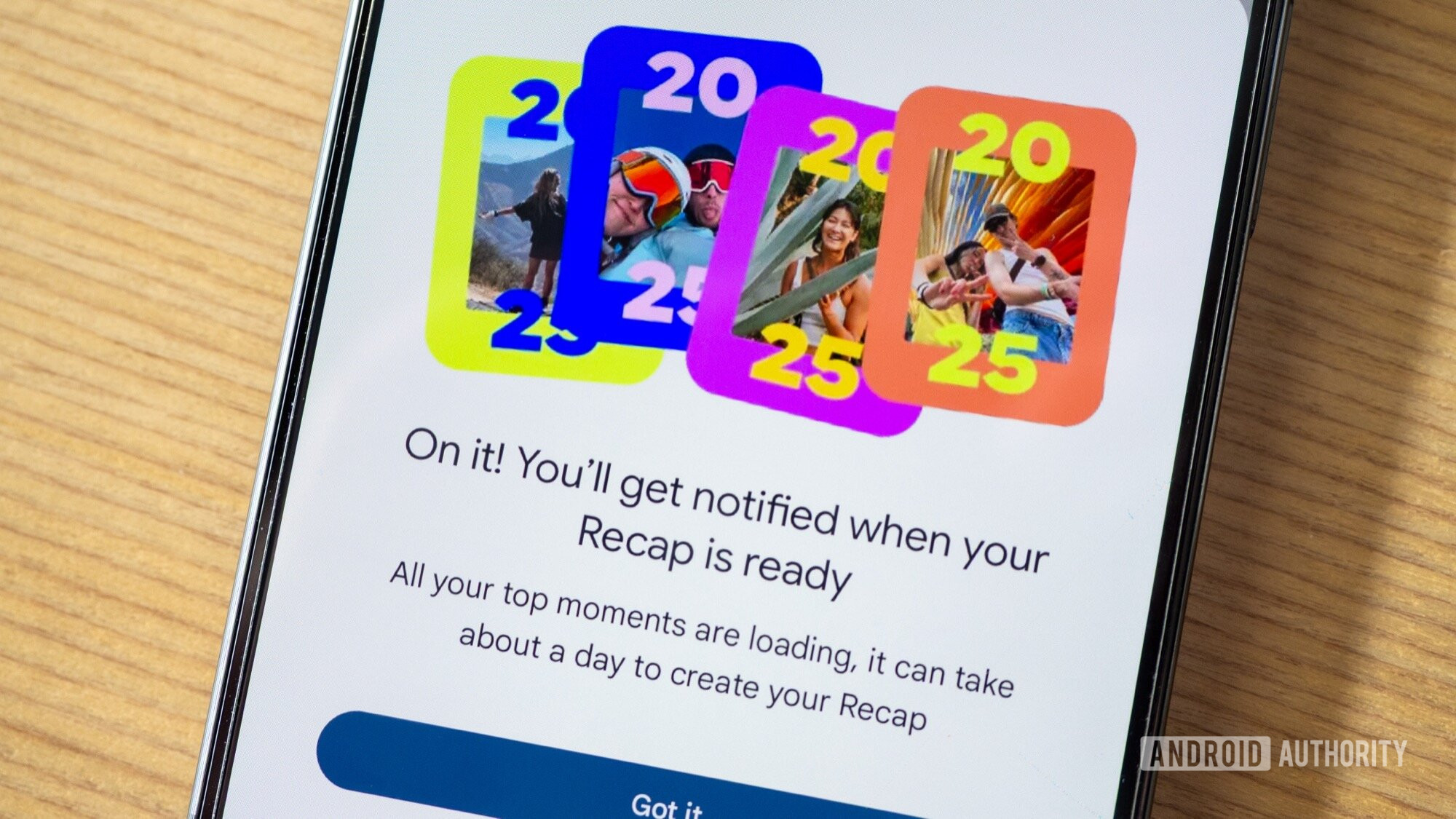
Early in December, Google began the rollout of its Google Photos 2025 recap. Beyond Spotify, YouTube, Pocket Casts, Oura, and other apps, Photos is one of the most personal end-of-year recaps you can get because it highlights the most interesting moments of your own year, and no one else’s. This year, though, the recap didn’t show up for everyone, and many users, like my husband and me, haven’t received it yet. I did find two workarounds, though.
Did you get your Google Photos 2025 recap?
16 votes
Google Photos users have been complaining about the missing recap on Reddit (1, 2) and Google’s Support forums (1, 2, 3) for a few weeks. It’s not clear why this recap isn’t showing up for everyone, but several said they saw the pop-up once a few weeks ago, then it suddenly disappeared. This happened to me, too: I got the pop-up around early December, tried to click it, but it was immediately gone, never to reappear again. I’ve since been waiting for it to show up again, but it just didn’t want to.
And to be clear, I’ve confirmed I have all five requirements of the recap: I’ve taken over 3,000 photos in 2025, which are all backed up to my Google account, and I have Face Groups turned on with my own face selected. I’m also running the latest Photos version.
To receive your full Recap, you must:
- Have taken enough photos throughout the year
- Have Face Groups turned on and have selected which face is yours
- Have the latest version of the Google Photos app
- Have backup turned on for this year’s content
I recently found two ways to trigger this missing recap. None of them, though, is foolproof. I’ll leave them here in case you want to give them a go.
Method 1: The Google One recap email
I received my “Google One Year in Review” email a few days ago, and I scrolled through it absentmindedly until I noticed there was a section in the middle to explore my 2025 Google Photos recap. On my phone, I opened the email and clicked on Get your Recap, which opened the Google Photos app and triggered the pop-up to get my recap.
There’s one caveat, though. Not everyone has received the Google One recap email (my husband, for example, hasn’t), so not everyone will be able to try this. If you didn’t get the email, try this link: photos.google.com/link/eoy-recap?source=crm_g1.
Method 2: The Google Photos website
Both methods could still fail

Rita El Khoury / Android Authority
Even though both of these methods worked for me, they caused an error on both my husband’s phone and my Android Authority colleague Oliver Cragg’s. Oops, something went wrong pops up as an error for them, telling them Google Photos was unable to create their 2025 recap and offering them an option to manually make a highlight video instead. There’s no explanation as to why this happens, just a red exclamation mark. Both Ollie and my husband have made sure all five requirements for the recap are met.
Also, I should be clear that I just triggered my own recap today, so I’m not sure if I’ll actually receive the recap itself in a day when Google says it should be ready. Some users are complaining that even though they’ve managed to ask for it, they haven’t received anything from Photos yet after several days of waiting. I’ll update this post if/when it shows up for me.
Don’t want to miss the best from Android Authority?


Thank you for being part of our community. Read our Comment Policy before posting.