By using this site, you agree to the Privacy Policy and Terms of Use.
Accept
World of SoftwareWorld of SoftwareWorld of Software
  • News
  • Software
  • Mobile
  • Computing
  • Gaming
  • Videos
  • More
    • Gadget
    • Web Stories
    • Trending
    • Press Release
Search
  • Privacy
  • Terms
  • Advertise
  • Contact
Copyright © All Rights Reserved. World of Software.
Reading: Google quietly restores a lost Pixel unlocking convenience with latest Android 16 update
Share
Sign In
Notification Show More
Font ResizerAa
World of SoftwareWorld of Software
Font ResizerAa
  • Software
  • Mobile
  • Computing
  • Gadget
  • Gaming
  • Videos
Search
  • News
  • Software
  • Mobile
  • Computing
  • Gaming
  • Videos
  • More
    • Gadget
    • Web Stories
    • Trending
    • Press Release
Have an existing account? Sign In
Follow US
  • Privacy
  • Terms
  • Advertise
  • Contact
Copyright © All Rights Reserved. World of Software.
World of Software > News > Google quietly restores a lost Pixel unlocking convenience with latest Android 16 update
News

Google quietly restores a lost Pixel unlocking convenience with latest Android 16 update

News Room
Last updated: 2025/12/02 at 11:42 PM
News Room Published 2 December 2025
Share
Google quietly restores a lost Pixel unlocking convenience with latest Android 16 update
SHARE

TL;DR

  • The latest Android 16 update brings back the Screen-off Fingerprint Unlock feature to Pixel phones.
  • The feature was introduced in Android 16 DP2 for the Pixel 9 series, but later expanded to older Pixel models.
  • It was mysteriously removed in subsequent Android 16 betas, but the latest stable QPR2 update reinstates it on the Pixel 9 and above.

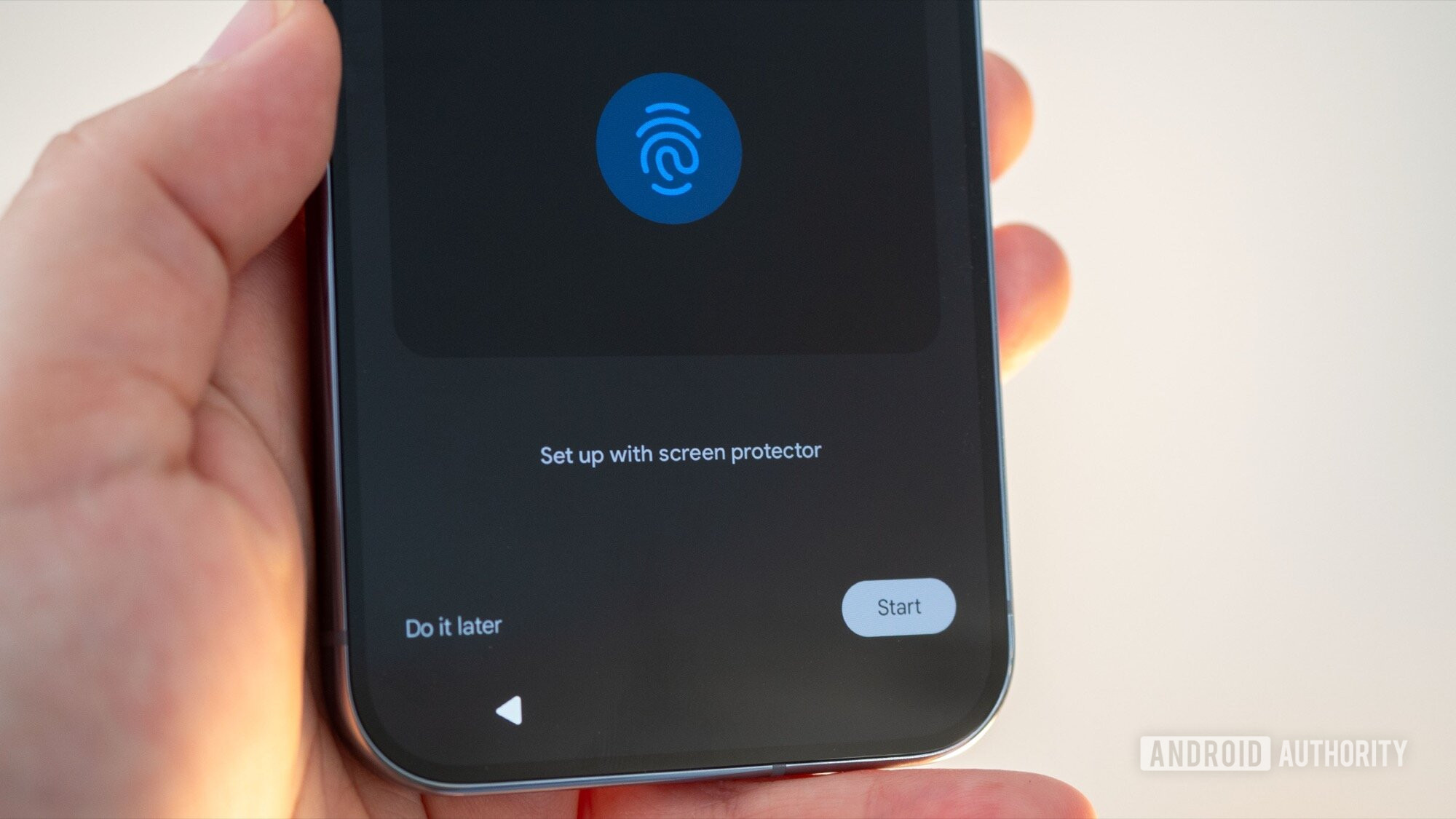
Android’s latest update is quietly bringing back a useful fingerprint unlocking option to Pixel phones. The Screen-off Fingerprint Unlock toggle has returned in the new Android 16 QPR2 update, a.k.a the second major Android 16 update of the year. Enabling the feature lets users unlock their Pixels with the fingerprint sensor even when the display is completely off.

Don’t want to miss the best from Android Authority?

google preferred source badge dark@2x

The setting first appeared in Android 16 DP2 for the Pixel 9 series, but later expanded to more Pixel models. However, Google unexpectedly removed it in later beta builds, leaving users wondering what happened. Now, it’s back for real with the stable QPR2 rollout, but not for all Pixels.

Users on Reddit report that the option is reappearing in Fingerprint settings, though most confirmations are from Pixel 9 and newer devices, with the Pixel 9a notably absent. We can also confirm that we’re seeing the setting on our Pixel 10 Pro XL after the update, but it’s missing from our Pixel 8 Pro, which is running the latest software.

The most likely explanation for why older Pixels aren’t getting this feature could be hardware limitations. The Pixel 9 series and above use an ultrasonic fingerprint scanner, while older models, including the Pixel 9a, rely on optical scanners. That difference may prevent the feature from working reliably, but we’re only speculating at this point, and this hasn’t been confirmed by Google.

Ultrasonic fingerprint scanners can detect fingerprints more accurately and more consistently through the display, even when the screen is off, because they transmit an electronic pulse against the finger. Meanwhile, optical sensors sometimes depend on light from the display to read a fingerprint. Since the display is off in this mode, optical sensors may not function well.

Screen off fingerprint unlock pixel 10 pro

Adamya Sharma / Android Authority

Screen-off Fingerprint Unlock keeps the fingerprint scanner active even when the display is off. That means you can simply press your finger in the scanner area to unlock without first waking up the display. Previously, the only way to achieve this behavior was to enable Always-on Display, which keeps the screen powered on constantly.

To enable the feature after updating, go to:

Settings > Security & privacy > Device unlock > Fingerprint

You’ll need a Pixel 9 or later device running the latest Android 16 update to see the toggle. The update is fairly large, so expect a longer download time.

Thank you for being part of our community. Read our Comment Policy before posting.

Sign Up For Daily Newsletter

Be keep up! Get the latest breaking news delivered straight to your inbox.
By signing up, you agree to our Terms of Use and acknowledge the data practices in our Privacy Policy. You may unsubscribe at any time.
Share This Article
Facebook Twitter Email Print
Share
What do you think?
Love0
Sad0
Happy0
Sleepy0
Angry0
Dead0
Wink0
Previous Article Renowned astronomers push to protect Chile’s cherished night sky from project
Next Article Marvell bets big on optical interconnects, buying Celestial AI for up to .5B –  News Marvell bets big on optical interconnects, buying Celestial AI for up to $5.5B – News
Leave a comment

Leave a Reply Cancel reply

Your email address will not be published. Required fields are marked *

Stay Connected

248.1k Like
69.1k Follow
134k Pin
54.3k Follow

Latest News

Your Apple TV Is Probably Plugged Into The Wrong HDMI Port – Here’s Why – BGR
News
The 15 best tech gifts in the US for moms, as requested by moms
News
Google Photos 2025 Recap is here with the ability to hide unwanted faces
News
Here's Why You May Still Need a Landline
News

You Might also Like

Your Apple TV Is Probably Plugged Into The Wrong HDMI Port – Here’s Why – BGR
News

Your Apple TV Is Probably Plugged Into The Wrong HDMI Port – Here’s Why – BGR

5 Min Read
The 15 best tech gifts in the US for moms, as requested by moms
News

The 15 best tech gifts in the US for moms, as requested by moms

17 Min Read
Google Photos 2025 Recap is here with the ability to hide unwanted faces
News

Google Photos 2025 Recap is here with the ability to hide unwanted faces

2 Min Read
Here's Why You May Still Need a Landline
News

Here's Why You May Still Need a Landline

9 Min Read
//

World of Software is your one-stop website for the latest tech news and updates, follow us now to get the news that matters to you.

Quick Link

  • Privacy Policy
  • Terms of use
  • Advertise
  • Contact

Topics

  • Computing
  • Software
  • Press Release
  • Trending

Sign Up for Our Newsletter

Subscribe to our newsletter to get our newest articles instantly!

World of SoftwareWorld of Software
Follow US
Copyright © All Rights Reserved. World of Software.
Welcome Back!

Sign in to your account

Lost your password?