By using this site, you agree to the Privacy Policy and Terms of Use.
Accept
World of SoftwareWorld of SoftwareWorld of Software
  • News
  • Software
  • Mobile
  • Computing
  • Gaming
  • Videos
  • More
    • Gadget
    • Web Stories
    • Trending
    • Press Release
Search
  • Privacy
  • Terms
  • Advertise
  • Contact
Copyright © All Rights Reserved. World of Software.
Reading: Gran Turismo 7 – How to Save & Upload Race Clips/Replays to YouTube | HackerNoon
Share
Sign In
Notification Show More
Font ResizerAa
World of SoftwareWorld of Software
Font ResizerAa
  • Software
  • Mobile
  • Computing
  • Gadget
  • Gaming
  • Videos
Search
  • News
  • Software
  • Mobile
  • Computing
  • Gaming
  • Videos
  • More
    • Gadget
    • Web Stories
    • Trending
    • Press Release
Have an existing account? Sign In
Follow US
  • Privacy
  • Terms
  • Advertise
  • Contact
Copyright © All Rights Reserved. World of Software.
World of Software > Computing > Gran Turismo 7 – How to Save & Upload Race Clips/Replays to YouTube | HackerNoon
Computing

Gran Turismo 7 – How to Save & Upload Race Clips/Replays to YouTube | HackerNoon

News Room
Last updated: 2025/11/08 at 1:30 PM
News Room Published 8 November 2025
Share
Gran Turismo 7 – How to Save & Upload Race Clips/Replays to YouTube | HackerNoon
SHARE

Step-by-step tutorial for uploading GT7 races to YouTube

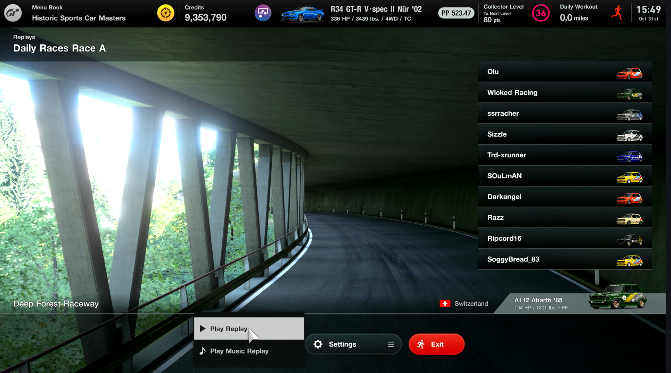
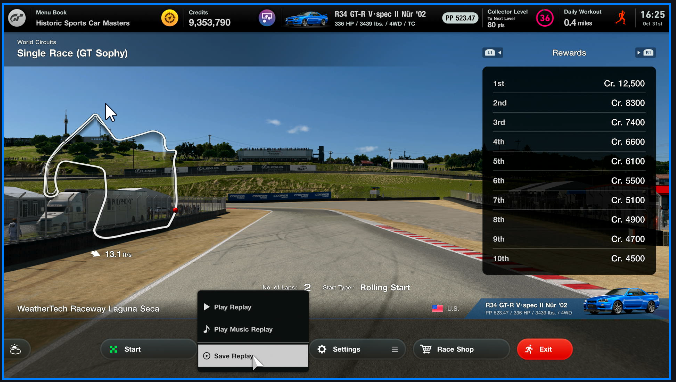
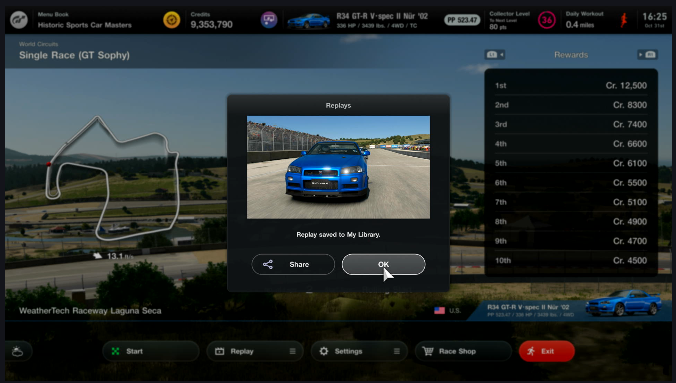
​Step 1 – After a race, before you exit, select the Replay button.

n n Step 2 – Select Save Replay. n n n Step 3 – Click OK to confirm the save. n
n

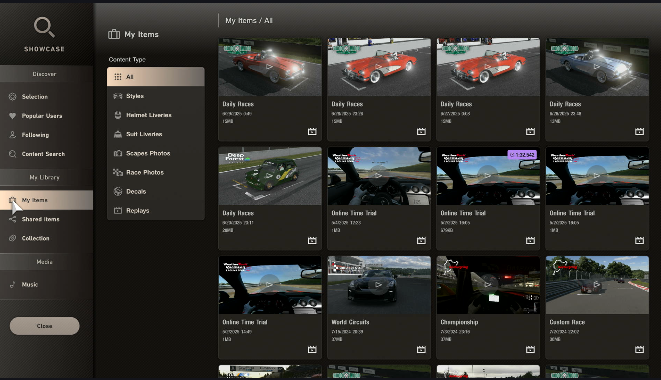
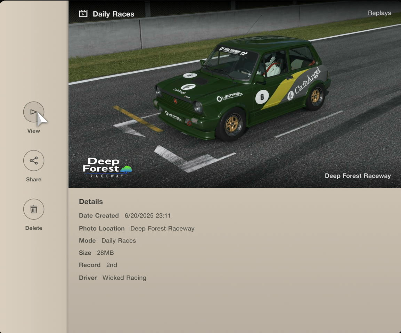
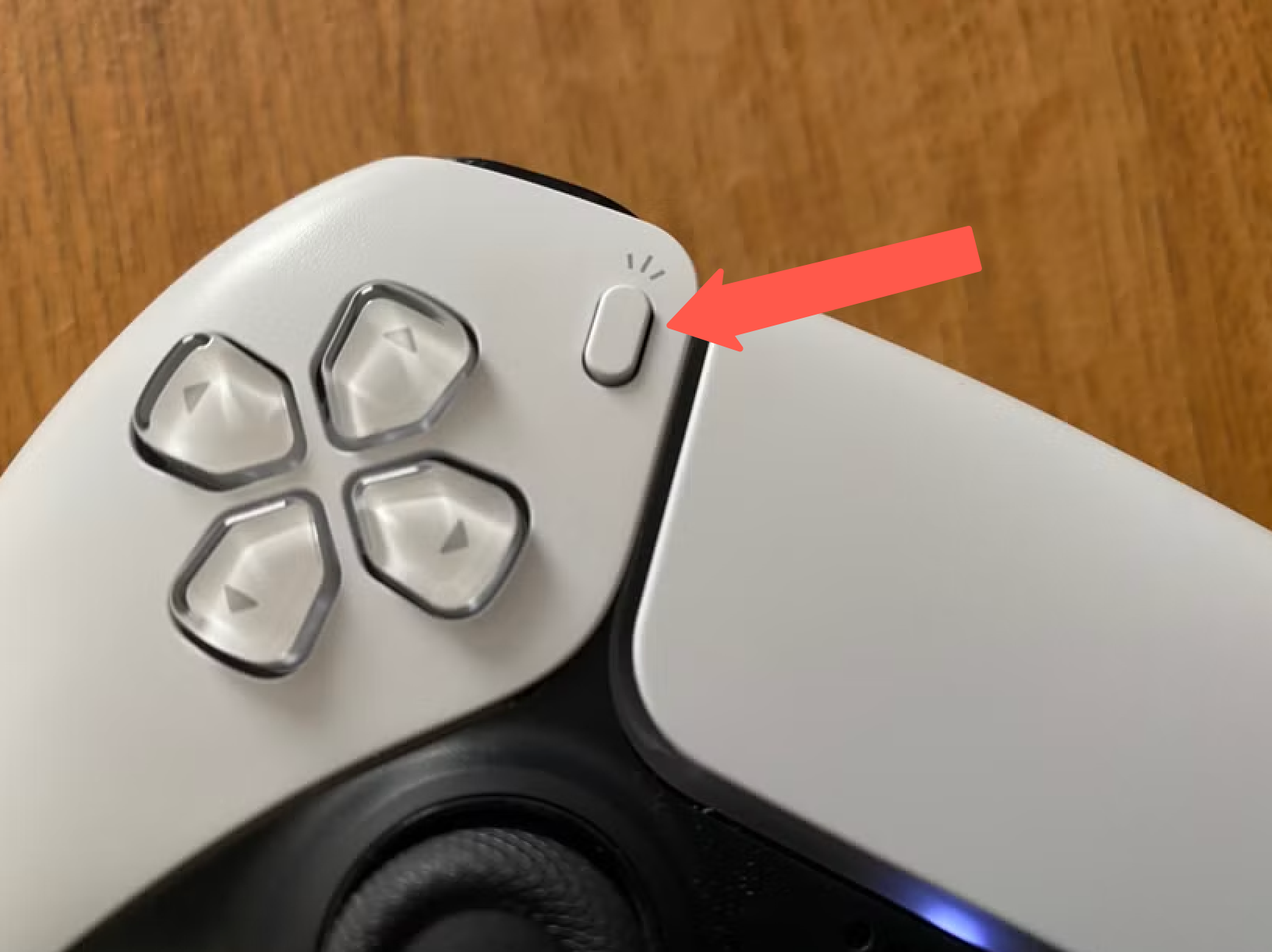
​Step 4 – The video is saved to My Library under My Items. n n n n n n Step 5 – Select the race you want to record and click View. n n n n n Step 6 – Click the Record button on your controller. n n PS5 Controller Media button n n n Step 7 –Select “Start New Recording” on the camera page. n n n n Step 8 – Select Play Replay
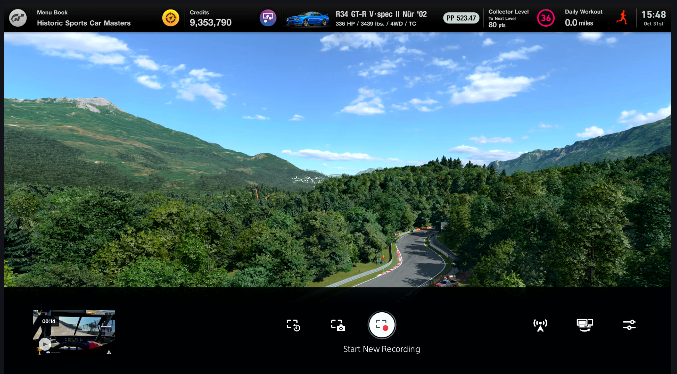
n Step 9 – Position the camera for the best angle of the incident you are recording.

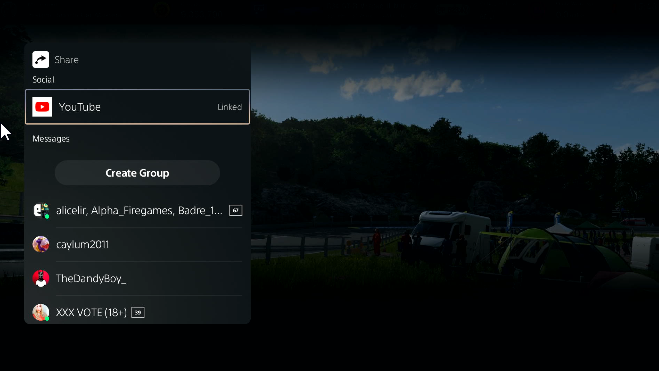
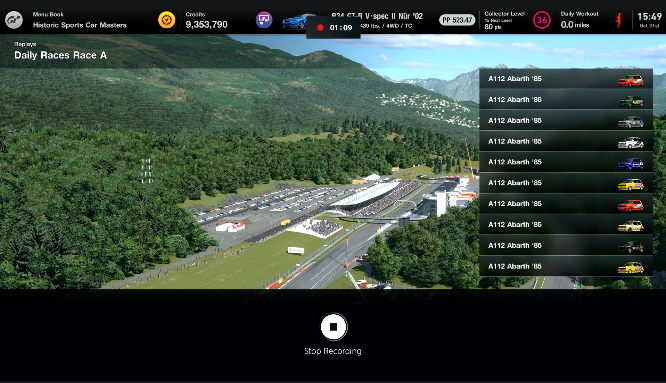
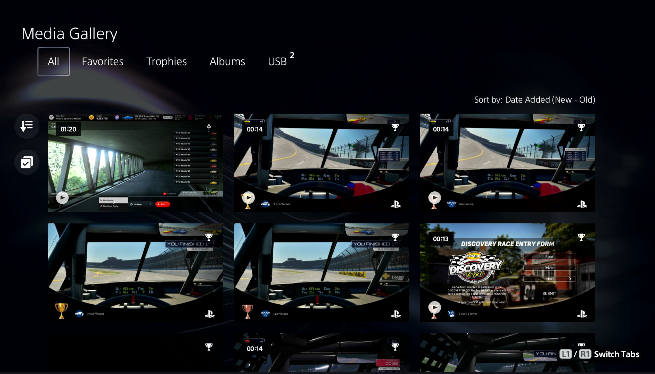
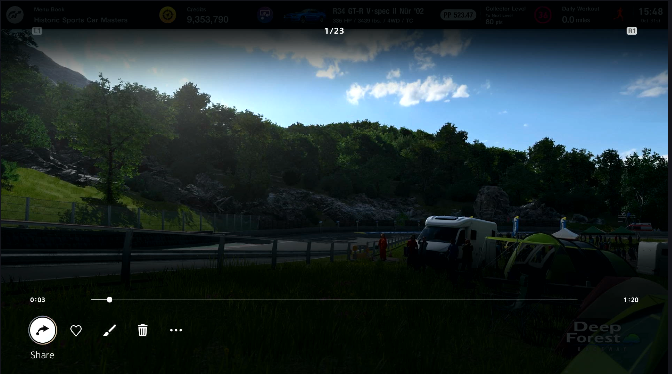
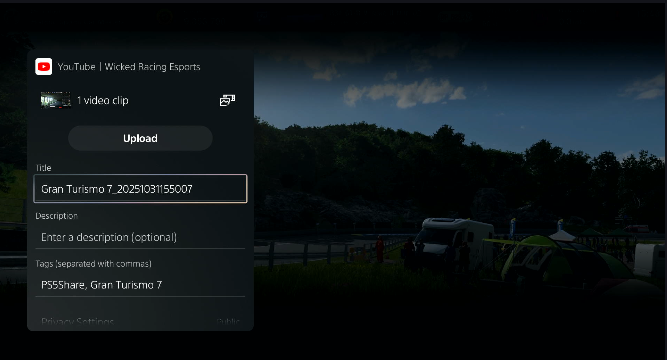
When I’m driving, I use the in-cockpit view, but for replays and incident analysis, the rear camera view is the best for seeing what the cars around you are doing. n n n n n n Step 9.A – When the race is over or when you are done recording, press the Record button on your controller to bring up the camera page. Select Stop Recording. n n n n n Step 9.B –The captured video is saved to your PS5’s Media Library n n n n Step 10 – Find the video you want to upload to YouTube by clicking the Share button. n n n n Step 11 –Select YouTube. n n Upload GT7 Video to YouTube n n n Step 12 –You can edit the title and descriptions here, or make any other changes on YouTube. n n GT7 clip successfully uploaded to YouTube n n n You can use the video editor in YouTube Studio to trim or edit your video as needed.

Troubleshooting n

| Issue | Fix |
|—-|—-|
| Default 1080p quality | Go to PS5 Settings > Captures and Broadcasts > Capture Settings > Set to 4K (requires 4K TV/monitor). Replays look sharper at 120fps on PS5 Pro. |
| Storage full (can’t save replay) | Clear old clips in the Media Gallery or connect a USB drive to export. |
| Edit/trim clips | Use the free ShareFactory app (PS Store) for basic cuts, or YouTube Studio post-upload. |
| YouTube upload fails | Link accounts first |

n n Step 13 – Upload your racing incidents to thesimracingstewards.com for community-driven sim racing analysis!

Sign Up For Daily Newsletter

Be keep up! Get the latest breaking news delivered straight to your inbox.
By signing up, you agree to our Terms of Use and acknowledge the data practices in our Privacy Policy. You may unsubscribe at any time.
Share This Article
Facebook Twitter Email Print
Share
What do you think?
Love0
Sad0
Happy0
Sleepy0
Angry0
Dead0
Wink0
Previous Article IAG aircraft to take off with Wi-Fi Starlink connectivity | Computer Weekly IAG aircraft to take off with Wi-Fi Starlink connectivity | Computer Weekly
Next Article Pardoned Binance founder says alleged connections to Trump sons ‘don’t exist’ Pardoned Binance founder says alleged connections to Trump sons ‘don’t exist’
Leave a comment

Leave a Reply Cancel reply

Your email address will not be published. Required fields are marked *

Stay Connected

248.1k Like
69.1k Follow
134k Pin
54.3k Follow

Latest News

These 8 Foods Can Help You Build Muscle and Hit Your Fitness Goals in 2026
News
Belkin Ends Support for Wemo on Jan 31: Act Now to Keep Devices Working
News
Apple May Break a 12-Year Chip Strategy
News
You Can Turn Your Drone Into A Handheld Camera With This Clever Mount – BGR
News

You Might also Like

Huawei Mate X7 foldable specs unveiled, set for November launch · TechNode
Computing

Huawei Mate X7 foldable specs unveiled, set for November launch · TechNode

1 Min Read
DJI launches Neo 2, its lightest follow-me drone with omnidirectional obstacle avoidance · TechNode
Computing

DJI launches Neo 2, its lightest follow-me drone with omnidirectional obstacle avoidance · TechNode

1 Min Read
Taobao Instant Commerce to launch ‘Taobao Convenience Store’ chain · TechNode
Computing

Taobao Instant Commerce to launch ‘Taobao Convenience Store’ chain · TechNode

1 Min Read
KEENON Robotics drives intelligent transformation of service robot technology · TechNode
Computing

KEENON Robotics drives intelligent transformation of service robot technology · TechNode

5 Min Read
//

World of Software is your one-stop website for the latest tech news and updates, follow us now to get the news that matters to you.

Quick Link

  • Privacy Policy
  • Terms of use
  • Advertise
  • Contact

Topics

  • Computing
  • Software
  • Press Release
  • Trending

Sign Up for Our Newsletter

Subscribe to our newsletter to get our newest articles instantly!

World of SoftwareWorld of Software
Follow US
Copyright © All Rights Reserved. World of Software.
Welcome Back!

Sign in to your account

Lost your password?