By using this site, you agree to the Privacy Policy and Terms of Use.
Accept
World of SoftwareWorld of SoftwareWorld of Software
  • News
  • Software
  • Mobile
  • Computing
  • Gaming
  • Videos
  • More
    • Gadget
    • Web Stories
    • Trending
    • Press Release
Search
  • Privacy
  • Terms
  • Advertise
  • Contact
Copyright © All Rights Reserved. World of Software.
Reading: How to Add and Change Your Instagram Reels Thumbnail (Cover Photo) in 2025
Share
Sign In
Notification Show More
Font ResizerAa
World of SoftwareWorld of Software
Font ResizerAa
  • Software
  • Mobile
  • Computing
  • Gadget
  • Gaming
  • Videos
Search
  • News
  • Software
  • Mobile
  • Computing
  • Gaming
  • Videos
  • More
    • Gadget
    • Web Stories
    • Trending
    • Press Release
Have an existing account? Sign In
Follow US
  • Privacy
  • Terms
  • Advertise
  • Contact
Copyright © All Rights Reserved. World of Software.
World of Software > Computing > How to Add and Change Your Instagram Reels Thumbnail (Cover Photo) in 2025
Computing

How to Add and Change Your Instagram Reels Thumbnail (Cover Photo) in 2025

News Room
Last updated: 2026/02/20 at 5:28 PM
News Room Published 20 February 2026
Share
How to Add and Change Your Instagram Reels Thumbnail (Cover Photo) in 2025
SHARE

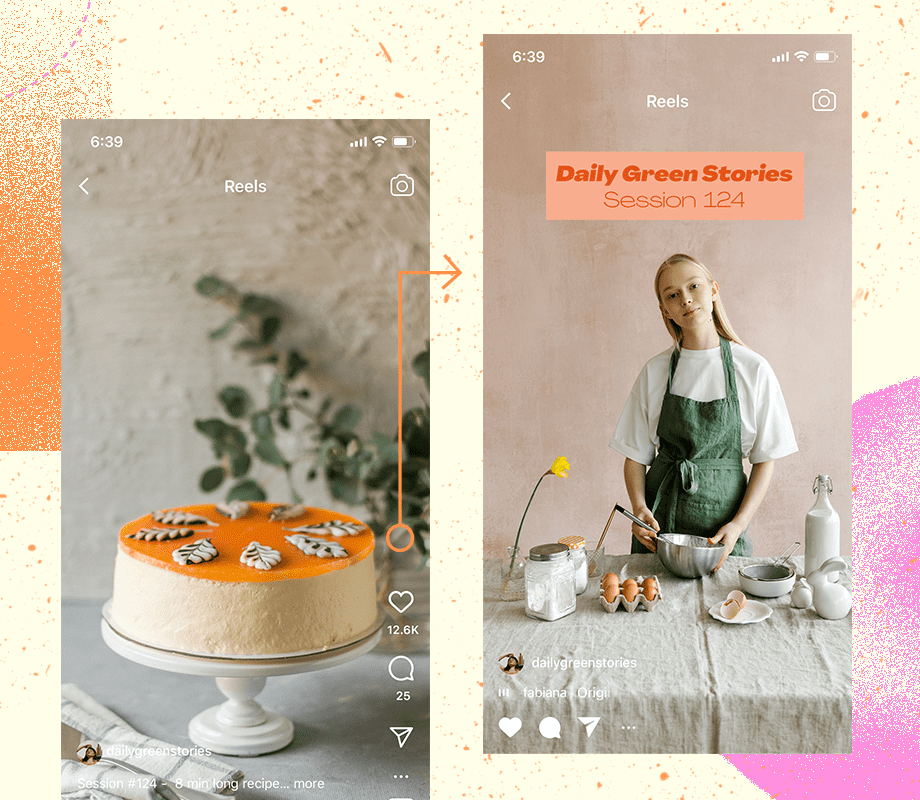
Did you know that you can add a cover photo to your Instagram Reels?

Thanks to this handy feature, you can share almost any Reel to your account while still keeping a carefully crafted Instagram aesthetic intact.

Plus, you can now edit and change the cover photos of a published Reel, so you can retrospectively improve your visual branding on Instagram anytime.

How to Add a Cover Photo to Instagram Reels

Instagram Reels always perform best when they’re shared to your profile grid, but they might not be the best visual fit for your Instagram aesthetic.

To get around this, you can add a cover image to your Reels. Here’s how in 3 easy steps:

  1. Create an Instagram Reel, select “Next,” and enter the “Share” settings screen.

  2. Tap “Cover” on the Reel preview image.

  3. Select a still from your Reel by dragging the selector icon across the duration of your footage, or select “Add From Camera Roll” to upload an image from your camera roll.

TIP: Adding an image from your camera roll will typically be higher quality than selecting a still from your video footage.

You can also preview and edit how your Reels cover image will look in your profile grid by selecting “Crop profile image.”

From here, you can edit how the cover image displays on your profile grid. Drag the image to reposition, or perform a pinching motion with your fingertips to zoom in or out.

Take your Instagram strategy to the next level with ‘s Instagram Management features — visually plan and automate your Instagram posting schedule. Start your free trial today.

Schedule, manage, & analyze Instagram posts with — try it for free.

Start free trial

How to Change Cover Photo on Instagram Reel After Posting

Uploaded a cover photo that doesn’t quite fit with your feed’s look and feel? Thankfully, you can edit Instagram Reels cover photos that were already posted.

This is great for bringing older Reels up-to-date with a new visual identity, or to make your Instagram aesthetic more cohesive.

Here’s how to edit an Instagram Reels cover photo in 5 simple steps:

  1. Open a published Instagram Reel (via the Reels tab).

  2. Select the three dots on the right-hand side of the screen.

  3. Select “Edit.”

  4. Tap “Cover” on the Reel preview image.

  5. Select a still from your Reel by dragging the selector icon across the duration of your footage, or select “Add From Camera Roll” to upload an image from your camera roll.

Ta-duh! It’s really that easy.

What is the Ideal Instagram Reel Cover Size?

Reels share roughly the same dimensions as Instagram Stories (1080 x 1920 pixels), so you can use any of the pre-built Instagram Reels templates as a starting point.

Keep in mind that Reels shared to your profile will be cropped to 1:1 in your grid feed and will be cropped to 4:5 in the Instagram Home Feed. Cover images will display in full on the Instagram Reels tab.

PS Make sure your Instagram profile picture matches your reel cover photo and aesthetics.

Final Takeaway on Reels Cover Photos

Reels are a powerful tool for reach and engagement. And keeping your Instagram grid visually cohesive can play a huge role. By customizing your Reels cover photos (even after posting!), you can maintain a consistent brand aesthetic while maximizing performance.

Ready to streamline your Instagram workflow? Plan and schedule Instagram Reels with , your all-in-one app to manage your strategies and save a ton of time! Start a free trial today and see it for yourself.


Sign Up For Daily Newsletter

Be keep up! Get the latest breaking news delivered straight to your inbox.
By signing up, you agree to our Terms of Use and acknowledge the data practices in our Privacy Policy. You may unsubscribe at any time.
Share This Article
Facebook Twitter Email Print
Share
What do you think?
Love0
Sad0
Happy0
Sleepy0
Angry0
Dead0
Wink0
Previous Article Trump fights back, replaces struck-down reciprocal tariffs with 10% global import tax Trump fights back, replaces struck-down reciprocal tariffs with 10% global import tax
Next Article Crypto Update :Pepeto Presale Accelerates Past .234 Million as XRP Price Prediction Targets  After Ripple CEO Joins CFTC Panel  Crypto Update :Pepeto Presale Accelerates Past $7.234 Million as XRP Price Prediction Targets $10 After Ripple CEO Joins CFTC Panel 
Leave a comment

Leave a Reply Cancel reply

Your email address will not be published. Required fields are marked *

Stay Connected

248.1k Like
69.1k Follow
134k Pin
54.3k Follow

Latest News

10 Great Horror Movies to Watch on Prime Video This Weekend
News
28 Brands on TikTok to Inspire Your Feed |
Computing
Unfortunately, It’s Time to Talk About 6G. Here’s What You Need to Know
News
Demand for the Unihertz Titan 2 Elite hits a very impressive level
News

You Might also Like

28 Brands on TikTok to Inspire Your Feed |
Computing

28 Brands on TikTok to Inspire Your Feed |

1 Min Read
Tencent celebrates first anniversary of Delta Force, a notable step for China-made FPS games · TechNode
Computing

Tencent celebrates first anniversary of Delta Force, a notable step for China-made FPS games · TechNode

2 Min Read
Current TikTok Trends to Try in 2026 |
Computing

Current TikTok Trends to Try in 2026 |

4 Min Read
China Holds 15% of Global AI Firms as Industry Value Tops RMB 900 Billion · TechNode
Computing

China Holds 15% of Global AI Firms as Industry Value Tops RMB 900 Billion · TechNode

1 Min Read
//

World of Software is your one-stop website for the latest tech news and updates, follow us now to get the news that matters to you.

Quick Link

  • Privacy Policy
  • Terms of use
  • Advertise
  • Contact

Topics

  • Computing
  • Software
  • Press Release
  • Trending

Sign Up for Our Newsletter

Subscribe to our newsletter to get our newest articles instantly!

World of SoftwareWorld of Software
Follow US
Copyright © All Rights Reserved. World of Software.
Welcome Back!

Sign in to your account

Lost your password?