By using this site, you agree to the Privacy Policy and Terms of Use.
Accept
World of SoftwareWorld of SoftwareWorld of Software
  • News
  • Software
  • Mobile
  • Computing
  • Gaming
  • Videos
  • More
    • Gadget
    • Web Stories
    • Trending
    • Press Release
Search
  • Privacy
  • Terms
  • Advertise
  • Contact
Copyright © All Rights Reserved. World of Software.
Reading: How To Tell When Your USB Port Is Damaged – BGR
Share
Sign In
Notification Show More
Font ResizerAa
World of SoftwareWorld of Software
Font ResizerAa
  • Software
  • Mobile
  • Computing
  • Gadget
  • Gaming
  • Videos
Search
  • News
  • Software
  • Mobile
  • Computing
  • Gaming
  • Videos
  • More
    • Gadget
    • Web Stories
    • Trending
    • Press Release
Have an existing account? Sign In
Follow US
  • Privacy
  • Terms
  • Advertise
  • Contact
Copyright © All Rights Reserved. World of Software.
World of Software > News > How To Tell When Your USB Port Is Damaged – BGR
News

How To Tell When Your USB Port Is Damaged – BGR

News Room
Last updated: 2025/12/03 at 12:35 PM
News Room Published 3 December 2025
Share
How To Tell When Your USB Port Is Damaged – BGR
SHARE


Brianajackson/Getty Images

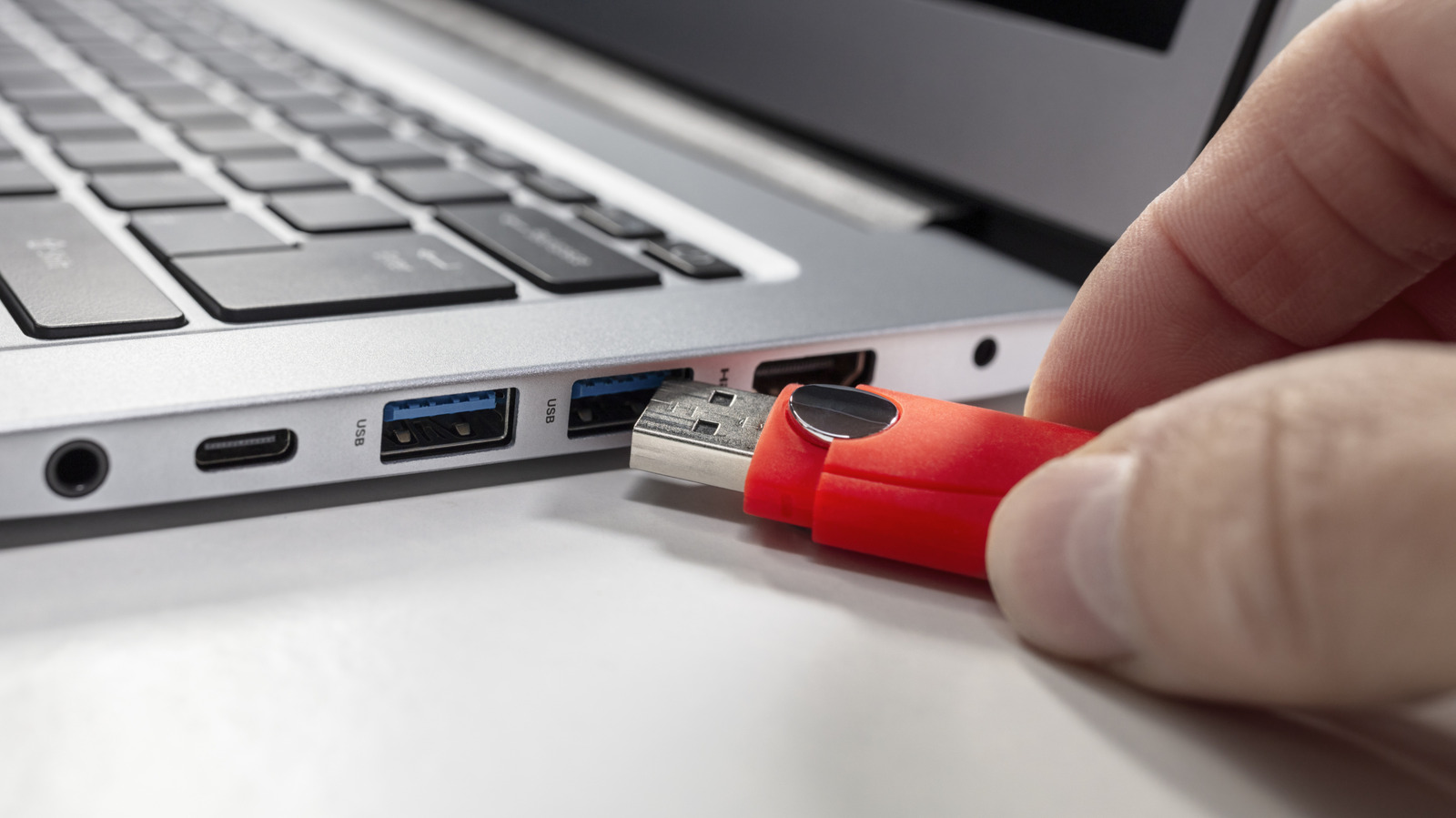
A USB port doesn’t typically fail out of nowhere, usually giving you subtle warning signs long before it stops working completely. One of the first red flags to look out for is inconsistent connectivity. If a cable only works when you hold it at a certain angle — or connection drops with the slightest movement — the port’s internal pins may be bent, or the housing could be loose. Another giveaway that something’s wrong is sluggish or unreliable data transfers. When a port begins to fail, file transfers may stall, or take far longer than usual, even if you’re using a proven cable and device. 

Physically inspecting your USB port can reveal a lot. Shine a bright light into the port and look for bent pins, debris, or discoloration. Any visible damage, especially pins pushed inward or out of alignment, usually means the port needs to be repaired. A port that feels unusually loose or wobbly when you plug something in is another common symptom of wear, especially on laptops, where ports experience more frequent stress. 

Charging issues are also a major clue. If your phone, mouse, or headset charges intermittently or not at all when plugged into a specific port, the problem may stem from battery or device failure, or a problem with the cable. In some cases, Windows or macOS may even surface warnings about USB power draw or malfunctioning devices. 

If you notice more than one of these symptoms, the safest move is to stop using the port until you can accurately diagnose or repair it. Continuing to force a connection can worsen the damage, and may even damage your accessories. 

What to do if your USB port is damaged


An image of someone plugging a USB-C cable into a wall-mounted USB port.
Pikusisi-studio/Getty Images

Once you’ve confirmed that a USB port is acting up, the next step is deciding on how to fix it. Start with the easiest solution first: clean the port. Dust, pocket lint, and debris can block proper contact, and gently clearing it out with compressed air or a soft, non-metal tool can sometimes restore normal function. If the issue persists, test your devices on another port. This helps determine whether the fault lies with the port itself, your cable, or the accessory you’re plugging in.

For desktops, replacing a faulty USB port can be inexpensive thanks to add-on PCIe cards that contain ports, allowing you to easily replace a faulty port with a functioning port for around $20. Modern laptops, on the other hand, are trickier. Many USB-C ports are soldered to the board, meaning repairs require professional board work — this can lead to a prohibitive cost of between $100 to $300.

If you rely on the port but don’t want to commit to a full repair, a powered USB hub or USB-C docking station can serve as a practical workaround. These bypass the damaged connector entirely and give you multiple new ports to work with.




Sign Up For Daily Newsletter

Be keep up! Get the latest breaking news delivered straight to your inbox.
By signing up, you agree to our Terms of Use and acknowledge the data practices in our Privacy Policy. You may unsubscribe at any time.
Share This Article
Facebook Twitter Email Print
Share
What do you think?
Love0
Sad0
Happy0
Sleepy0
Angry0
Dead0
Wink0
Previous Article WordPress King Addons Flaw Under Active Attack Lets Hackers Make Admin Accounts WordPress King Addons Flaw Under Active Attack Lets Hackers Make Admin Accounts
Next Article Thursday’s Cold Moon Is the Last Supermoon of the Year. Here’s How and When to View It Thursday’s Cold Moon Is the Last Supermoon of the Year. Here’s How and When to View It
Leave a comment

Leave a Reply Cancel reply

Your email address will not be published. Required fields are marked *

Stay Connected

248.1k Like
69.1k Follow
134k Pin
54.3k Follow

Latest News

Chile becomes latest country to ban smartphone use during class
News
UW Nobel winner’s lab releases most powerful protein design tool yet
Computing
An AI Dark Horse Is Rewriting the Rules of Game Design
Gadget
iOS 26.2 RC Now Available Ahead Of Public Release In December – BGR
News

You Might also Like

Chile becomes latest country to ban smartphone use during class

2 Min Read
iOS 26.2 RC Now Available Ahead Of Public Release In December – BGR
News

iOS 26.2 RC Now Available Ahead Of Public Release In December – BGR

3 Min Read
Dan Houser on Victorian novels, Red Dead Redemption and redefining open-world games
News

Dan Houser on Victorian novels, Red Dead Redemption and redefining open-world games

11 Min Read
Don’t wait for the Galaxy Z TriFold, buy this other Samsung foldable right now instead
News

Don’t wait for the Galaxy Z TriFold, buy this other Samsung foldable right now instead

9 Min Read
//

World of Software is your one-stop website for the latest tech news and updates, follow us now to get the news that matters to you.

Quick Link

  • Privacy Policy
  • Terms of use
  • Advertise
  • Contact

Topics

  • Computing
  • Software
  • Press Release
  • Trending

Sign Up for Our Newsletter

Subscribe to our newsletter to get our newest articles instantly!

World of SoftwareWorld of Software
Follow US
Copyright © All Rights Reserved. World of Software.
Welcome Back!

Sign in to your account

Lost your password?