How to Use OpenAI Codex for Automated Code Security Audits

In today’s fast-evolving software development landscape, ensuring your code is secure is paramount. Vulnerabilities can lead to significant breaches, data loss, and reputational damage. Traditionally, performing thorough security audits has required extensive manual effort from security professionals. However, with the advent of advanced AI tools like OpenAI Codex, automated code security auditing has become more accessible, efficient, and accurate.
This tutorial will guide you through leveraging OpenAI Codex, specifically with the Pro 5X subscription, to conduct automated code security audits. We will cover how to identify potential vulnerabilities, validate them, and execute a systematic, step-by-step security review using Codex’s powerful AI capabilities.
Understanding OpenAI Codex and the Pro 5X Subscription
What is OpenAI Codex?
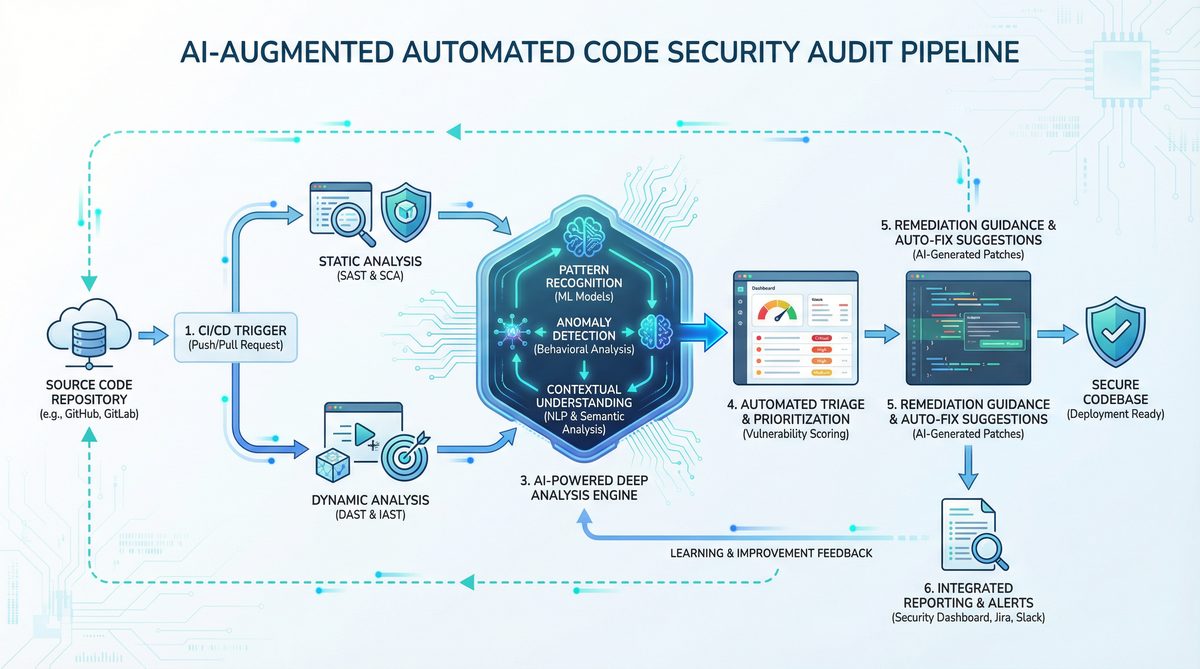
OpenAI Codex is an AI model developed by OpenAI designed to understand and generate code in multiple programming languages. Built on the GPT architecture, Codex excels at interpreting natural language prompts and producing relevant code snippets, explanations, and analyses. It is the engine behind GitHub Copilot and supports a variety of developer workflows, from code generation to debugging and security auditing.
Why Use Codex for Security Audits?
- Code Understanding: Codex can comprehend complex codebases, identify suspicious patterns, and suggest improvements.
- Automation: It reduces manual effort by automatically scanning code for known vulnerabilities.
- Real-Time Analysis: Codex provides instant feedback during development, enabling faster remediation.
- Multi-Language Support: Supports various languages, making it versatile for different projects.
The Pro 5X Subscription Benefits
The Pro 5X subscription enhances your experience with OpenAI Codex by offering:
- Increased API Call Limits: Enables extensive code scanning without throttling.
- Priority Access: Faster response times and reduced latency during audits.
- Advanced Capabilities: Access to enhanced Codex models optimized for code analysis and security tasks.
- Extended Context Windows: Allows Codex to analyze larger code files or repositories in a single request.
Armed with the Pro 5X subscription, you can leverage Codex’s full potential for your security audit workflow.
Finding and Validating Vulnerabilities with OpenAI Codex
Step 1: Preparing Your Codebase
Before starting an automated security audit, ensure your codebase is ready:
- Organize Code Files: Structure your project files logically to facilitate scanning.
- Remove Non-Essential Files: Exclude third-party libraries or binaries that do not require auditing.
- Backup Code: Always keep a backup to prevent loss during analysis.
Step 2: Using Codex to Detect Vulnerabilities
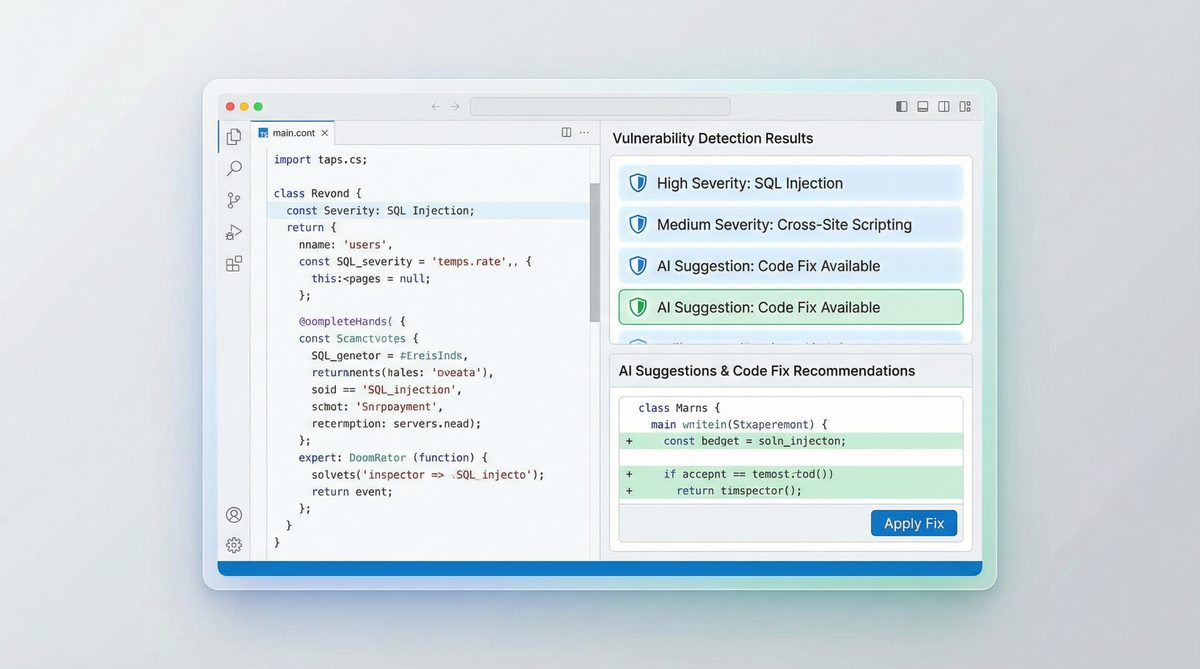
OpenAI Codex can analyze code snippets or entire files to identify common security issues such as:
- SQL Injection
- Cross-Site Scripting (XSS)
- Buffer Overflows
- Unvalidated Input Handling
- Hardcoded Secrets
To begin, you provide Codex with a prompt describing the task and the relevant code. For example:
Find potential SQL injection vulnerabilities in the following Python code:def get_user_info(username):
query = "SELECT * FROM users WHERE username="" + username + """
cursor.execute(query)
return cursor.fetchall()
Codex will analyze the code and respond with identified issues, such as the risk of SQL injection due to string concatenation.
Step 3: Validating Vulnerability Findings
Codex’s suggestions should always be validated to avoid false positives. Here’s how:
- Manual Review: Cross-check Codex’s findings by reviewing the code sections highlighted.
- Run Security Tests: Use tools like static code analyzers or dynamic scanners to confirm findings.
- Write Test Cases: Create test cases that exploit the suspected vulnerabilities to verify their existence.
This hybrid approach ensures that automated findings are reliable and actionable.
Step-by-Step Security Audit Using OpenAI Codex
Step 1: Setup Your Environment
To get started with OpenAI Codex for security audits, ensure you have:
- An OpenAI account with the Pro 5X subscription activated.
- API keys configured in your development environment.
- A codebase ready for analysis, preferably in a Git repository for easy file management.
Step 2: Define the Audit Scope and Prompts
Clearly specify the scope of your audit. Decide whether you want a full codebase scan or focused checks on critical modules. Define prompts that instruct Codex on what to analyze. For example:
- General Security Audit: “Please perform a security audit on the following JavaScript code and identify any vulnerabilities.”
- Specific Vulnerability Scan: “Check this code snippet for Cross-Site Scripting (XSS) risks.”
Step 3: Automate Code Scanning Using Scripts
Leverage OpenAI’s API to automate sending code snippets or files to Codex. A typical workflow includes:
- Reading code files in batches.
- Generating prompts for each batch.
- Calling the Codex API with the prompt.
- Collecting and storing results for review.
Example Python script snippet:
import openai

openai.api_key = "YOUR_API_KEY"

def audit_code(code_snippet):
    prompt = f"Identify security vulnerabilities in the following code:nn{code_snippet}"
    response = openai.Completion.create(
        engine="code-davinci-002",
        prompt=prompt,
        max_tokens=500,
        temperature=0
    )
    return response.choices[0].text.strip()

# Example usage
with open("example.py", "r") as f:
    code = f.read()

vulnerabilities = audit_code(code)
print(vulnerabilities)
Step 4: Analyze and Prioritize Findings
After Codex returns results, categorize issues based on severity:
| Severity | Description | Example | Recommended Action |
|---|---|---|---|
| High | Critical vulnerabilities that can lead to data breaches or system compromise. | SQL injection allowing arbitrary database queries. | Immediate code fix and patch deployment. |
| Medium | Issues that can be exploited with some effort or under certain conditions. | Hardcoded API keys in the source code. | Refactor code to use secure credential storage. |
| Low | Best practice violations or minor security risks. | Missing input validation for non-critical fields. | Implement input sanitization and validation. |
Step 5: Remediate and Re-Audit
Address the vulnerabilities starting with the highest priority. After remediation, rerun the Codex audit to ensure fixes are effective and no new issues were introduced. Iterative auditing enhances code security over time.
Step 6: Integrate Into CI/CD Pipelines
For continuous security assurance, integrate Codex-based audits into your CI/CD workflows. Automate scanning on pull requests or code merges to catch vulnerabilities early in the development lifecycle.
Comparing OpenAI Codex with Traditional Security Tools
| Feature | OpenAI Codex (Pro 5X) | Traditional Security Scanners |
|---|---|---|
| Code Language Support | Multi-language with natural language understanding | Often language-specific or limited |
| Customization | Highly customizable prompts and workflows | Fixed rule sets, limited customization |
| False Positives Rate | Lower with contextual understanding but requires validation | Often higher due to pattern matching |
| Integration | API-driven, easy integration with modern dev tools | Varies; some require standalone execution |
| Cost | Subscription-based, scalable with usage | License or open-source, may require manual setup |
Best Practices for Maximizing OpenAI Codex in Security Audits
- Combine AI with Human Expertise: Use Codex as an assistant, not a replacement for skilled security analysts.
- Regularly Update Prompts: Refine prompts as new vulnerability types emerge.
- Leverage Larger Context: Use the Pro 5X subscription’s extended context to analyze larger code segments for more accurate results.
- Maintain Secure API Practices: Keep your OpenAI API keys confidential and monitor usage to prevent abuse.
- Document Findings: Maintain clear records of vulnerabilities detected and remediated for compliance and auditing purposes.
Conclusion
OpenAI Codex, especially when paired with the Pro 5X subscription, offers a powerful, flexible approach to automated code security audits. By harnessing its advanced code comprehension and generation capabilities, developers and security professionals can rapidly identify and validate vulnerabilities, streamline remediation processes, and integrate continuous security assurance into their workflows.
While Codex significantly reduces manual effort and improves audit coverage, it is most effective when combined with traditional security tools and expert analysis. Following the step-by-step process outlined in this tutorial, you can confidently implement automated security audits that enhance your software’s resilience against attacks.
For further insights on AI-assisted software development and security, explore these resources:
To explore the broader implications of these developments, our in-depth coverage in The Complete Developer Guide to OpenAI Codex 2026: API Setup, Use Cases, and Best Practices examines the key considerations and implementation patterns that organizations should evaluate.
,
To explore the broader implications of these developments, our in-depth coverage in OpenAI Codex Now Offers Pay-As-You-Go Pricing for Teams: What It Means for Developers examines the key considerations and implementation patterns that organizations should evaluate.
, and
To explore the broader implications of these developments, our in-depth coverage in How to Use OpenAI Codex and Claude Code Together: A Complete Developer Setup Guide examines the key considerations and implementation patterns that organizations should evaluate.
.
Access 40,000+ AI Prompts for ChatGPT, Claude & Codex — Free!
Subscribe to get instant access to our complete Notion Prompt Library — the largest curated collection of prompts for ChatGPT, Claude, OpenAI Codex, and other leading AI models. Optimized for real-world workflows across coding, research, content creation, and business.
Access Free Prompt Library