At CES 2026, MSI spent the better part of an hour’s press conference running through the fine points of its latest extra-extra-extra flagship graphics card, the GeForce RTX 5090 Lightning Z. The company has made Lightning Z-class cards before, notably models like the GeForce RTX 2080 Ti Lightning Z. Think of the Lightning Z as the XXL version of a given top-end GPU. MSI typically pours on the overclocker and enthusiast extras, may incorporate liquid cooling, and always pushes things to the limit.
But this Lightning Z is very different. Even by those standards.
MSI rolled up its sleeves and made this one a true technical showcase, pushing power limits and hardware thermal engineering to its most “reasonable” extreme shy of custom solutions using exotic materials or liquid nitrogen setups to explicitly set transient overclocking records. This Lightning Z is all about overclocker service—but it’s also a wild design that any PC builder or modder will drool over. (It has a big side-panel screen on it, for goodness’ sake.)
(Credit: Joseph Maldonado)
MSI sent us a sample of the GeForce RTX 5090 Lightning Z to check out; it just went on sale on Feb. 12. With only 1,300 numbered units available worldwide (ours was No. 14), this is not a card you’re going to drop down to your local tech mart to pick up, along with a pack of dust wipes. Pricing will be—yes, ha ha ha!—$5,090, and MSI even established, in some places such as Taiwan, a lottery system for a chance to buy one of the few cards allocated for sale in the region.
Looking to Land a Lightning Z?

Given the brief time I had with the card before its on-sale date (and the likelihood that it will sell out in a relatively short time), a formal review, with PCMag’s usual big heaping helping of benchmarks and games, is going to be of nothing more than academic interest to 99.99% of you. Plus, mere numbers are not going to sway anyone not already in the extremist zone to hunt down one of these rare, ultra-expensive cards. Most of us need to eat. Then game.
But why not document the process of installing one of these beauties and getting it up and running? And push it through a few initial tests? You got it. Happy to be of service.
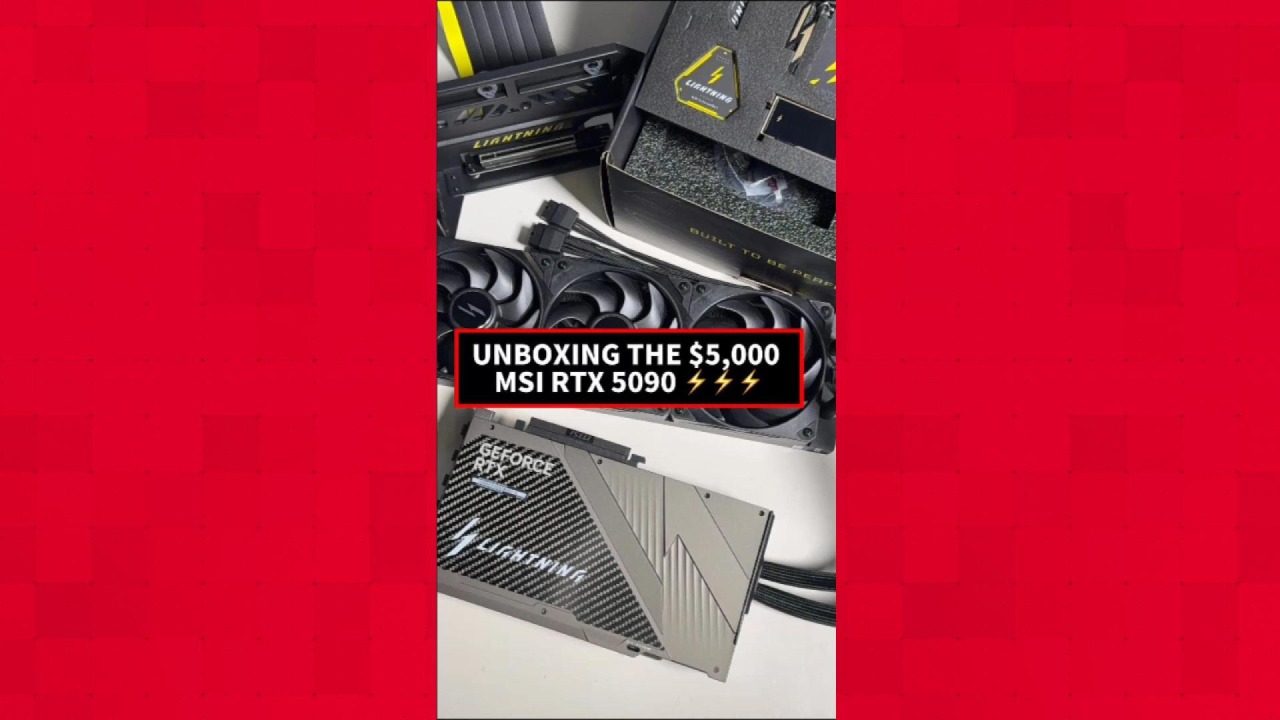

MSI’s $5,090 GeForce RTX 5090 Is Absolutely Unhinged
Unboxing the Lightning Z: This Is No Ordinary GPU. Oh, No, No, No
MSI made the packaging for this card extra special. No disposable box-and-sleeve design here; you’ll want to keep the packaging to maintain the card’s resale (or show-off) value. Plus, it’s just too well-made to simply toss out.
The main shipping box (not pictured here), which came inside another, outer shipping box, is a beast measuring 22 inches high, big enough for a PC tower, never mind a “mere” GPU. Unbox that, and there’s a box-in-a-box, with two other boxes alongside….

(Credit: Joseph Maldonado)
The big one you see here is, of course, for the graphics card and its radiator, but before I get to that, how about the other two?

(Credit: Joseph Maldonado)
The Accessories box is the most overstuffed set of gewgaws (plus some actually useful and essential bits) I’ve seen with any GPU, by a mile. The top layer is wacky stuff: an MSI Lightning Z keychain, a faux-signed plaque from an MSI executive with a replica of the Nvidia GB202 GPU die etched on the back, various stick-on badges for your PC case, and a miniature replica of the GPU with its radiator, spinning fans and all…

(Credit: Joseph Maldonado)
In the lower layer is the practical stuff: mounting screws for the card’s radiator, some thermal probes for really advanced users, a card support brace, and a converter cable that changes an Nvidia 12-pin 12VHPWR connector to four 8-pin power supply connectors…

(Credit: Joseph Maldonado)
Much more on all that later. The other box, meanwhile, holds an elaborate GPU mount…

(Credit: Joseph Maldonado)

(Credit: Joseph Maldonado)

(Credit: Joseph Maldonado)
This is used to mount the graphics card upright in your transparent-sided case, so you can see the card’s face and its big LCD screen. More on this later, too.
And now for the main event….

(Credit: Joseph Maldonado)
The main box opens like a budding tulip, revealing the graphics card (front) and radiator (back). They are tethered together by the liquid-cooling hoses, hidden in the recesses of the box bottom.

(Credit: Joseph Maldonado)

(Credit: Joseph Maldonado)
Lifting the whole awkward device out, you have a hefty, unwieldy beast that fights you, with the thick radiator and stiff hoses tethered to a card that weighs more than a five-pound bag of flour. Mostly, that is thanks to the immense copper cold plate, which covers the 40 power phases and the massive RTX 5090 die. (For a closer look at the card exploded, see my tour of it from CES 2026.)

(Credit: Joseph Maldonado)
There’s an elaborate sticker on the display side of the card, covering the screen, which is an 8-inch panel with a tough, clear coating. The back side of the card, which, alas, you won’t ever see once it’s mounted in its vertical bracket, is a work of art. It has some carbon-fiber detailing and looks way nicer than the exposed front of most other, lesser cards…

(Credit: Joseph Maldonado)
Also on the back is a tiny recess near the card top with labels for OC and EXTREME. Inside the recess is a micro-switch that you can throw with the tip of a screwdriver or other implement. It lets you switch between BIOSes that support an 800W or 1,000W power limit, respectively. I left it on 800W…for now.

(Credit: Joseph Maldonado)
That 800W number should tell you something, though, given that the Nvidia 12VHPWR connector is rated for 600W max and is notorious for occasional meltdowns that circulate in stories on Reddit and elsewhere. The twin 12VHPWR connectors at the top of the card handle those power draws, allowing up to 1,200W…enough headroom even for the EXTREME BIOS setting.
MSI also points out that the card has a so-called “XOC” 2,500W mode that you can engage. XOC immediately voids the warranty when enabled (!?!) and will require a more robust power source than I have here…but I’m just putting that bananas option out there. It’s meant for the kind of world-record attempts by pro overclockers that MSI highlights on its webpage for the card. (Indeed, the company says that it consulted heavily with that crowd for the design of this card.)

(Credit: Joseph Maldonado)
Of course, that power draw suggests that your, er, “run of the mill” 850W or 1,000W power supply isn’t going to cut it. MSI supplied with our RTX 5090 Lightning-Z sample a 1,600W MSI MPG Ai1600TS PCIE5 power supply, which comes with a rare two 12VHPWR native connectors. (To be clear: If you buy your own Lightning Z, the power supply is not included.) These will enable straight power connections between the card and the PSU, with no converter cables required.

(Credit: Joseph Maldonado)

(Credit: Joseph Maldonado)
Installing the RTX 5090 Lightning Z: Let’s Build Us a Monster
Pretty safe to say: You probably don’t have a desktop PC hanging around that can just showcase this beast to its full potential. (Unless it has a 1,500W-plus power supply and a big, crystal-clear case.) So, how to build a desktop worthy of this $5K-plus gem?
On short notice, I plumbed our component inventory for our best and brightest. First was a PC case: You wouldn’t buy a $5,000 GPU with a glam screen on it, if not to show it off, right? So I needed a case that could hold the vertically mounted card, show it off through clear glass from several sides, and not obscure it with the too-common black-tinted glass so many cases use these days.
The best choice on hand was NZXT’s H9 Flow RGB, which PCMag reviewed and liked back in 2025. The sample I had is all-white, which I knew might clash with the black radiator and black-and-silver card, but I went all-in on the white motif for contrast, hoping it would all work out.

(Credit: Thomas Soderstrom)
I, er, “borrowed” the CPU from PCMag’s graphics card testbed, the Ryzen 9 9950X. That’s not an AMD X3D chip, mind you, but it’s among the best of the best you can get nowadays. That was mounted on a white Gigabyte X870 Aorus Elite WiFi7 Ice ATX board, with silver highlights and an arctic theme.

(Credit: John Burek)

(Credit: John Burek)
I put a 2TB Crucial T710 PCI Express 5.0 SSD as the main boot drive. And I even scrounged up a snow-white twin-module set of Crucial DDR5 memory (another relic; adios, Crucial!), and a white ADATA XPG 360mm CPU cooler, the XPG Levante X 360. The Levante X 360 features a trio of ARGB fans that complement the three in the NZXT case nicely.

(Credit: John Burek)
The assembly, apart from the graphics card, took an evening. Mounting the motherboard, installing the CPU and RAM, and mounting the MSI power supply were all uneventful, but wiring up the board, I took great pains to route the wiring carefully and show as little cable run as possible. The CPU cooler was a bit more complex, requiring some creativity to hide its chained ARGB and power cables dangling from the three fans on the radiator, as well as the pump power and lighting leads. But the NZXT case was forgiving in that regard.
The Parts We Used…


My first mistake, though, was to leave NZXT’s snazzy bank of three 120mm fans (they’re in a one-piece unit frame) in place and assume I could mount the Lightning Z card’s radiator into the bottom of the case. To mount the Lightning Z card and its radiator, you first have to take all of the covers out of the PCI Express slots in your case and install MSI’s big mounting frame for vertical orientation of the card. It won’t work if your case has metal dividers between the PCIe slot covers, so be warned!
I installed the mounting frame in the case with some difficulty. It would have been a cinch, but the frame has a lip at the bottom that collided with a shelf at the bottom of the case, resulting in metal-on-metal contact with an overlap of about 1mm. You can see it in the image below. There was no give, so I had to resort to brute force to make it fit, but fit it did, ultimately.

(Credit: Joseph Maldonado)
I soon realized, though, that there wasn’t enough clearance to fit the radiator under the mounting frame with the frame in place. So I had to undo that work and mount the radiator down below. And so I did, but I was alarmed by how far the radiator and fan protruded from the 360mm mount at the case bottom.
That was warranted. When I then went to remount the vertical card frame, oof. Not enough space! The fans atop the radiator collided with the bottom of the card frame. I’d need a bigger case. Or I’d have to move up the whole frame by a slot. I tried that, but it didn’t look great. The video card would be mounted high, blocking the view of the CPU cooler. It just looked strange.
So… I ended up removing NZXT’s three 120mm case fans from their angled mount on the case side, rerouted their cabling, and remounted them in the bottom 360mm fan well instead. It looked fine, but the Lightning Z’s black radiator and unlit black fans would have to go in the exposed vertical mount. Oh well.

(Credit: Joseph Maldonado)
After that mix-up, I was ready to install the vertical card mount again. I first plugged in the riser cable to the motherboard’s primary PCI Express 5.0 slot, like so. It took a bit more force than I expected or felt comfortable to apply, but it needed the oomph for the clip to engage…

(Credit: Joseph Maldonado)
Then I muscled the mount into place (again) and screwed it down.
Now, about this mount: Holy smokes. It’s well-engineered, but it’s a veritable Rube Goldberg contraption of sliding rails and levers and layers. (I can’t believe MSI engineered this thing for just 1,300 cards.) You unscrew a thumbscrew to slide out the main frame that holds the PCIe riser connector, then detach an inner frame from that to actually install the card. I snapped in the MSI Lightning Z card and screwed it down to the inner frame…

(Credit: Joseph Maldonado)
After that, I slid that frame into the outer frame, and snapped down two levers to lock those frames together…

(Credit: Joseph Maldonado)

(Credit: Joseph Maldonado)
…and then, after that, slid the whole works on its rails onto the main bracket inside the PC…

(Credit: Joseph Maldonado)
Whew. The nice thing about this apparatus, though, is that you can adjust the card’s position left to right for appearance and case fitment, as well as front to back across a range limited by the thumbscrew. (You can also adjust the card up or down by using a higher or lower set of PCI Express slots, as mentioned earlier.) I adjusted and tweaked, making sure the card’s back panel would be accessible through the gap in the rear of the case created by removing all the PCIe covers. Then, to fill the gap, I reinstalled a couple of the PCIe slot covers I’d removed earlier. It didn’t look awesome, but the backs of PCs seldom do.

Get Our Best Stories!
Your Daily Dose of Our Top Tech News

By clicking Sign Me Up, you confirm you are 16+ and agree to our Terms of Use and Privacy
Policy.
Thanks for signing up!
Your subscription has been confirmed. Keep an eye on your inbox!

(Credit: Joseph Maldonado)
That’s the thing with the backplane of this card. You get three DisplayPorts and an HDMI, the usual loadout. But there’s also a mystery USB-C connector. You use that to power the card’s side display, and it sends the video signal to the card’s side panel from an ordinary USB Type-A port! (MSI supplies a USB-C-to-A cable for that.) You’d think the world’s beefiest video card could power its own screen directly somehow, but no. It uses this weird loopback arrangement.
Also, that USB-C is offset to the right of the other ports. That means you have to precisely adjust the card on the bracket, front to back, to ensure the ports line up with the gap at the back of the case. Even so, it was tight when using a DisplayPort cable; every time I had to disconnect, it was a finger exercise to release the connector and pull out the cable, and the USB-C was often in the way. HDMI, without the release on the connector, was easier. Hopefully, you won’t have to detach and reattach yours as often as I did for testing, photography, and moving the PC around PCMag’s lab.
Okay, as for the power needs. Remember that 1,600W power supply? I fed two 12VHPWR leads from the supply over to the top edge of the card. I’m always leery of these cables, so I made an effort not to flex them too much…

(Credit: Joseph Maldonado)
The nice thing about the $5,090 you pay for this card is that MSI designed the power and signalling wiring for the radiator and its fans to be entirely self-contained. You don’t need to hook up any individual fan or power wiring to run the radiator; it’s all controlled through the card’s PCIe interface proper, and powered from the card itself. The wiring runs under the sheaths covering the hoses.
With the power cables connected, voila! Completed build. Would it fire up?
Not really. On the first boot, I got a spiffy promotional MSI Lightning video on the card’s side display, which played on a loop…

(Credit: Joseph Maldonado)
…but no signal to the MSI-brand 2K monitor I had around the lab. I switched from DisplayPort to HDMI, and still no dice. I checked all my connections, and everything seemed OK. Rebooting again gave me no joy. Then I tried a different DisplayPort output on the card, and bingo, I got the BIOS.
From there, I installed Windows 11 from a USB key and, upon reaching the desktop, spent a few hours with Windows Update slogging through driver and OS update downloads. Gigabyte’s motherboard utility followed, along with the MSI Center utility for the card itself.
You’ll need more than just Windows Update, though, to get everything going. My card’s side display never changed from the promo video, and was not detected as a second monitor in Windows 11. An inquiry to MSI revealed that the PC needed a USB display driver, so I downloaded that from MSI’s site, and, bingo again, success: I had a reproduction of the Windows 11 desktop displaying on the side of the card. Display Settings in Windows detected the card’s side screen as a second monitor.
Boring Windows would not do, so I left the control of the PC to some colleagues while I grabbed lunch. The result? On the side of the Lightning Z card, we ended up with baby sensory videos of bouncy fruit…

(Credit: Joseph Maldonado)
Formula One racing soon made an appearance…

(Credit: Joseph Maldonado)
…then a live Bitcoin price tracker…

(Credit: Joseph Maldonado)
…as then a Major League Baseball game played back via YouTube…
Recommended by Our Editors

(Credit: Joseph Maldonado)
This is what happens when you leave your Lightning Z unattended! Be warned. The stuff being shown was simply browser-based video, though, dragged onto the card display and set to full-screen.

(Credit: Joseph Maldonado)
The one thing I wanted to show off on the Lightning Z’s card screen was a CPU and GPU live data display, which MSI had demonstrated at the card launch. This customizable layout, by default, shows key system vital signs, including CPU and GPU usage, real-time power draw, and GPU and CPU temperatures.
To get this going, I downloaded MSI Lightning Hub, a new, web-based UI that MSI introduced as a catch-all software interface for the card. It also links to MSI Afterburner (the company’s widely used overclocking utility) and MSI Center, its universal driver-maintenance and hardware-control platform for MSI gear. Lightning Hub, though, has a panel for manipulating the second screen, but trying all the options, it didn’t work. As MSI explains, the app is web-based, and a supplemental mobile app lets you control Lightning Hub from your phone when the PC and phone are on the same Wi-Fi network. I didn’t dig into that option for time’s sake. But I did get the screen working via a different route, thanks to a Display tile in MSI Center. That acted like Lightning Hub was supposed to, and let me shape and show that graphical display of system settings. Nice.

(Credit: John Burek)
And Onward to the Testing: RTX 5090 Lightning Z Initial Benchmarks
To an extent, testing the Lightning Z is a bit of an academic exercise. Unless you are deep in the overclocker culture, you don’t buy this card for the marginal percentages of extra performance that it will give you. At more than double the cost of a stock GeForce RTX 5090, there’s no way you’re getting a proportional (i.e. twofold) boost in frame rates out of it. Card physics and thermal gains don’t work like that.

(Credit: Joseph Maldonado)
Still, the card comes heavily overclocked out of the box, and the thermal hardware is well beyond what any air-cooled card has. For our purposes, we’ll run with those “stock overclock” settings for our spate of tests. Various reviewers around the web have already managed an additional few percent on top of some of these scores, but we’ll leave those experiments to intrepid buyers and urge you to search out a few folks who have done some deeper, more qualified overclocking on this card.
You can see the big rated boost-clock difference on the card right in the MSI-supplied specs…
The tests that follow adhere to our usual testing methodology and settings, but know that you could see slight differences attributable to the hardware. Our testbed PC for earlier GPUs runs on a different AMD X870 board than the Gigabyte Aorus model we used.
First up is our slate of synthetic 3DMark subtests; we ran five key ones. You can see here the bigger bars for the “stock overclocked” RTX 5090 Lightning Z versus the stock RTX 5090 Founders Edition….
Versus the RTX 5090 Founders Edition, these tests at stock overclock settings on the Lightning Z range from increases of roughly 6% to 10%, with one test at a whopping 18% margin. Synthetic tests like 3DMark are mostly useful as a relative gauge between cards, and the RTX 5090 Lightning Z gives you a bit more than a typical RTX 5090 out of the box, but it’s decent incremental gains, not world-beating ones.
Next up: a subset of our usual games, tested solely at 2,560 by 1,440 (1440p) and 3,840 by 2,560 (4K). We didn’t run our full suite, in the interest of time, and 1080p play would likely be of interest only to the most extreme of esports hounds looking to maximize low-res, extreme-refresh play. We stuck to 1440p and 4K. Check some competing reviews for 1080p numbers and testing with an X3D chip if that’s your jam with a $5,000 card. (We used the Ryzen 9 9950X.)
Of note: Cyberpunk 2077 exceeds 60fps at 4K on the brutal “Will-It-Run-Crysis?”-equivalent Ray Tracing Overdrive preset. That’s the current accepted standard for GPU torture testing in a popular AAA game. The RTX 5090 Founders Edition pulled in 58fps on the same test, but at this level of performance, 7fps of improvement is actually more than 10% faster, and a feat.
Most of the other games saw a 5% to 10% bump up at 4K, with 1440p being a mixed bag of sometimes a little better, sometimes about the same as the Founders card. And in a couple of test runs, notably Avatar: Shadows of Pandora, the MSI card showed no advantage over the RTX 5090 Founders Edition.
Meanwhile, AMD’s Radeon RTX 7900 XTX flagship is left far, far astern. (Of course, at list prices, you could buy four or five RTX 7900 XTX cards for one Lightning Z.)
After running these tests, we shut down the PC and threw the BIOS switch on the card to EXTREME to enable the 1,000W power ceiling. Rerunning the tests, none showed a difference in either direction, outside the margin of error. Watching the real-time display on the card side, at no point in our tests did the card power draw exceed the mid-800W zone for more than a few seconds, only in short spikes.
Clearly, none of the tests we ran were power-constrained. That will only come into play if you push the card further in Afterburner or other OC tools. I did dabble with memory and GPU core overclocks under the direction of Nvidia’s overclock scanner, and also with some mild manual tweaks to the same in Afterburner. But none of the settings yielded anything much outside the margin of error. Admittedly, MSI had already squeezed a fair amount more out of the RTX 5090. More time will undoubtedly yield better results.
Should You Buy the Lightning Z?
More the issue, can you buy the Lightning? Affordability is question one; at $5,090, it’s an investment-grade card that costs more than a whole high-end boutique gaming PC. And it demands a lot of high-end gear to complement it.
How long it’ll stay on the market is question two, and that remains open. I can see the market for this card being hyper-limited at the price, but 1,300 worldwide isn’t many units, with only hundreds, or even dozens, allocated for sale in a given country. The rarity/collectible factor may spur it to sell out sooner. Look at cards like Asus’ gold-plated ROG Astral GeForce RTX 5090 Dhahab OC Edition. When it comes to audacious GPUs, if you build it, buyers will come.

(Credit: Joseph Maldonado)
As for the practical aspects? For the out-of-the-box overclock gains, you’re looking at barely double-digit percentage performance gains for about double the cost of an “ordinary” RTX 5090. Beyond that, better brush up on your OC skills; we wouldn’t expect a ton of extra performance beyond what we got, as MSI is already squeezing a lot out of the die, between Nvidia’s own boost tech and the card’s stock overclock. There’s a lot of thermal hardware here to give you runway, but GDDR7’s memory overclock limit is still a factor for the casual overclocker, and others who have assessed the card online so far have managed to squeeze just a few extra percentage points out of it under the EXTREME BIOS setting.
(Credit: Joseph Maldonado)
Of course, I’ll be curious to see how far the extreme crowd is able to push things with the warranty-killer XOC BIOS. (That won’t be me.)
Is the stock performance gain worth several thousand bucks extra versus an air-cooled card? We’d say “no” from a pure performance standpoint, unless you’re an inveterate tweaker with a lot of time on your hands and this card becomes your hot-rod project. A performance gain of up to 10% against a more-than-2X price bump from a Founders Edition RTX 5090 to this MSI card makes those extra frames you squeeze out very dear.
But of course, this card is about far more than just the OC aspects. The heftiest copper cold plate to date and robust liquid cooling mean lower-temp operation in ordinary use. That, in turn, could mean less thermal stress on the GPU and VRMs and possibly lead to longer card life if you’re not pushing the card to its limit. (Pure conjecture, that.)

(Credit: Joseph Maldonado)
And then there’s the on-card screen. I have to admit, the cool factor is off the charts if you’re as much a PC-build aesthete as a performance hound. (The former is more where I land on the PC-build spectrum.) The implementation is amazingly well done here, with the mounting gear top-notch and the screen itself as slick as can be. And the real-time monitoring UI is just as cool as the ability to splash stock tickers or K-Pop videos inside your PC case.
Just know that you’ll be spending well more than $5,090: Factor in a requisite high-wattage power supply, and probably $200-plus for an aquarium-style showcase PC case to properly exhibit this card. And if you’re all in, you probably need some more RAM, right? (Very dear, these days.) And don’t have a Ryzen 9000-series X3D chip, which is the ideal complement CPU here? There’s another $400 to $700. And that chip may demand a new X870 motherboard…
No one said keeping up with the extreme wing of the PC high end was cheap, or practical. But if you want a centerpiece, eyes-on GPU to tide you over into the foreseeable future, with the GeForce RTX 60 series years away, MSI’s got your card. For how long? Who knows.
Francisco La Hoz contributed testing work to this writeup.
About Our Expert

John Burek
Executive Editor and PC Labs Director
Experience
I have been a technology journalist for almost 30 years and have covered just about every kind of computer gear—from the 386SX to 64-core processors—in my long tenure as an editor, a writer, and an advice columnist. For almost a quarter-century, I worked on the seminal, gigantic Computer Shopper magazine (and later, its digital counterpart), aka the phone book for PC buyers, and the nemesis of every postal delivery person. I was Computer Shopper’s editor in chief for its final nine years, after which much of its digital content was folded into PCMag.com. I also served, briefly, as the editor in chief of the well-known hard-core tech site Tom’s Hardware.
During that time, I’ve built and torn down enough desktop PCs to equip a city block’s worth of internet cafes. Under race conditions, I’ve built PCs from bare-board to bootup in under 5 minutes. I never met a screwdriver I didn’t like.
I was also a copy chief and a fact checker early in my career. (Editing and polishing technical content to make it palatable for consumer audiences is my forte.) I also worked as an editor of scholarly science books, and as an editor of “Dummies”-style computer guidebooks for Brady Books (now, BradyGames). I’m a lifetime New Yorker, a graduate of New York University’s journalism program, and a member of Phi Beta Kappa.
Read Full Bio