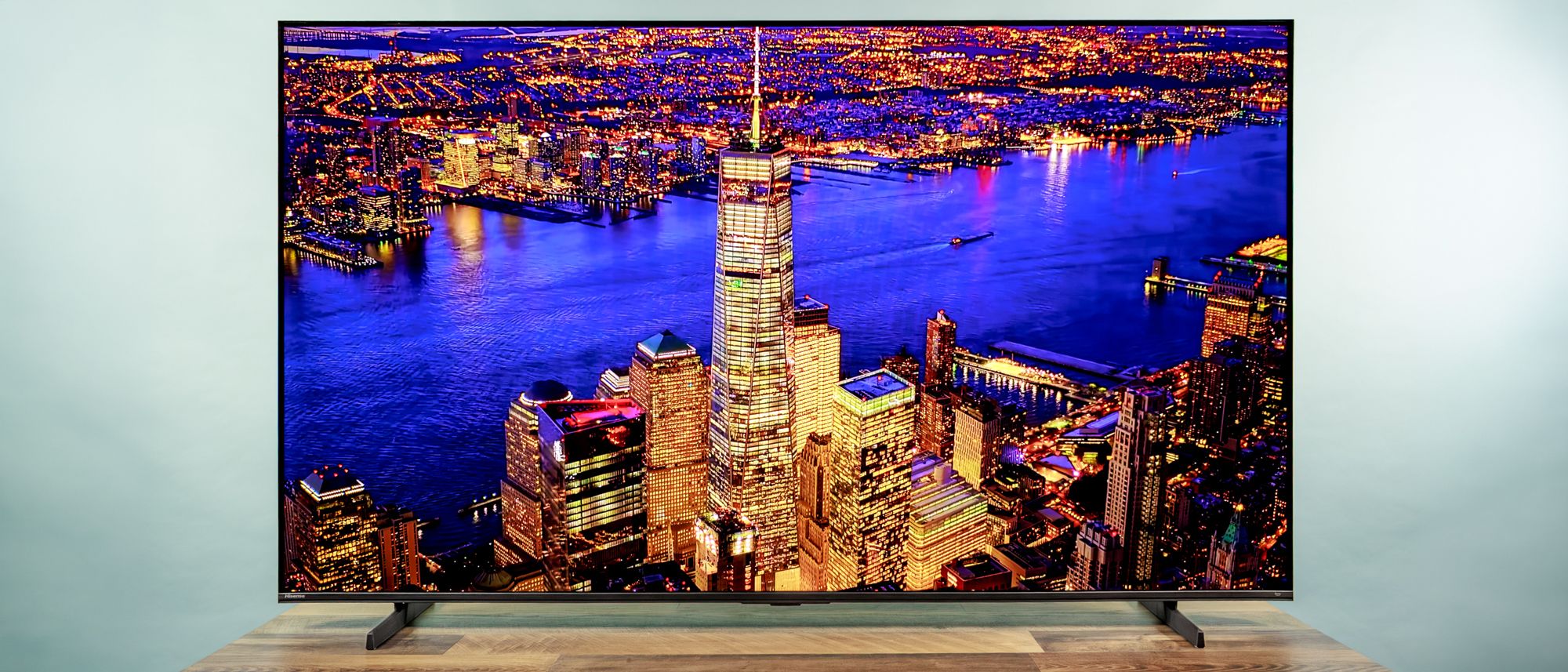
Hisense 65QD7QF: SPECS
Price: $499.99 list [$437.99 – Amazon and Best Buy as of 3-12-26]
Screen size: 65-inch
Resolution: 3,840 x 2,160
HDR: Dolby Vision, Dolby Vision Gaming, HDR10, HDR10+, HLG, HDR10+ Adaptive
Refresh rate: 60Hz
Ports: 4 HDMI 2.0 (one with eARC HDMI), 2 USB-A 2.0, optical digital audio out, LAN, RF-in (NTSC/Clear QAM/ATSC 1.0), RCA composite video and analog audio input (mini jack), 3.5mm earphone audio output
Audio: 2-channel, 30W (Dolby Atmos)
Smart TV software: Amazon Fire TV
Size (without stand): 56.9 x 33 x 3 inches
Weight (without stand): 45 pounds
If you’re looking for a big-screen bargain, the Hisense QD7 should be on your shortlist. Colors are generally pleasing and accurate; contrast and high dynamic range (HDR) performance are adequate; and sound, especially bass, is quite booming from the built-in speakers.
Despite the drawbacks, however, this TV offers a lot for the money, and could very well be one of the best TVs under $500
HISENSE QD7 REVIEW: PRICING AND AVAILABILITY
With a list price of about $500, regularly discounted, QD7 sits in the middle of Hisense’s 2025 model year TV offerings. Below it are sets like the new QD6 (selling for about $380), which lacks local dimming for improved contrast and dynamic range, runs at 60Hz native refresh rate, and provides just 20W of audio output.
Above it, the Hisense U7QG (also a 2025 TV, priced around $1,500) upgrades to HDMI 2.1 ports (vs. the QD7’s slower-frame rate HDMI 2.0), a native 165Hz refresh rate (vs. 60Hz), up to 3,000 nits peak brightness (as advertised, vs. 600 nits, as measured for the QD7), and 50W multi-channel audio (vs. 30W).
However, the QD7 is no slouch and a solid deal, holding its own on content standards, supporting Dolby Vision, Dolby Vision Gaming, and the full HDR10+ Adaptive suite (more on those, below). The 65-inch QD7 is also priced competitively against rivals from companies and quite cheaper than the pricier 65-inch Samsung Neo QLED QN70F (at about $900), which we tested side-by-side and found lacking in most respects.

It’s worth noting that the larger versions of the Hisense QD7 line — the 75-, 85-, and 100-inch screens — provide significant upgrades, especially for gaming. These include a native 144Hz refresh rate (vs. 60Hz) and two HDMI ports supporting the 2.1 standard for full-bandwidth PS5, Xbox Series X, and high-end PC gaming.
HISENSE 65QD7QF REVIEW: DESIGN
The Hisense QD7 is virtually all screen, save for a slim bezel measuring about 8mm on the top and sides. A 15mm strip on the bottom is empty, save for a barely legible “Hisense” in the lower-left corner.

The TV’s a tad chubby, measuring roughly 7 mm (2.76 inches) at its thickest point on the bottom. This wouldn’t be very noticeable if the TV is on a table, as the stand would push it out even farther from the wall, but it could look a bit chunky if wall mounted. Should you decide to pair it with one of the best TV wall mounts, the QD7 has the four VESA standard screw holes forming a 400 x 400 mm square on the back of the TV.

The 65-inch QD7 rests on the common two-foot design, with feet extending perpendicularly about 4.5 inches beyond the front and back of the panel. They are spaced about 44 inches apart, so you’d want a table at least a few inches wider on both sides to hold it safely.
HISENSE QD7 REVIEW: PORTS
When viewed from behind, the QD7’s power cable connects in a well on the left side. All ports are to the right, in two groups: a LAN, digital audio out, and one HDMI port point straight out the back.

A recess to the right holds the remaining three HDMI ports, an RF-in for cable or antenna reception, a 3.5mm headphone-style jack, a mini combo analog audio/video port, and two USB ports. All these ports face to the side, so the cables are parallel to the TV panel.
The HDMI ports are limited to the 2.0 standard, supporting up to 4K input but at just 60Hz — the native refresh rate of the panel. One of the HDMI ports supports eARC to provide lossless Dolby Atmos audio to a soundbar or home theater system. The USB-A ports provide power at 5 volts and 0.5 amps — which should suffice to power streaming sticks from Roku or Google. I’d highly recommend either as an alternative to the TV’s sluggish Fire TV interface (more about that below).

An RF-in port takes input from terrestrial (over-the-air), cable, and satellite broadcasts. The set includes an analog tuner and an ATSC/Clear QAM digital tuner. Supporting only the aged ATSC 1.0 standard (we’re now on ATSC 3.0), it’s limited to the 1080i standard dynamic range versions of TV broadcasts, which could be phased out in the U.S. in two or three years (though nothing has been set in stone).
HOW WE TEST
We follow a standard testing protocol for every TV we review at Tom’s Guide. Our benchmarks include a series of technical and subjective tests designed to rate the set’s performance. For our technical tests, we set the TV to Filmmaker Mode (usually the most accurate out of the box) and take measurements using a Jeti spectraval 1501-HiRes spectroradiometer, a Klein K10-A colorimeter, a Murideo 8K-SIX-G Metal pattern generator, and Portrait Displays’s Calman TV-calibration software. We also use a Leo Bodnar 4K Video Signal Lag Tester for determining the TV’s gaming prowess.

Subjective tests vary based on the reviewer but usually include anecdotes from a diverse selection of movies, TV shows, and other content reflecting the types of things you may actually want to watch on the TV. For a more detailed look at what we do and how we do it, check out our “How we test TVs” page.
HISENSE 65QD7QF: IMAGE PERFORMANCE & TEST RESULTS
| Row 0 – Cell 0 |
Hisense QD7 |
Samsung QN70F |
Hisense U75QG |
TCL QM7K |
LG QNED92 |
Samsung QN80F |
Samsung Q70C |
|
SDR Brightness (10%, in nits) |
402.36 |
106.82 |
1143.74 |
131.61 |
511.76 |
248.74 |
238.66 |
|
Delta-E (lower is better) |
1.75 |
3.48 |
2.83 |
1.44 |
1.57 |
2.80 |
1.97 |
|
Rec. 709 Gamut Coverage |
99.56 |
99.46 |
99.58 |
99.17 |
97.80 |
99.62 |
99.53 |
|
HDR Brightness (10%, in nits) |
658.89 |
625.07 |
2950.98 |
1733.40 |
1248.15 |
1160.74 |
443.75 |
|
UHDA-P3 Gamut Coverage |
94.33 |
95.53 |
94.90 |
96.98 |
95.57 |
94.13 |
92.25 |
|
Rec. 2020 Gamut Coverage |
74.73 |
79.08 |
76.19 |
79.22 |
77.42 |
72.13 |
68.27 |
|
Input Lag (ms) |
9.4 |
9.8 |
9.8 |
13.1 |
13.3 |
9.8 |
11.4 |
*As measured in Filmmaker Mode
HISENSE QD7 REVIEW: PERFORMANCE
Aside from a sluggish 60Hz refresh rate and older HDMI 2.0 ports, the QD7 ticks some key boxes for a modern LED LCD TV. These include some key terms we’ll discuss below: quantum-dot color technology, full-array LED backlighting, and support for the Dolby Vision video and Dolby Atmos audio formats. These features boost overall quality compared to simpler models.

Pretty common in today’s TVs, the QD7 uses quantum dot crystals to absorb a portion of the backlight and re-emit it as more-saturated green and red (blue isn’t generally a problem with LED backlights). More important: This TV makes good on the tech’s promise. I saw faithful colors in a wide range of content, including an NFL Super Bowl recap reel on YouTube, “Bridgerton” on Netflix, and the Blu-rays for “Dune: Part One” and “Spider Man: No Way Home”. I especially appreciated the fine tonality that brought skin tones of all shades to light with subtle shading. This was true in both the Filmmaker mode (that aims for greatest precision) and the brighter Standard mode that the TV is set to out of the box.
Lab results back this up. Its Delta-E score (a gauge of color fidelity in which lower numbers are better) was 1.75, which fell in the middle of the pack among similarly priced 65-inch TVs.

The TV has thousands of individually controlled LEDs in a grid behind the LCD screen. This full-array backlight is a step up, even from some more expensive sets. The local dimming this enables should help the screen produce a better dynamic range from dark to bright; and it does, to some extent, after some tweaking.
I saw it in clearly rendered shadowy content in clips from Netflix’s “Stranger Things” (Trailer 1, Part 3). Chapter 10 of “Dune” is a great test for this: It begins with Duke Leto waking up in near darkness and proceeds to an epic battle that lights up the night. The Duke’s face was easy to make out at the beginning, and the orange and blue explosions popped against the night sky.

Despite the name, Filmmaker mode is not best for high dynamic range content. It produced a dull, muddy appearance in the meeting between Peter Parker and Dr. Strange in Chapter 4 of “Spiderman,” for instance. Switching to Movie mode improved both highlights and shadows.
The QD7 supports Dolby Vision, which provides extra metadata to help the set render images as the director intended. (One feature I especially like: Movies play in the original 24 fps format, rather than being soothed into a newscast-style 60 fps.) In “Bridgerton,” the set kicked into Dolby Vision Dark, producing a grayish cast that obscured detail in shadows — especially noticeable in faces during a candlelit party scene (Season 1, Ep 3). Switching to Dolby Vision Natural or even Vivid (there’s not much difference) cleared up faces that had been lost in shadow and managed to retain detail in highlights, such as sunlight glinting on a character’s forehead.

The need for these tweaks is obvious from our lab tests. In Filmmaker mode, HDR brightness peaks at just 659 nits (measured in 10% window), vs. an average of 1260 among TVs we’ve recently tested. Brightness with standard dynamic range (SDR) content is also poor, at 449 nits in Standard mode, vs. an average of 831. All this poses challenges for viewing in a bright room with the lights cranked up or daylight streaming in. The QD7 could do little to dispel glare from bright overhead lights in our tests. This isn’t a dealbreaker, just something you have to consider when placing the TV.
The set’s weakest specs are the HDMI 2.0 ports and a native panel refresh rate that are both limited to 60Hz. This was noticeable with some content, such as some choppiness in the Super Bowl clips. Switching on Smooth Motion Processing noticeably reduced the effect, however.

I was perhaps most impressed not with how the 65QD7QF renders top-quality content, but how it cleans up lousy material. My torture test is the 1975 premiere episode of police procedural comedy “Barney Miller,” streamed from Amazon Prime. Scenes are often overexposed, blurry, or sometimes woefully lacking any detail. The QD7’s upscaling to 4K was stupendous, filling in an almost blank face in Barney’s wife and rendering fine texture in his hair, moustache, and face.
HISENSE QD7 REVIEW: Audio
Audio is another standout feature — again, after some tweaking. The pair of downfiring speakers produced such powerful bass that several colleagues in the office took notice (one of them, with slight annoyance). One colleague even asked if we were using a soundbar. The audio was powerful enough to fill a room at just 25% volume; even 50% could be overwhelming.

The downside is that, in the default Standard audio mode, voices sounded a bit muffled and flat, as if the speaker were inside a wooden box. This occurred with both music, as in the trailer for the “KPop Demon Hunters Sing-Along,” and dialogue, such as an intense conversation in “Spiderman: No Way Home.” But the fix is simple: Switch to the Movie audio mode.
HISENSE QD7 REVIEW: GAMING
This TV has an incongruous collection of specs and performance for gaming.
With our Leo Bodnar 4K Video Signal Lag Tester, we measured input lag (the time between a video signal entering the set and appearing on the screen), at a miniscule 9.4 milliseconds. That’s the lowest of the rival TVs we tested (next-fastest: 9.8 ms, average: 10.9). This should help save you from getting fragged because the images can’t keep up with the pace of the game.
That 60Hz refresh rate is the downer, however, in a field where 120Hz is becoming the norm. The QD7 offers some image interpolation and smoothing that may help. I tested it with the low-impact Astro’s Playroom on a PlayStation 5 Slim. Video seemed smooth enough, so this shouldn’t be a hindrance for casual gaming, but the QD7 would not be a top choice for serious gamers paying high-end titles rigs: consoles that output 120Hz content and high-end gaming PCs at up to 144Hz.
HISENSE QD7 REVIEW: INTERFACE
The Amazon Fire TV interface, or at least its performance on this model, is the QD7’s glaring weak spot, due to its agonizingly slow response (possibly the result of bloated software, an underpowered processor, or both).

The TV took 50 seconds to start up — which may not sound like much, until you’re forced to stare at the screen all that time. Amazon Prime Video (the house brand of this OS) took about seven seconds to launch — still slow, but lightning fast compared to the full minute for Netflix. If this drives you batty, adding a streaming device such as a Roku stick or box is an easy fix.
Snail’s pace aside, the TV’s operating system is easy to navigate and similar to other interfaces, such as Samsung Tizen’s. A massive graphic for rotating featured content takes up nearly the top-half of the screen. A bar below it shows a selection of your video apps: Click one to see its featured content, without having to launch the app.

Other key items include broadcast TV mode, input selector, search, and the full suite of settings: both picture and audio as well as nuts-and-blots items like Wi-Fi setup. The right-side menu provides all the day-to-day items you need, such as input selection, TV mode, and screen mirroring. It also gives access to full picture and audio adjustments — even the most advanced items such as Dolby Vision modes, local-dimming level (for HDR performance), and Dialog Enhancer. This is far more complete than the quick-settings popup in Samsung Tizen, for instance.
HISENSE QD7 REVIEW: Remote
The remote control is a straightforward affair with the standard four-direction ring and central button and shortcuts to select video apps, plus video play, TV channel, and audio controls, as well as a menu button.

Up top is a light-blue button for launching the Alexa voice assistant to answer questions about and make recommendations for what to watch.
HISENSE 65QD7QF REVIEW: VERDICT
It’s never easy knowing which features to leave on the cutting room floor, but Hisense did a commendable job in its selection with the QD7.
It would be nice, of course, to have a 120Hz refresh rate like the TCL QM7K, and Fire TV doesn’t quite function as well as it does on, say, the Hisense U65QF, but the colors are good and the upscaling is exceptional given the sticker price.
The competition for the best TV under $500 is fierce — but its lower-than-average price and above average performance makes the 65-inch QD7 worthwhile bargain in a world where most prices keep climbing.