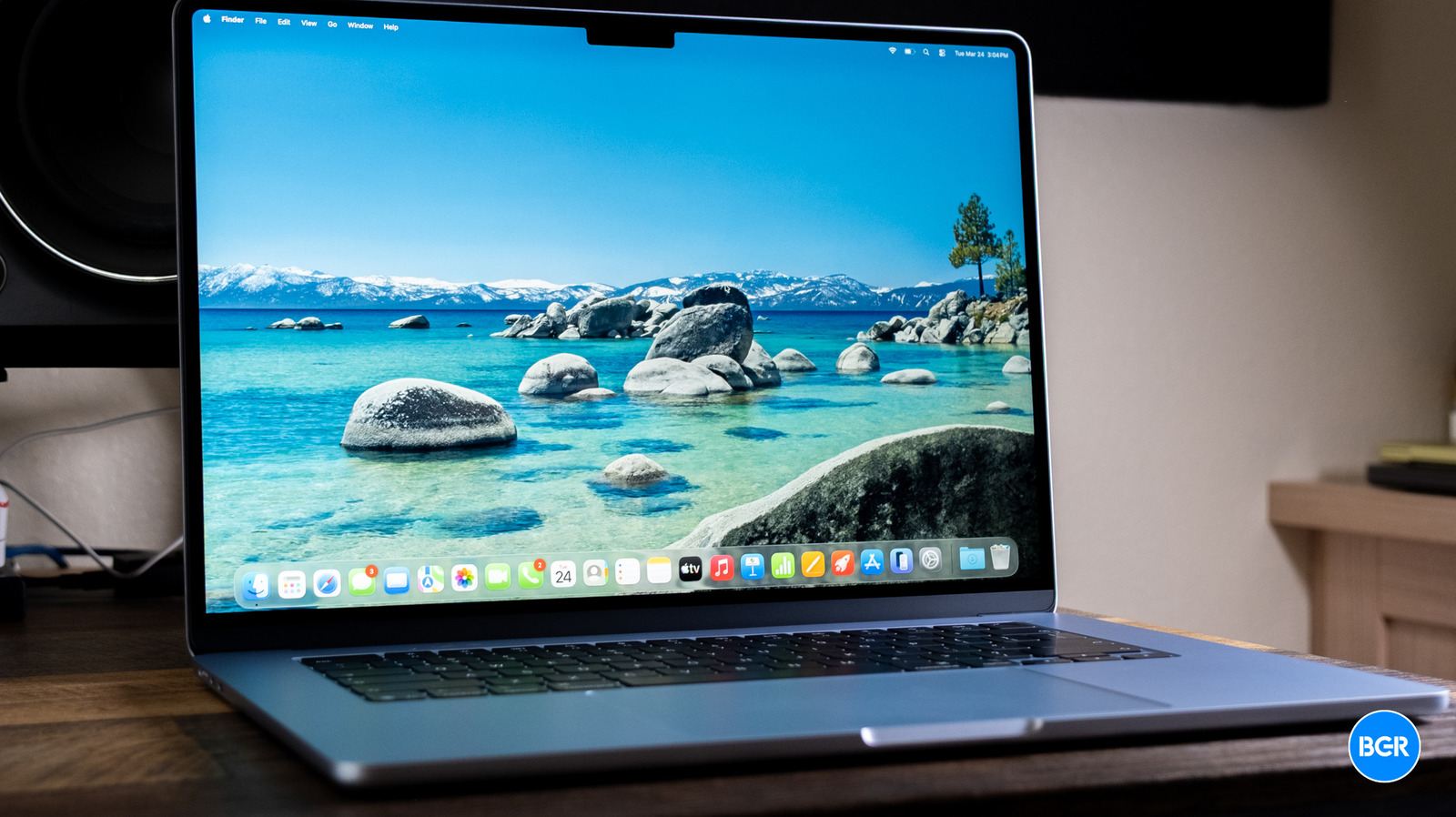
The MacBook Air has been the laptop most people should buy for years now. With the M5, the MacBook Air doesn’t reinvent the wheel, and it doesn’t change how great of a laptop the MacBook Air in general is. But what has changed is the MacBook Air’s positioning in Apple’s MacBook lineup.
The MacBook Neo is the new budget MacBook in town, allowing users to get MacOS at an even lower price than the MacBook Air, without having to buy a used machine. The Air is better than the Neo, and that’s not really debatable. But is it enough better to justify what you’re paying over the Neo? That’s the more interesting question, and the answer isn’t as straightforward as you’d think.
Design
Like before, the M5 MacBook Air comes in 13.6-inch and 15.3-inch sizes, and both carry over the same aluminum build and thin-and-light profile Apple has used for several generations now. If you’ve ever seen a MacBook Air released in the past few years, there are no surprises here. That’s not a bad thing, though — it’s still premium, durable, and sleek. The design isn’t all that exciting anymore, but who needs exciting when you have one of the best-designed and most portable laptops out there?
I’ve been using the 15.3-inch model, and it’s a great-looking machine. That bigger screen is fantastic for getting work done and watching video content, and even with the extra size, it still feels surprisingly portable. That said, I personally lean toward the 13-inch. It’s just easier to put in a bag and forget about. Both sizes look great though — it really just comes down to whether more screen or better portability matters to you. Build quality is exactly what you’d expect from Apple at this point. It looks and feels like an expensive machine, which, given the price, it should.
For ports, you’ll still get two Thunderbolt 4 ports, a 3.5mm headphone jack, and MagSafe for charging. That’s fine for most people, though in testing the MacBook Air, I did miss the port selection on the MacBook Pro I normally use. If you do need to plug in a bunch of accessories, then you might need to get used to using a dongle or adapter.
The MacBook Air comes in four colors — Sky Blue, Silver, Starlight, and Midnight. I have the Sky Blue model, which looks great. I do wish the MacBook Air came in more bright colors, but the ones that it does come in look very nice.
Keyboard and touchpad
Apple has pretty much perfected the laptop keyboard and touchpad at this point, and the M5 Air keeps that going. The keyboard gives you solid key travel with well-spaced keys, making it comfortable for long typing sessions. It’s not going to convert the mechanical keyboard diehards, but for a laptop keyboard, this is about as good as it gets, for me at least.
You get the Force Touch trackpad here, which is technically a step up from what the MacBook Neo offers. In practice, though, the gap isn’t as big as you might assume. If you’re someone who taps to click rather than pressing down, you’ll barely notice the difference.
The haptic feedback is nice and the consistent click feel across the entire surface is appreciated, but it’s not the kind of night-and-day upgrade that would single-handedly push you toward the Air over the Neo, considering the fact that the “multi-touch” trackpad on the Neo still feels great. Put together, the keyboard and trackpad make for a daily input experience that’s really hard to criticize.
Speakers
The speakers on the M5 MacBook Air are decent. They get reasonably loud, offer some spatial separation, and handle casual listening without any issues. They’re noticeably better than what you get from the MacBook Neo, which is worth keeping in mind if you listen to audio without headphones frequently. For podcasts, audiobooks, and background music, they’ll do the job.
That said, they don’t really get close to the MacBook Pro’s speaker system, which delivers richer bass and fuller sound across the board. The Air’s speakers are fine for what they are, but even a cheap pair of headphones will sound better for music or movies. Think of them as perfectly adequate rather than a selling point.
Display and webcam
Apple offers a 13.6-inch and a 15.3-inch Liquid Retina display on the MacBook Air M5, both featuring 500 nits of brightness. It’s an LED-backlit panel, so you’re not getting the inky blacks of an OLED or Mini-LED screen, but it’s bright, vibrant, and sharp enough that watching video and internet browsing still look great.
Colors are accurate and punchy, the 500-nit brightness works well in most indoor environments and holds its own in moderately bright outdoor settings, and text looks crisp from any reasonable viewing angle. For the vast majority of users, this display is going to be more than good enough.
Still, I’d love to see Apple bring OLED to the Air at this price point. Competitors are starting to offer OLED panels in similarly priced ultraportables, and the improvements in contrast and deep blacks are meaningful, especially for media consumption and creative work.
Above the display sits a 12MP Center Stage camera with Desk View support, which lets you show your desk surface during video calls. Camera quality is good for video calls, and Center Stage works great. The microphones work well for voice clarity, too, making the laptop a good all-in-one machine for remote work and virtual meetings.
Performance
In daily use, the M5 MacBook Air is fast. Apps launch instantly, multitasking is seamless, and the whole system feels snappy no matter what you throw at it. Whether you’re juggling dozens of browser tabs, editing photos, or running productivity apps side by side, the M5 handles all of it without breaking a sweat. The laptop has faster memory bandwidth too — 153GB/s — and the doubled SSD speed over last generation means file transfers and app loading feel noticeably quicker.
Even without a fan cooling the M5, the Air is a powerful laptop. Of course, it’s not as powerful as the MacBook Pro — even with the M5 chip, the fans in the MacBook Pro allow it to perform better — but it handily beats the vast majority of the competition in single-core performance. Multi-core performance was closer to tying with the best, but beating everything else. It’s obviously more powerful than the M4 before it — though to be fair, most won’t notice a night-and-day difference.
Perhaps more importantly, the MacBook Air is a significant step up in performance over the MacBook Neo. To be clear, that doesn’t mean everyone should upgrade to the MacBook Air — they shouldn’t. The majority of people who use a laptop for web-browsing and basic productivity will still find the Neo to be more than fast enough. In other words, the MacBook Air is now a laptop for those who need faster performance than the Neo, for creative tasks like editing photos, coding, and so on, without needing the workhorse graphics performance or the price tag associated with the MacBook Pro. The Pro is still the machine for the most demanding users — but those in the middle should still buy the Air.
Connectivity gets a solid upgrade this generation with Wi-Fi 7 support through Apple’s N1 wireless chip and Bluetooth 6. Wi-Fi 7 brings faster speeds and lower latency if you’ve got a compatible router, and while most people won’t have Wi-Fi 7 infrastructure at home yet, it’s good future-proofing. Bluetooth 6 offers improvements in range and connection stability too, which benefits wireless peripherals and audio devices.
Battery
Apple says the M5 MacBook Air gets up to 18 hours of battery life, though most won’t quite get that much. That said, the battery life of the MacBook Air is still very good. It’s easily able to last a full work day with moderate use, and while you can kill it quicker by cranking the screen and running it hot, most won’t worry all that much about battery life.
That’s especially true compared to the Windows competition. The likes of Intel have made massive improvements in terms of efficiency over the past few years, but they’re still not quite approaching MacBook levels.
MagSafe charging is still here, and it’s still a nice convenience — the magnetic connection snaps on easily and, more importantly, pops off cleanly if someone trips over the cable. The laptop can charge to 50% in around 30 minutes when using a 70W or faster power adapter. That’s pretty quick. I still tend to charge with USB-C though — it’s just easier for me to not have to worry about different cables.
Conclusions
The M5 MacBook Air is exactly what you’d expect — a refined, incremental upgrade to what was already an excellent laptop. It remains incredibly versatile, handling everything from everyday productivity to demanding creative work without flinching.
But with the MacBook Neo, the MacBook Air is no longer the laptop for everyone. Many users will find it to be a nice upgrade over the Neo, but the Neo is still easily powerful enough for the vast majority of users that want something for basic productivity and web browsing. If you do want a little more from your laptop — but not everything the MacBook Pro can offer — then the MacBook Air is still an excellent laptop, and better than the majority of alternatives at its price point.
The competition
The M5 MacBook Air lives in a crowded ultraportable space, but if you’re in Apple’s ecosystem, the MacBook Air is an easy sell. It’s powerful, lightweight, and offers a great design. Really, the Air is still arguably the go-to laptop for those who need more than the basics.
Should I buy the M5 MacBook Air?
Yes. If you need a step up from the MacBook Neo, the MacBook Air is the way to go.